Membership Entitlement and membership Auto apply
Overview
In the membership, under Service Entitlements, you can map service categories to the membership and assign credits to those services.
Membership Entitlement and Membership Auto apply can be viewed in:
- Settings > Membership Services -> Membership Configuration -> Edit/Add new membership
How to Create
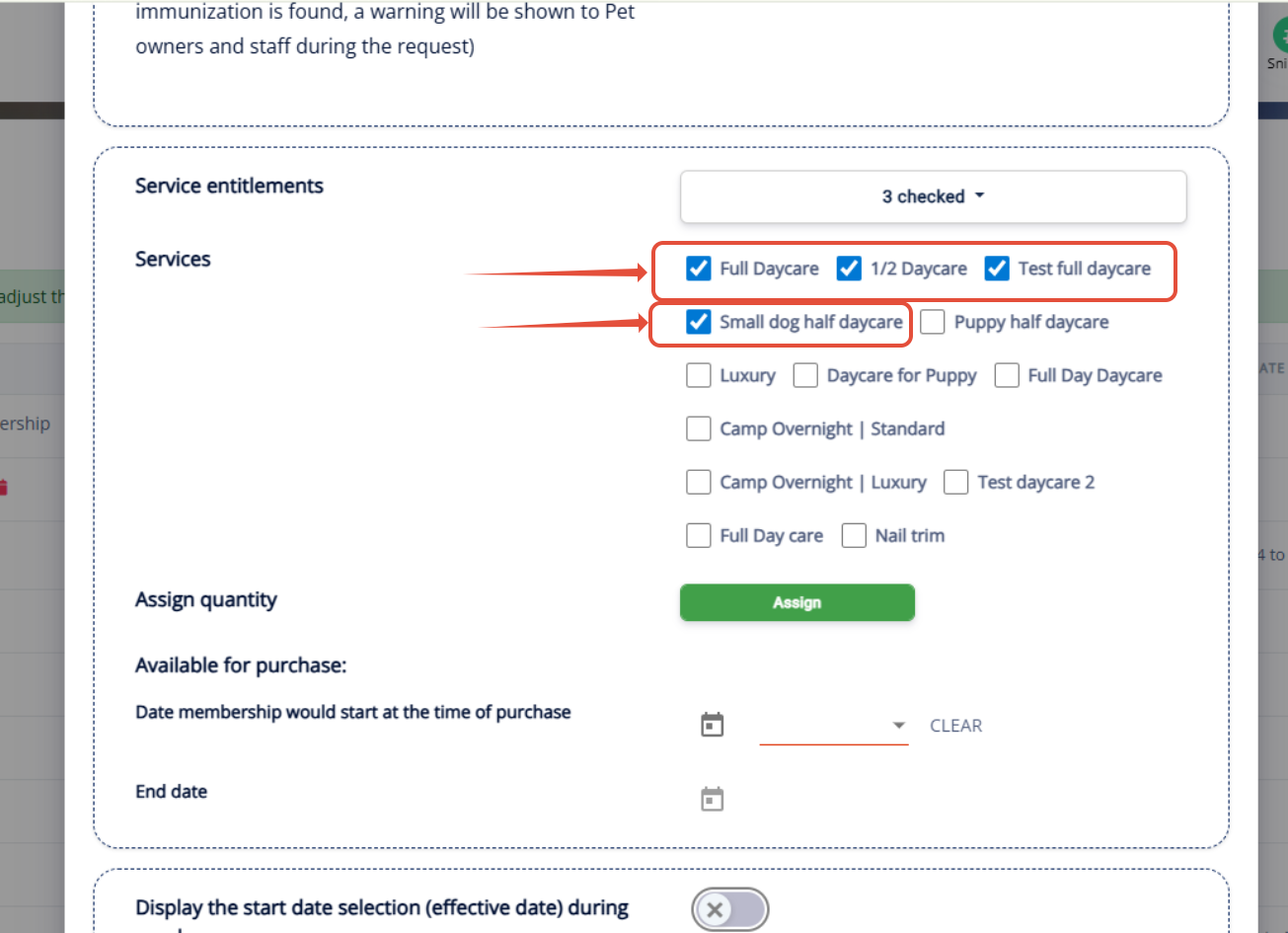
If you would like to provide additional credits for specific services, select the desired service category, then check the individual services that should receive extra credits. Once selected, click Assign and enter the quantity of credits you would like to allocate.
1. This allows you to customize the credits available for specific services within the membership.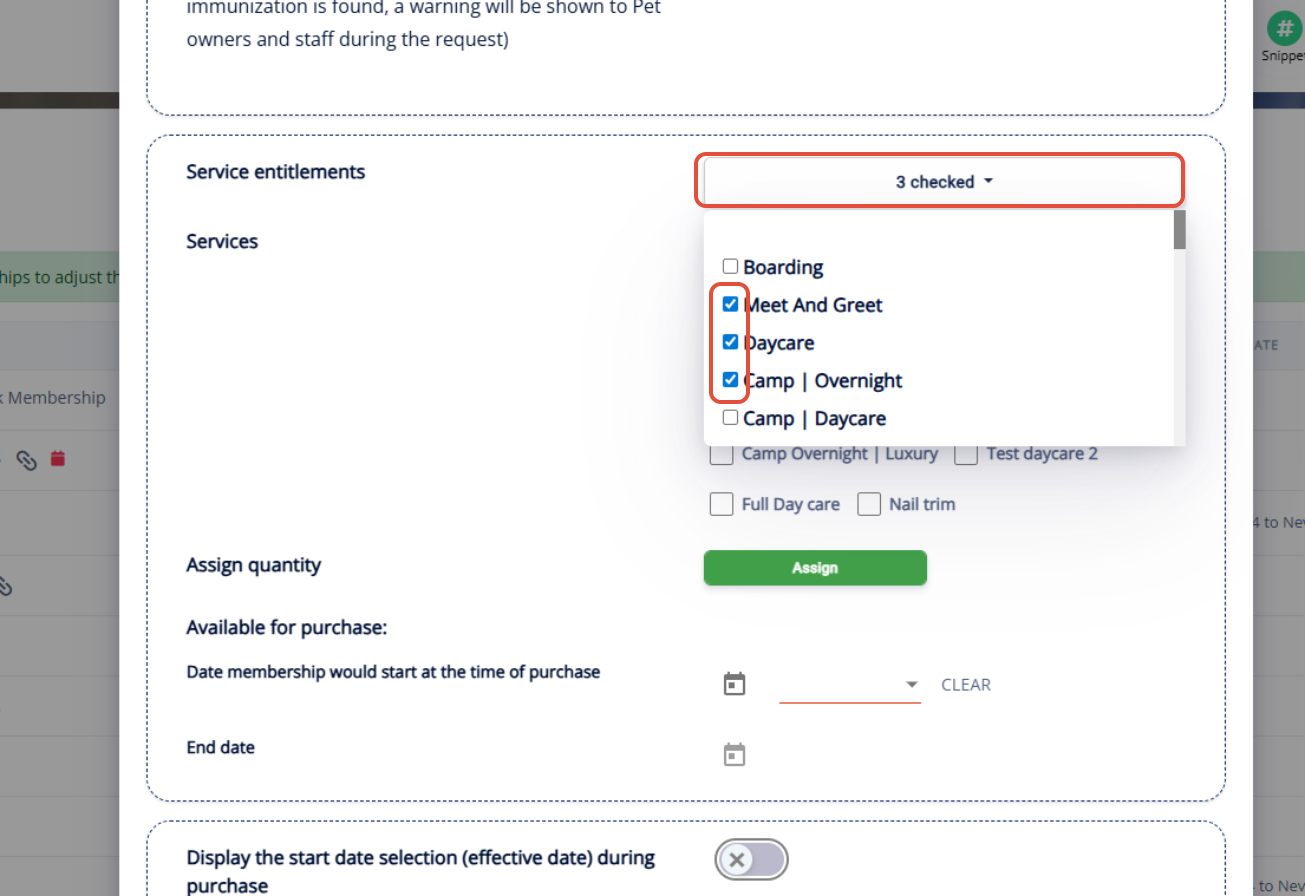
2. If you are giving set credits for each service type, select the service and enter the number of credits. You can add additional credits for other services by clicking Add Service and Assign Quantity
by clicking Assign.
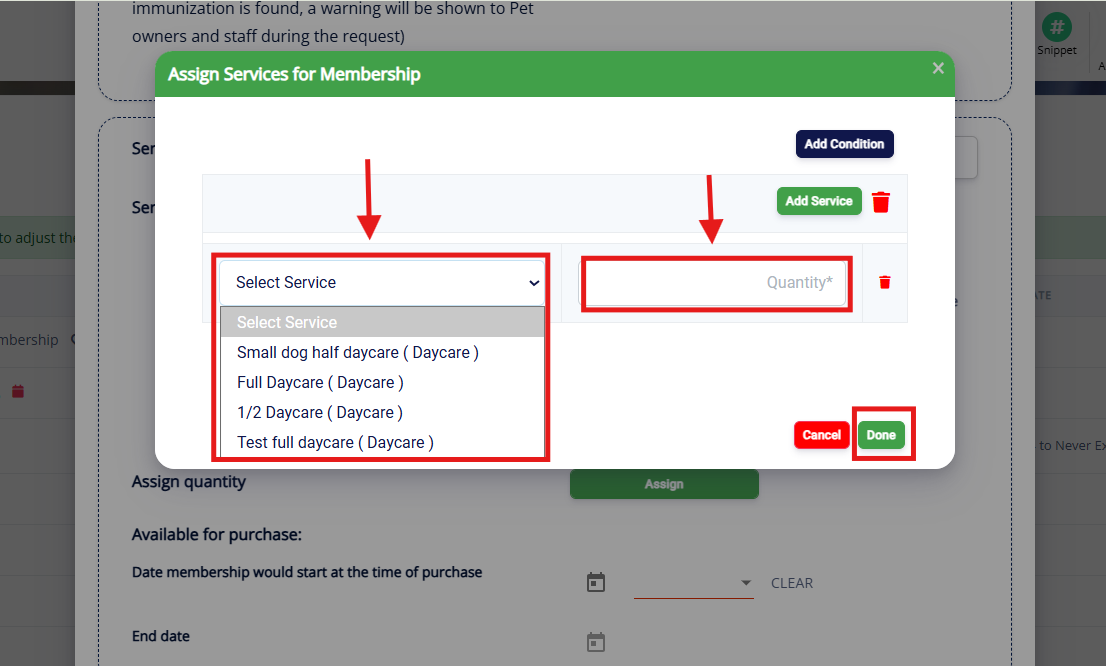
3. You can also give conditional credits. To do this, select Add Condition. Conditional credits mean they get one credit of either one service type OR another service type. The pet owner can use either option, but they only can use one. 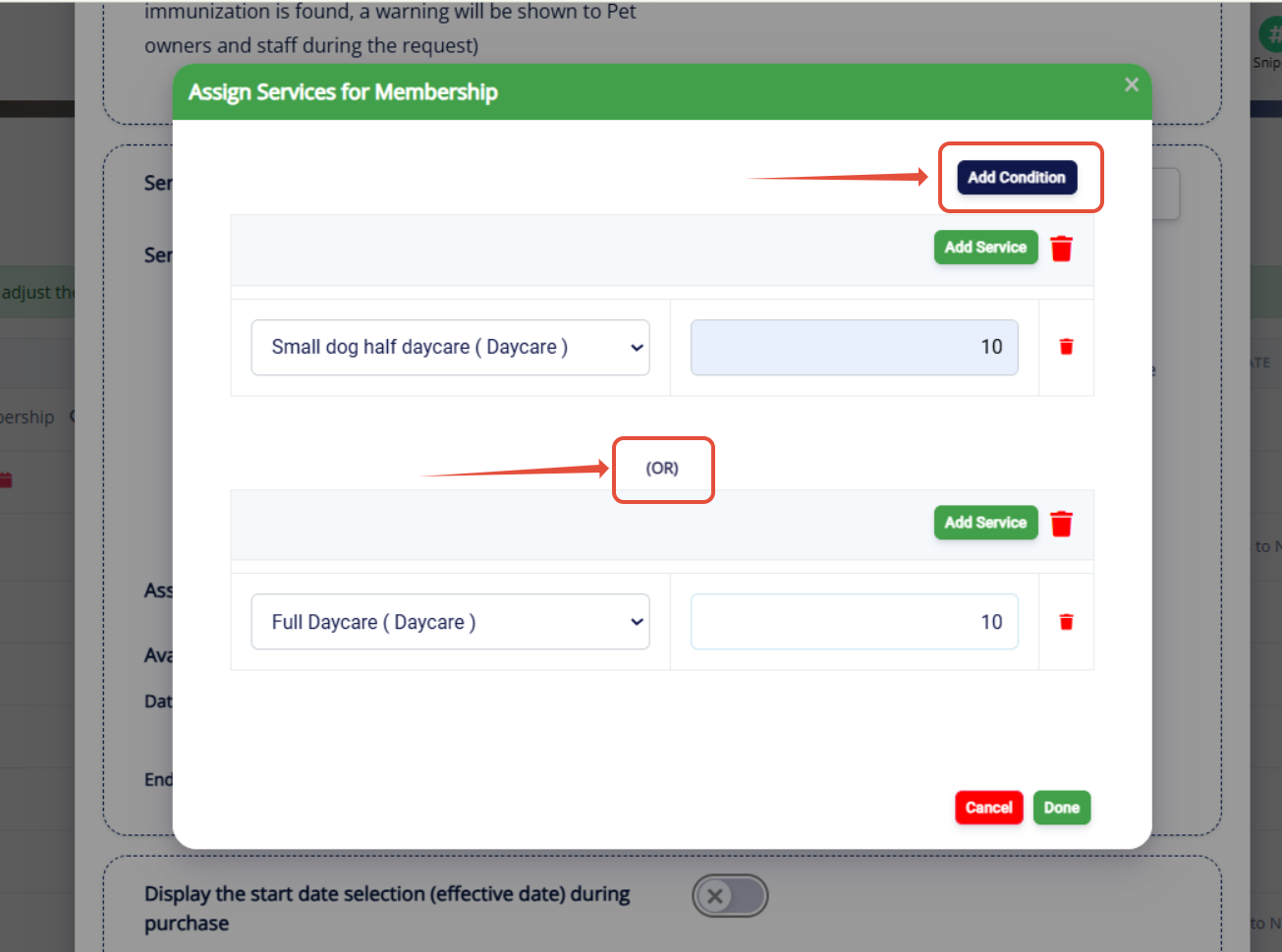
4. If you would like membership credits and discounts to be applied automatically to invoices, please enable the "Auto-apply to an invoice" option in the membership configuration.
Once this setting is enabled, eligible membership benefits will be automatically applied to invoices without requiring manual intervention.
This option is disabled by default and can be enabled under Settings → Membership Services → Membership Configuration →Edit Membership Service Entitlement → Auto-Apply to invoice (Default: OFF).
Please note : (Auto-apply is only available for single membership credits/single pet appointments. For multiple memberships, multiple pets, or multi-service memberships, manually apply to the invoice by switching the toggle button ON if applicable)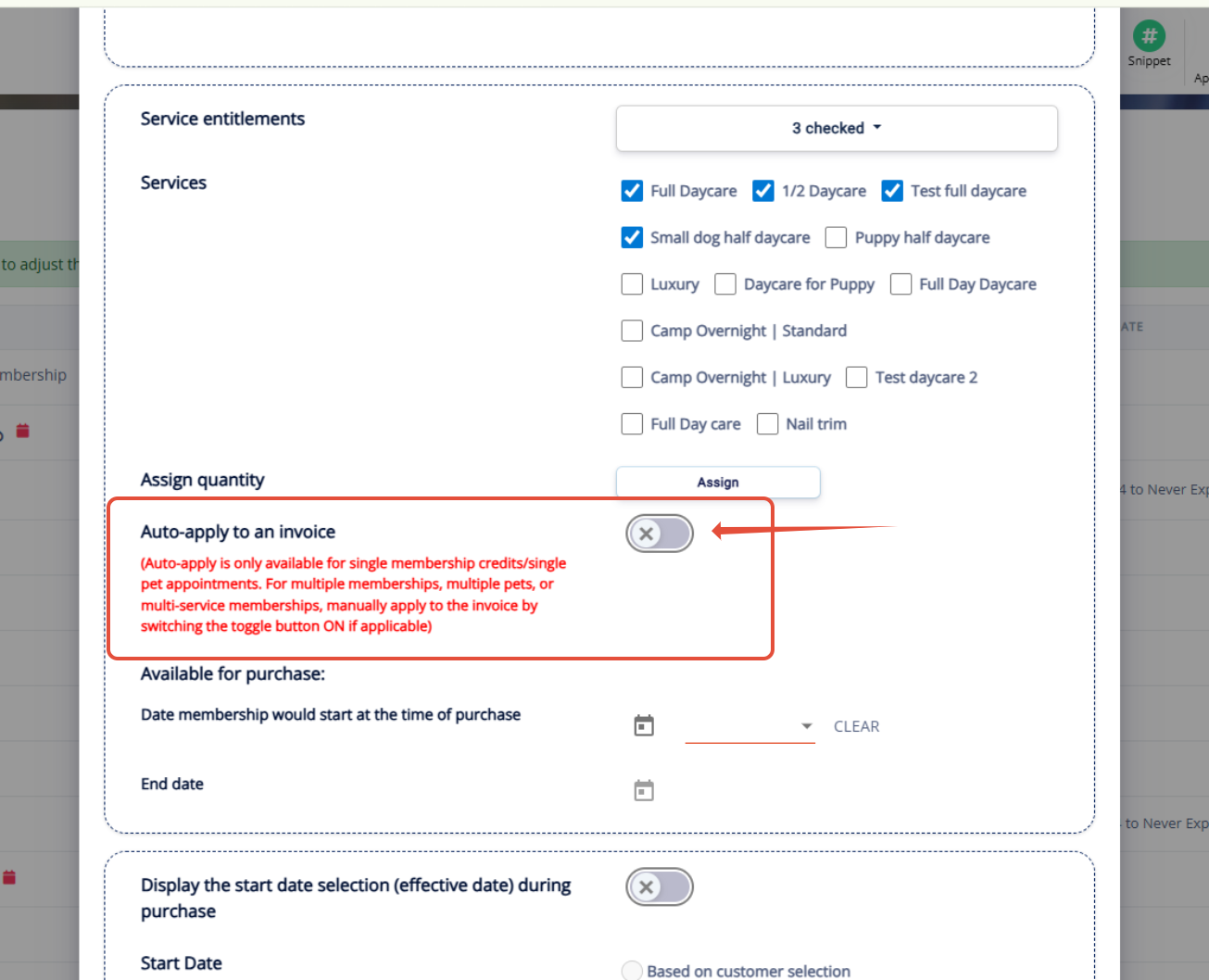
5. Optionally set a Start Date and End Date where the membership should take effect.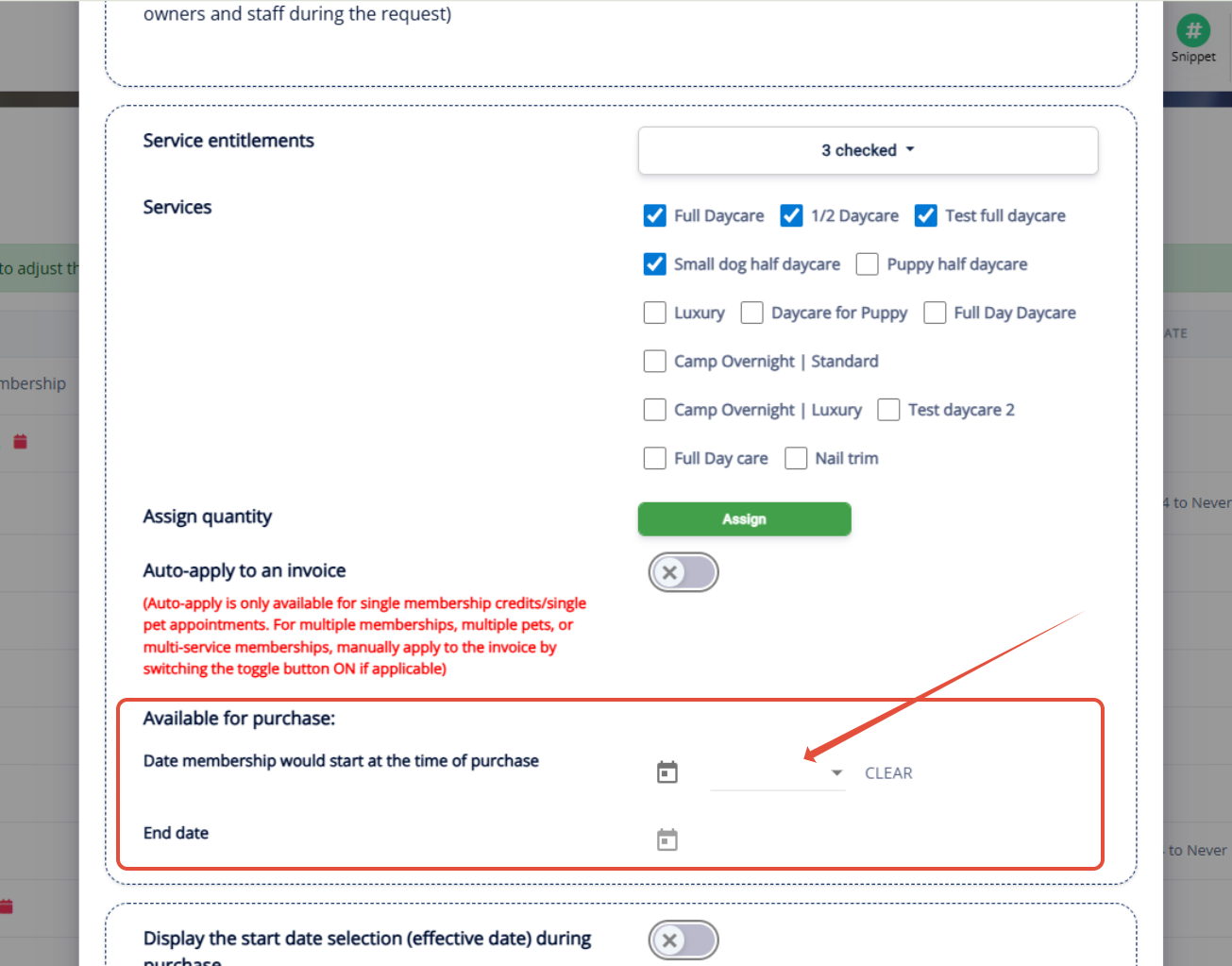
Was this article helpful?
That’s Great!
Thank you for your feedback
Sorry! We couldn't be helpful
Thank you for your feedback
Feedback sent
We appreciate your effort and will try to fix the article