Overview
Bundled Experiences provide an easy, combined set of services to pet owners and staff while booking appointments. Bundled Experiences combine multiple service categories and services that are all booked together. With one click, staff users can create a booking with all the required services as part of the same appointment.
Bundled Experiences allow you to combine required services across multiple booking categories (for example, board and train with a required weekend of boarding with a go-home lesson). You are not able to unselect services that are part of the bundle. Bundled Services allow you to combine multiple services and add-ons (for example, Boarding with daily one-on-one play service and an exit bath). You are able to unselect specific services if they should not be added to that certain appointment, but they will start as defaulted. Bundled Add-ons allow you to combine multiple add-on's into one combined offering that can be added to any appointment (for example, a bath plus nail trim plus ear clean).
Bundled Experiences can be viewed in the following areas:
- Creating a New Appointment
- Appointments tab
- Settings > Business Setup > Bundled Experiences/Services/Add-Ons
TABLE OF CONTENTS
Create a Bundled Experience
1. Navigate to Settings > Business Setup > Bundled Experiences / Services / Add-Ons.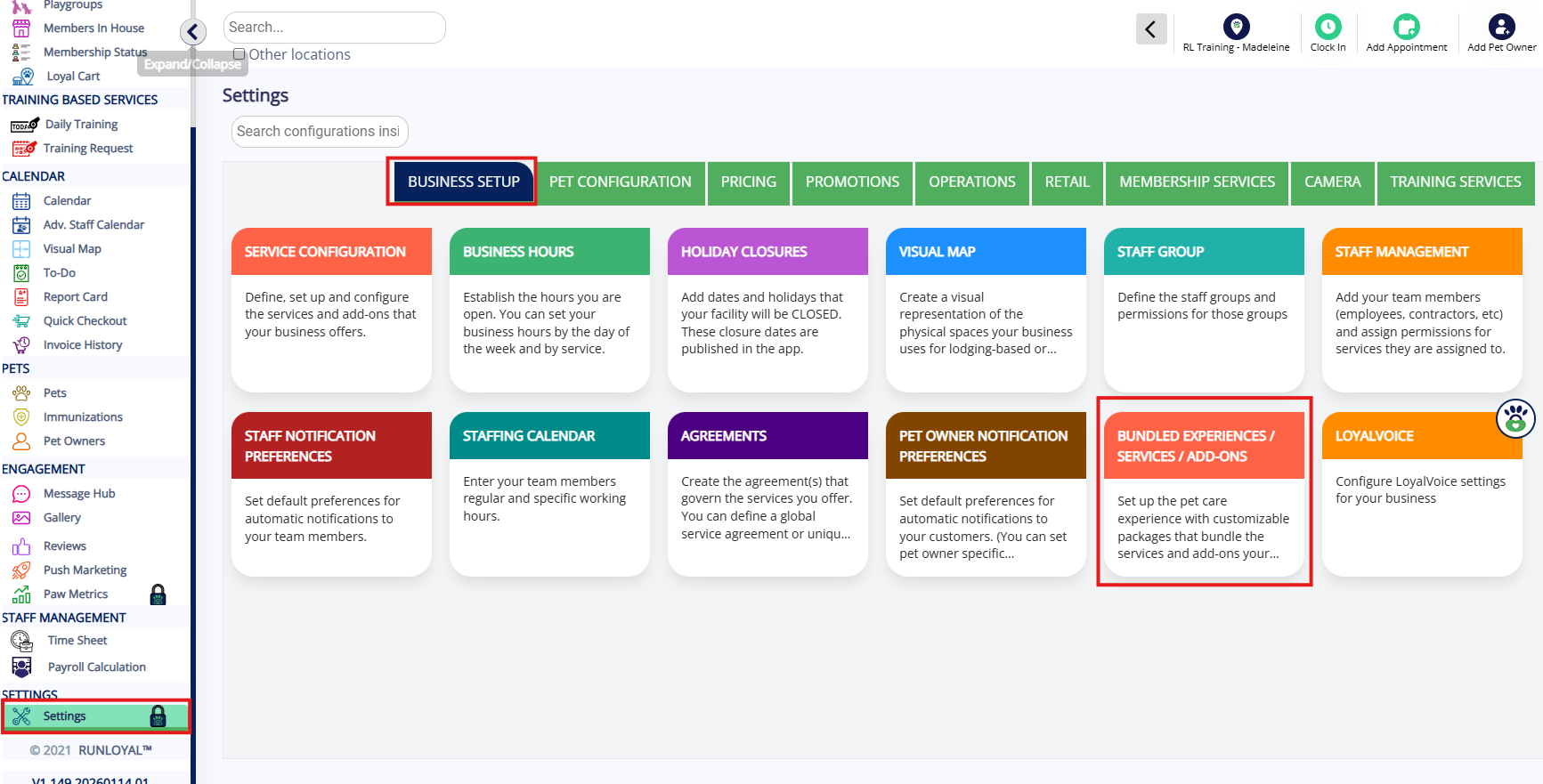
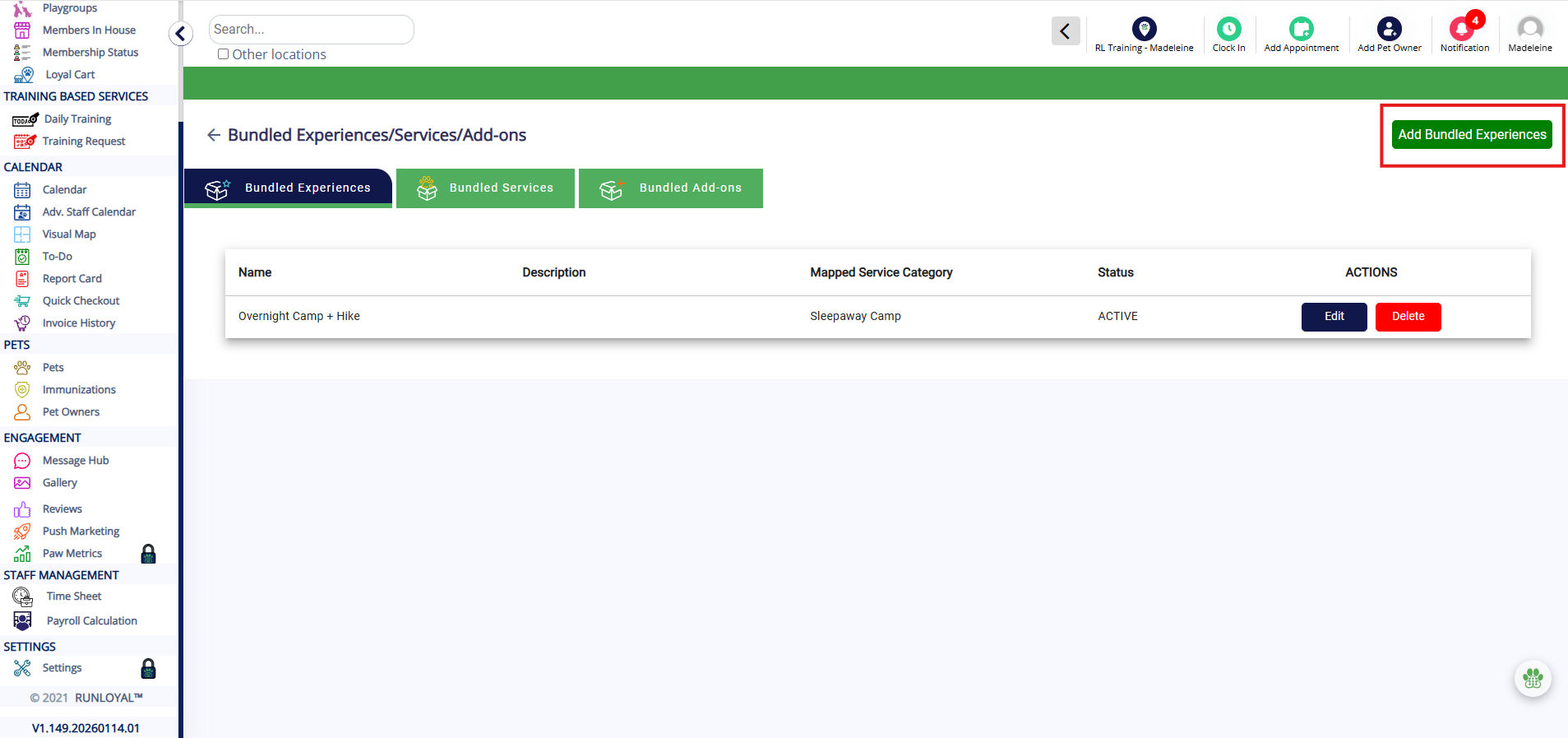
2. On the Bundled Experiences tab, click Add Bundled Experience.
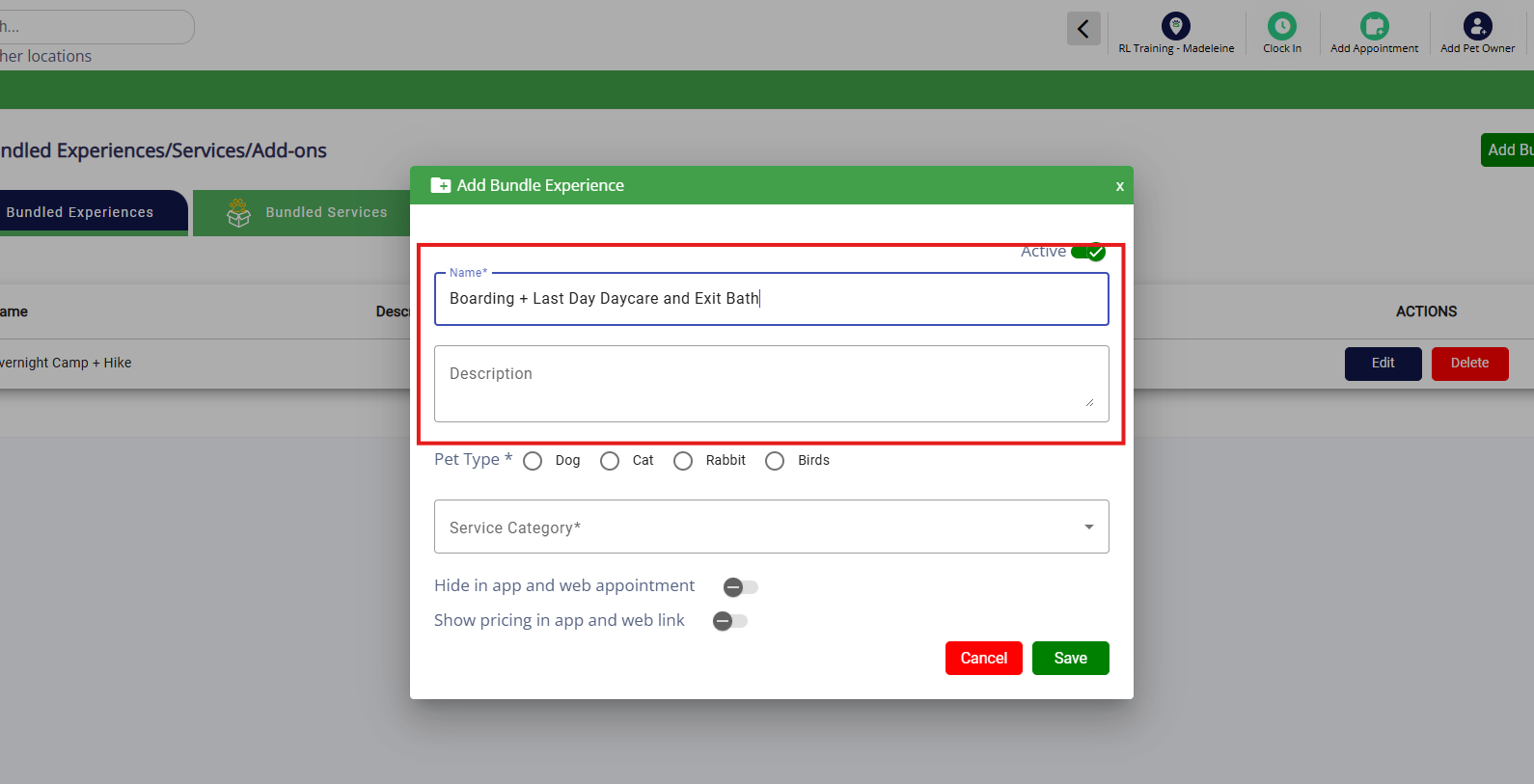
3. Enter a name for your bundled experience and optionally add a description.
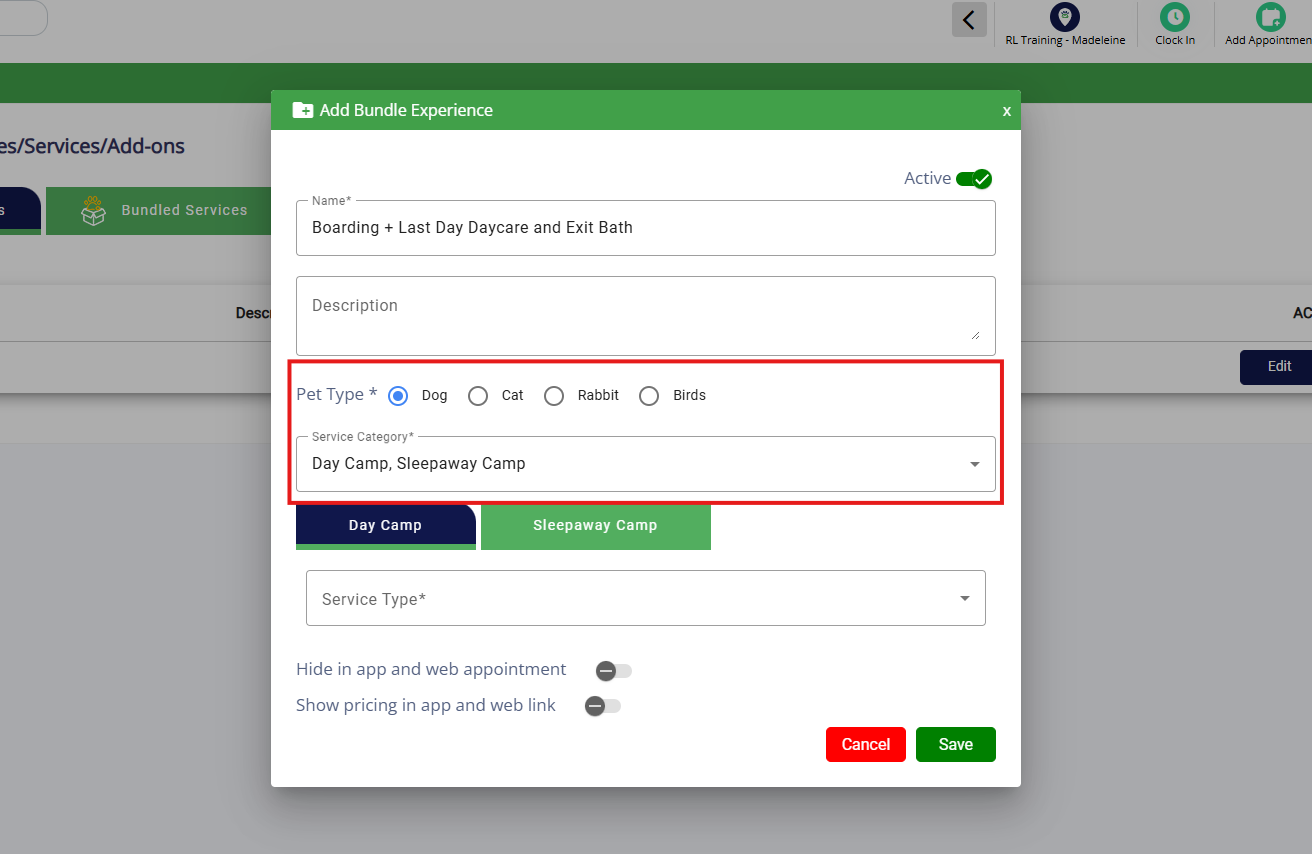
4. Select the pet type and applicable service categories.
5. On the first service category tab, select the services that should be part of this bundle.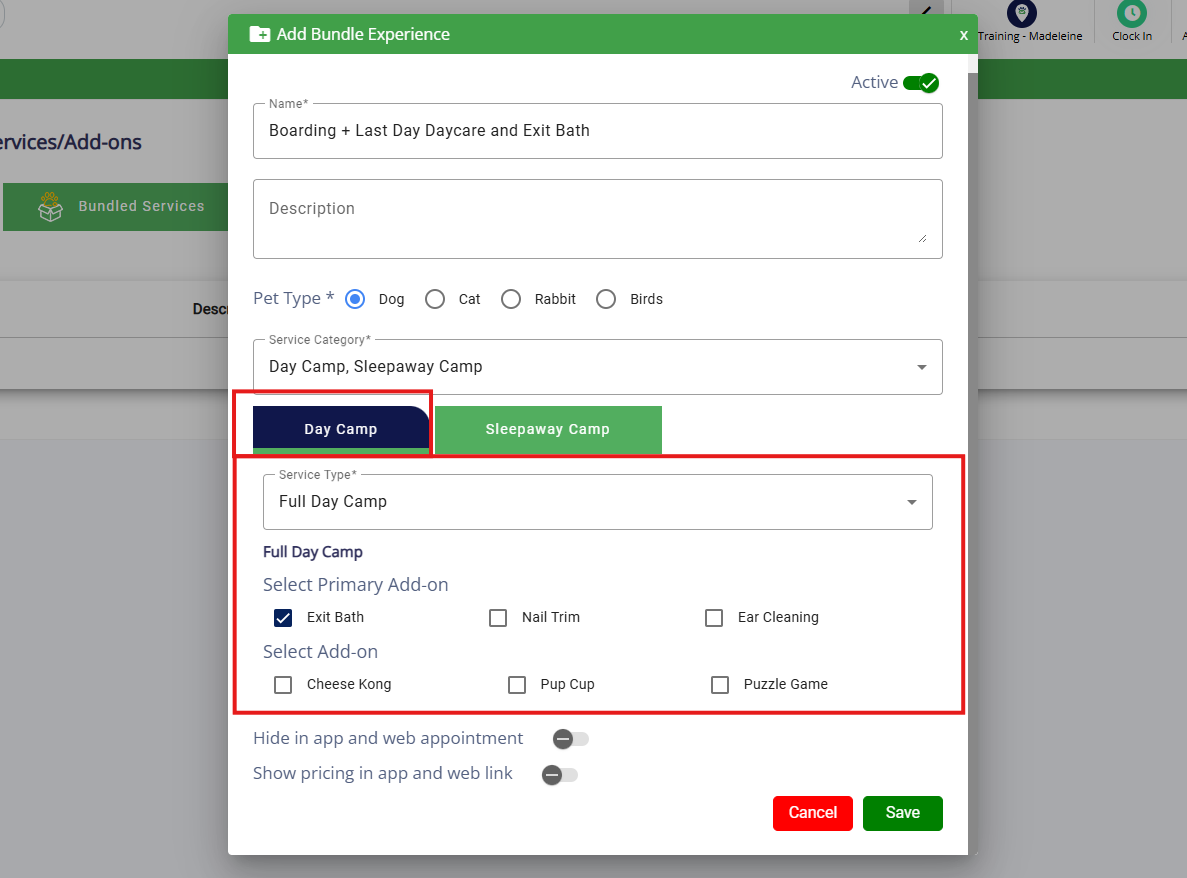
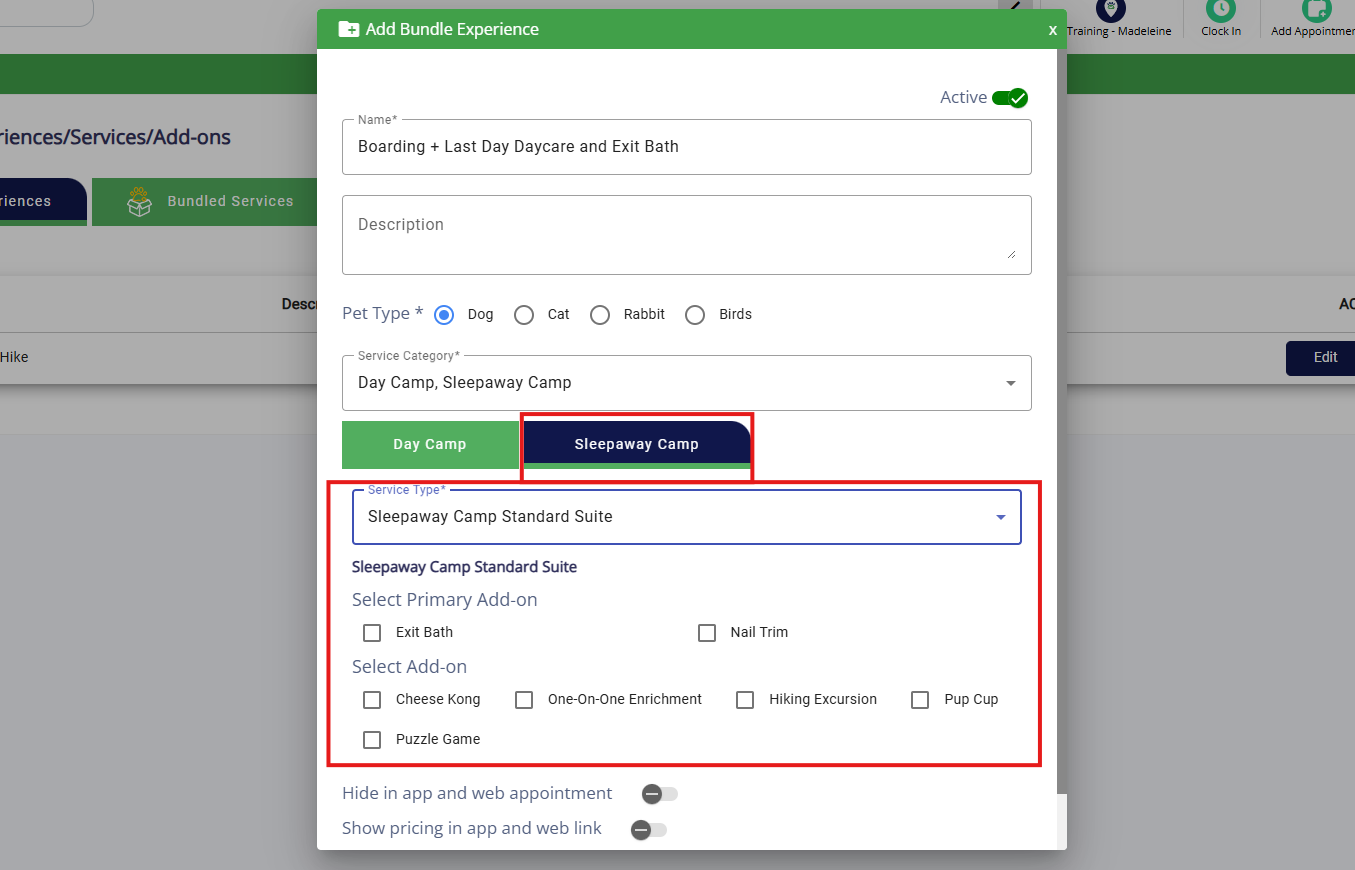
6. On the additional service category tabs, select the services that should be part of this bundle.
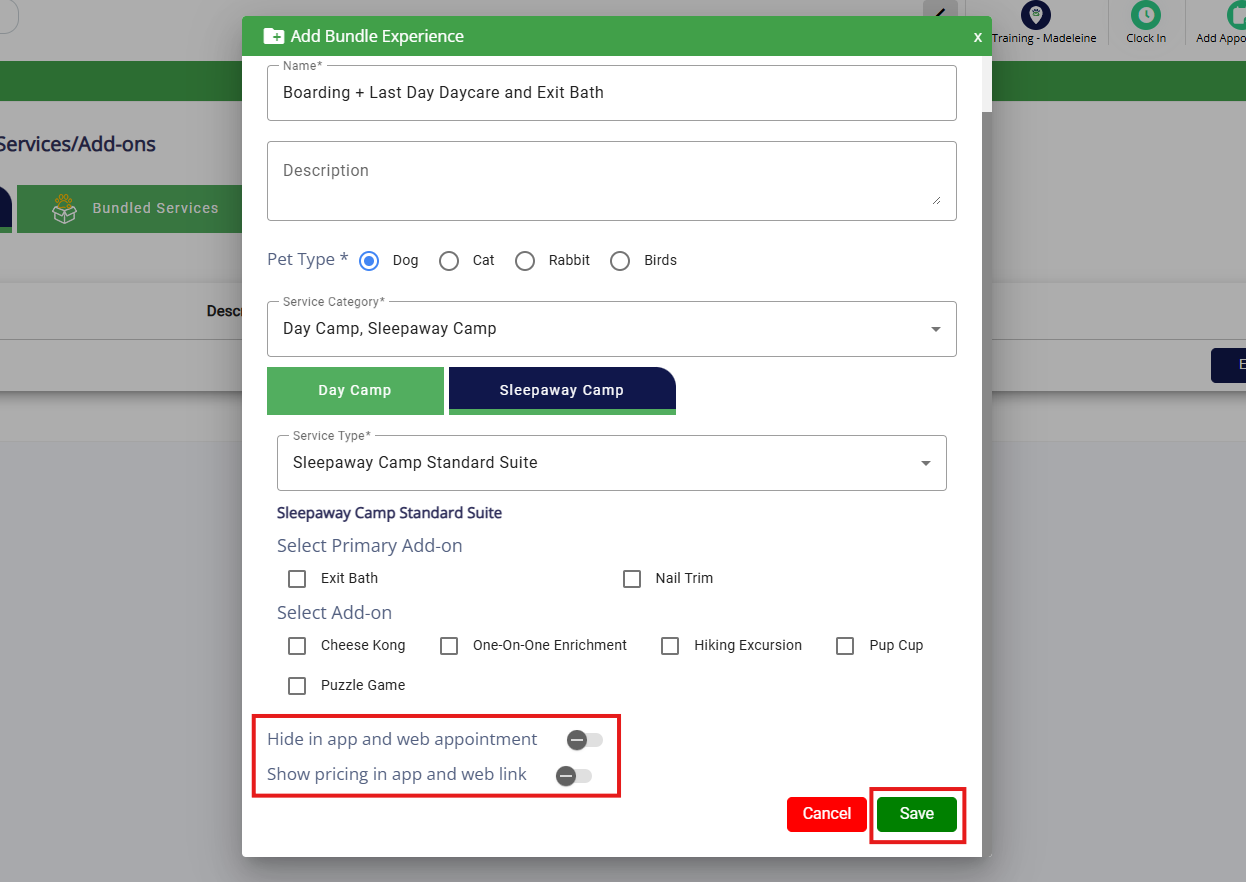
7. Select if you want this bundle to show or be hidden from pet owners, and/or have the pricing show or hidden from pet owners. Once all your services are selected, click Save.
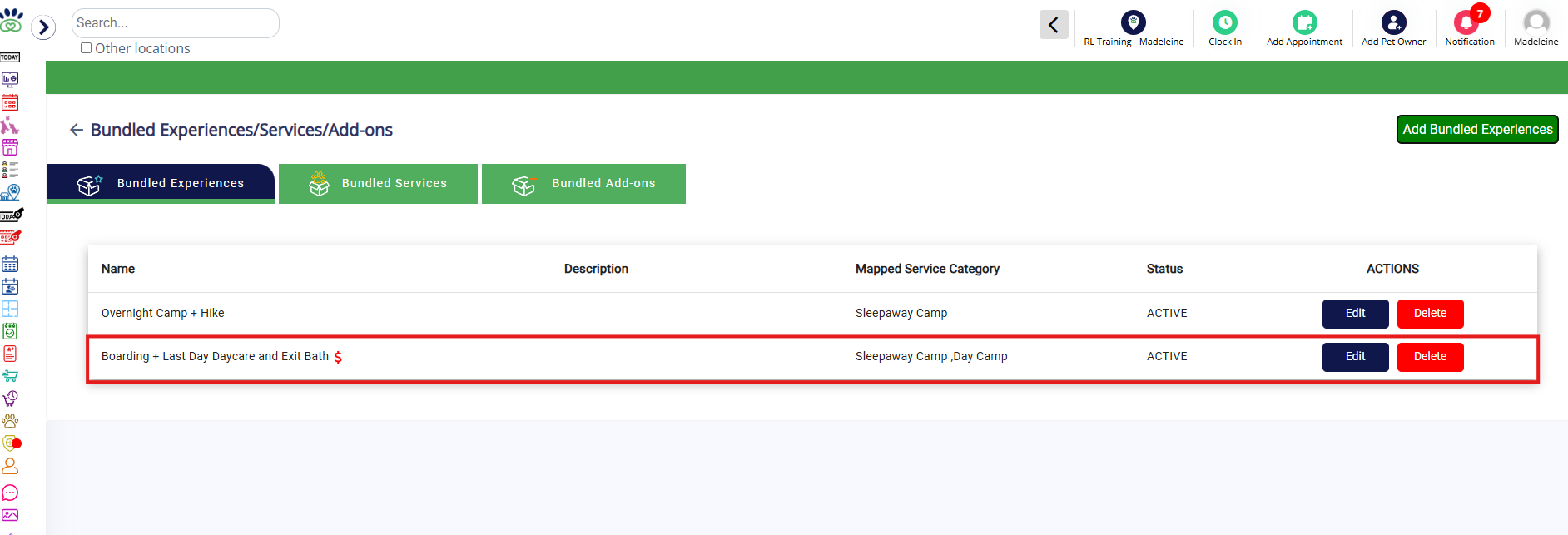
8. Verify the newly added bundled experience is displaying as expected.
Set Pricing for Bundled Experience
1. Navigate to Settings > Pricing > Price List.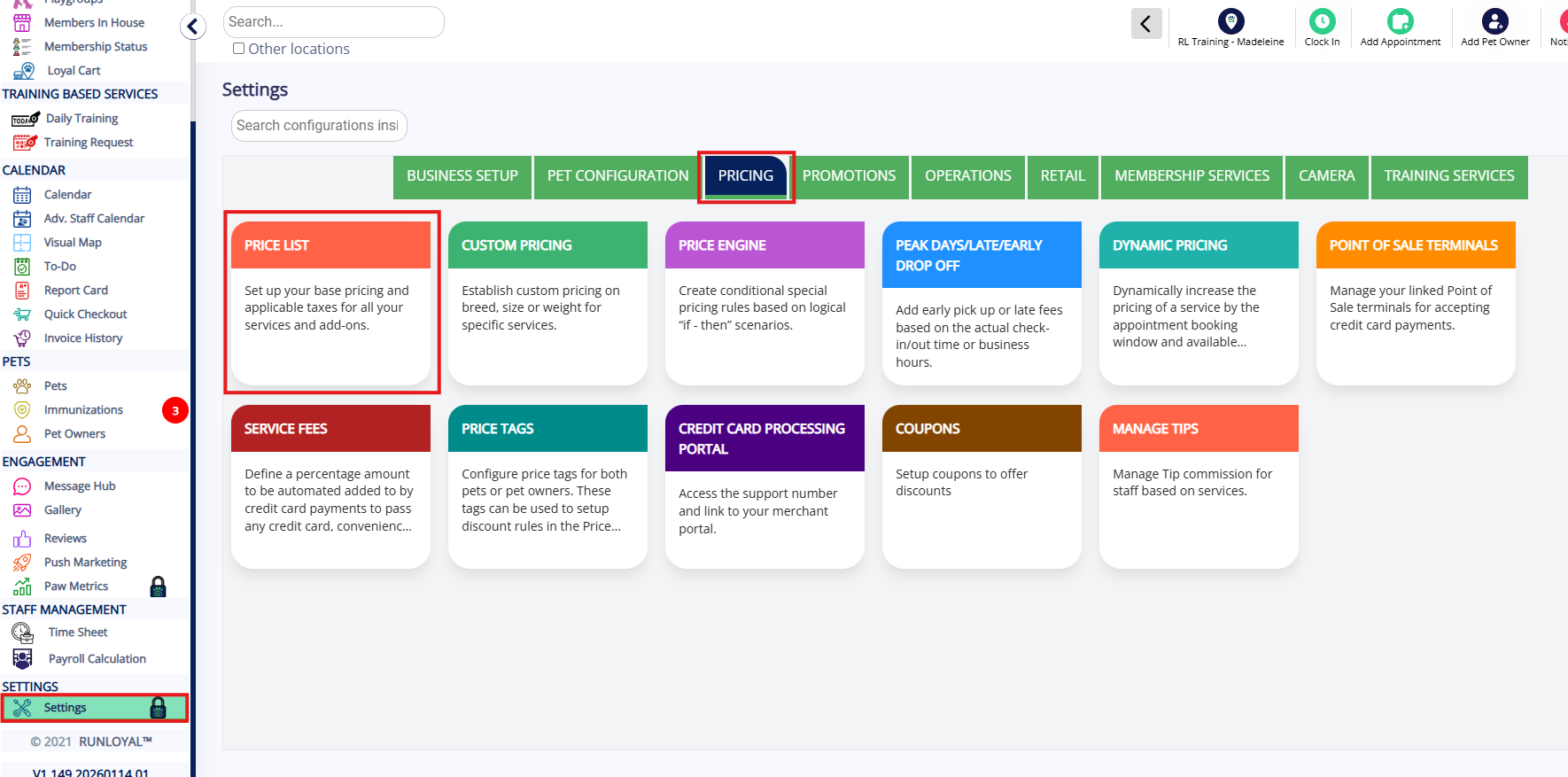
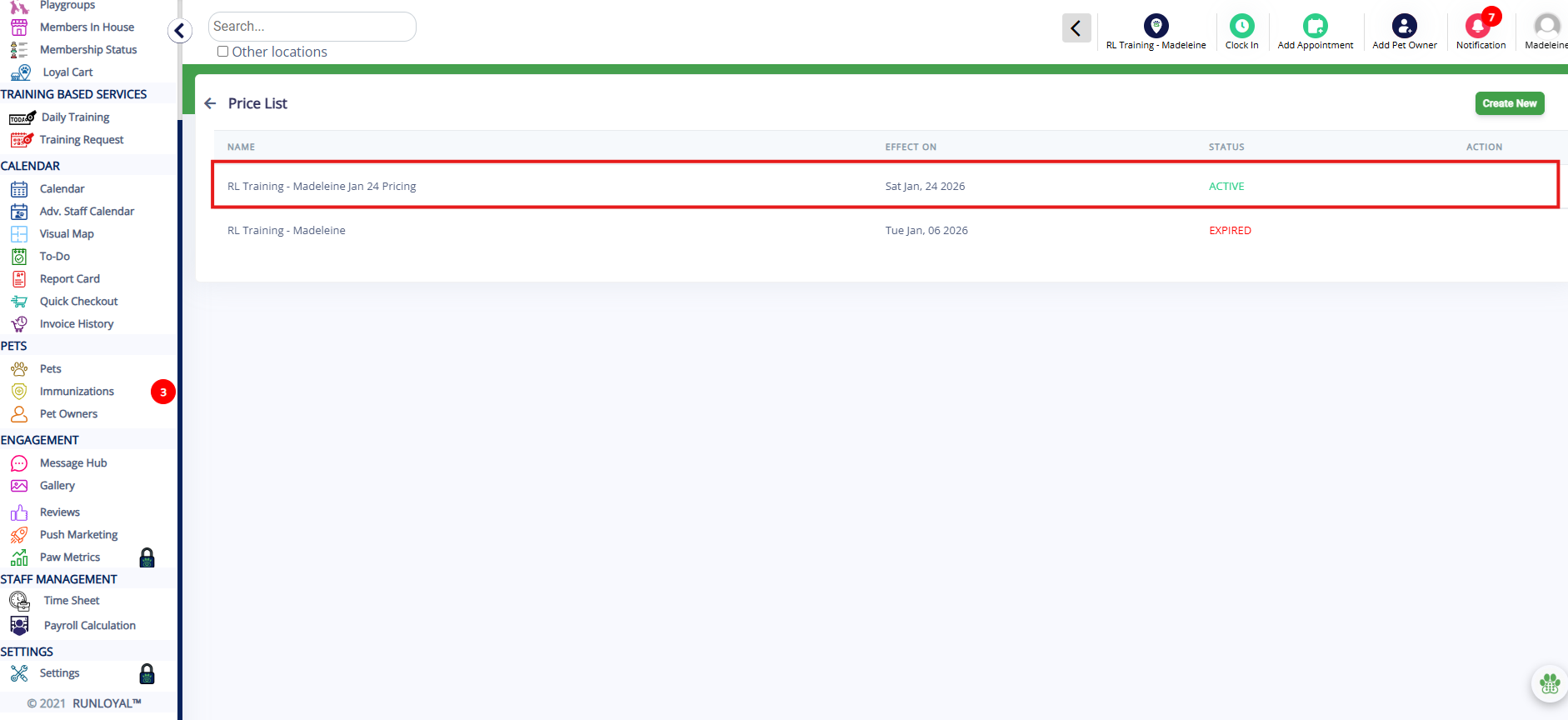
2. Click the Active price list to make edits.
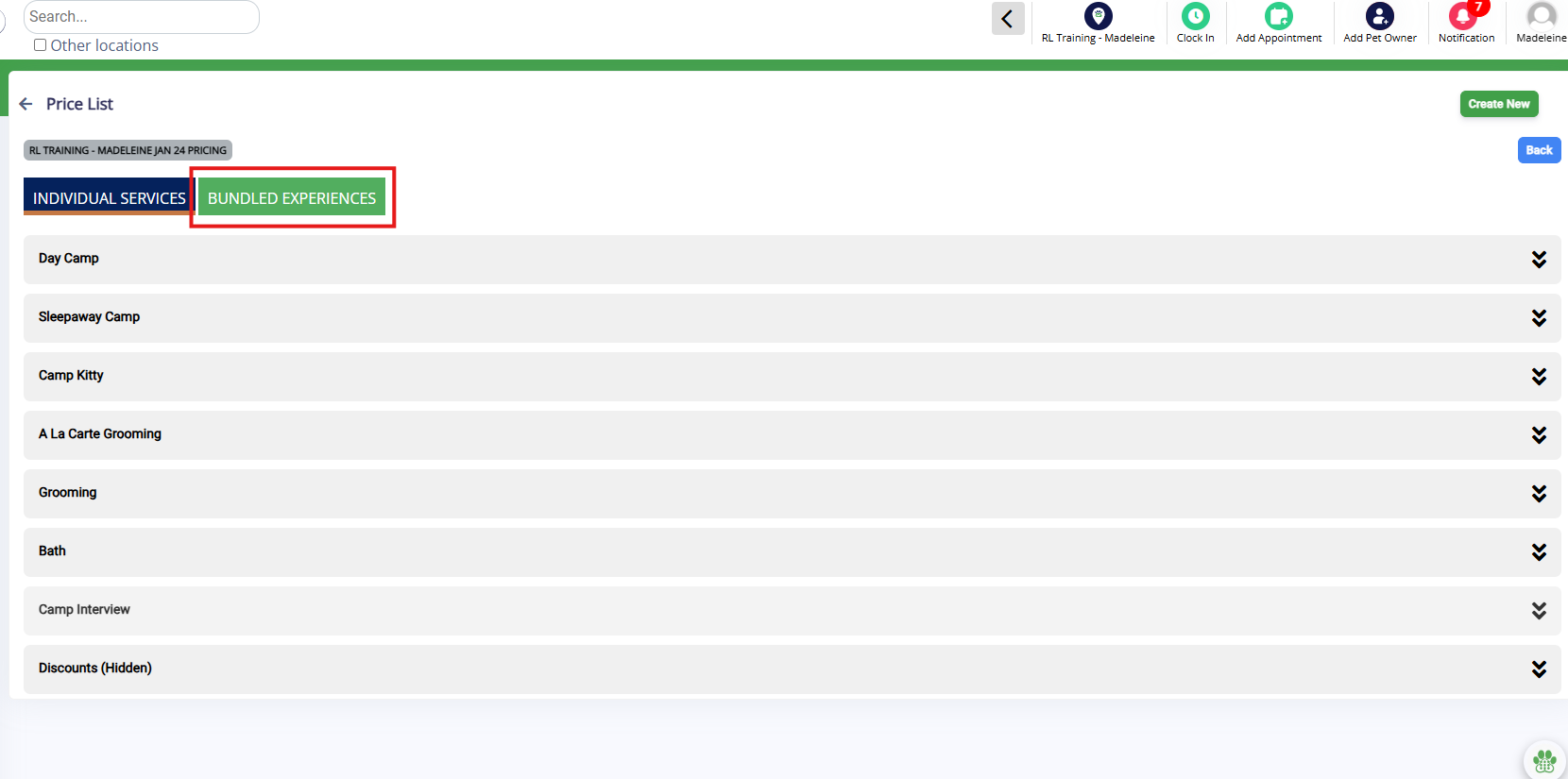
3. Select the Bundled Experiences tab.
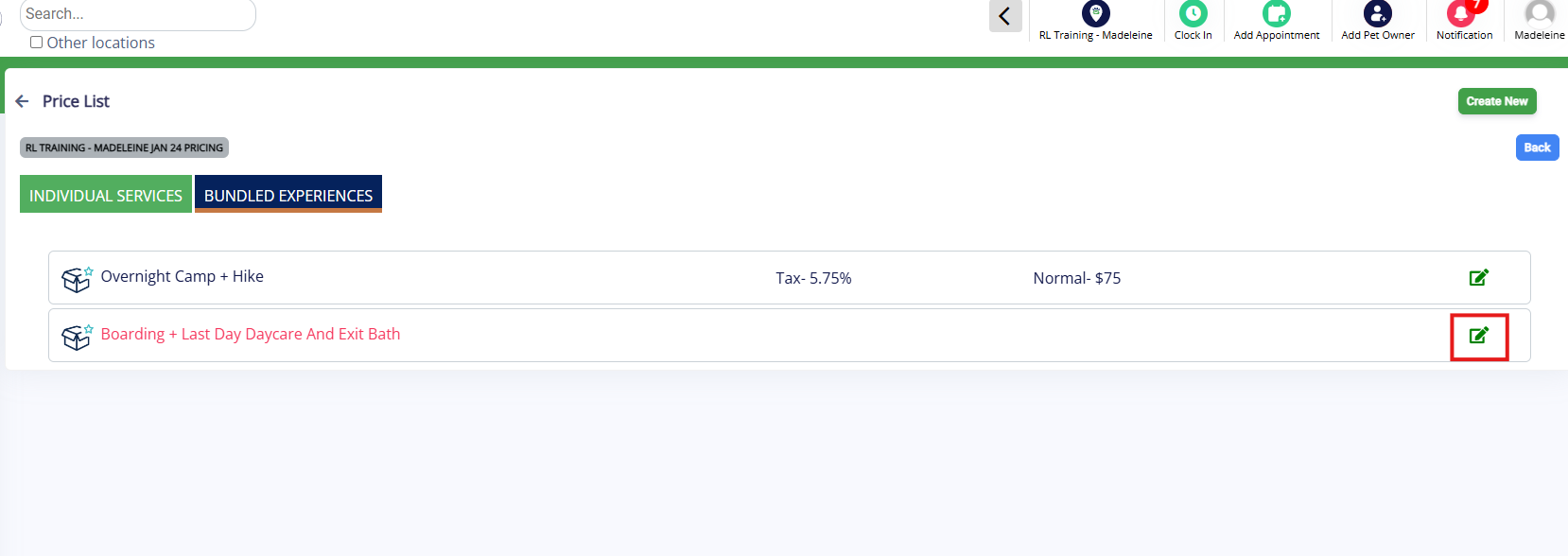
4. Find the bundled experience you created above and click the Edit pencil icon.
5. Enter the Pricing Structure (if the rate should charge per night, per day, or per appointment). Enter the tax, if applicable. Then enter the Price.
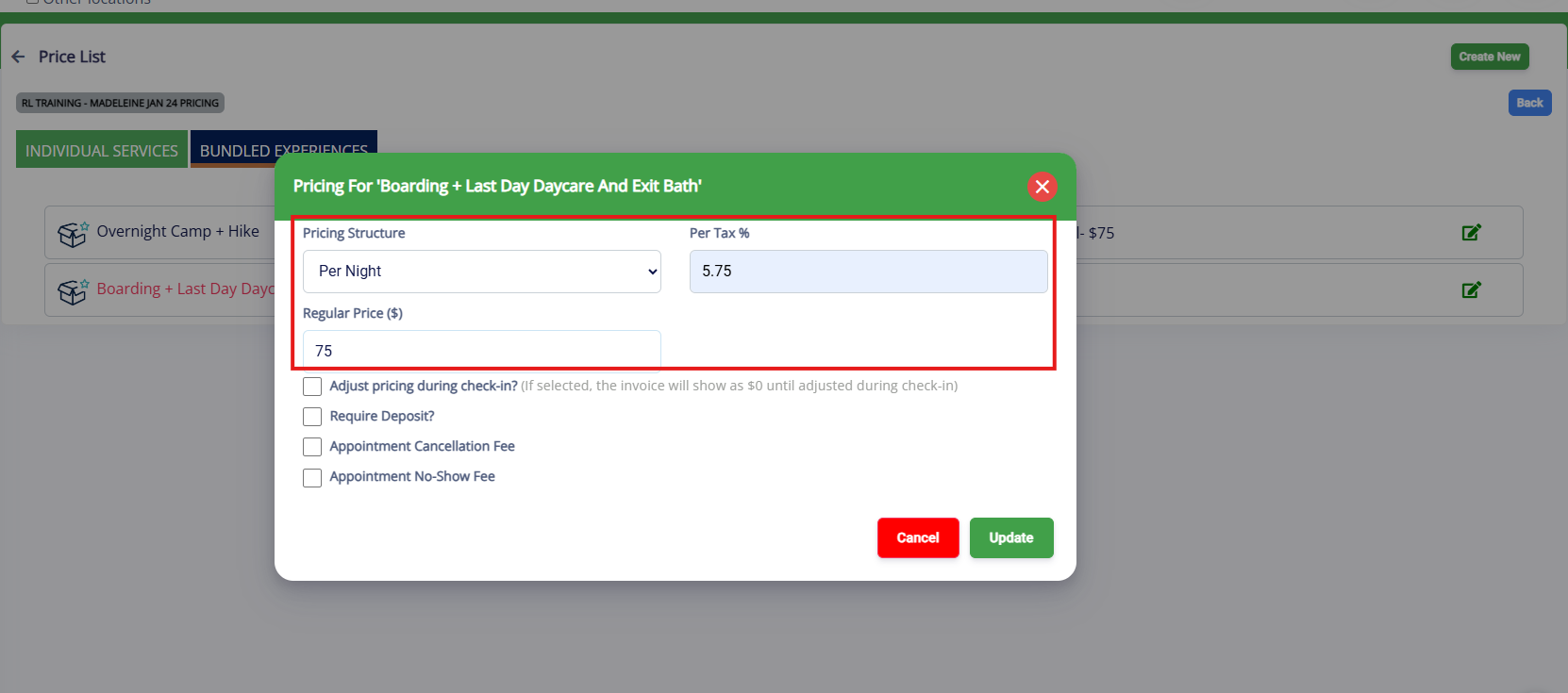
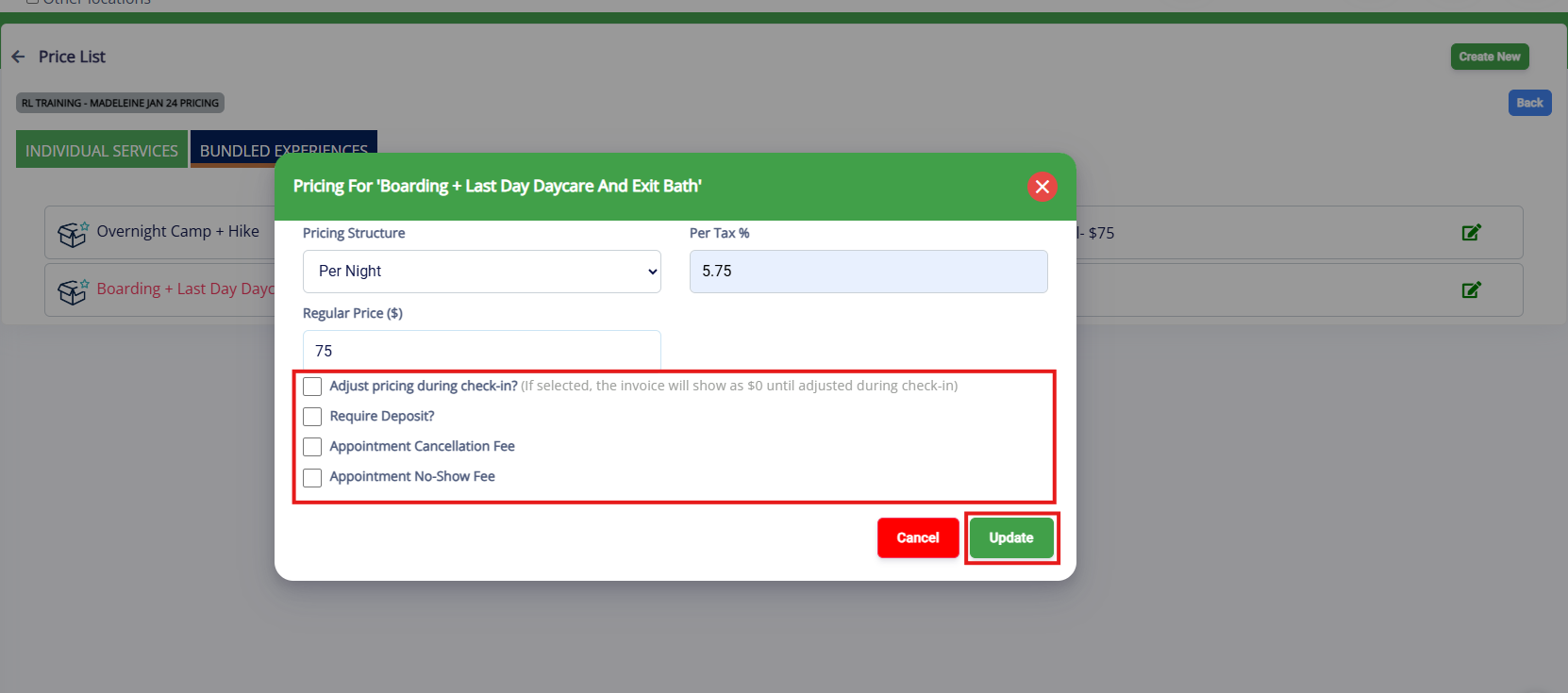
6. Optionally check if the price should be adjustable and if the experience requires a deposit, cancellation fee, or no-show fee. Then click Update.
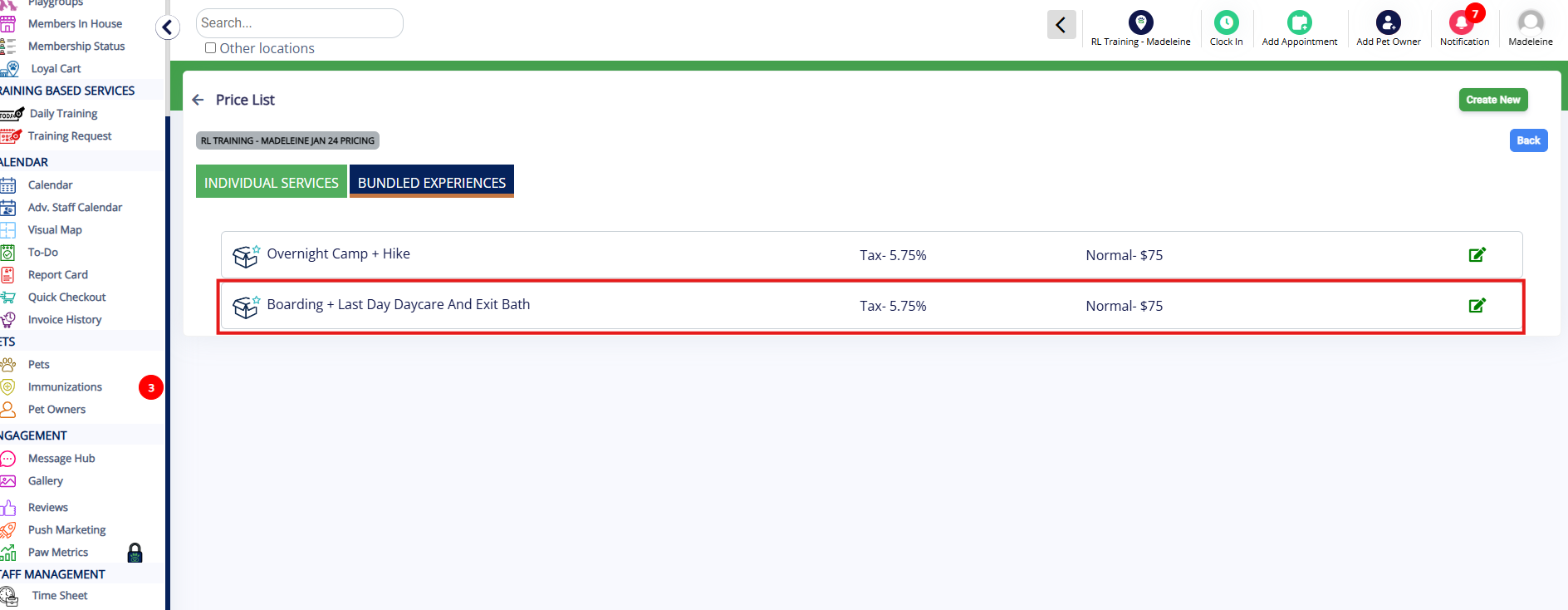
7. Verify the price for your bundled experience displays correctly.
More Information
For more information on booking bundled experiences, please refer to this article: Booking Bundled Experiences, Services, and Add-Ons.
For more information on bundled services, please refer to this article: Set Up Bundled Services.
Was this article helpful?
That’s Great!
Thank you for your feedback
Sorry! We couldn't be helpful
Thank you for your feedback
Feedback sent
We appreciate your effort and will try to fix the article