Overview
Creating a pet owner account is the first step to managing pets and daily operations within the system. This article will walk you through how to add a new pet owner account so they can make bookings, purchase services and packages, add pets, and manage their information. Setting up the account correctly helps ensure a smooth experience for both staff and pet owners. Once created, the account can be used across appointments, invoicing, and ongoing pet care activities.
Pet Owners can be viewed in the following areas:
- Left-hand Navigation > Pet Owners
- Any Pet Owner Profile
TABLE OF CONTENTS
- Overview
- How to Add a New Pet Owner
- How to Edit a Pet Owner
- How to Block a Pet Owner
- How to Archive a Pet Owner
- How to Delete a Pet Owner
- More Information
How to Add a New Pet Owner
1. To quickly add a new pet owner from any page in the app, click Add Pet Owner from the Top Navigation Bar.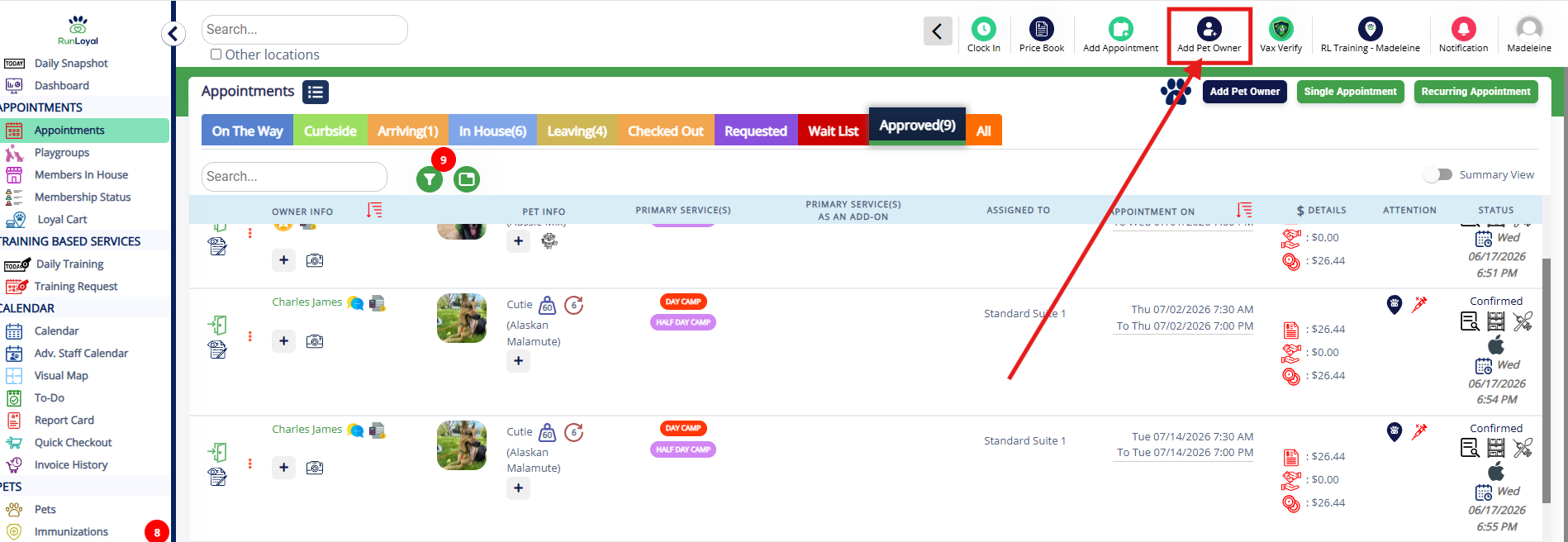
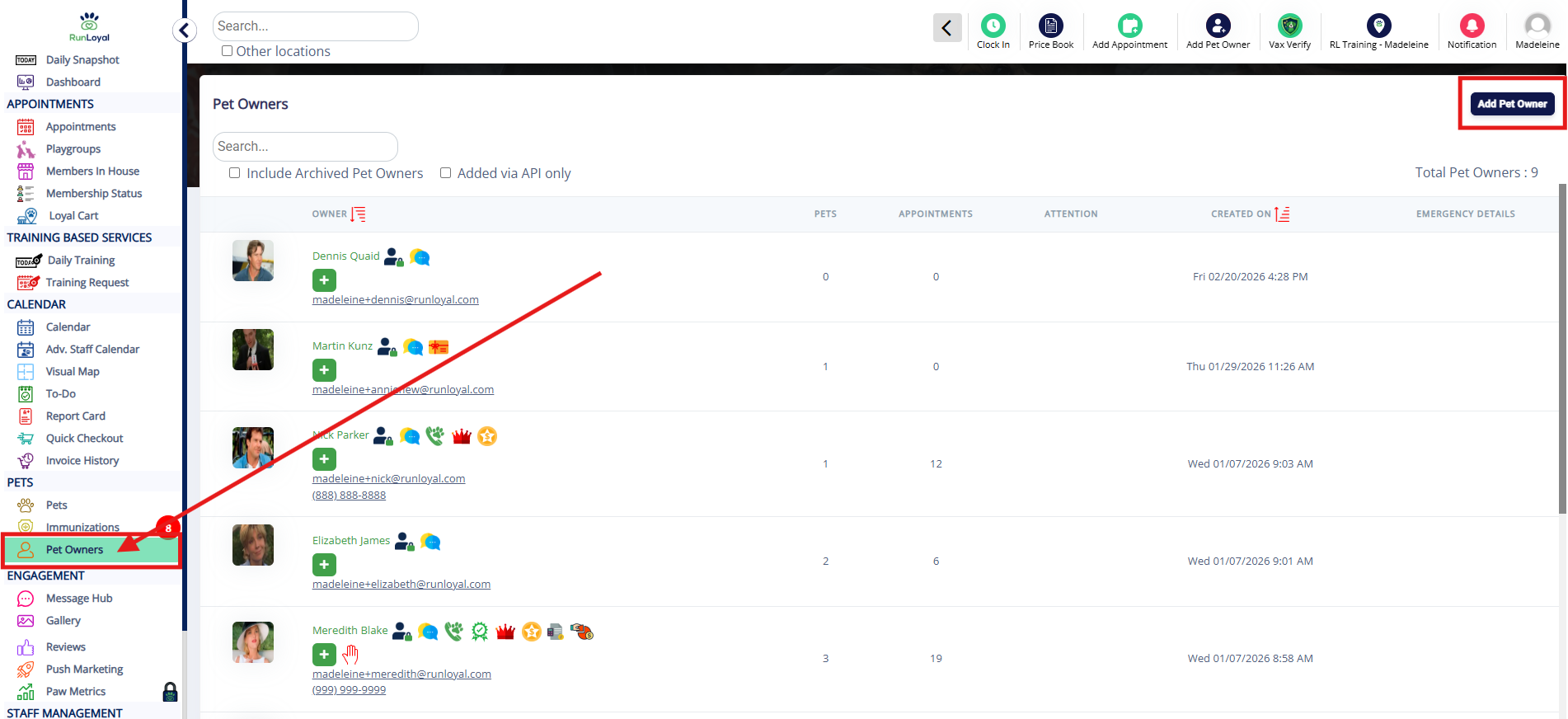
2. You can also add a pet owner by navigating to Left-hand Navigation > Pet Owners and clicking Add Pet Owner.
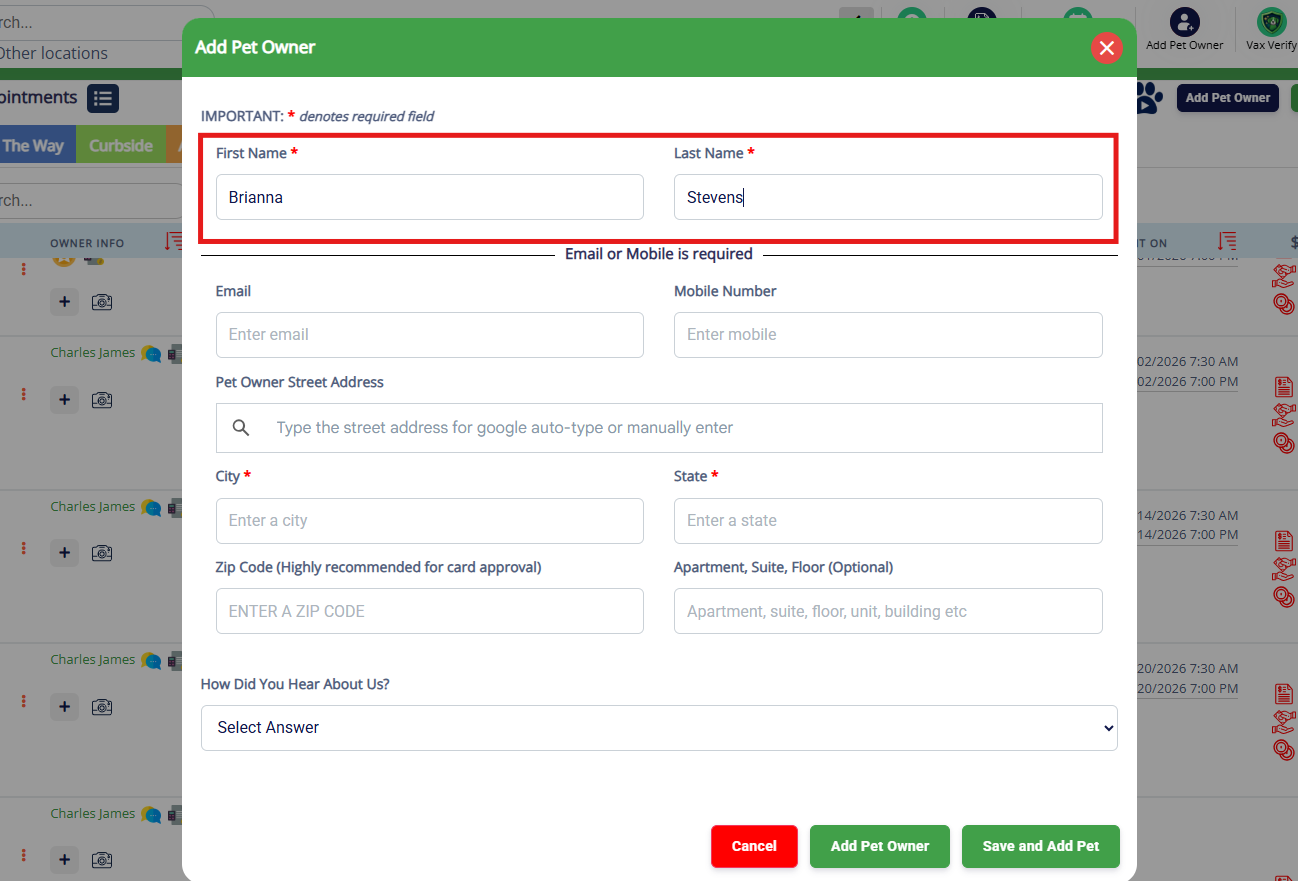
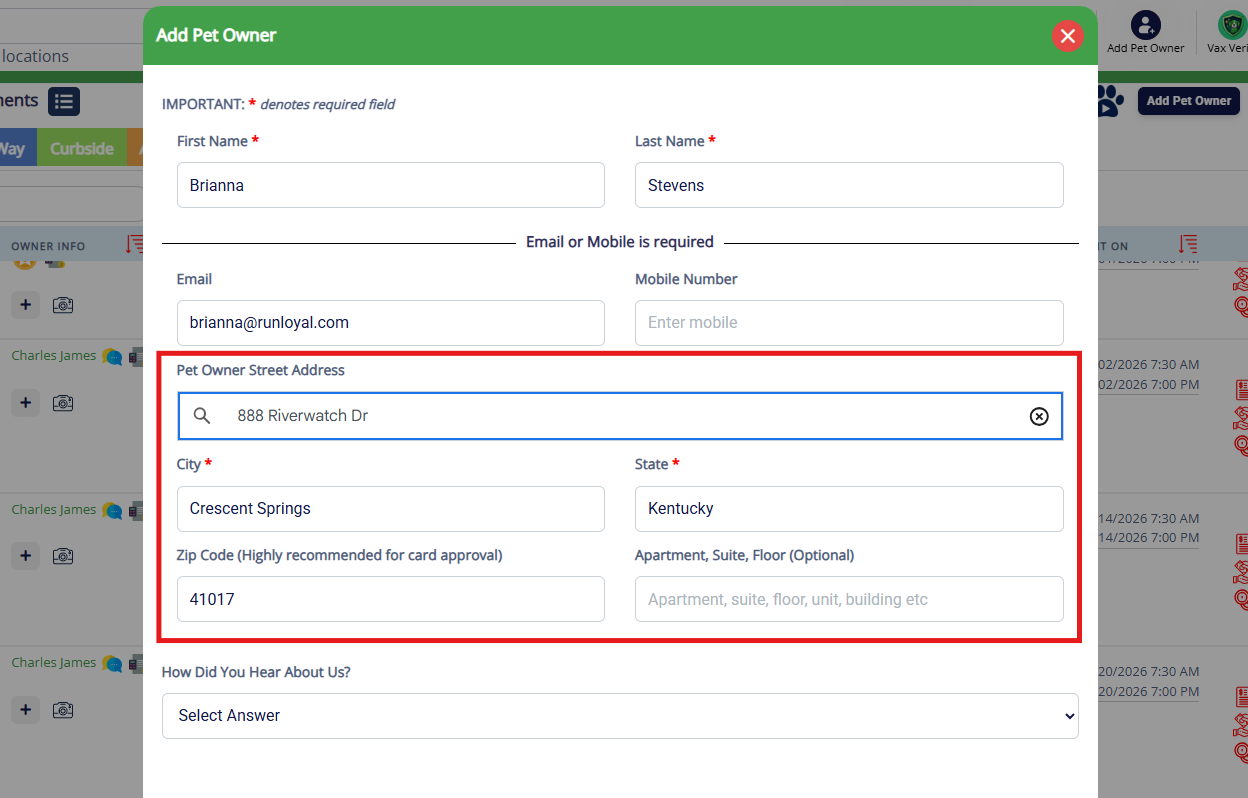
3. Enter the pet owner's first and last name.
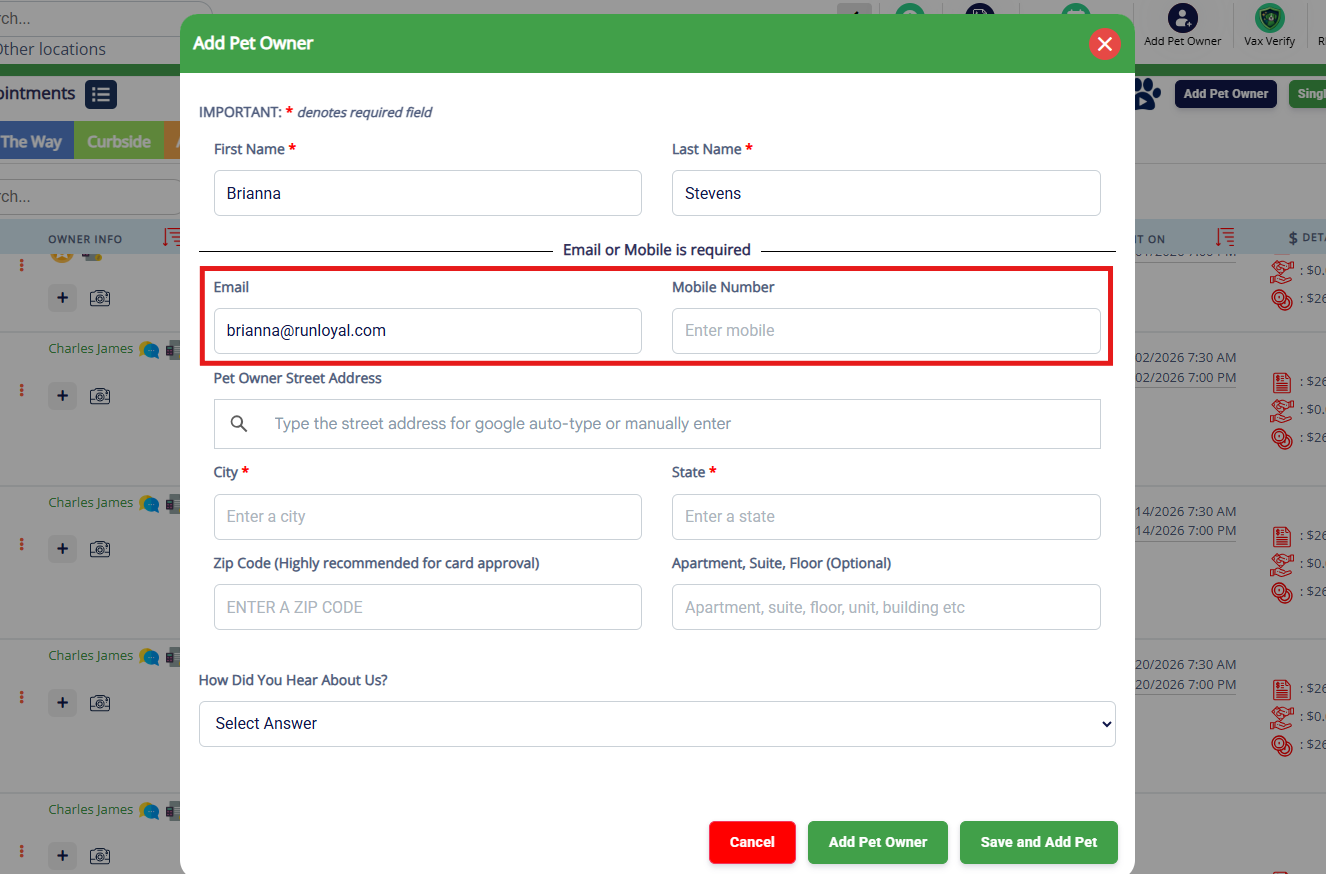
4. Enter the pet owner's email and mobile number. At least one is required.
5. Enter the pet owner's address. If you don't have the full address, you can enter the city, state, and zip.
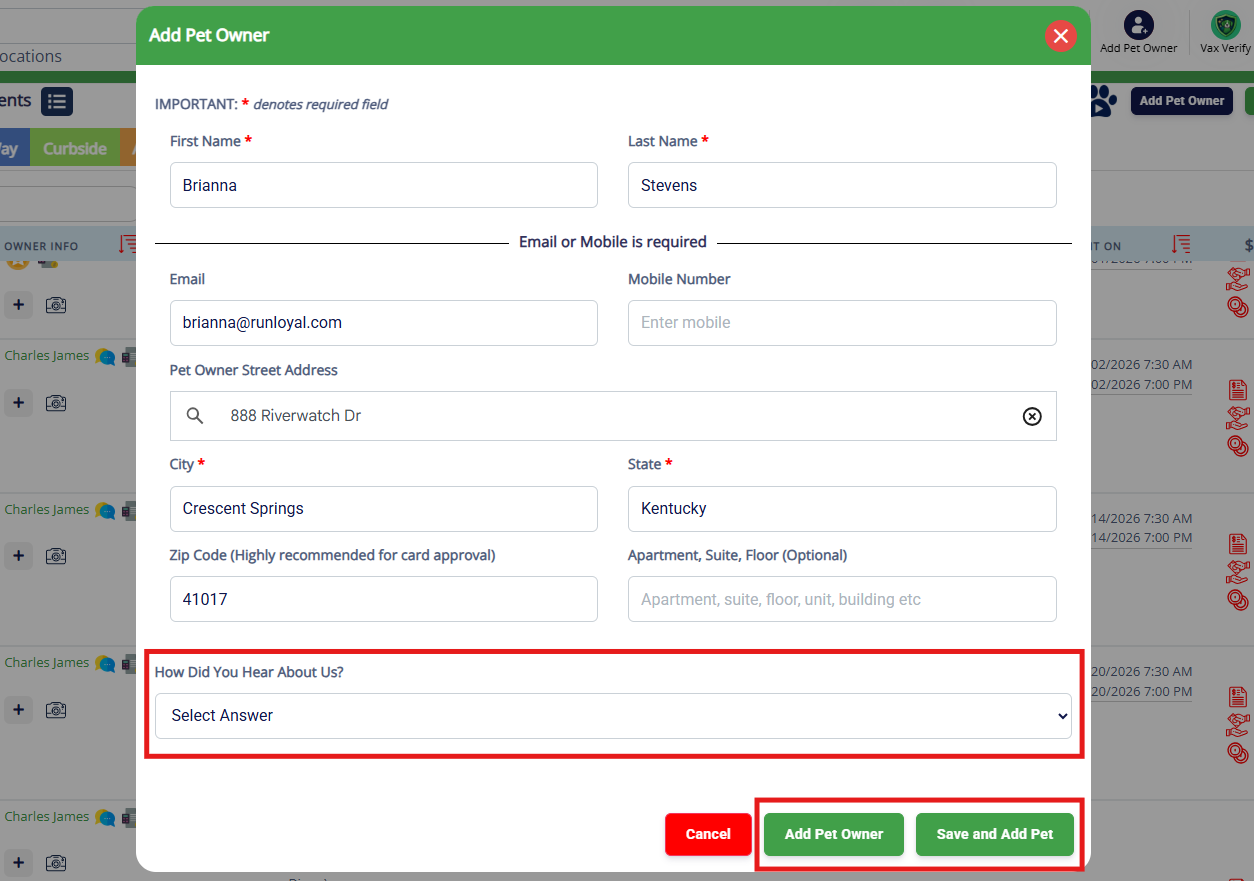
6. Optionally select the How did you hear about us? option for how the customer was referred. Then select Add Pet Owner if you do not wish to add a pet, or Save and Add Pet if you wish to save and add the pet owner's animals.
How to Edit a Pet Owner
1. To quickly go to any pet owner's profile, search their name, the pet's name, or the email/phone number in the Search Bar in the Top Navigation Bar.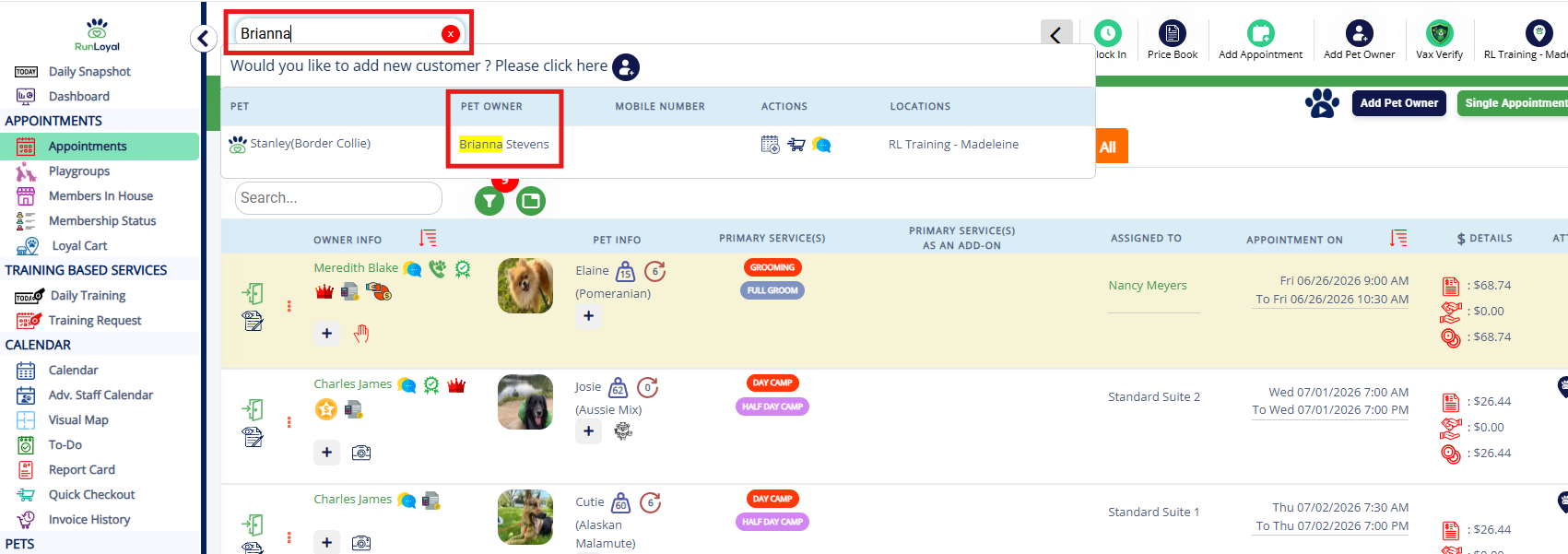
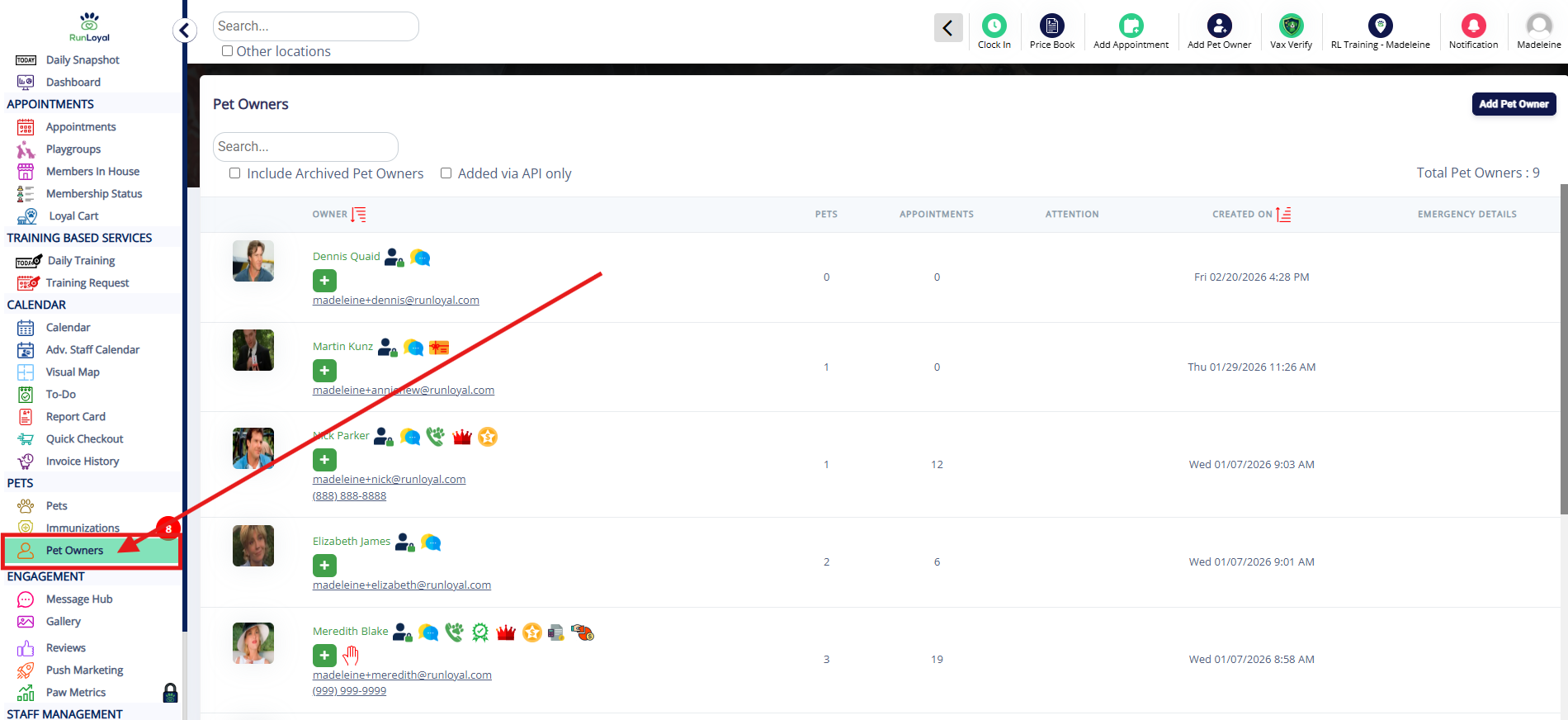
2. You can also edit a pet owner by navigating to Left-hand Navigation > Pet Owners and clicking the pet owner in question to go to their profile.
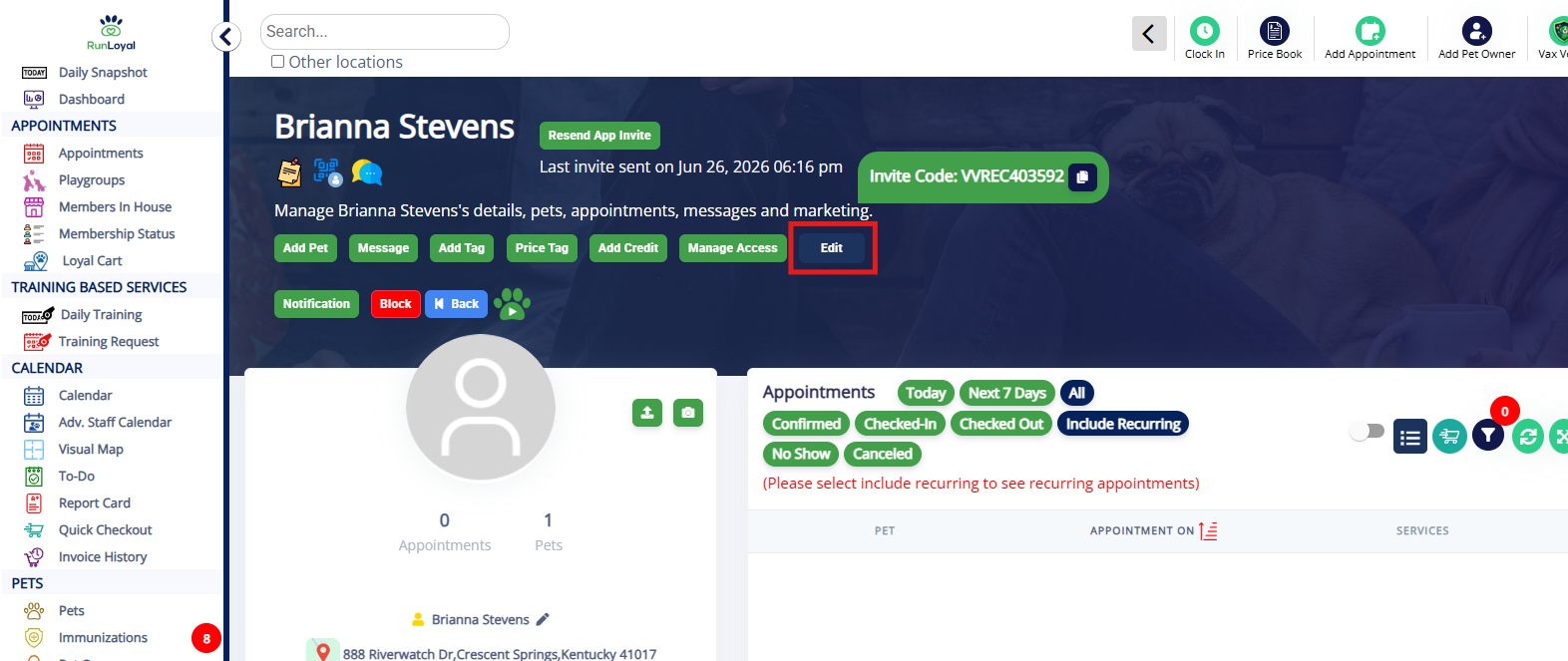
3. To edit their account, click the Edit button under the pet owner's name.
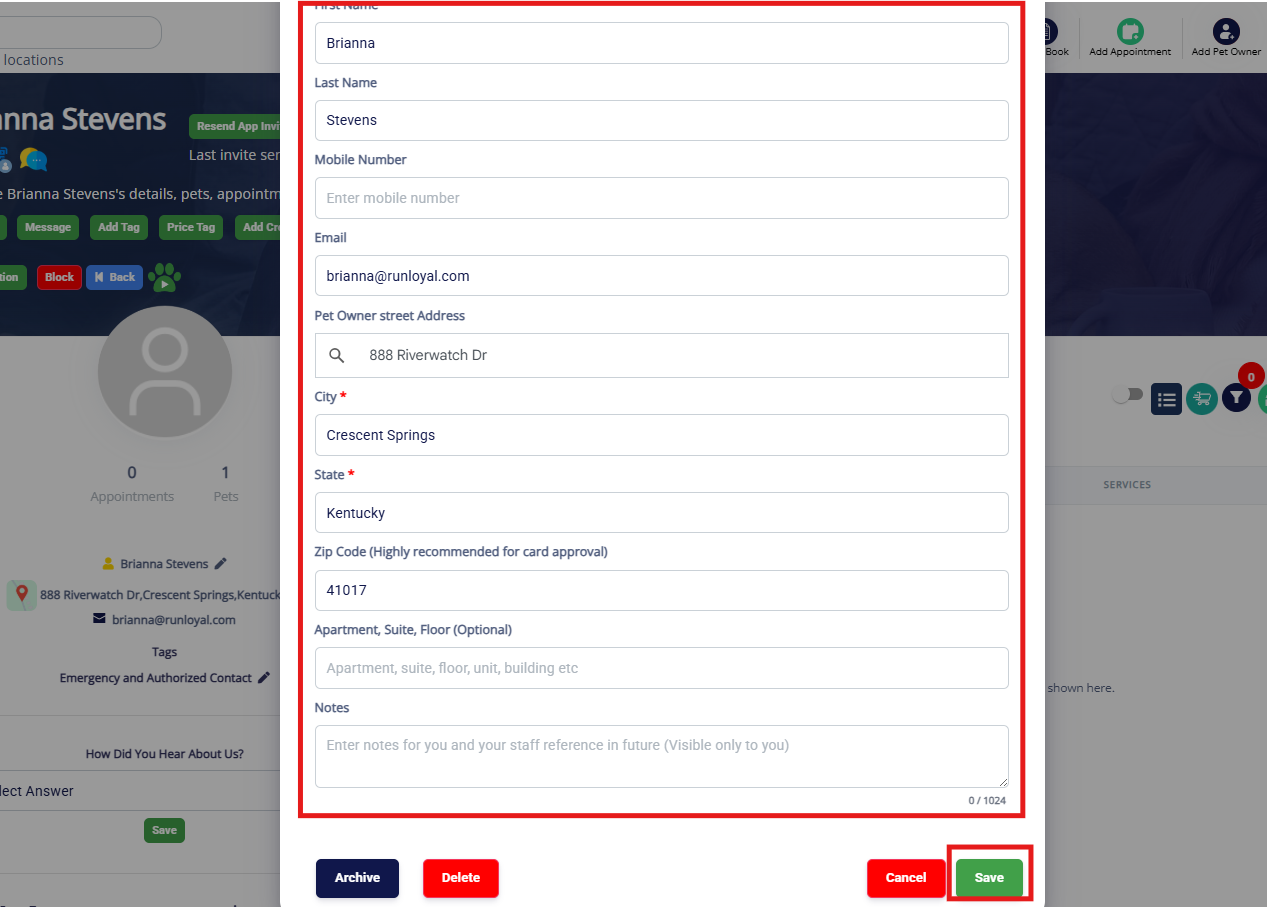
4. Edit the data as needed, then click Save.
How to Block a Pet Owner
1. To quickly go to any pet owner's profile, search their name, the pet's name, or the email/phone number in the Search Bar in the Top Navigation Bar.
2. You can also block a pet owner by navigating to Left-hand Navigation > Pet Owners and clicking the pet owner in question to go to their profile.
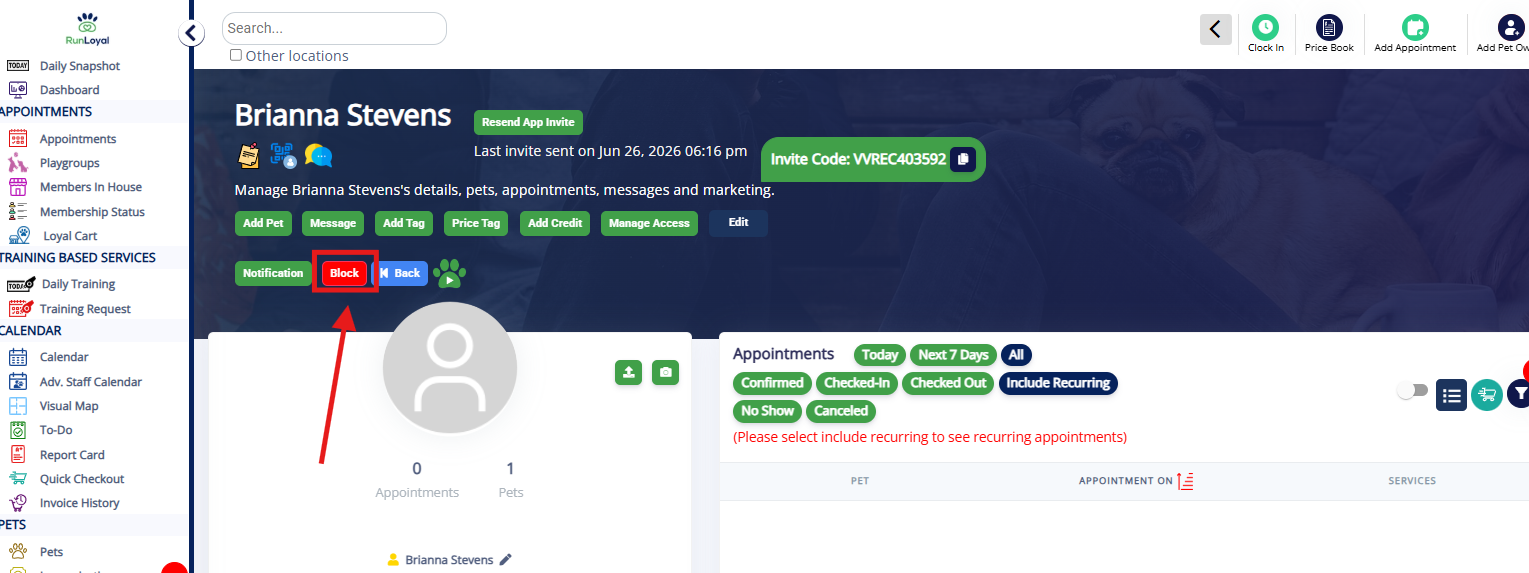
3. To block this pet owner from making new appointments and logging into their account, click the Block button under the pet owner's name.
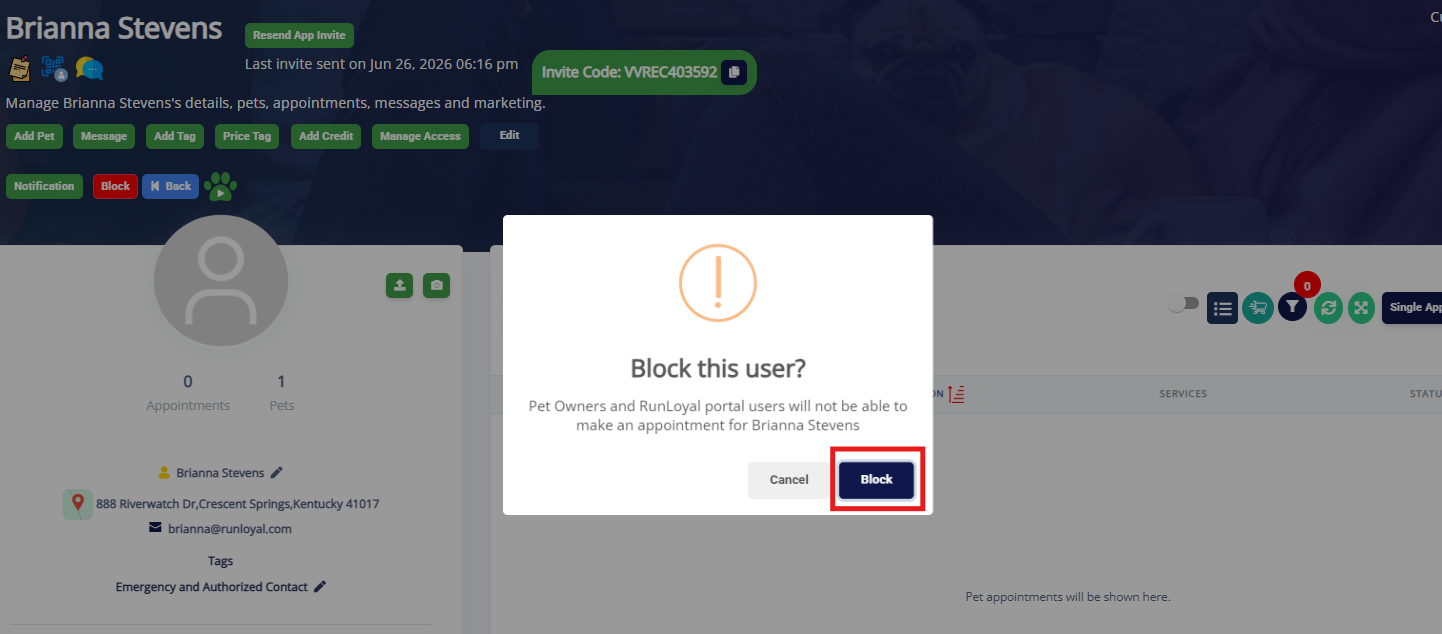
4. Click Block again.
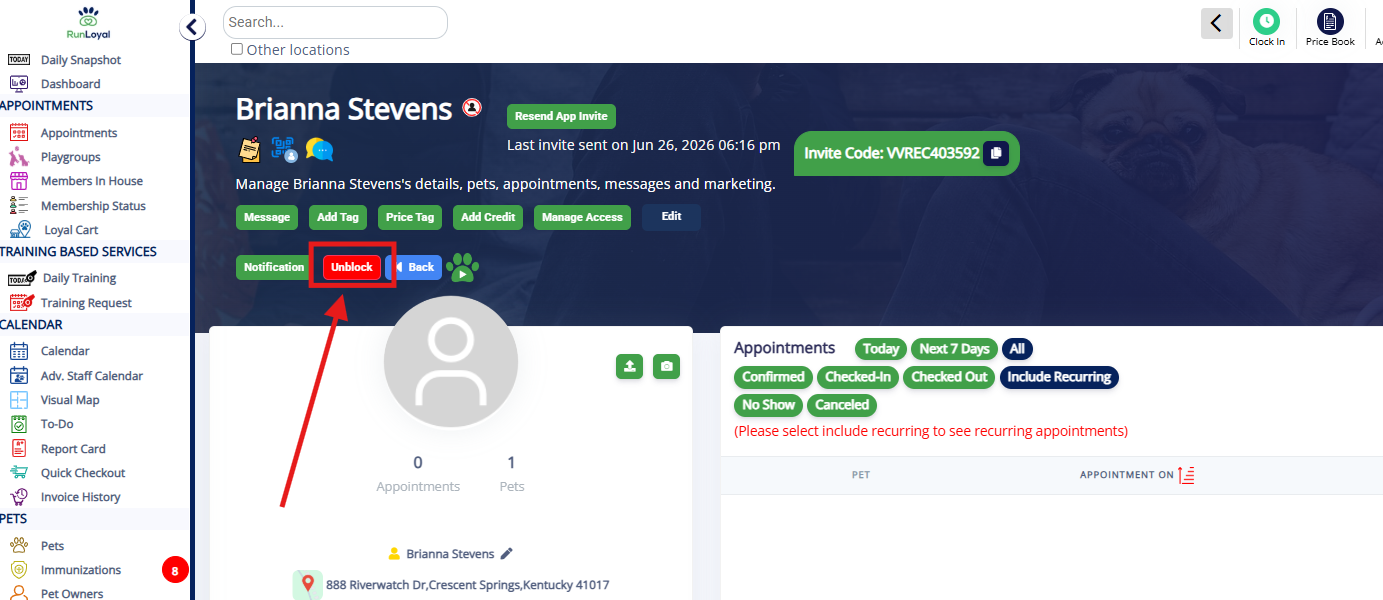
5. To unblock, click Unblock on the pet owner's profile under their name.
How to Archive a Pet Owner
1. To quickly go to any pet owner's profile, search their name, the pet's name, or the email/phone number in the Search Bar in the Top Navigation Bar.
2. You can also archive a pet owner by navigating to Left-hand Navigation > Pet Owners and clicking the pet owner in question to go to their profile.
3. To archive their account, click the Edit button under the pet owner's name.
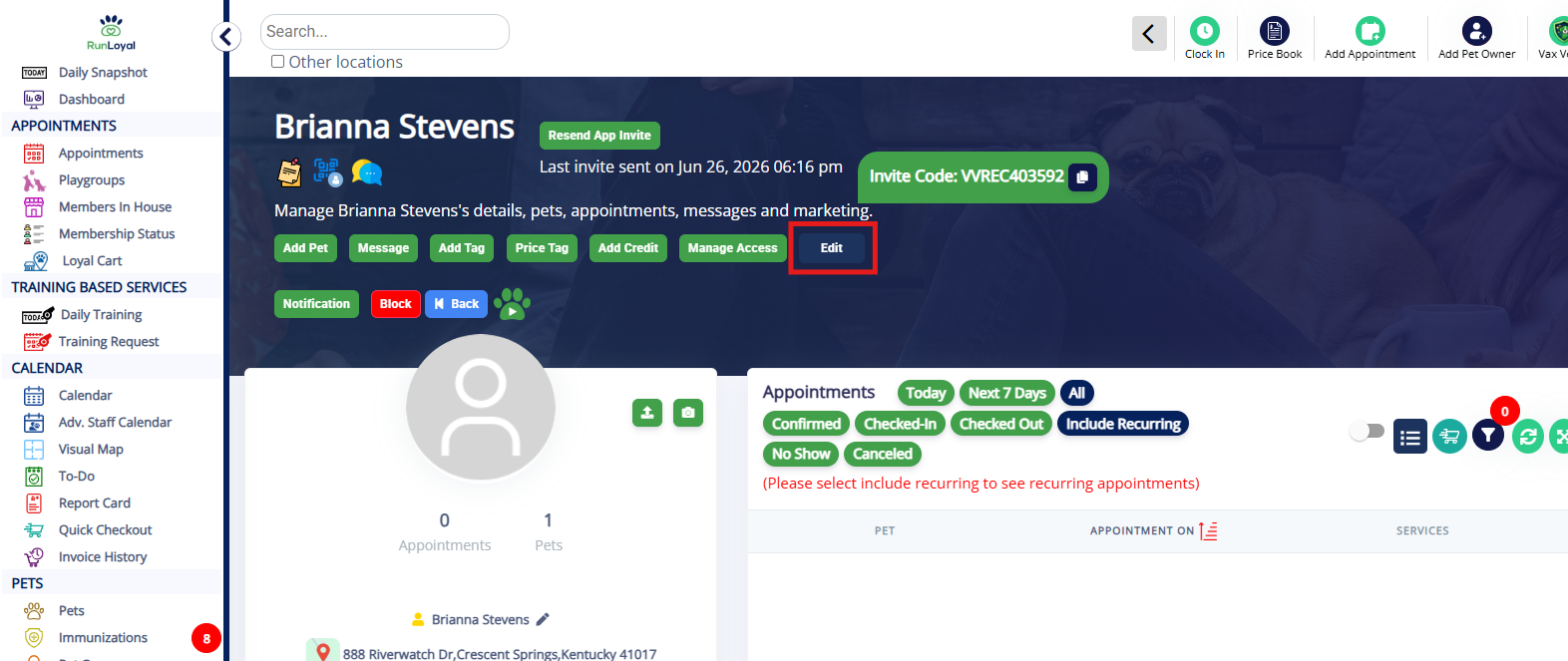
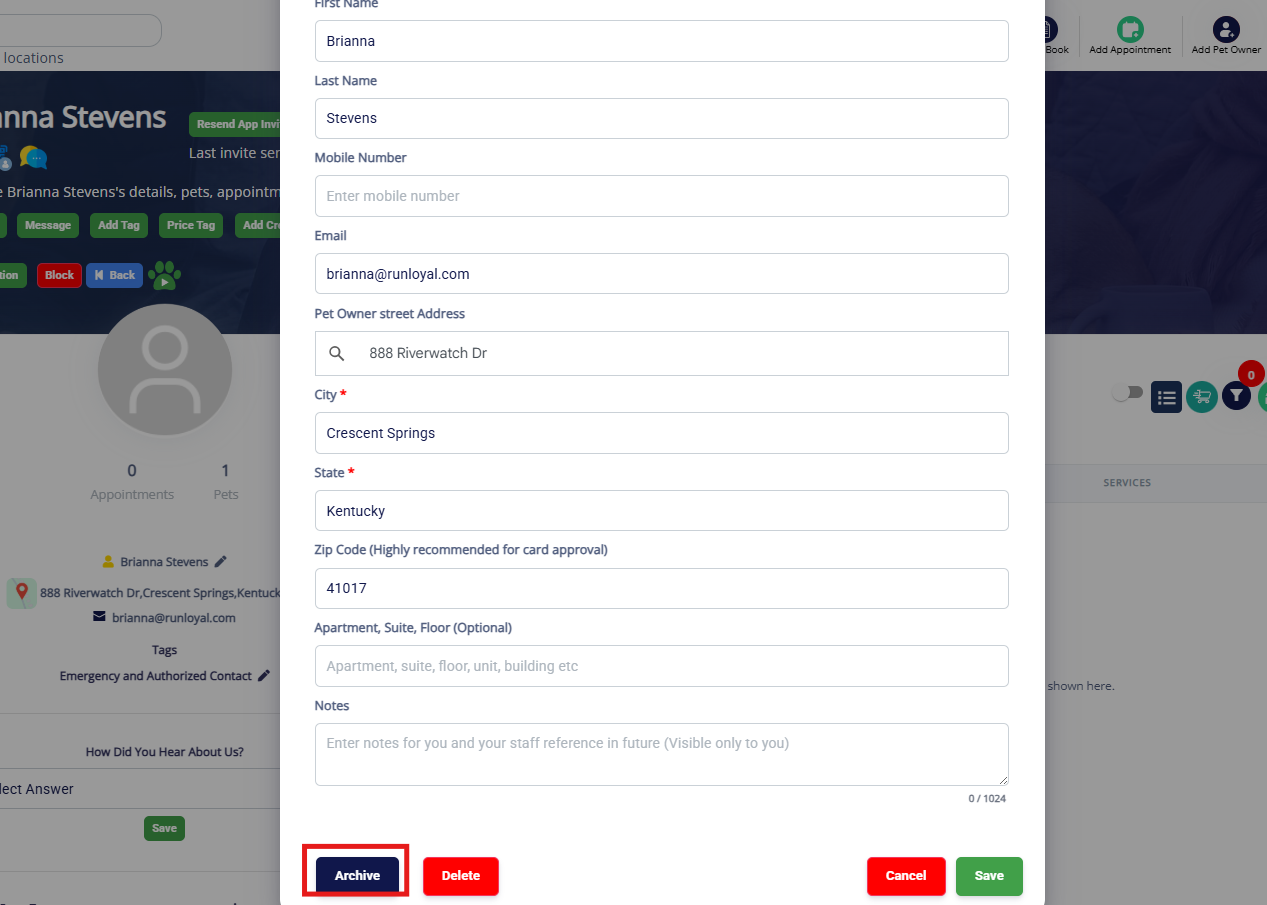
4. Click Archive. This will prevent the pet owner from showing in results while searching.
⚠️ Please note: Archiving a pet owner does not remove an appointment. Please manually review to check for pending payments, deposits etc.
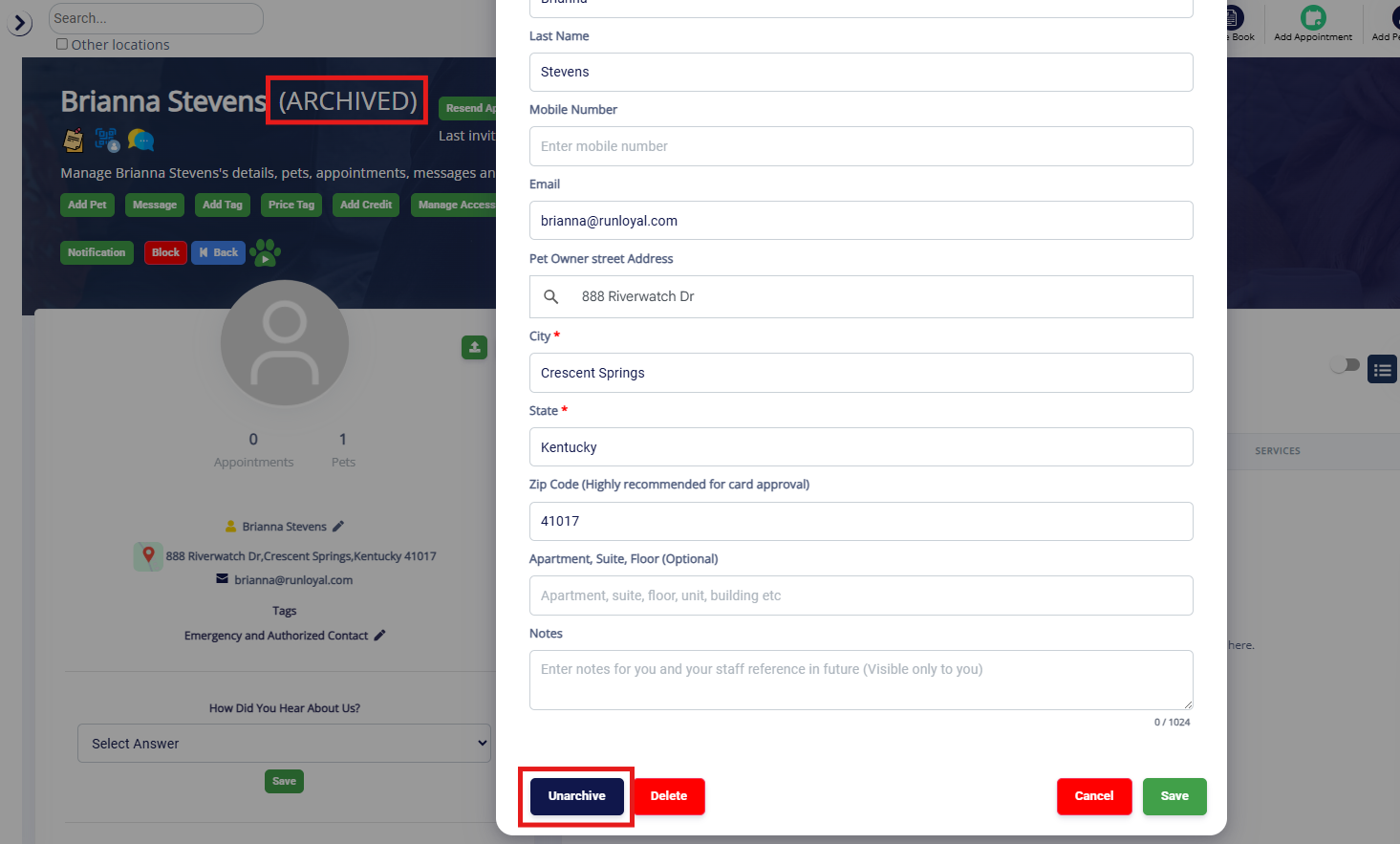
5. Archived pet owners will show "(ARCHIVED)" next to their name on the profile. To undo the archive, edit the pet owner and click Unarchive.
How to Delete a Pet Owner
1. To quickly go to any pet owner's profile, search their name, the pet's name, or the email/phone number in the Search Bar in the Top Navigation Bar.
2. You can also delete a pet owner by navigating to Left-hand Navigation > Pet Owners and clicking the pet owner in question to go to their profile.
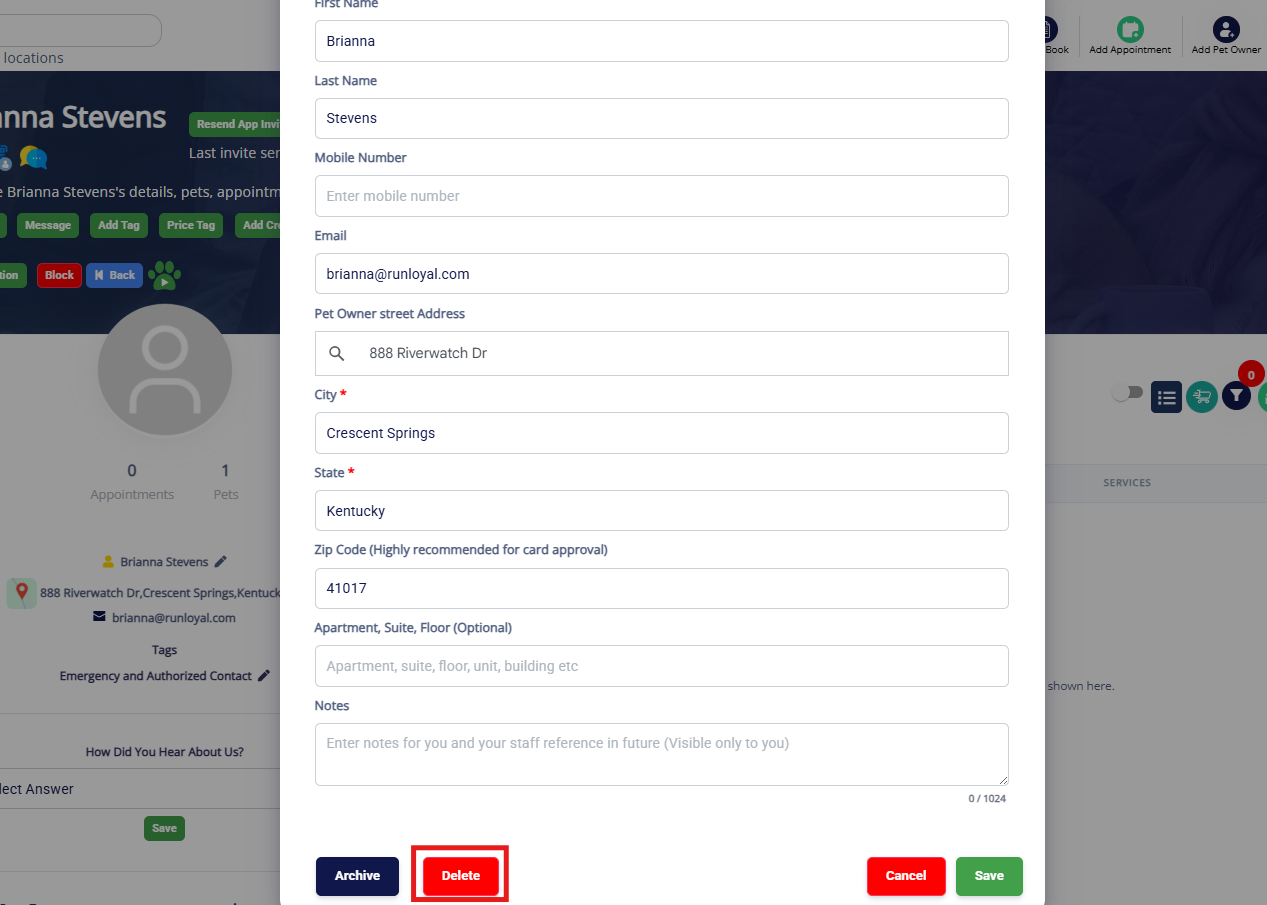
3. To delete their account, click the Edit button under the pet owner's name.
4. Click Delete.
⚠️Please note: Deleting a pet owner does not remove an appointment. Please manually review to check for pending payments, deposits etc.
5. Click Confirm to confirm deletion.
⚠️You will not be able to un-delete a pet owner, so please proceed with caution!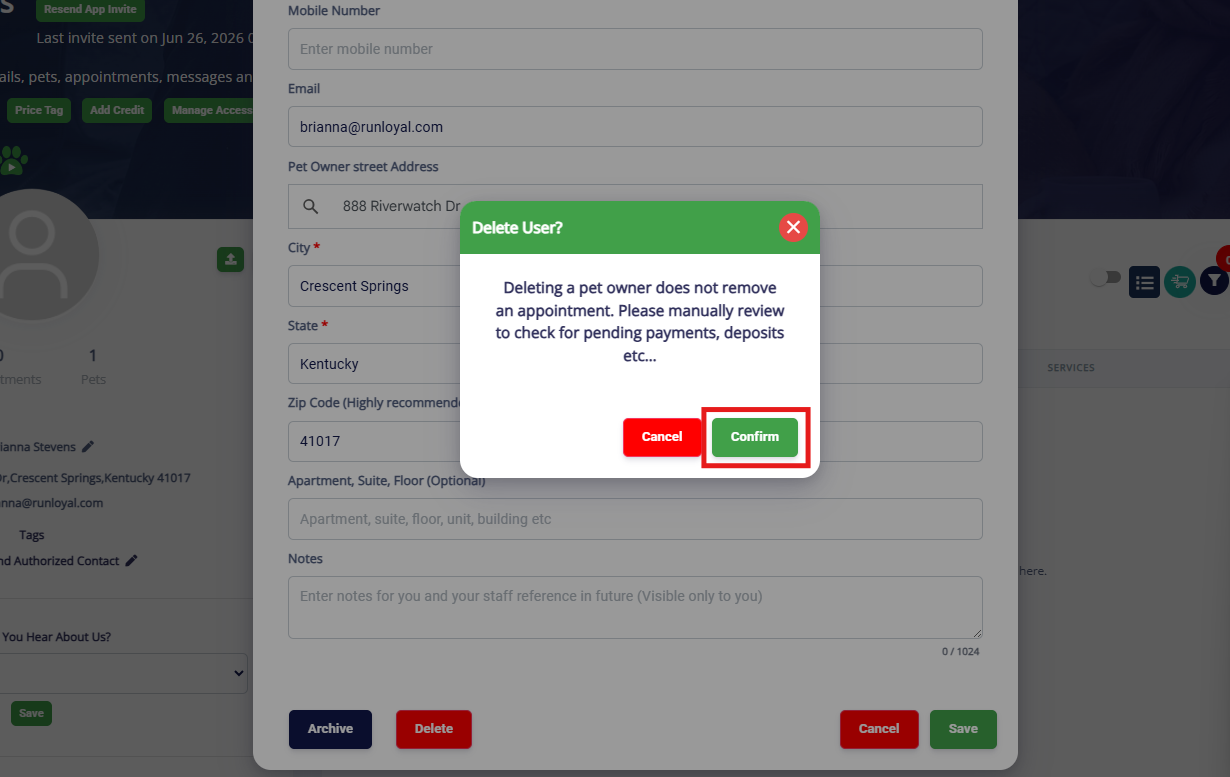
More Information
For more information on adding a pet, please refer to this article: Create, Edit, and Remove Pets
For more information on merging pet owners, please refer to this article: Merge Pet Owner Accounts
For more information on family members, please refer to this article: Adding Family Members to Pet Owner Accounts
Was this article helpful?
That’s Great!
Thank you for your feedback
Sorry! We couldn't be helpful
Thank you for your feedback
Feedback sent
We appreciate your effort and will try to fix the article