Overview
Setting up immunization types is an important step in managing pet health records within your system. This article will walk you through how to add and configure common vaccines (such as rabies, bordetella, and DHLPP) from the Settings section. By organizing your immunization types up front, you can ensure accurate tracking and smoother check-in processes. Once set up, your team will be able to quickly add and/or verify vaccine requirements for every pet.
Immunizations can be viewed in the following areas:
- Settings > Pet Configuration > Immunizations
- Pet profile > Immunizations section
- Left-hand Navigation > Immunizations
TABLE OF CONTENTS
How to Create New Immunizations
1. Navigate to Settings > Pet Configuration > Immunizations.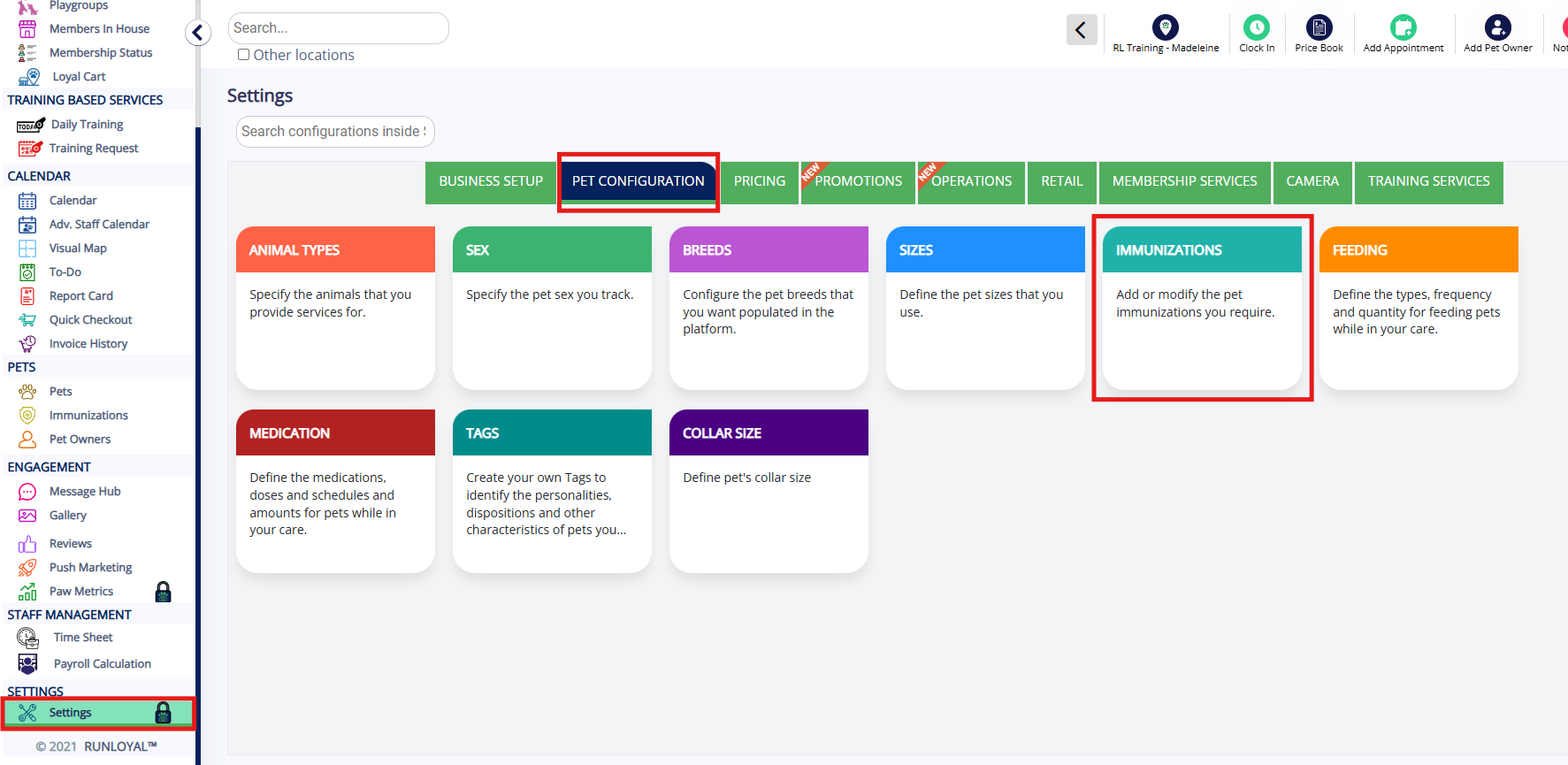
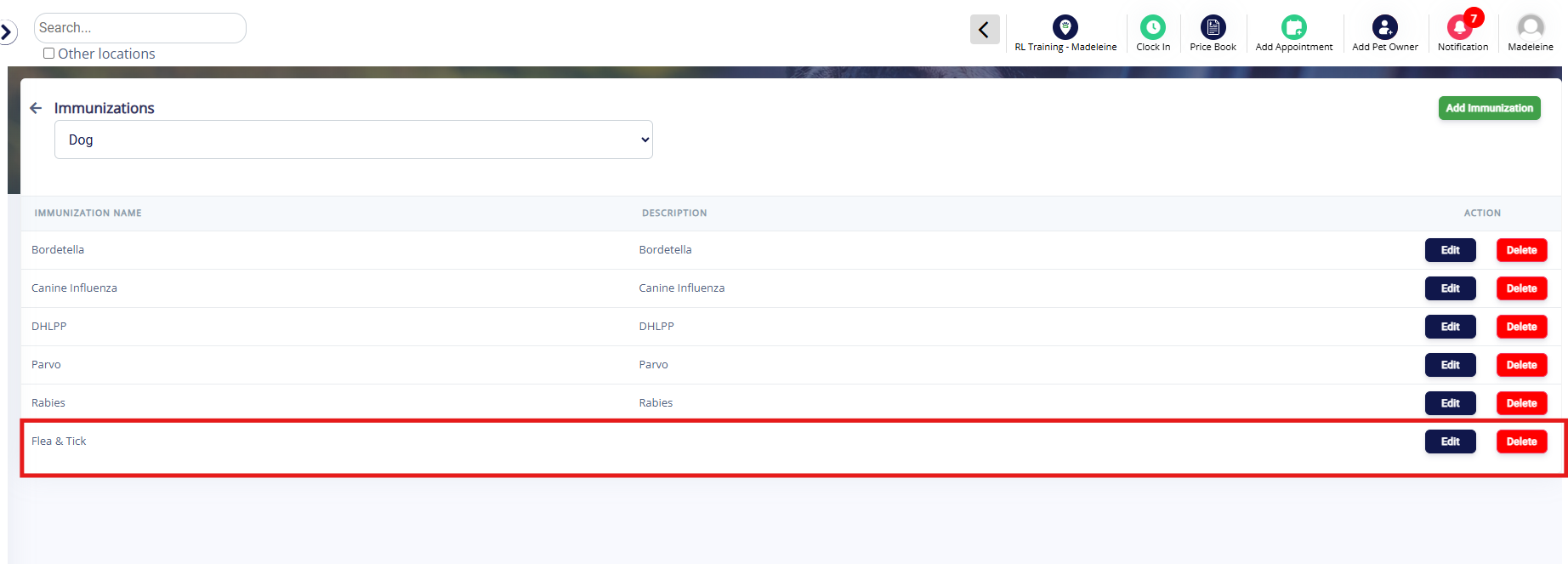
2. Select the Pet Type from the dropdown list (defaults to dog) for which you wish to add or edit immunizations.
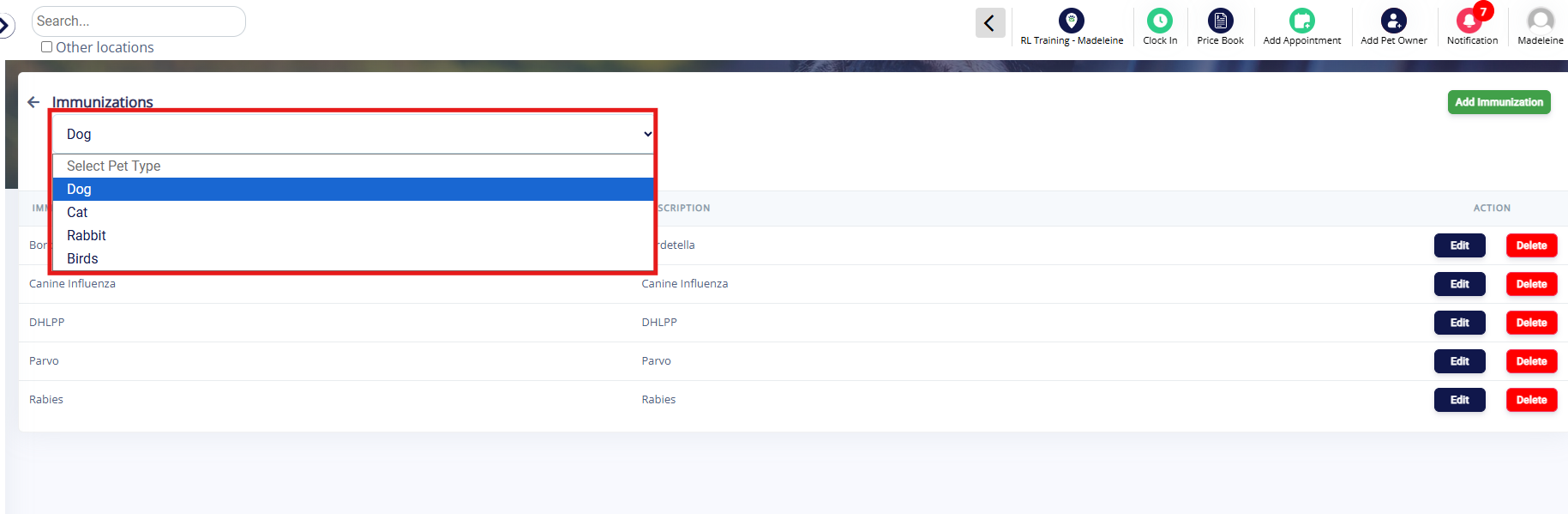
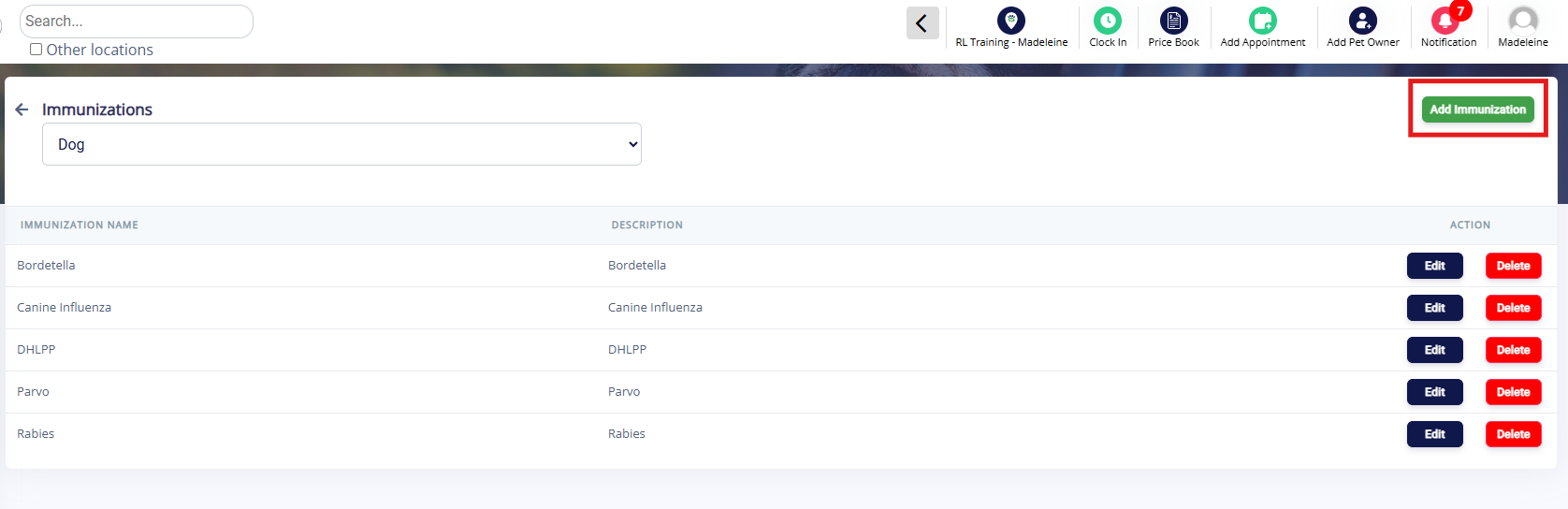
3. Review the list of existing immunizations. If you need to add a new immunization, click Add Immunization green button in the top right corner.
4. Enter the immunization name, and optionally enter a description. Then click Add.
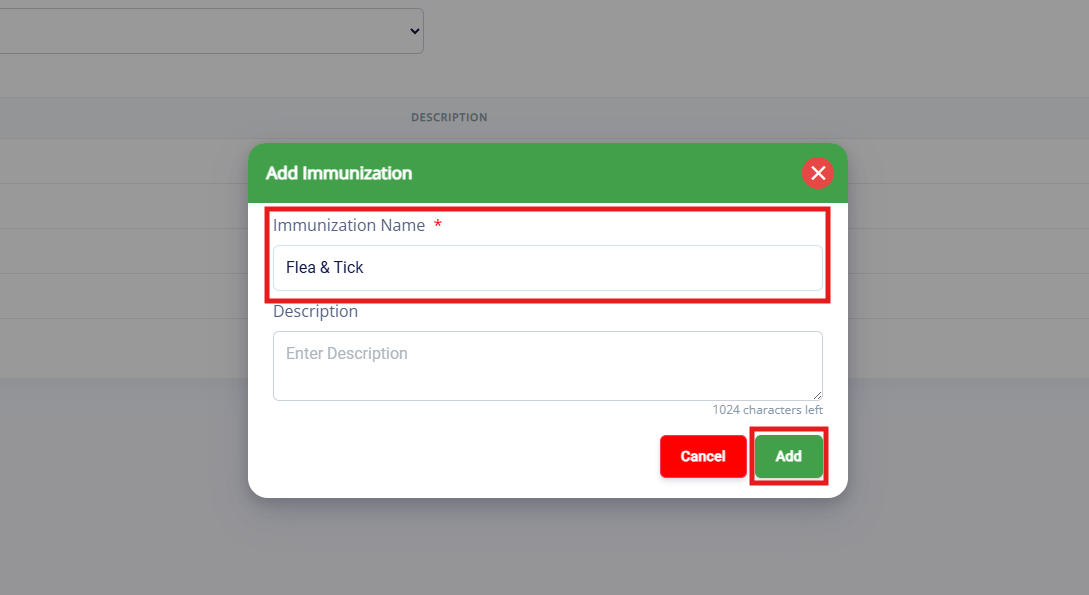
4. Verify the new immunization shows as expected on the list.
How to Edit or Delete Existing Immunizations
1. Navigate to Settings > Pet Configuration > Immunizations.
2. Select the Pet Type from the dropdown list (defaults to dog) for which you wish to edit or delete immunizations.
3. Identify the immunization in question and click Edit or Delete under the Action column.
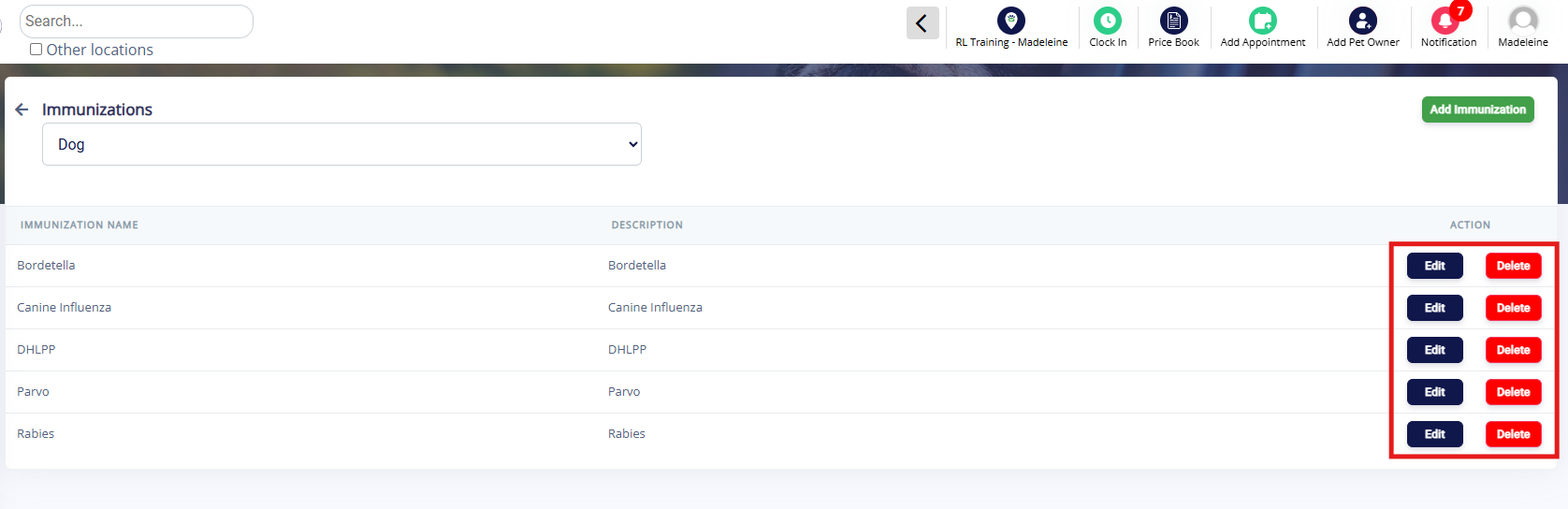
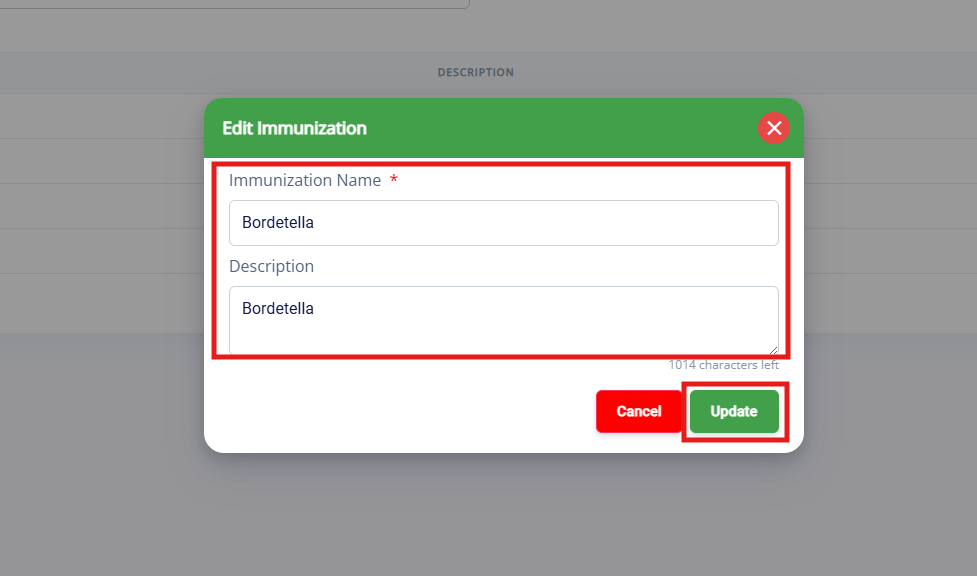
4. If editing, update the name and/or description, then click Update.
⚠️ Important: Updating the name of the immunization will change it for all pets in the system with this immunization currently on their profile.
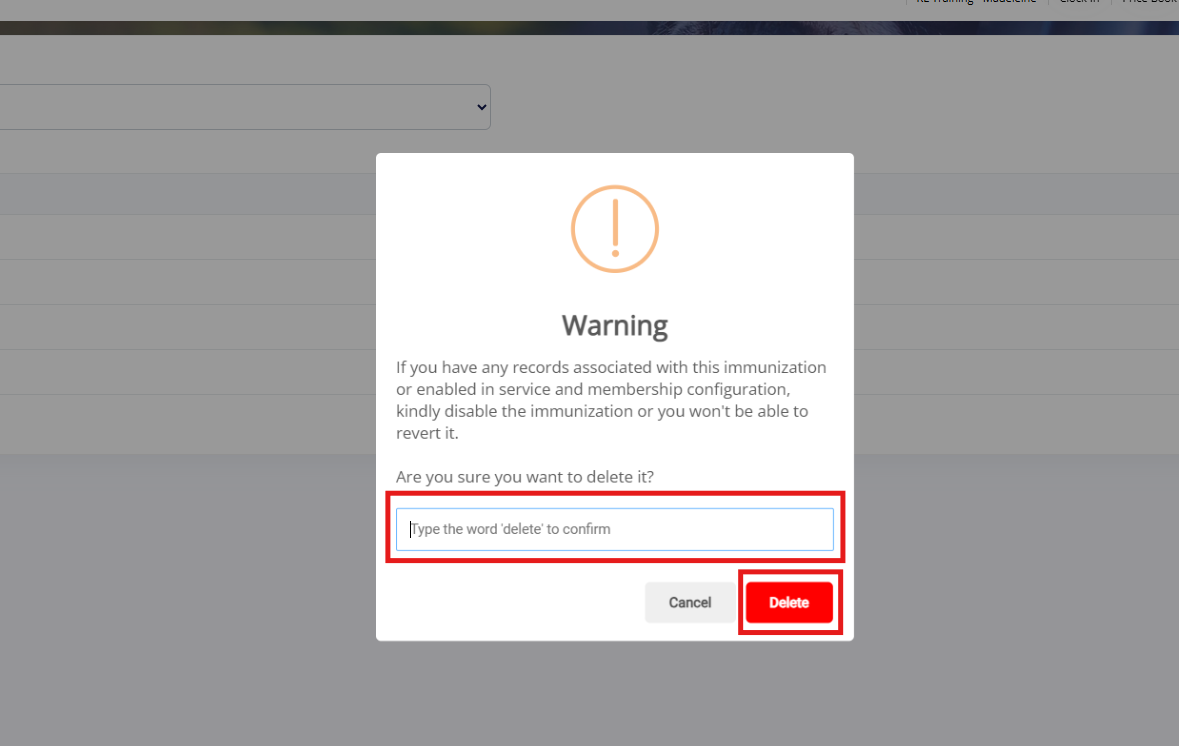
5. If deleting, confirm the deletion by typing the word 'delete' and then clicking Delete.
⚠️ Important: Deleting immunizations will remove all immunization records for pets with this immunization type. Please proceed with caution as this cannot be undone!
More Information
For more information on managing immunizations for pets, please refer to this article: Validating Immunizations
For more information on setting up feeding and medications, please refer to this article: Feeding & Medication
Was this article helpful?
That’s Great!
Thank you for your feedback
Sorry! We couldn't be helpful
Thank you for your feedback
Feedback sent
We appreciate your effort and will try to fix the article