Overview:
Holidays allow you to mark specific days when your business is closed. This will prevent drop-offs and pickups on that specific date. Depending on your settings, you can optionally allow or prevent appointments that cross over holiday dates as long as the start or end date does not fall on the specific holiday.
Holidays can be viewed in the following areas:
- Making a new appointment on the business portal
- Booking in mobile app
- Booking in web
TABLE OF CONTENTS
How To Set Up Holidays:
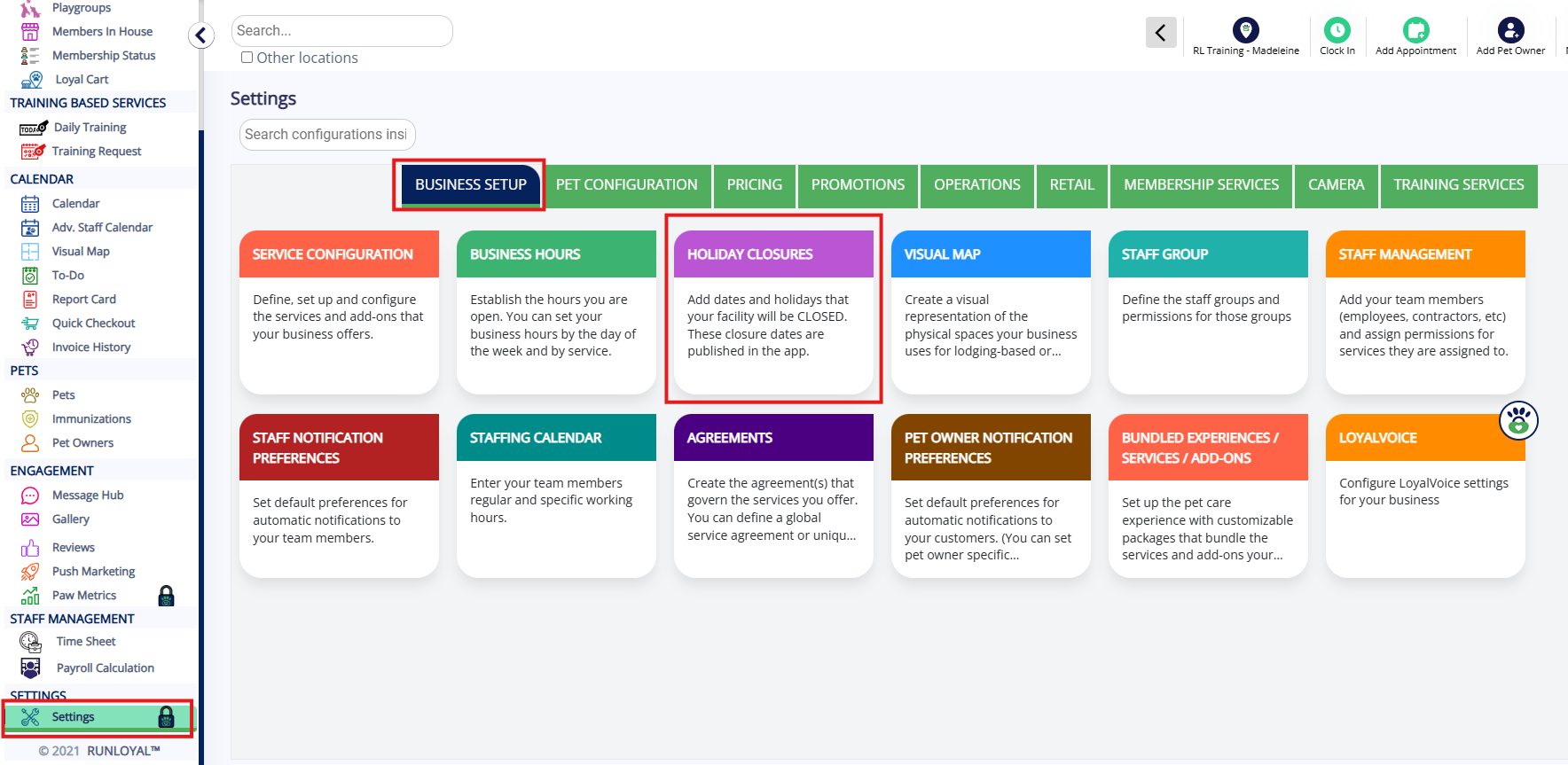
1. Navigate to Settings > Business Setup > Holiday Closures.
2. Click Add to create a new holiday closure.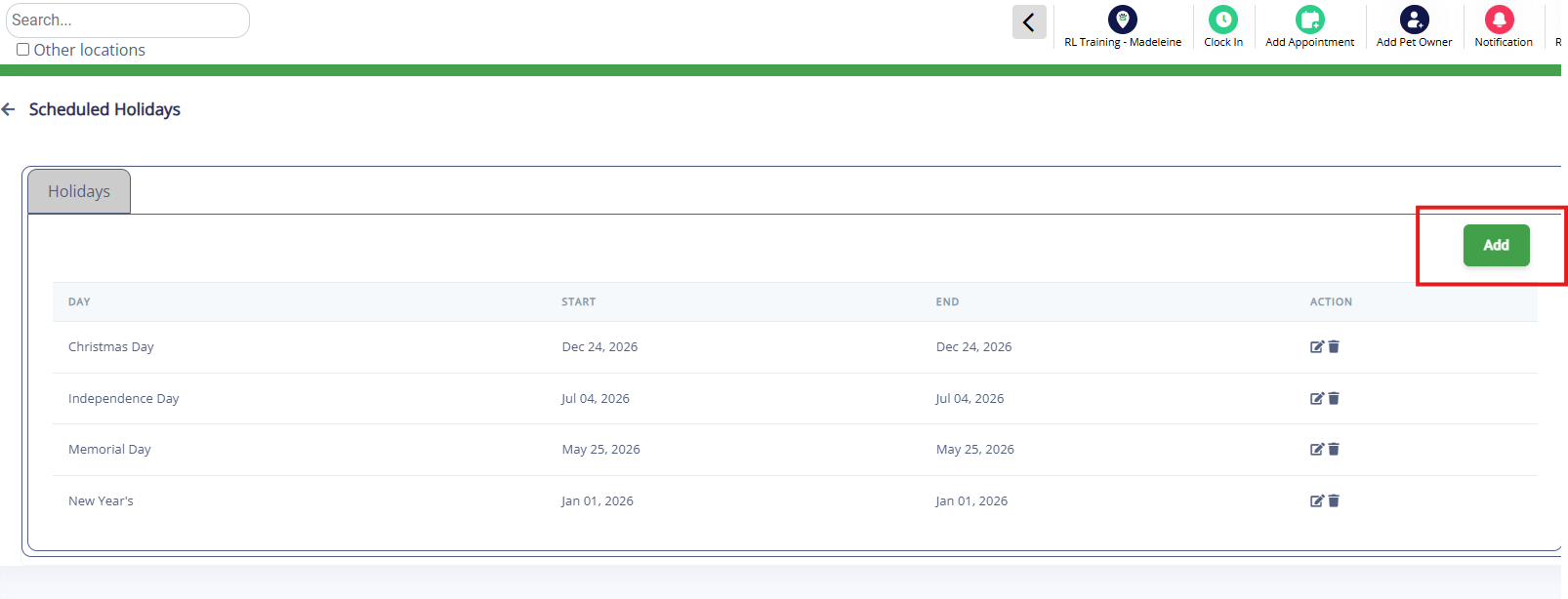
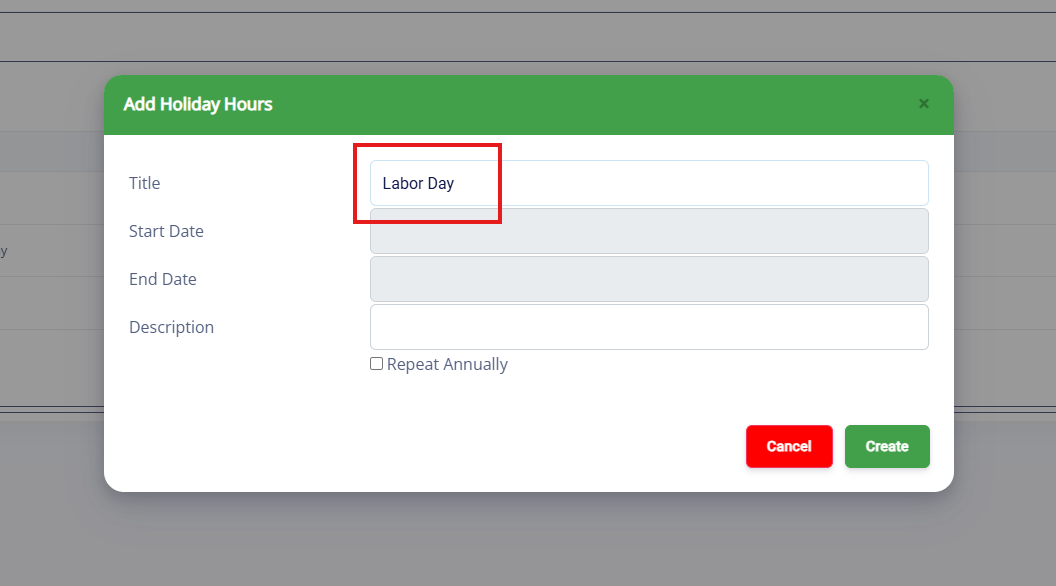
3. Type in the holiday closure title that customers will see (for example, Labor Day).
4. Choose the Start Date and End Date for the closure. If it is a single day holiday, the start and end dates should be the same date.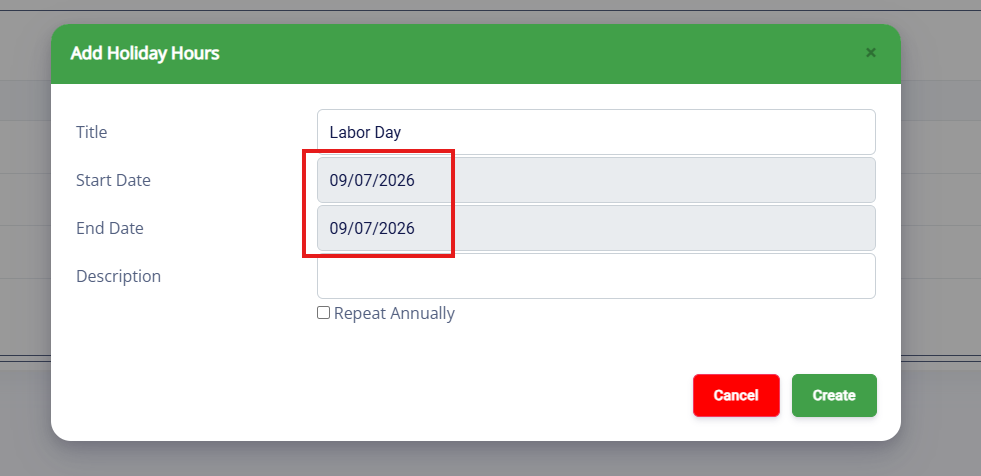
5. (Optional) Enter a description.
6. (Optional) If the holiday occurs on the same date each year, check Repeat Annually. For holidays that change yearly (like Labor Day), it’s better to create a new date each year. 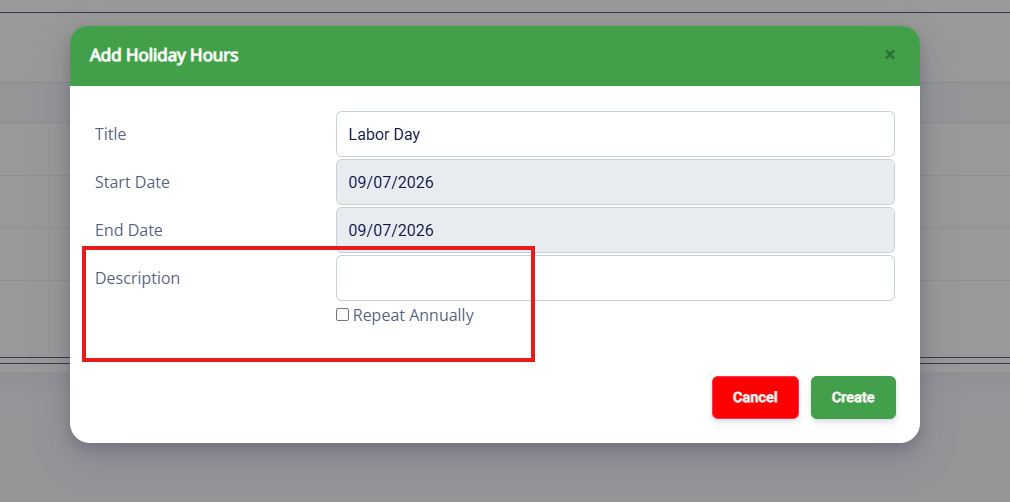
7. Click Create to finalize.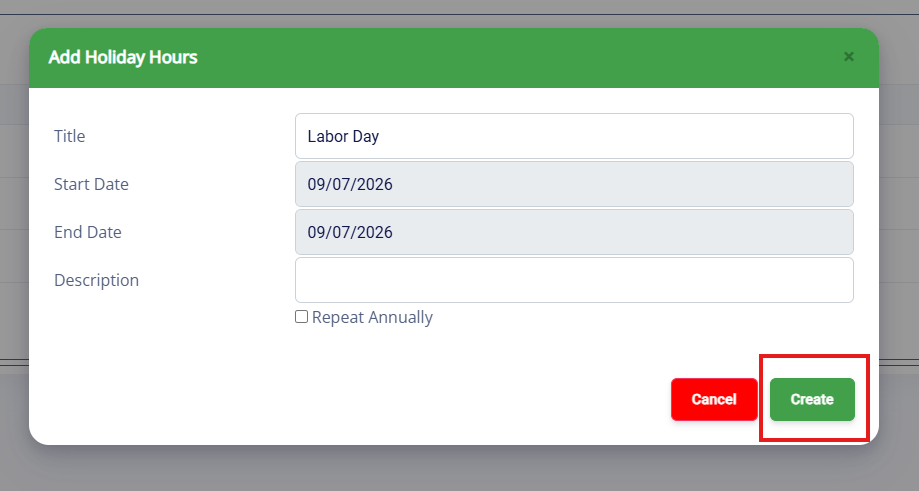
8. Verify that the holiday closure displays correctly. You can also navigate to Settings > Business Setup > Business Hours to confirm the holiday is on your calendar. It should update the Global Business Hours as well as the Service Hours for each of your service categories.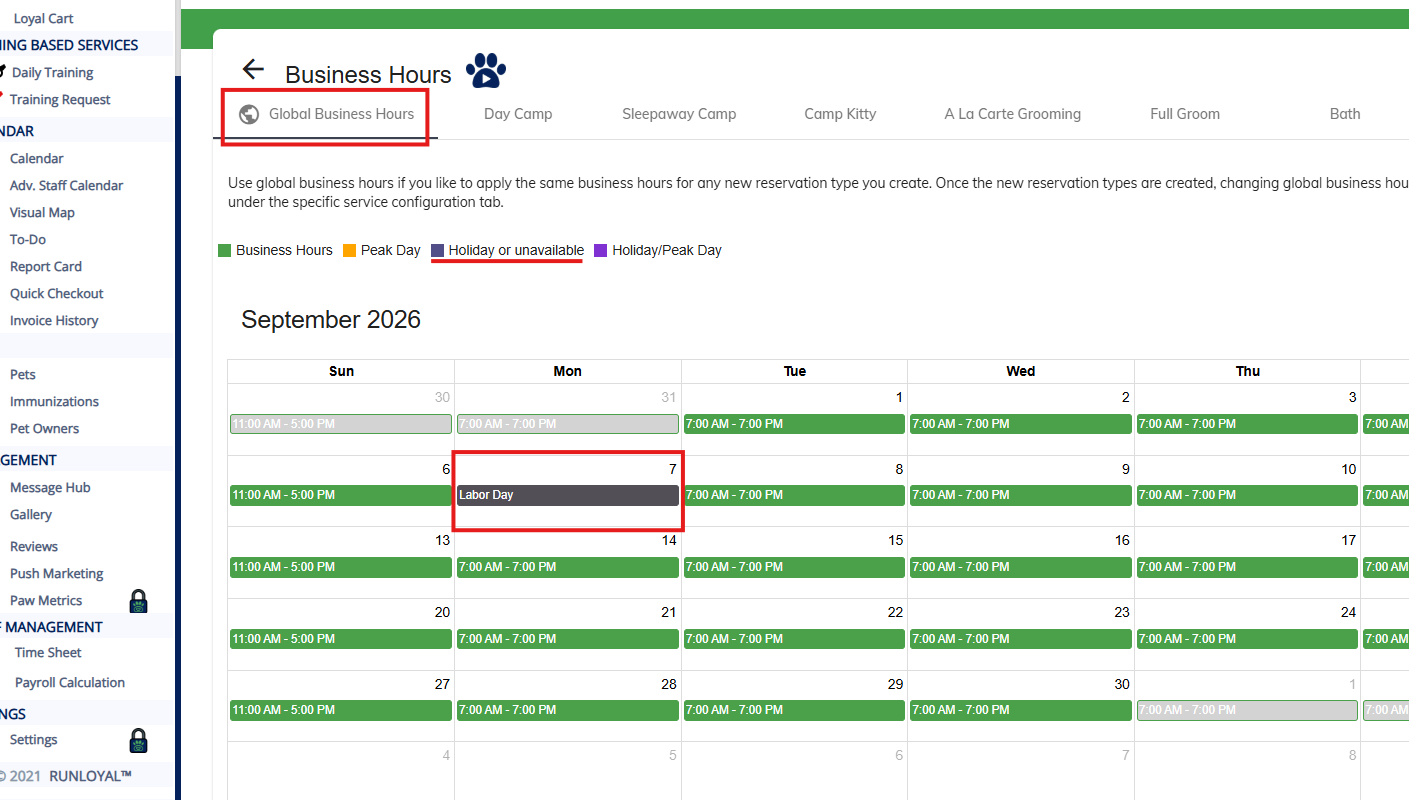
To Disable Customer Requests that Cross Holidays
You may optionally prevent customers from making bookings that cross holidays if your facility is truly closed on that date with no staff present.
1. Go to Settings > Operations > Personalization.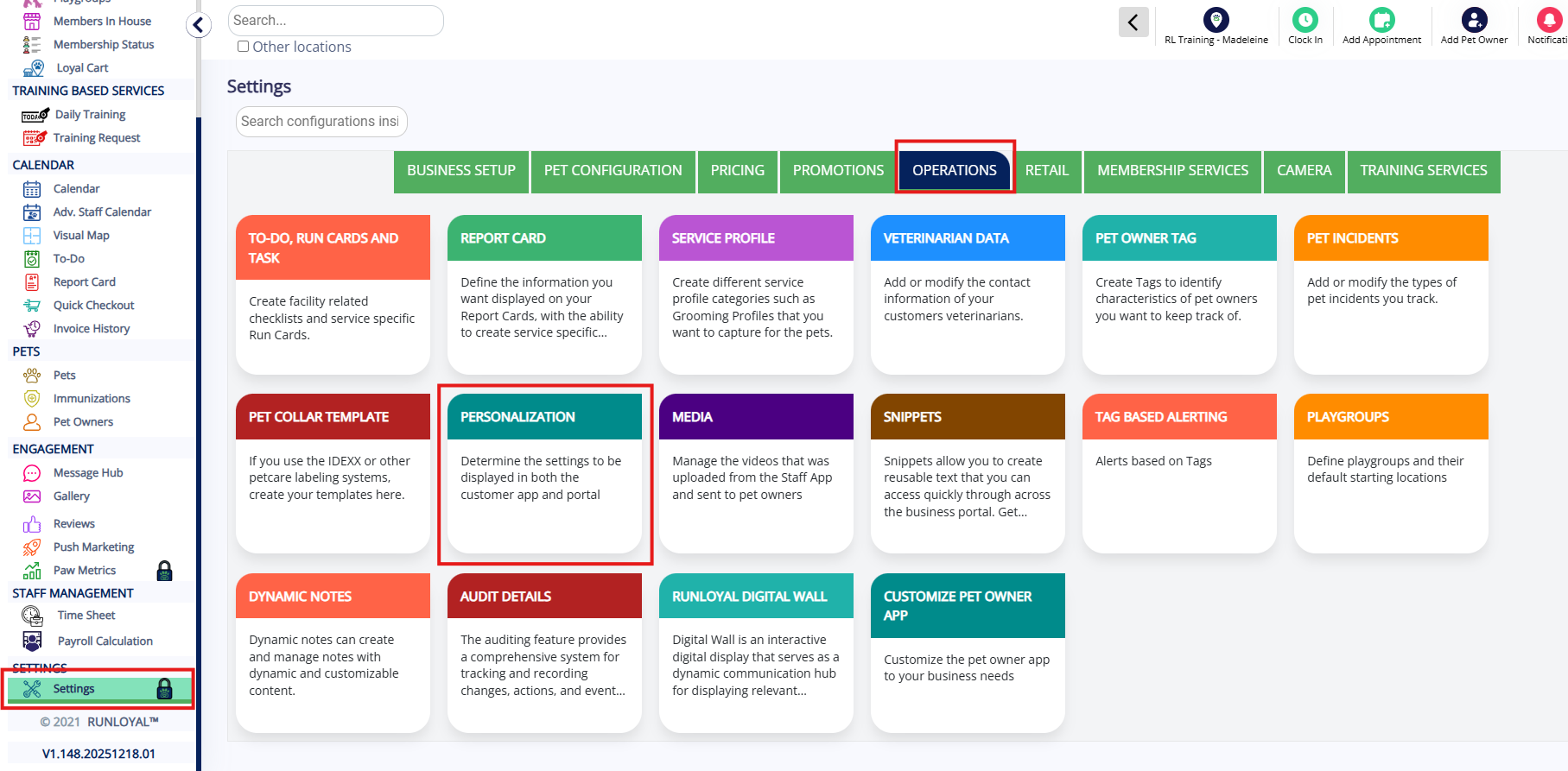
2. Select the Pet Owner App tab.
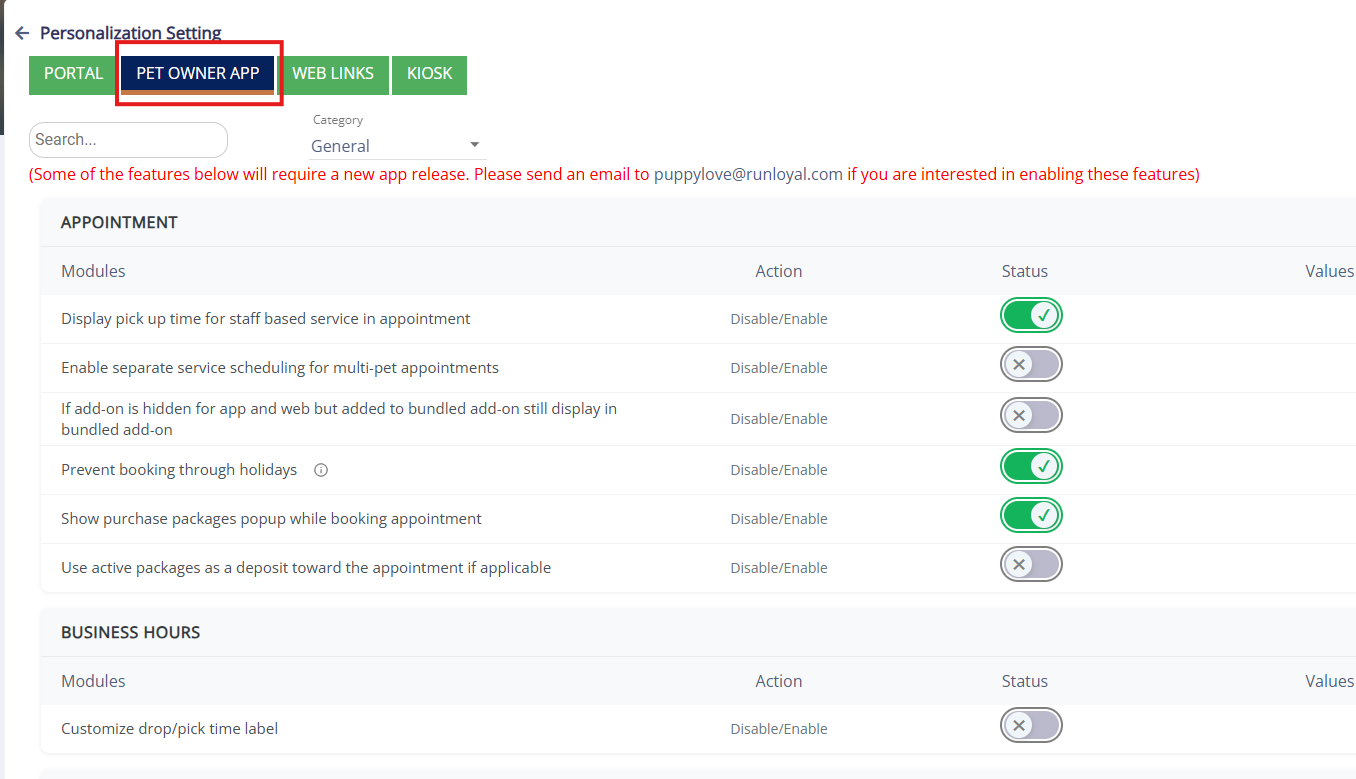
3. Enable the toggle: Prevent booking through holiday, and click Save.
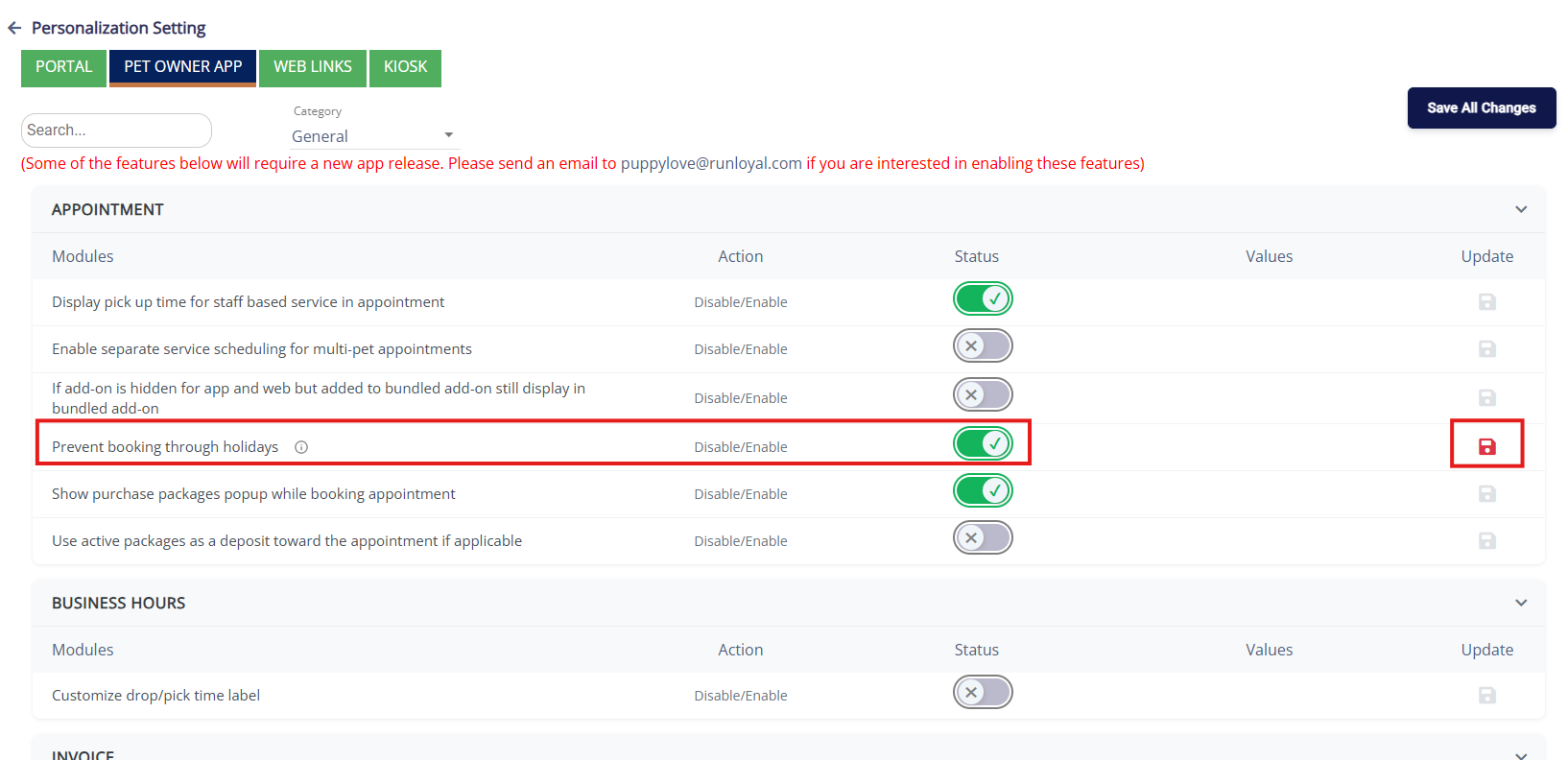
4. Select the Web Links tab.
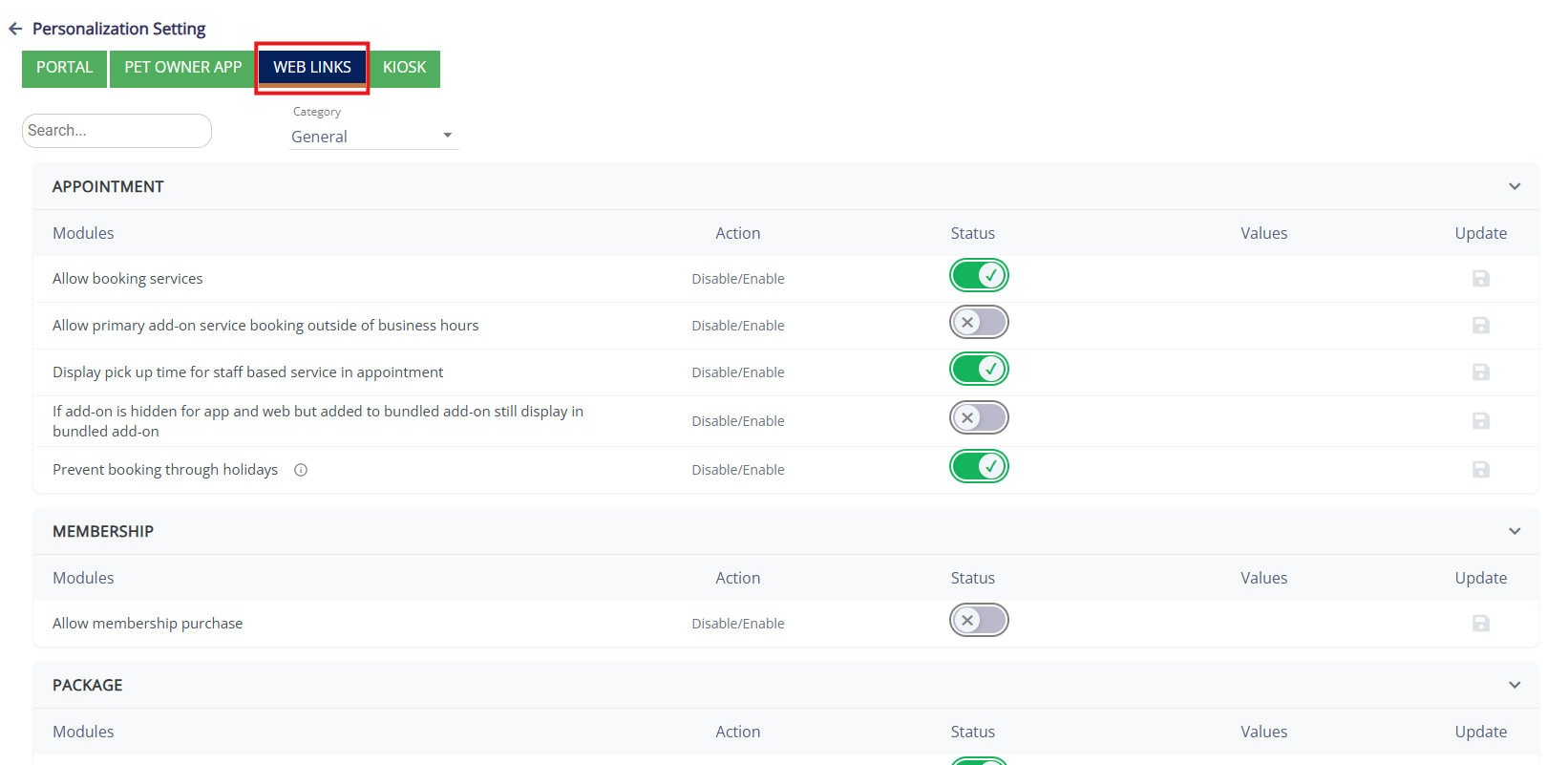
5. Enable the toggle: Prevent booking through holiday, and click Save.
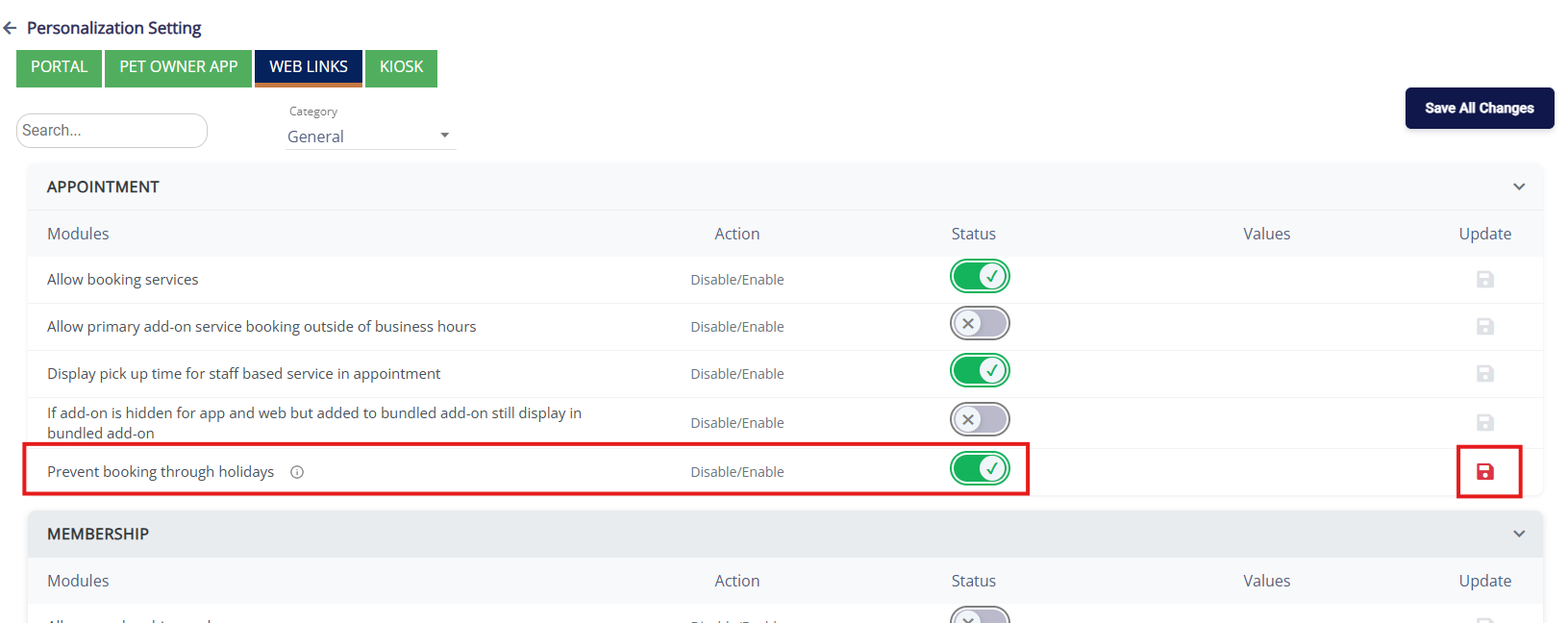
This ensures pet owners will see a popup message if they attempt to book web appointments that span holiday closures. 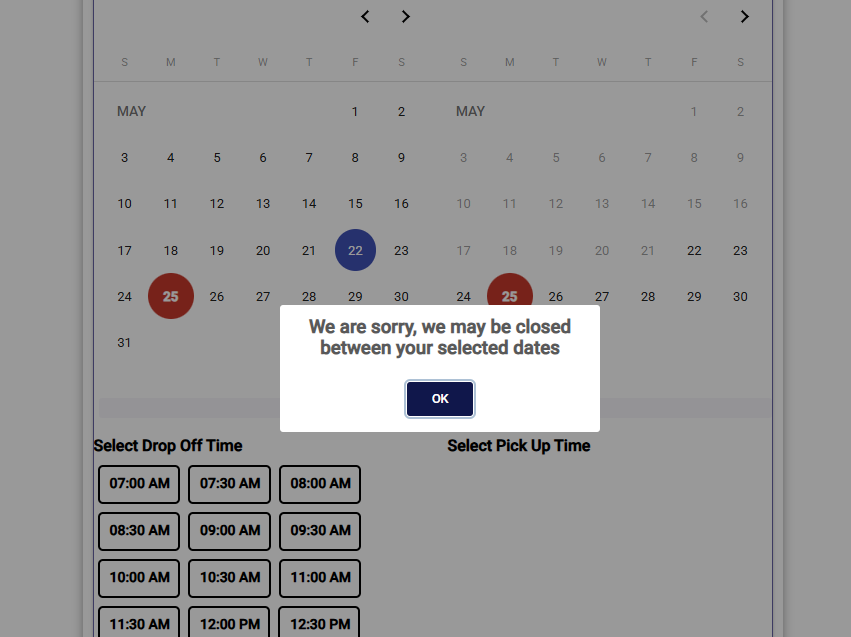
More Information
For more information on Peak Days and Peak Day Fees, please refer to this article: Allowing Peak Day Fees for Holiday Closures in RunLoyal
Was this article helpful?
That’s Great!
Thank you for your feedback
Sorry! We couldn't be helpful
Thank you for your feedback
Feedback sent
We appreciate your effort and will try to fix the article