Overview
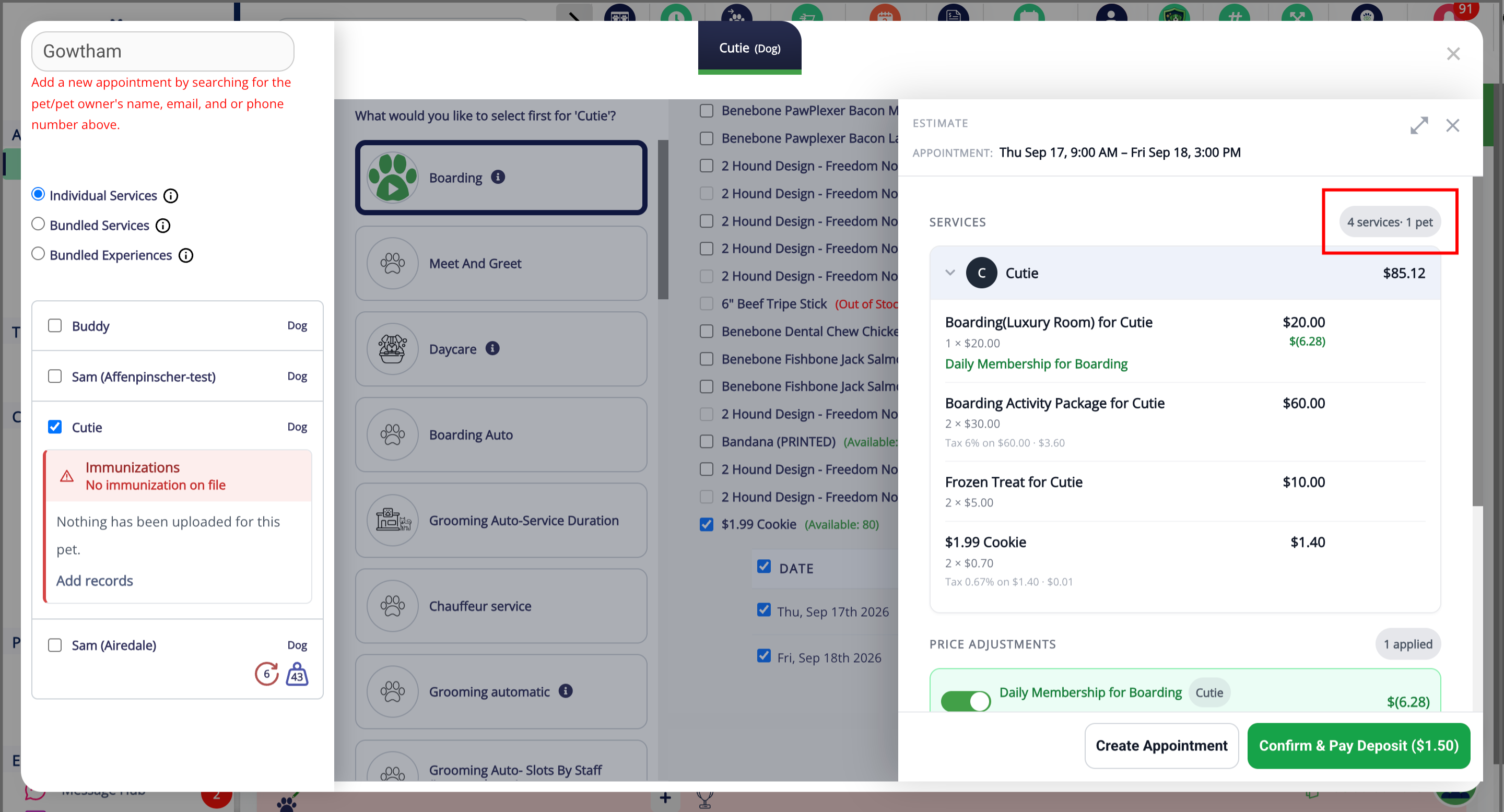
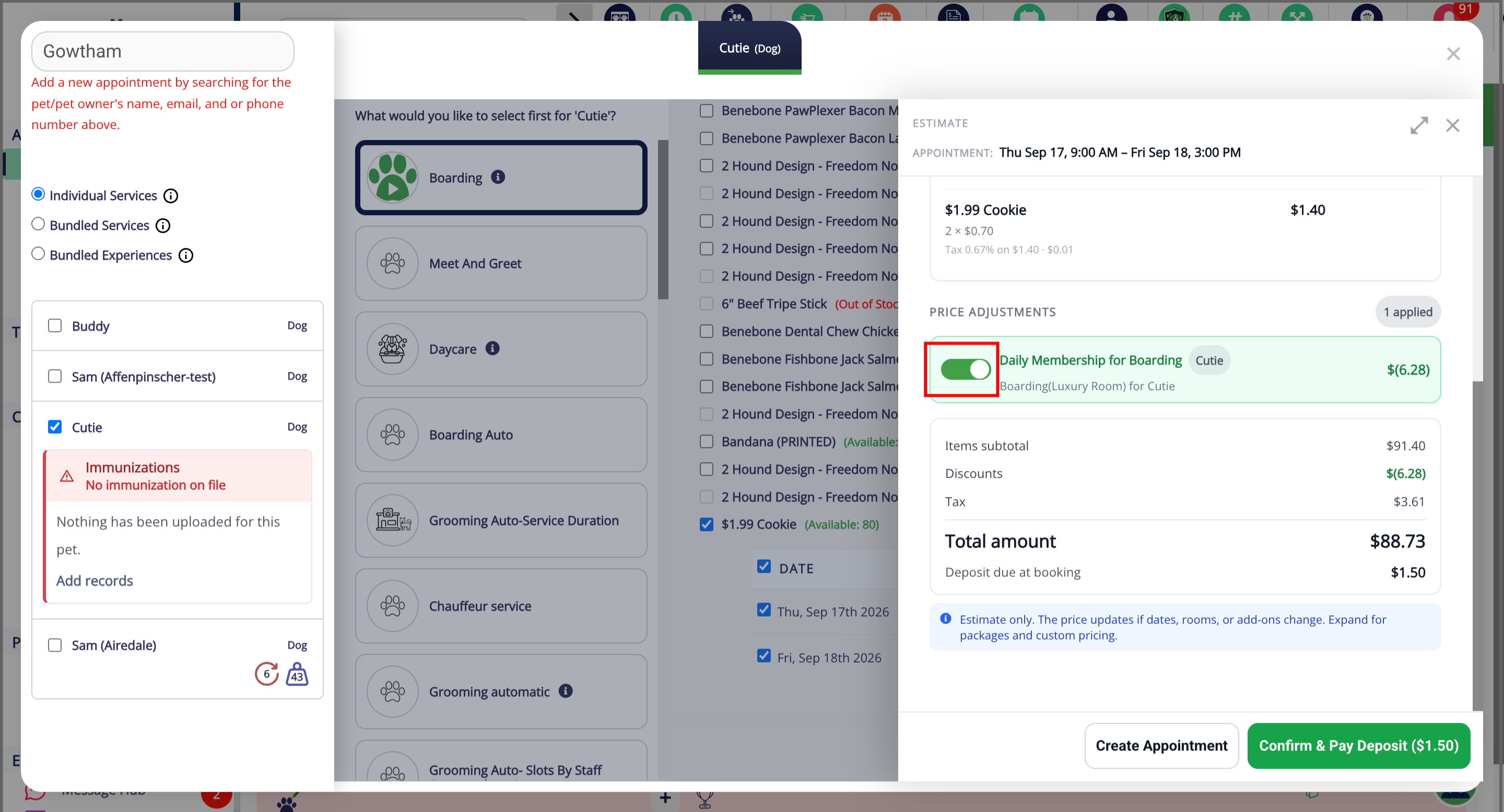
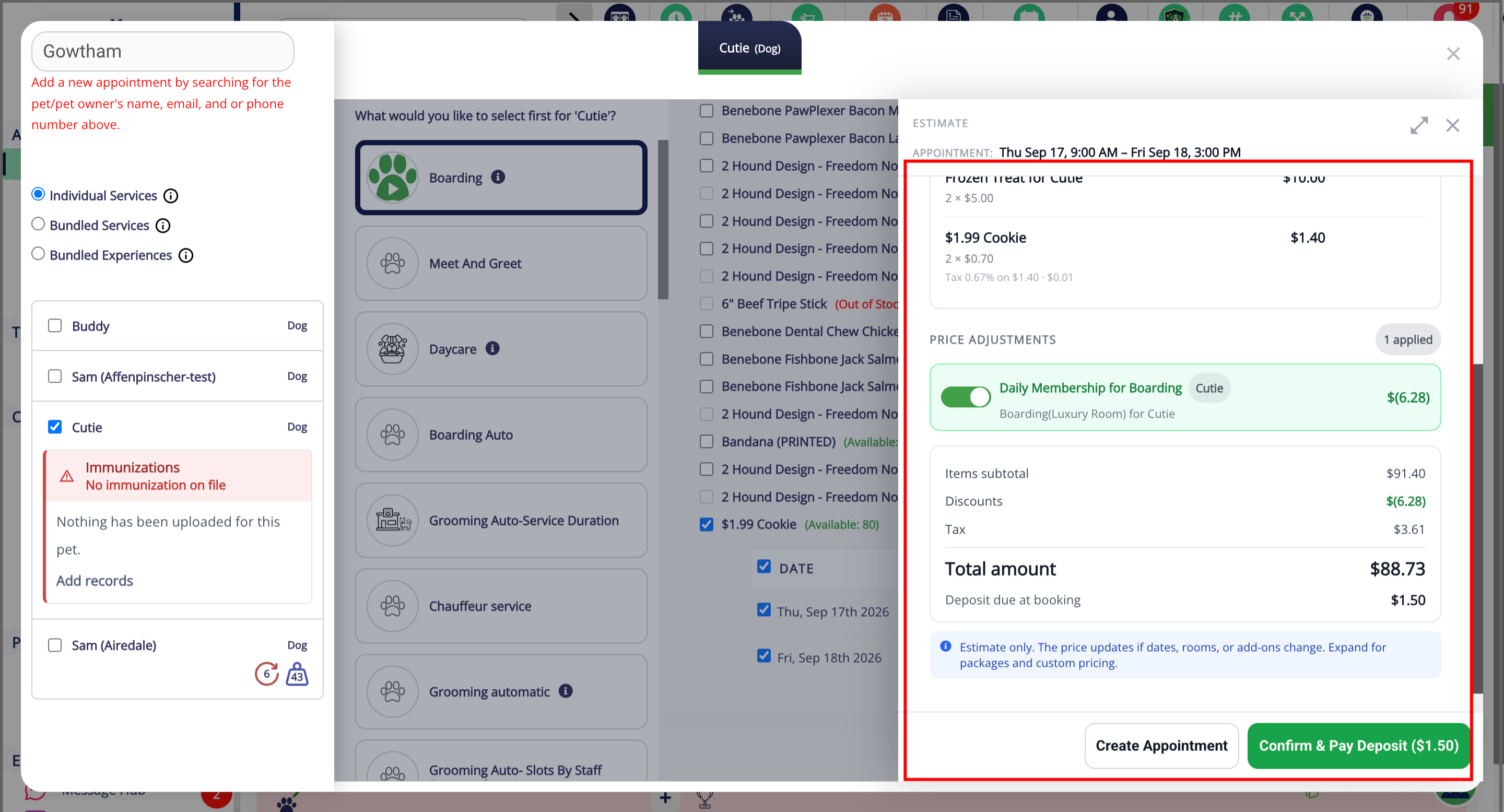
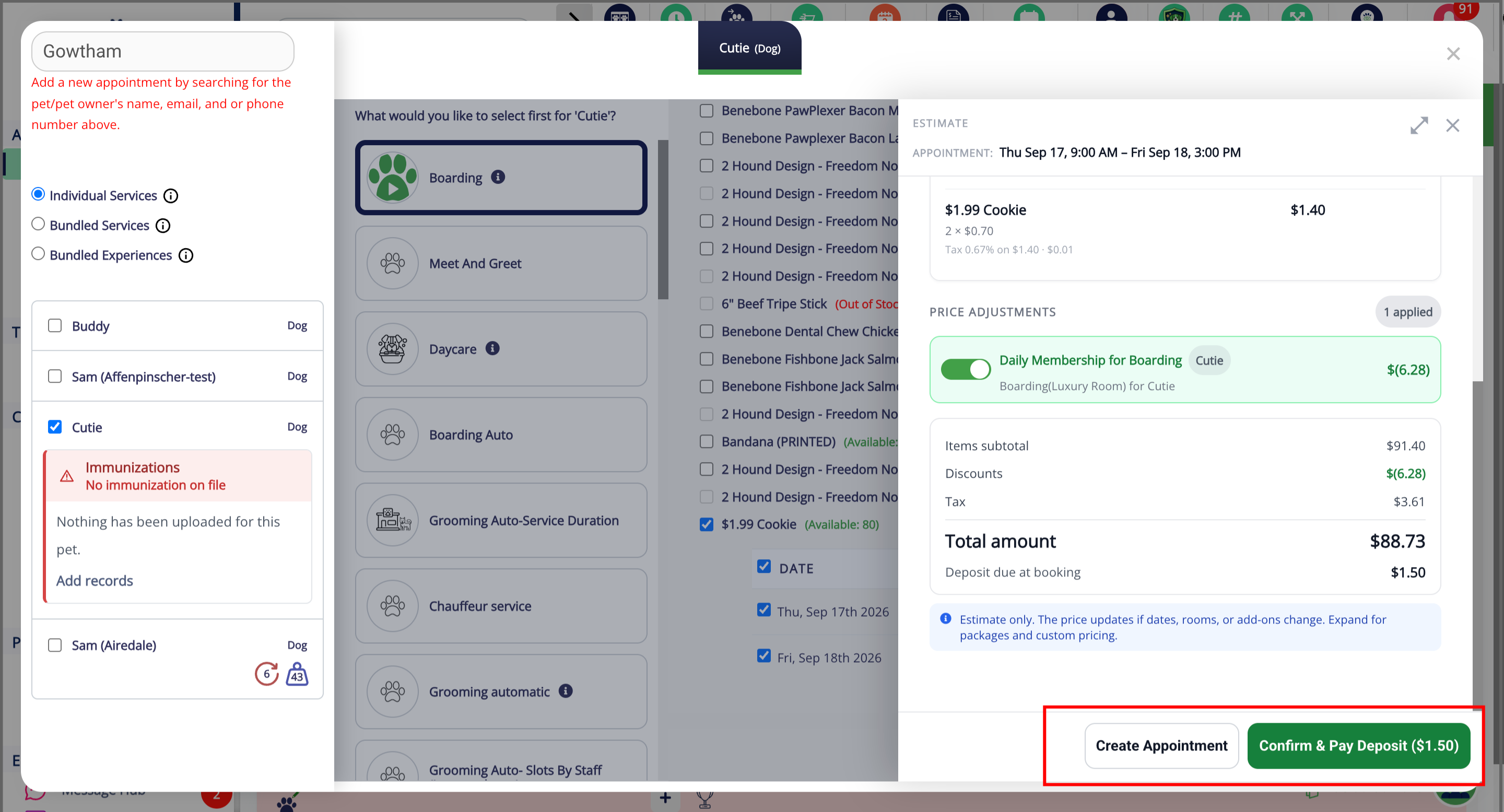
The View Estimate feature allows you to review the expected price of an appointment before creating the appointment.
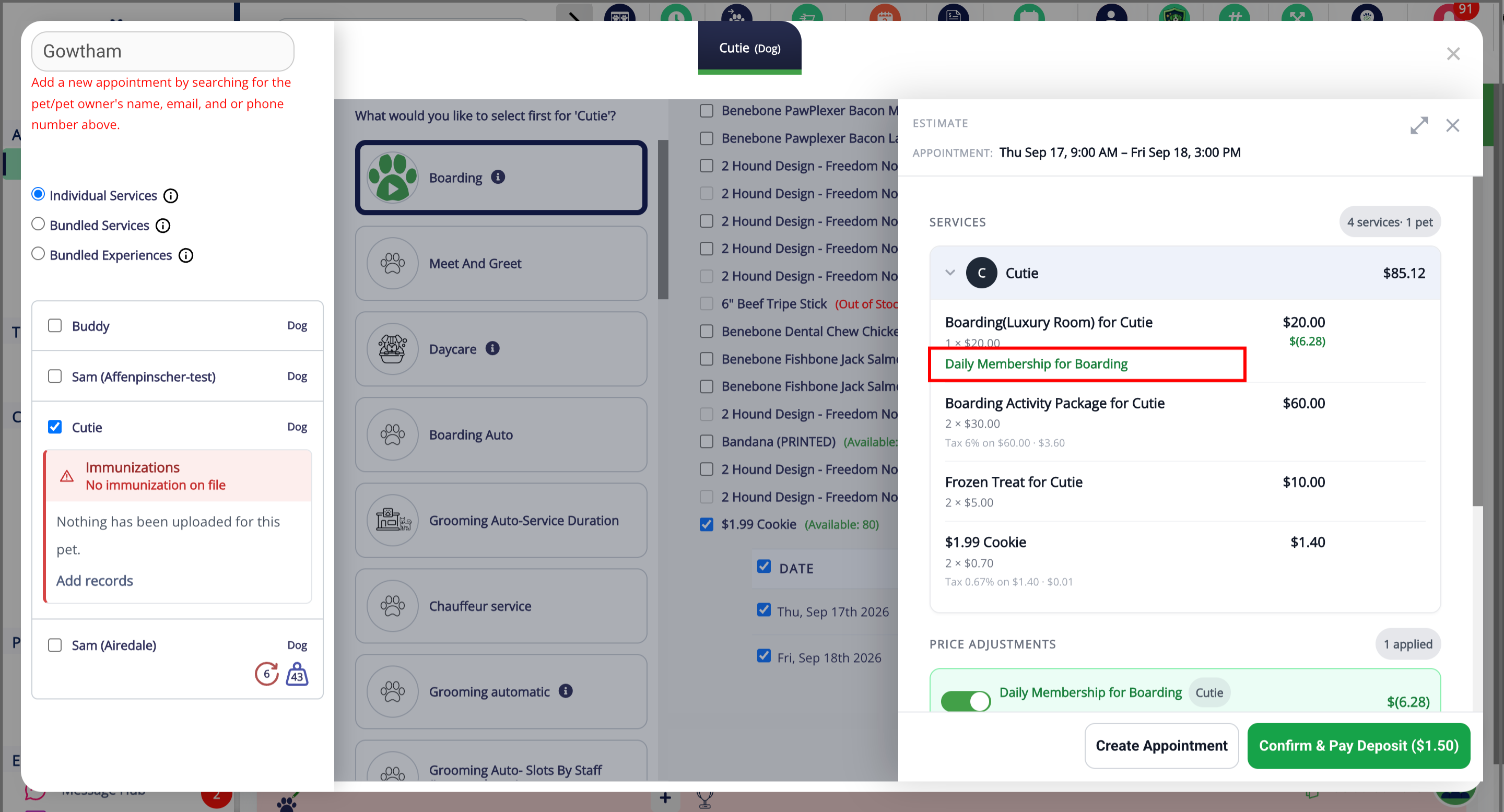
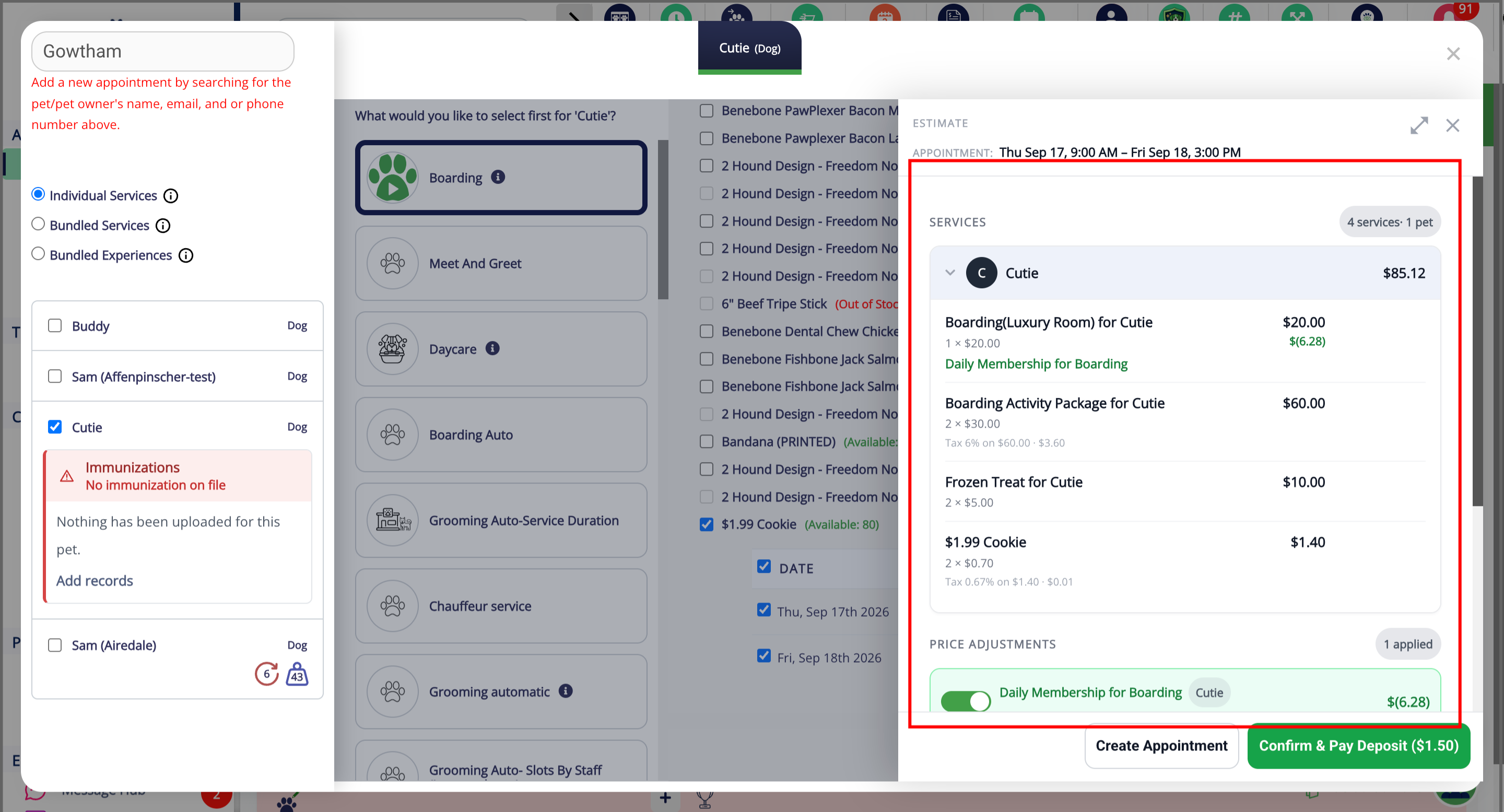
The estimate uses the same pricing rules as the final invoice, including applicable multi-night discounts, holiday and weekend surcharges, breed-based pricing, and taxes.
This provides a more accurate expected total at the time of booking and helps reduce differences between the appointment estimate and the final invoice.
Note: The estimate is based on the appointment details and pricing rules available at the time it is generated. If the dates, pets, services, pricing rules, or other appointment details change, the final amount may also change.
TABLE OF CONTENTS
Requirements
Open your staff portal using Google Chrome. All settings-related updates must be done on a desktop or laptop.
Basic Flow
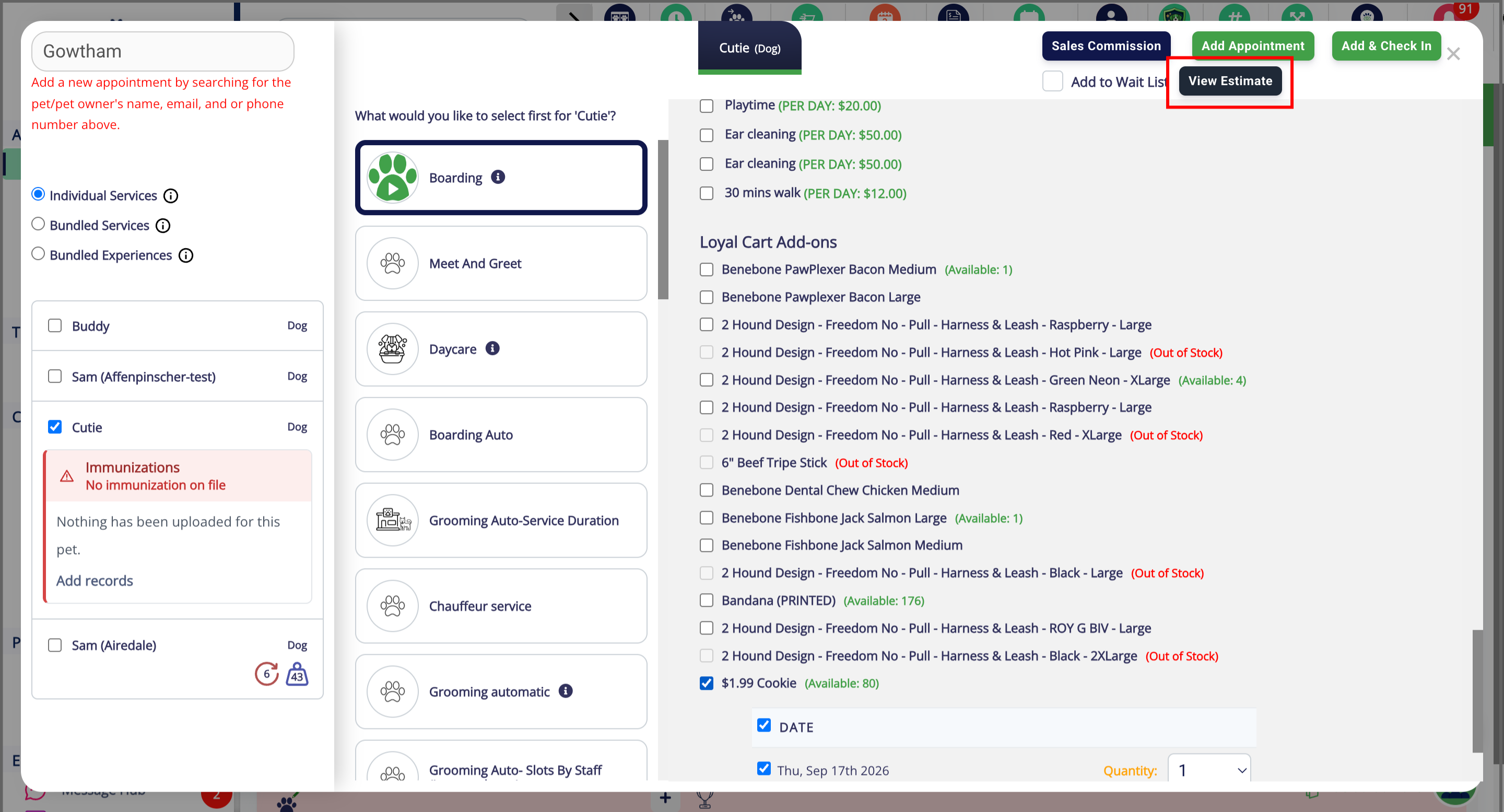
More Information
For more information on creating and managing appointments, please refer to this article: Creating & Managing Appointments
Was this article helpful?
That’s Great!
Thank you for your feedback
Sorry! We couldn't be helpful
Thank you for your feedback
Feedback sent
We appreciate your effort and will try to fix the article