How to Make Deposits Mandatory for a Service:
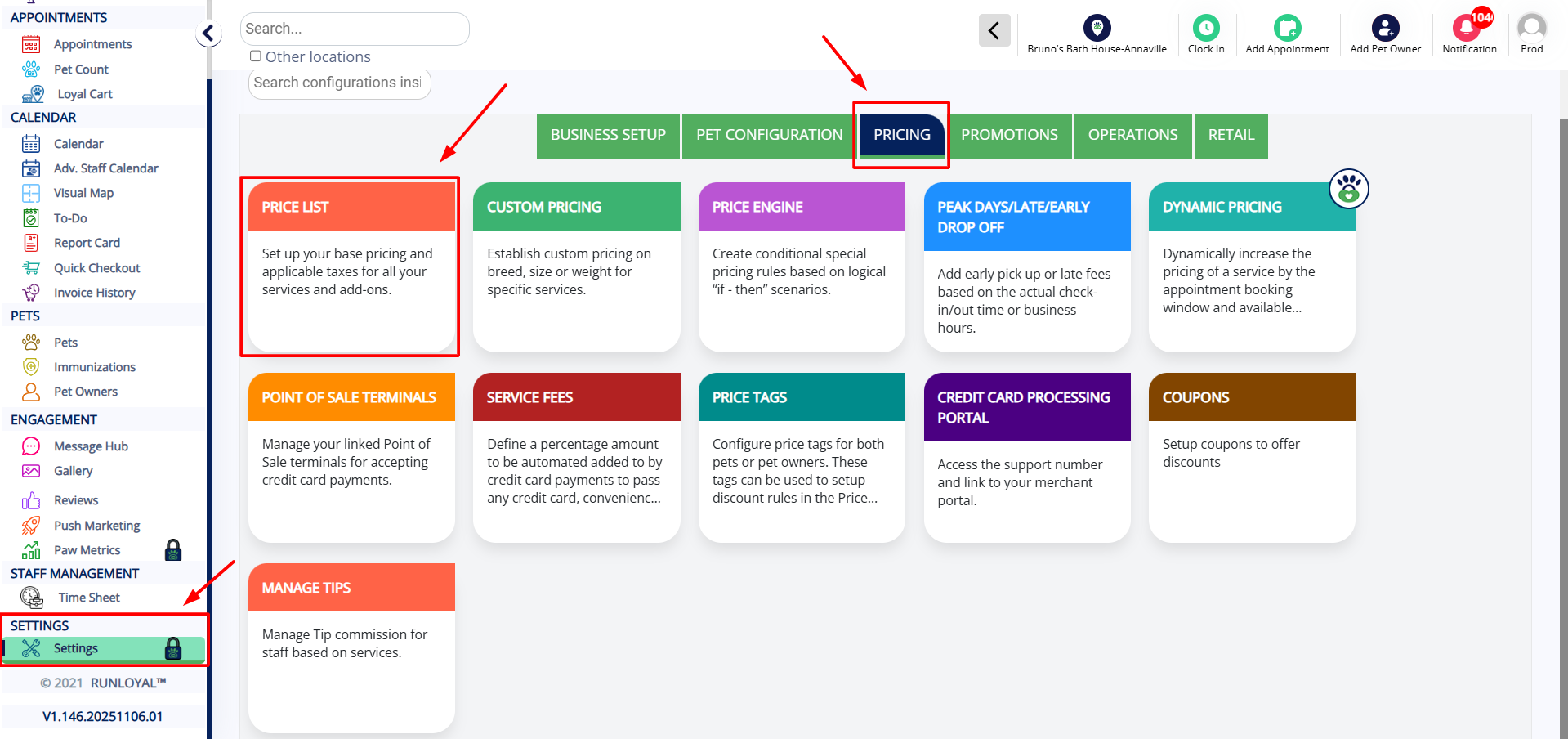
- Go to Settings
- Click on Pricing
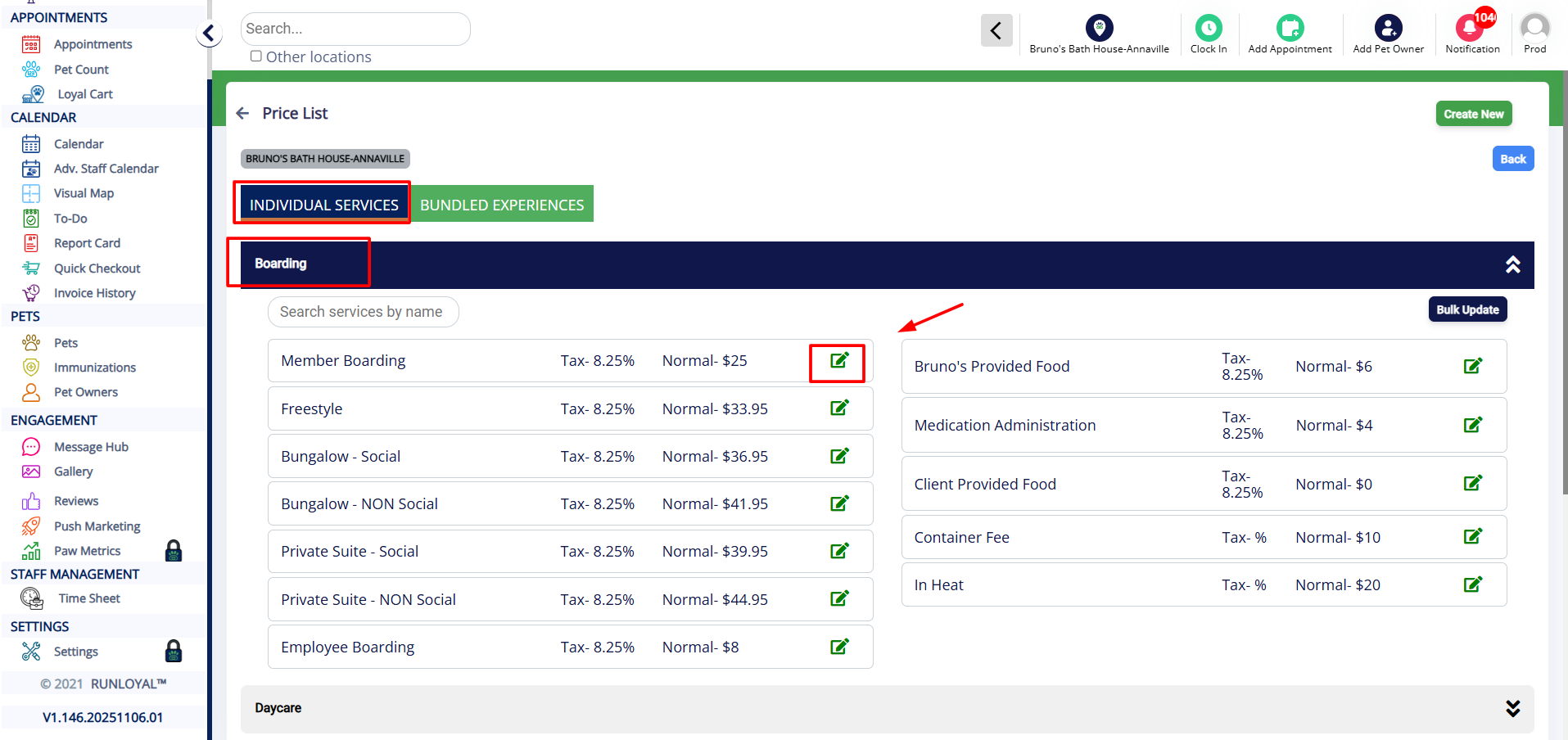
- Open your Price List
- Select the Active Price List
- Open the service for which you want to make the deposit mandatory
- Click the Edit icon next to the service
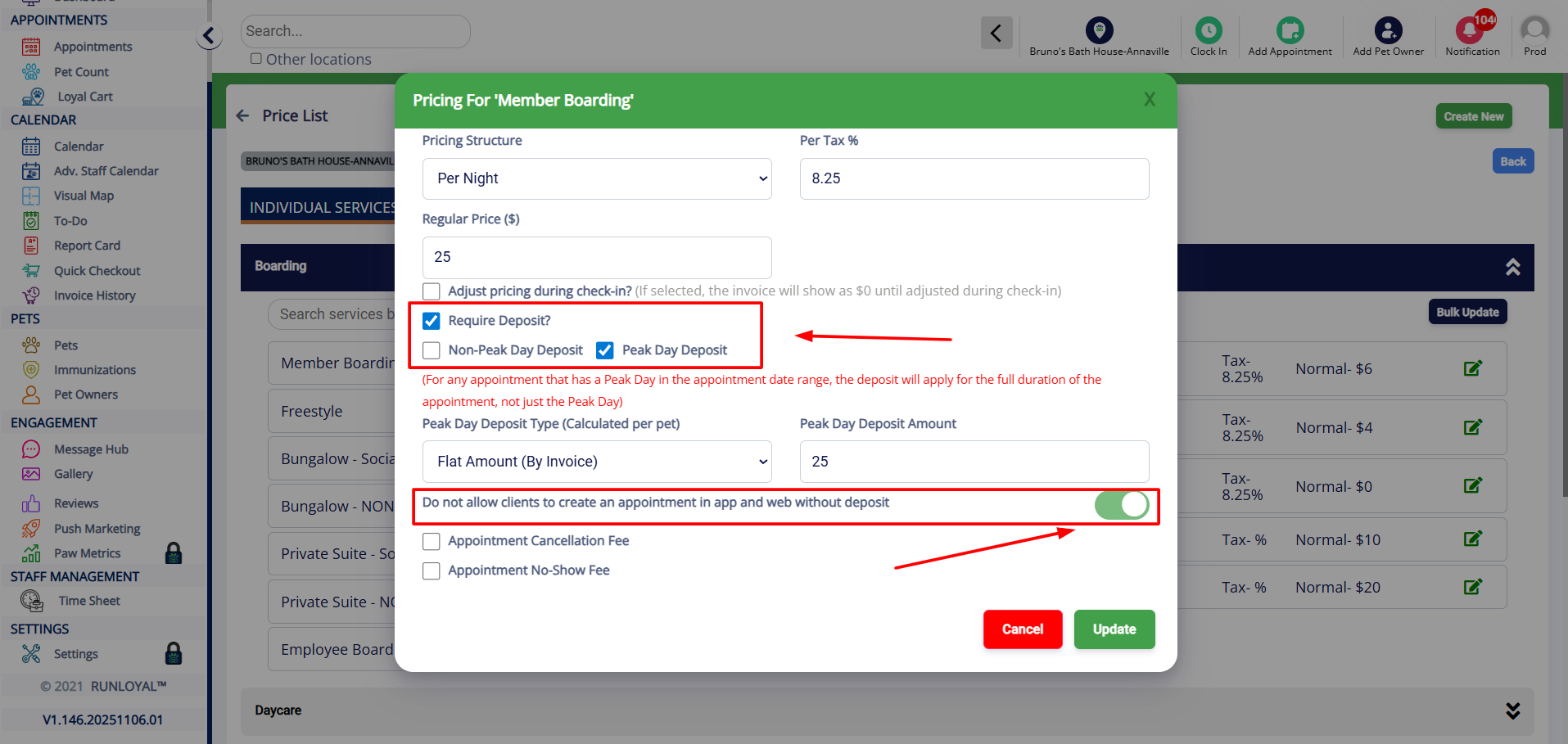
- Check the box for Required Deposit
- Select the checkboxes for collecting deposits on Peak and/or Non-Peak days, based on your preference
- Ensure the toggle “Do not allow clients to create an appointment in the app and web without deposit” (highlighted in the screenshot) is turned ON
Images attached for reference:
Was this article helpful?
That’s Great!
Thank you for your feedback
Sorry! We couldn't be helpful
Thank you for your feedback
Feedback sent
We appreciate your effort and will try to fix the article