To do so, please navigate to Settings > Retail > Product Inventory (attached a screenshot for your reference).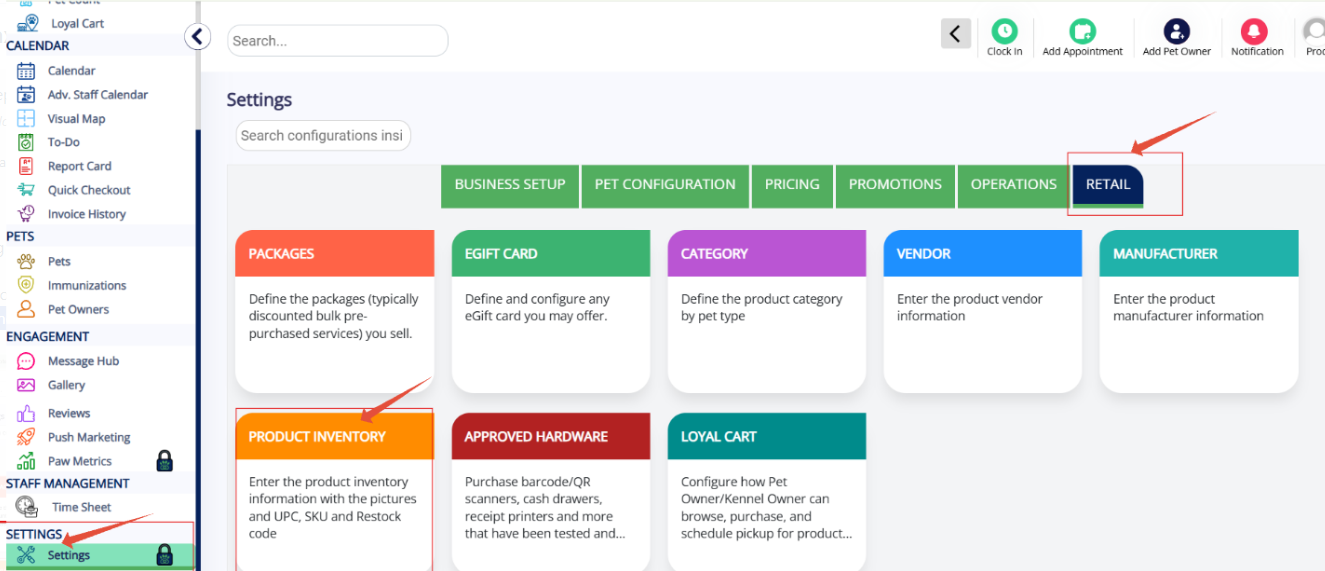
When you click on the Product inventory, it will list the available products. From there, you can select the "Product you wanted".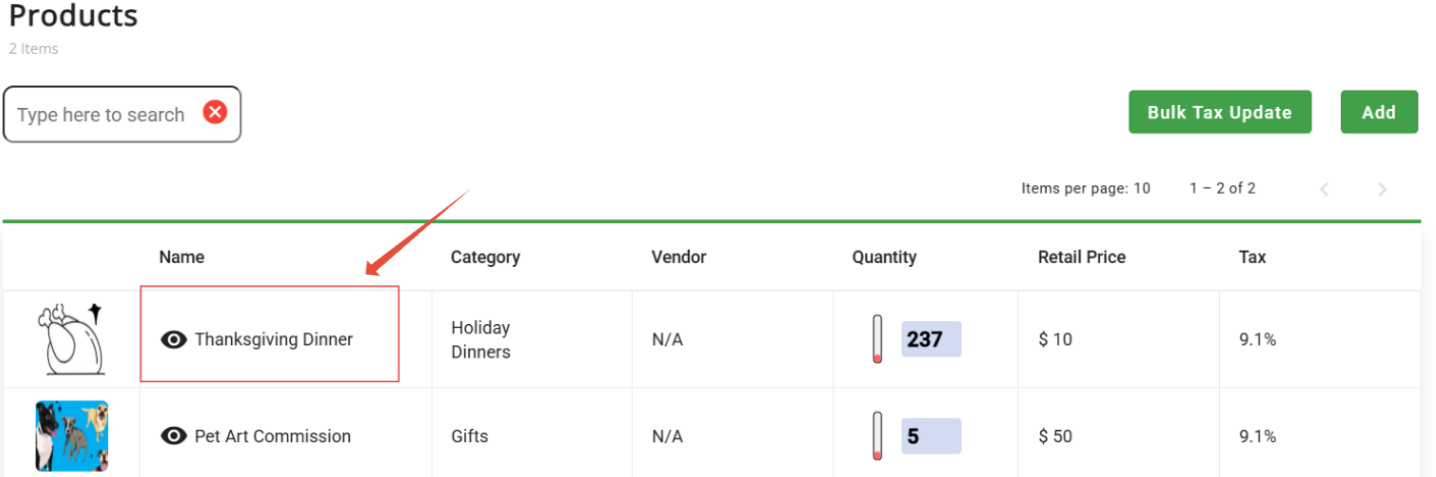
Once selected, a screen will appear where you can adjust the tax as needed. After making the changes, simply click "Save" to apply them.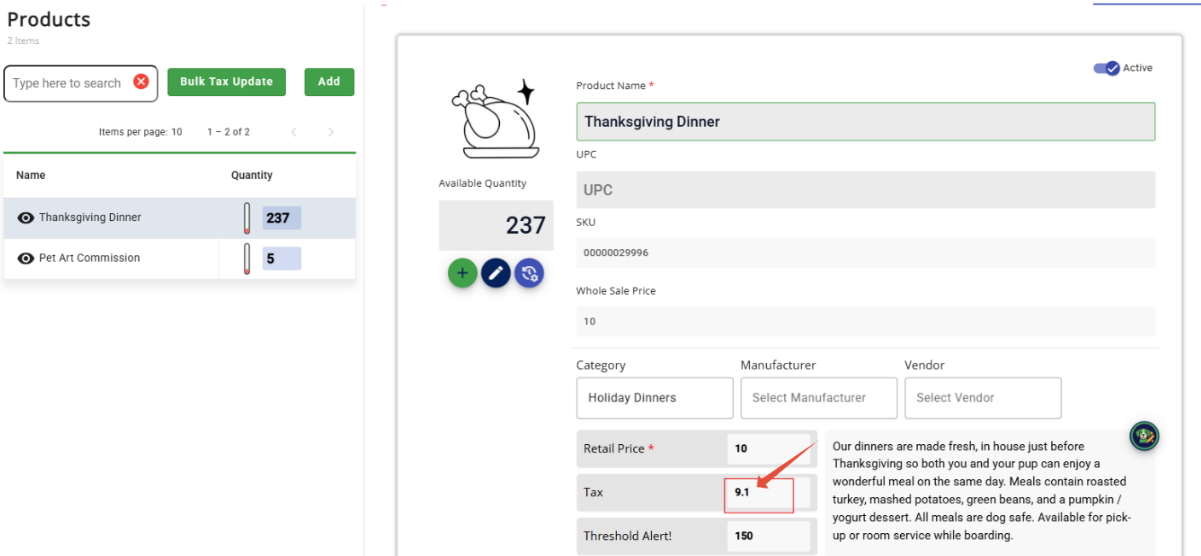
Was this article helpful?
That’s Great!
Thank you for your feedback
Sorry! We couldn't be helpful
Thank you for your feedback
Feedback sent
We appreciate your effort and will try to fix the article