Below are the steps involved regarding the agreement status not reflecting correctly after customers sign it during the Appointment process.
1) Notifications:
a) Please go to the Notification icon and click on the Filter icon.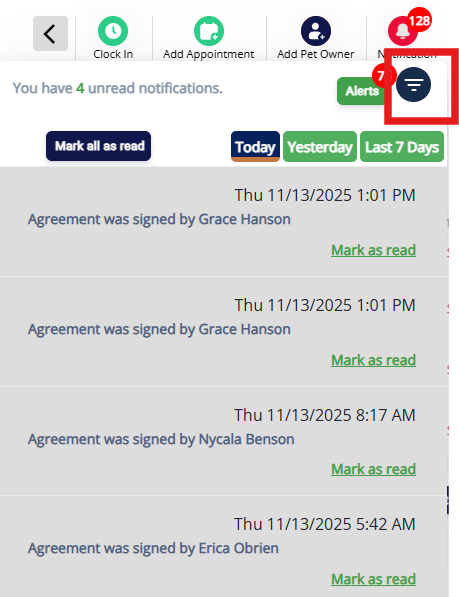
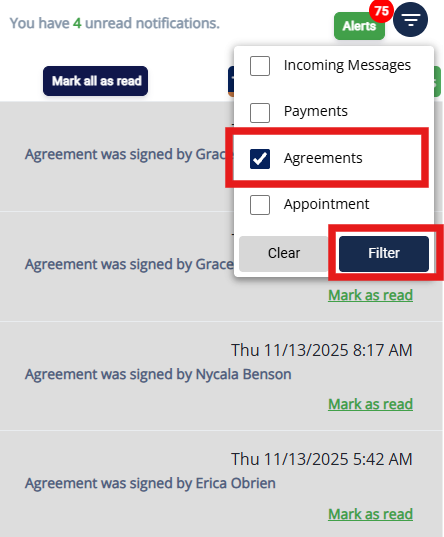
2) Paw Metrics:
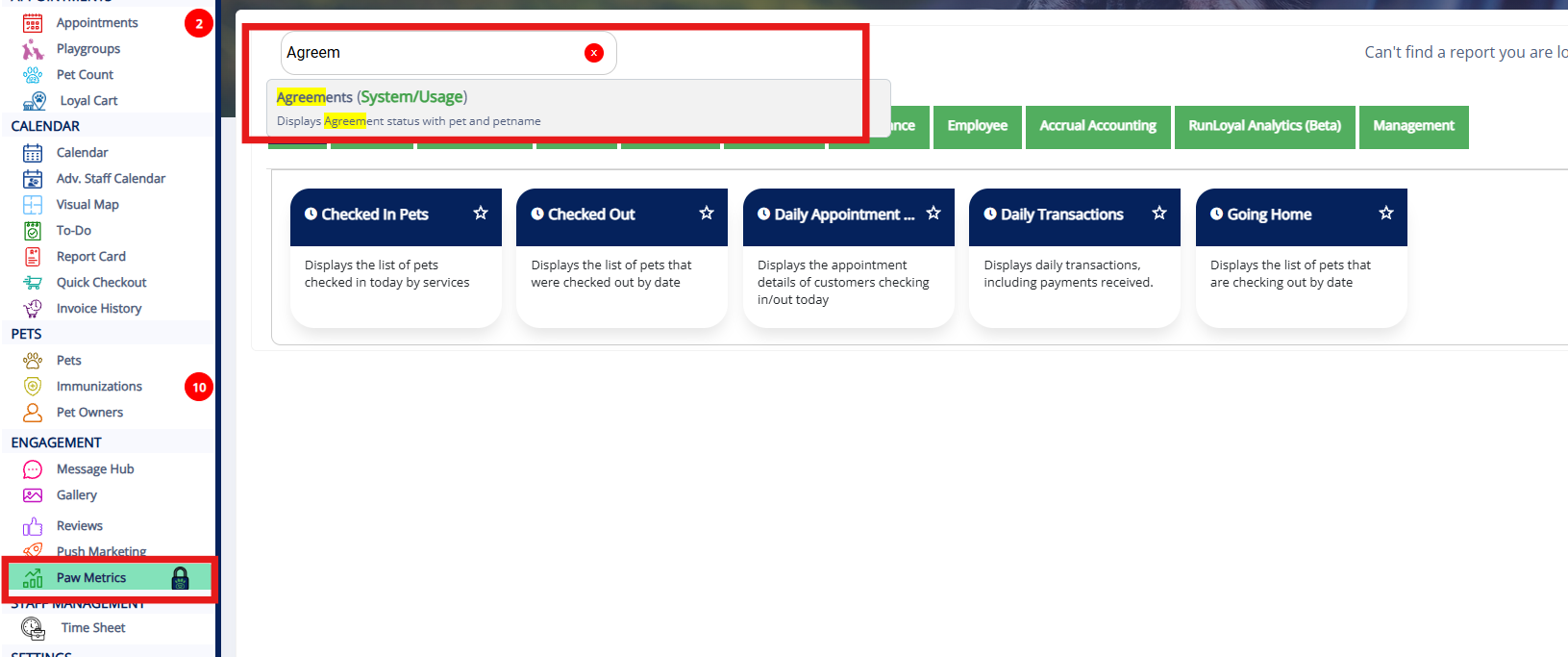
In Paw Metrics, you can search for Agreements and then select "Agreements (System/Usage)".
 You can select a specific date range and then click "Run Report" to view the list of Signed and Pending Agreements.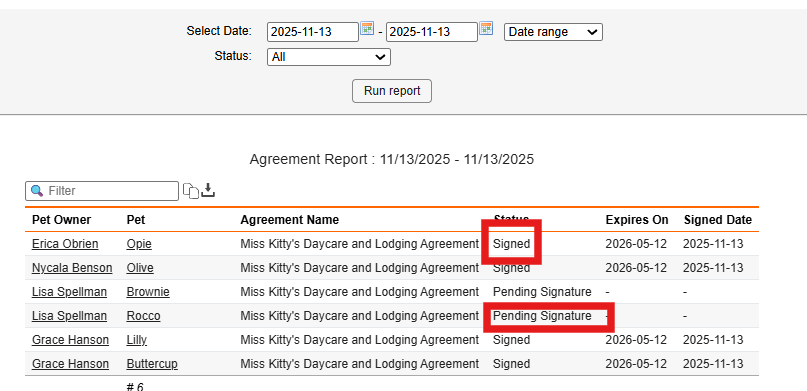
3) Selecting specific Pet Owner:
Additionally, you can select a specific Pet Owner profile by clicking on their name, which will direct you to the Pet Owner's profile.
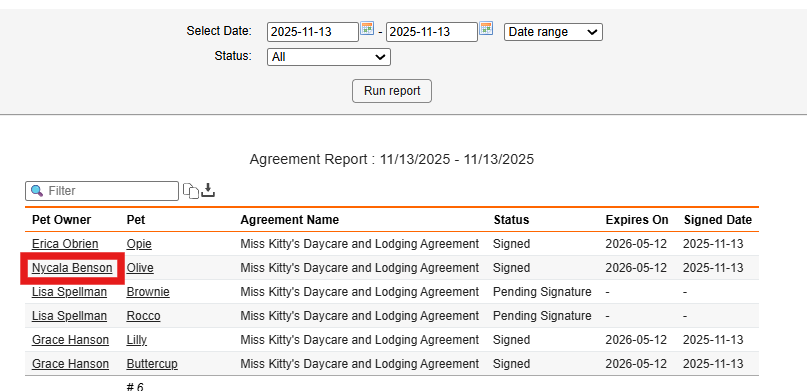
Additionally, you can select a specific Pet Owner profile by clicking on their name, which will direct you to the Pet Owner's profile.
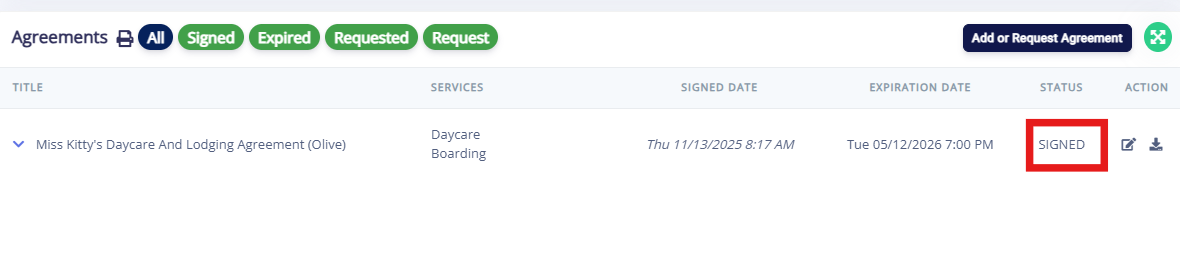
In the Pet Owner profile, you can scroll down to the Agreements section to view the details and see whether the specific agreement has been signed.
Was this article helpful?
That’s Great!
Thank you for your feedback
Sorry! We couldn't be helpful
Thank you for your feedback
Feedback sent
We appreciate your effort and will try to fix the article