Follow the steps below to find the eGift Card code associated with a Pet Owner account:
1. Search for the specific Pet Owner whose eGift Card code you need.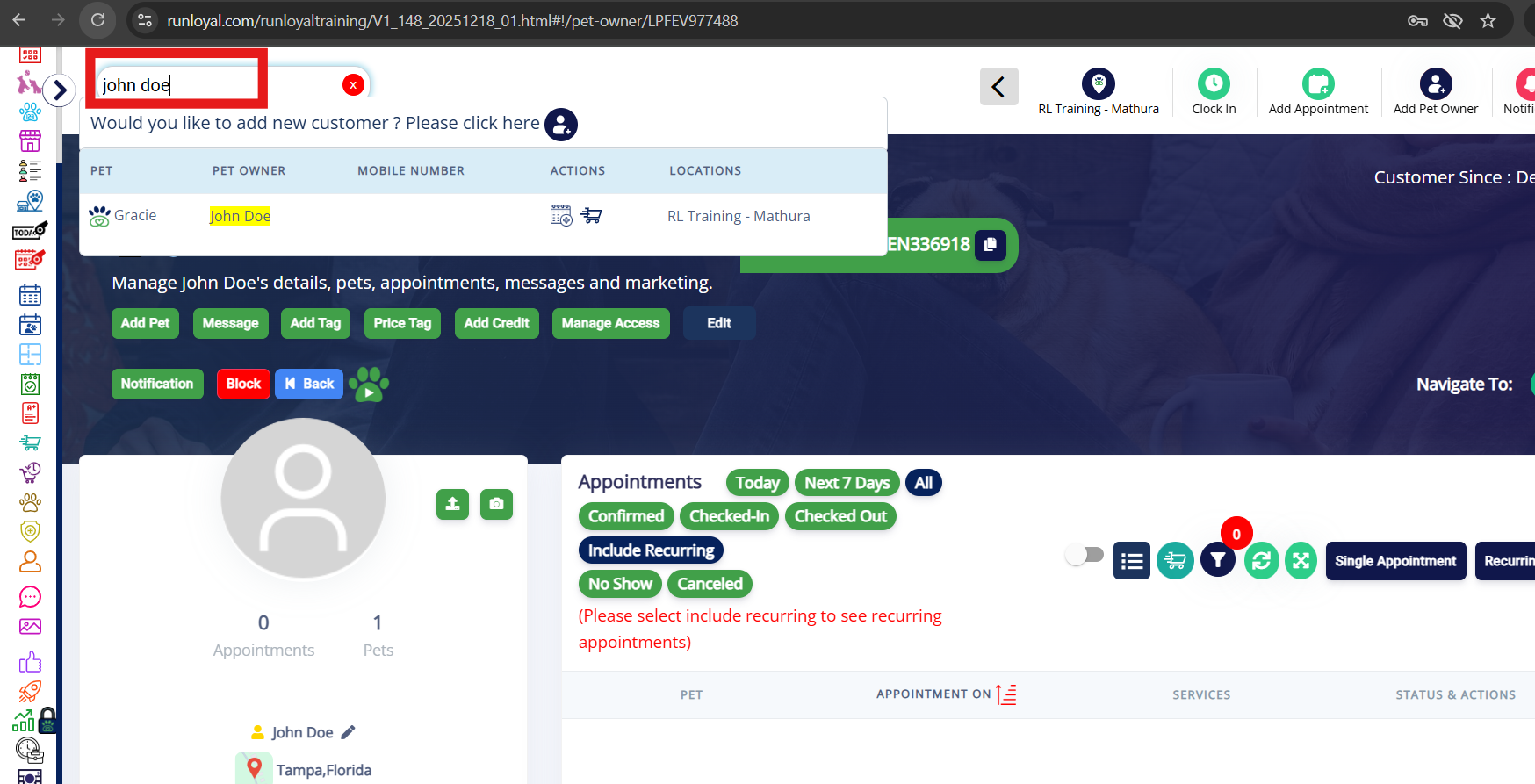
2. Open the Pet Owner’s profile. Scroll down to the Gift Card section within the profile.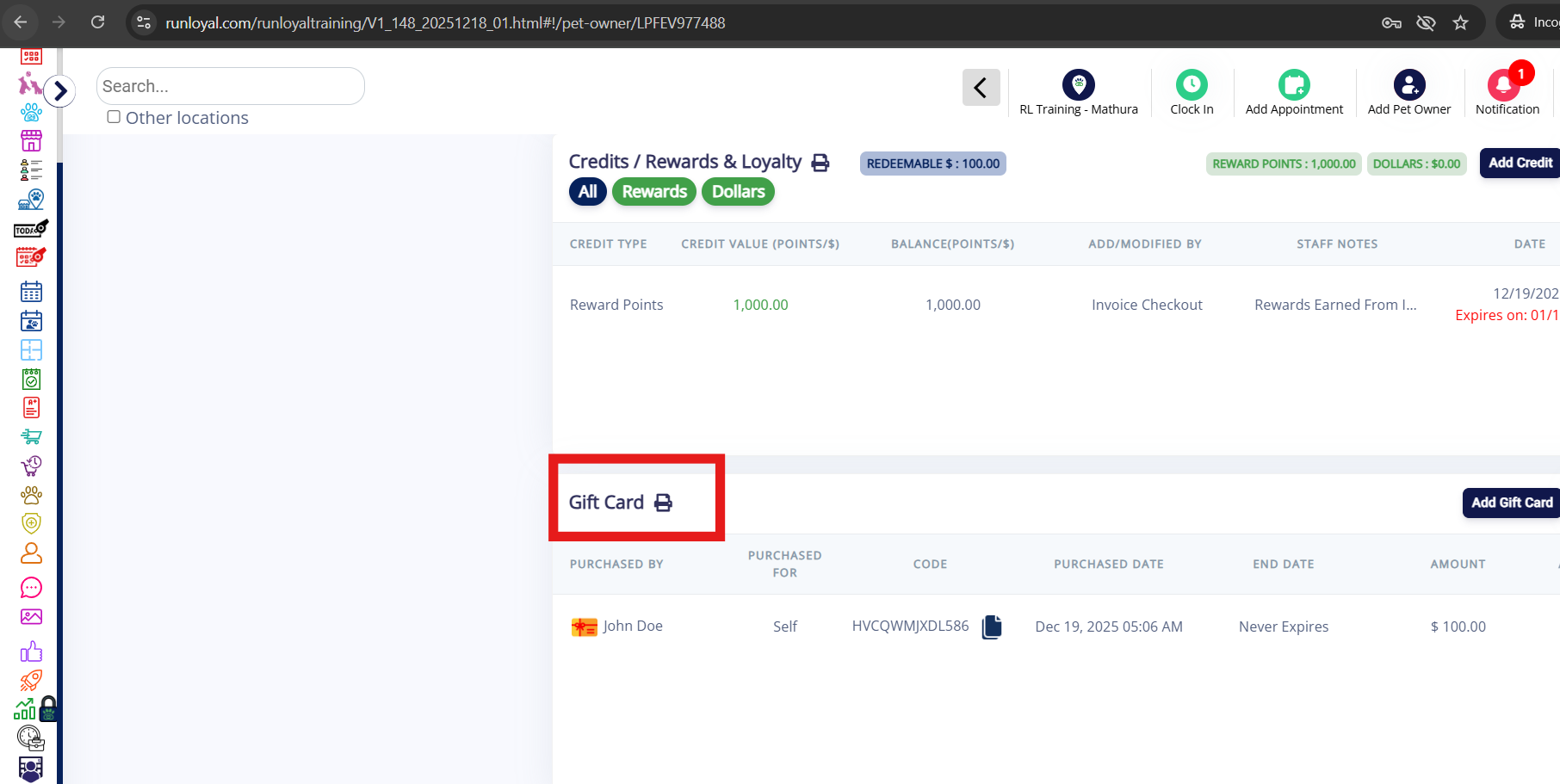
3. The eGift Card code will be displayed directly under the Gift Card section.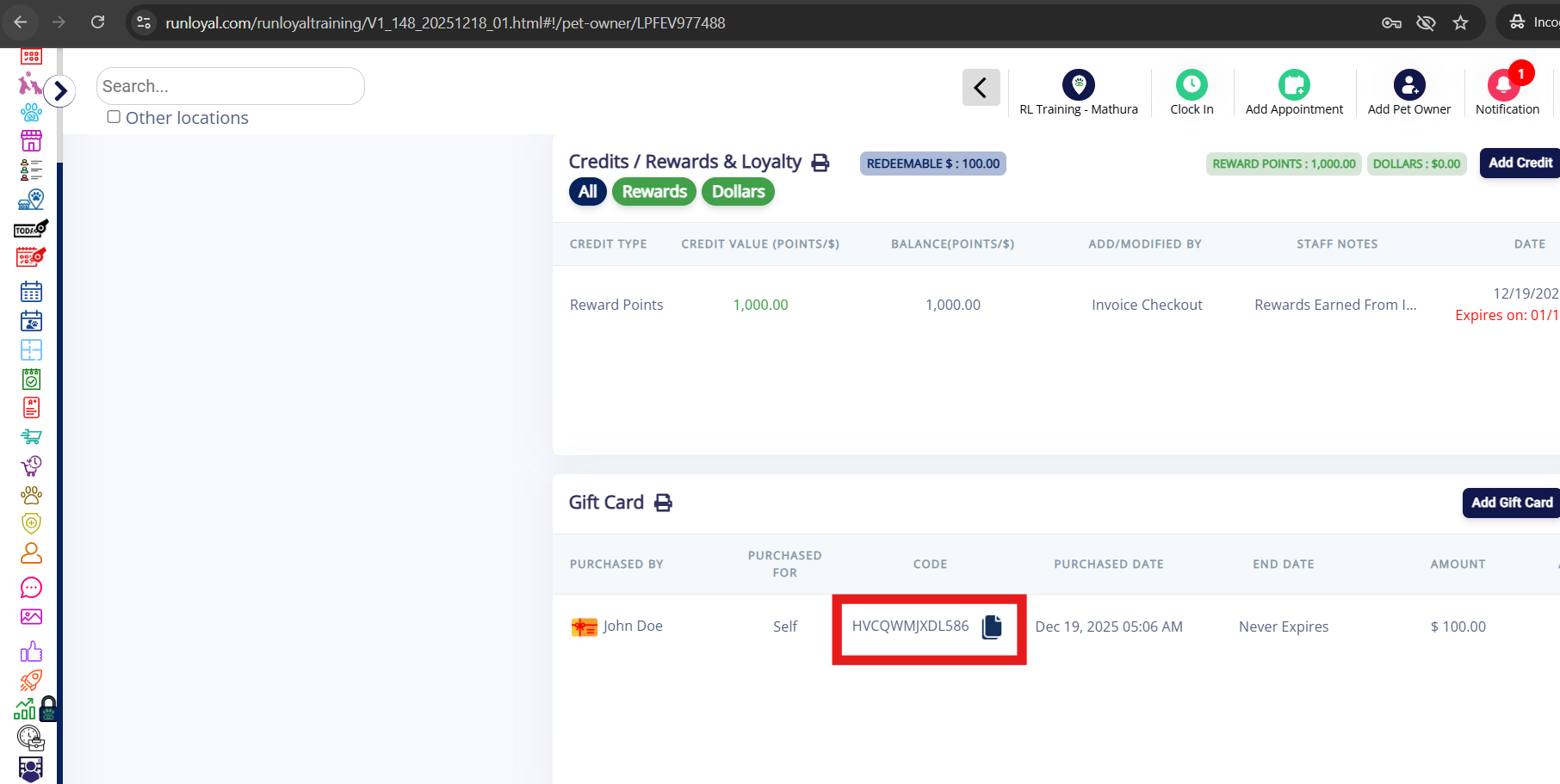
4. If you have a barcode scanner, you can click the eye (view) icon to display the QR code.

5. Clicking the eye icon will open the barcode view, which can be scanned using your barcode scanner.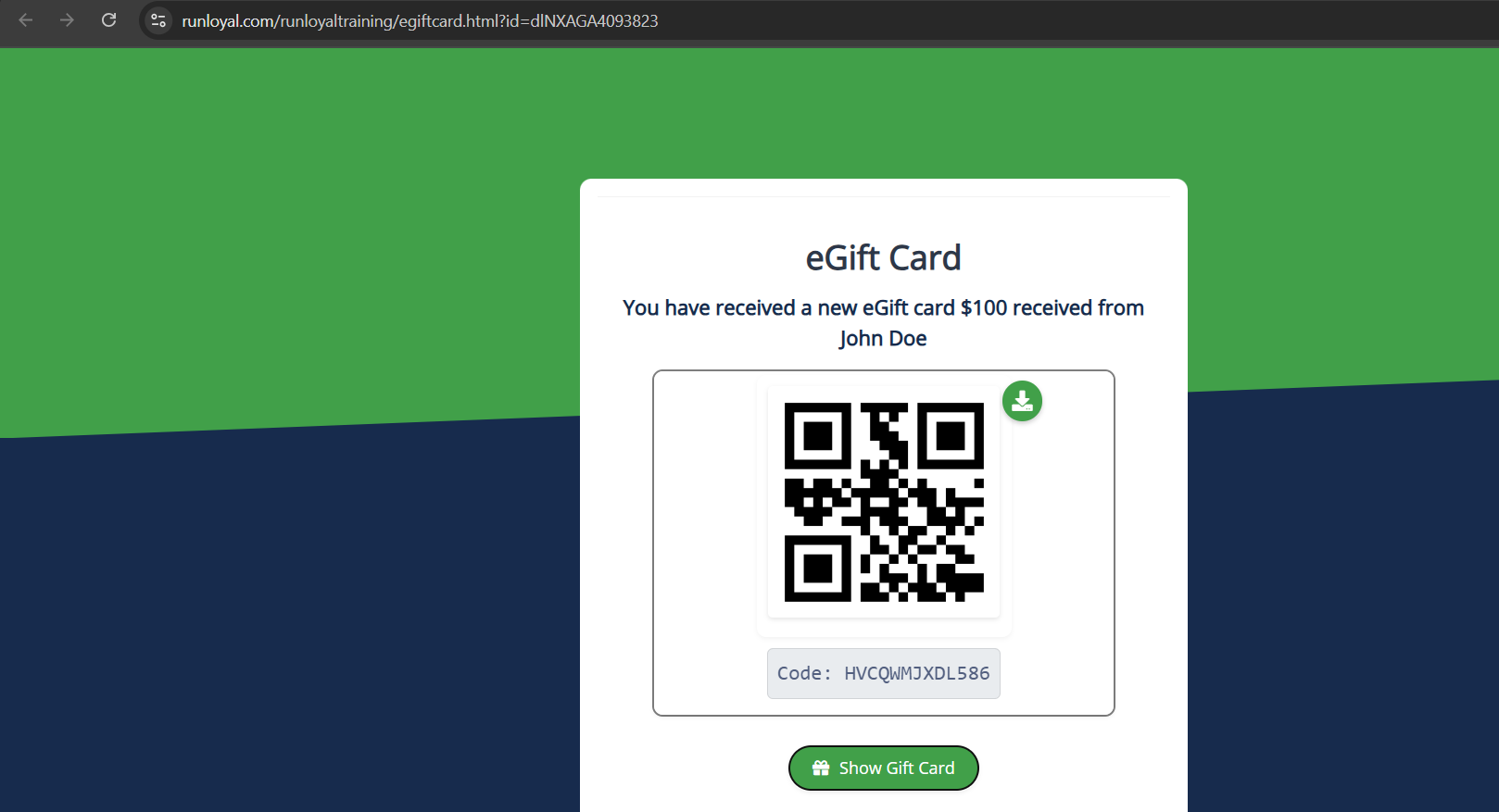
Note: The same eGift Card information can also be viewed in the Pet Owner App by navigating to More → eGift Card.
Was this article helpful?
That’s Great!
Thank you for your feedback
Sorry! We couldn't be helpful
Thank you for your feedback
Feedback sent
We appreciate your effort and will try to fix the article