Overview
E-Gift cards are a great way to add usable, virtual credit to a pet owner's account to redeem on future purchases at your business. E-Gift cards can be purchased by the pet owner for their own account, or purchased by another person but added to the pet owner's account. E-Gift cards can be redeemed easily from any invoice.
E-Gift Cards can be viewed in the following areas:
- Settings > Retail > e-Gift Card
- Quick Checkout
- Invoices
- Pet Owner Profile
TABLE OF CONTENTS
Create an e-Gift Card
1. To create a new e-gift card to sell at your business, navigate to Settings > Retail > E-gift Card.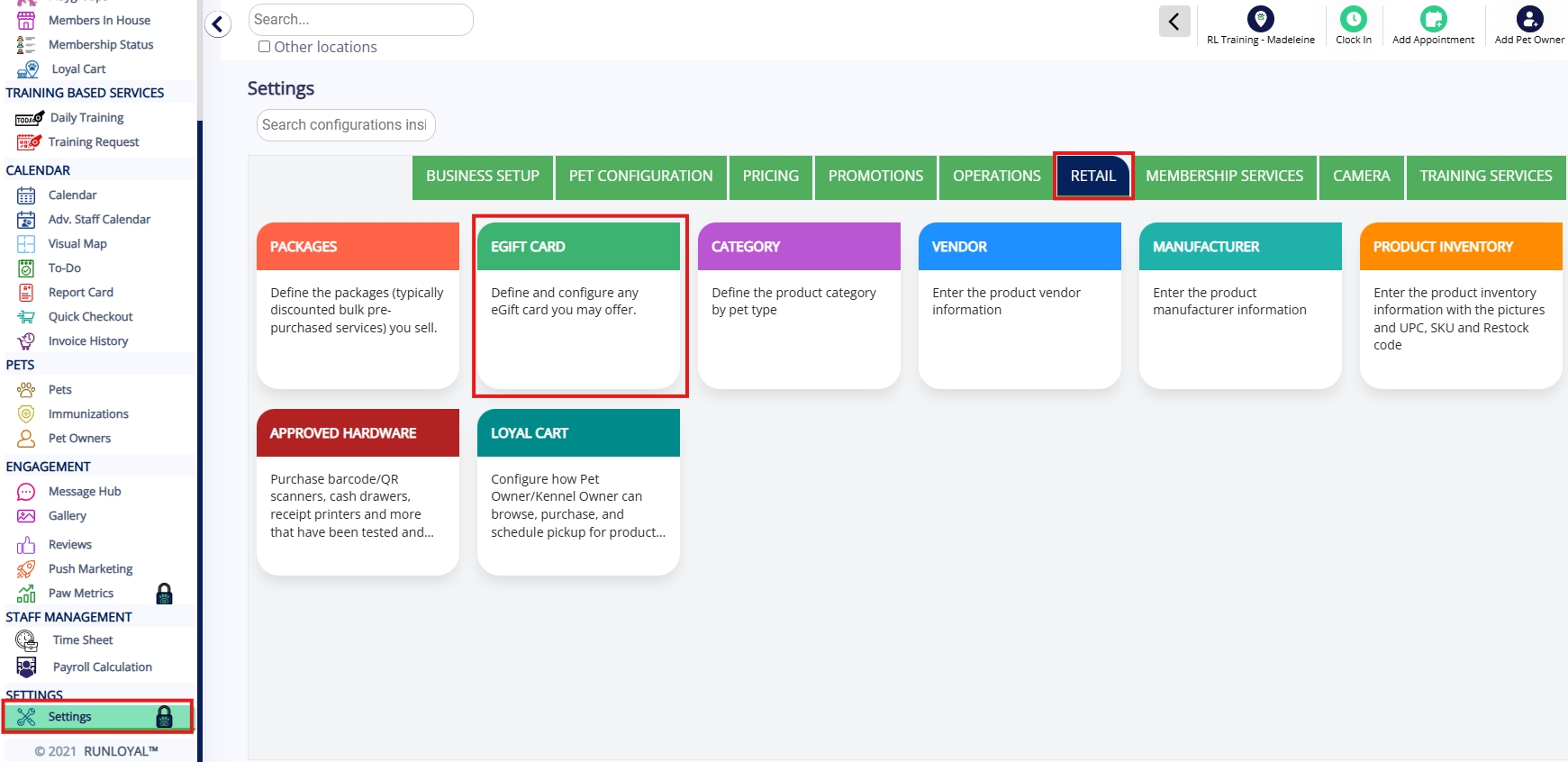
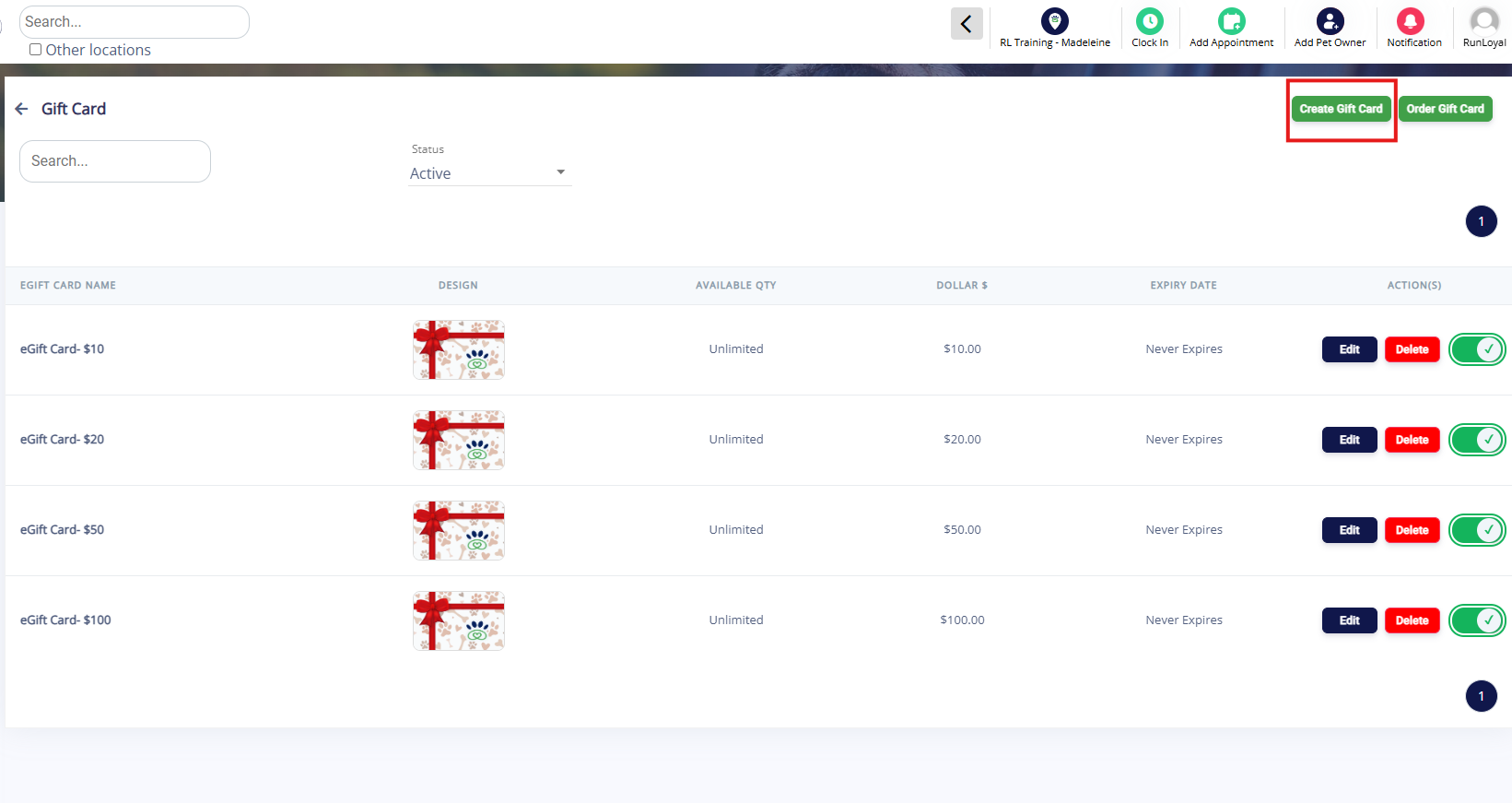
2. Click Create Gift Card.
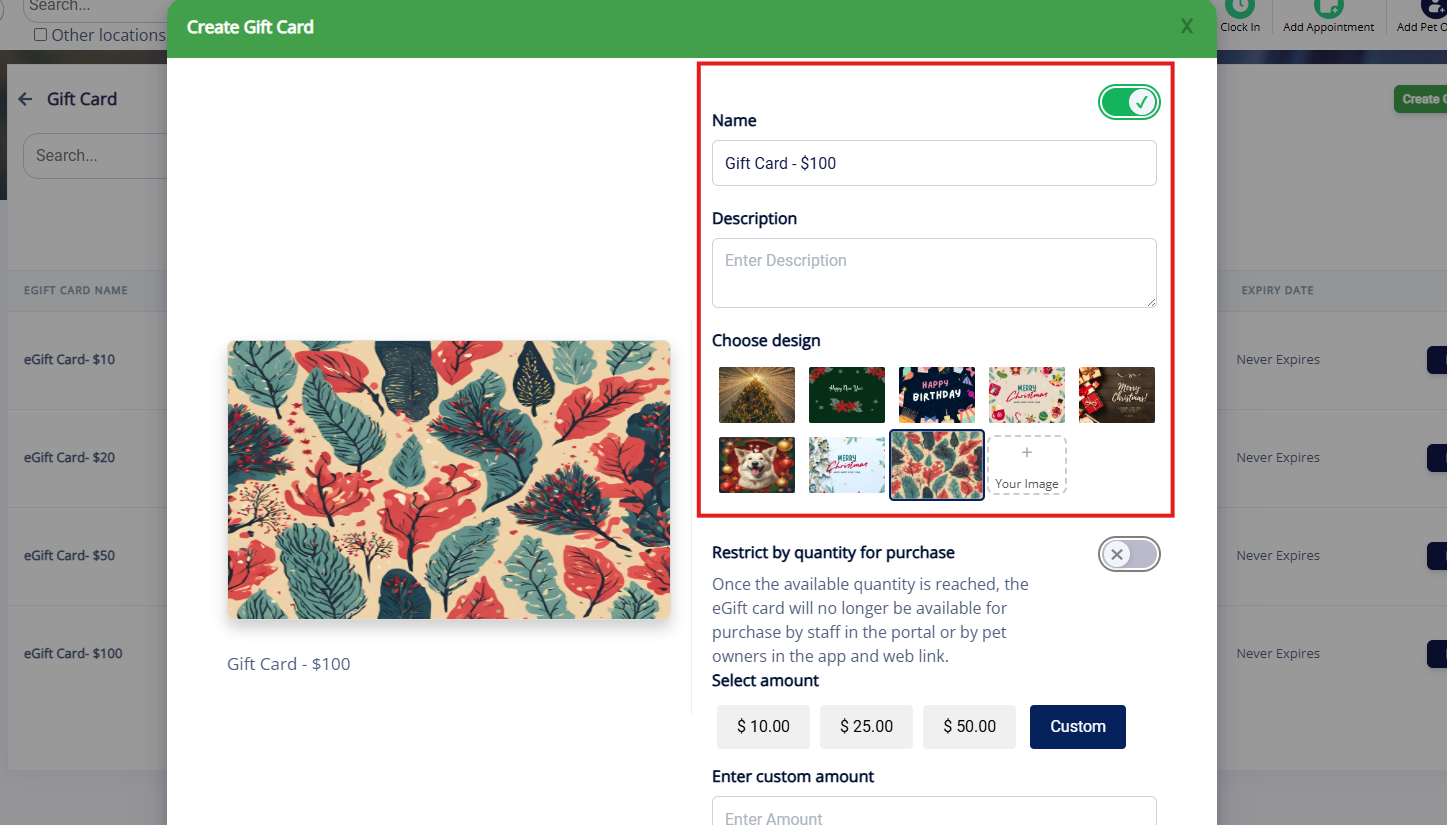
3. Enter a Name for the gift card (such as Gift Card $100), optionally enter a Description, and choose an existing card Design or upload your own.
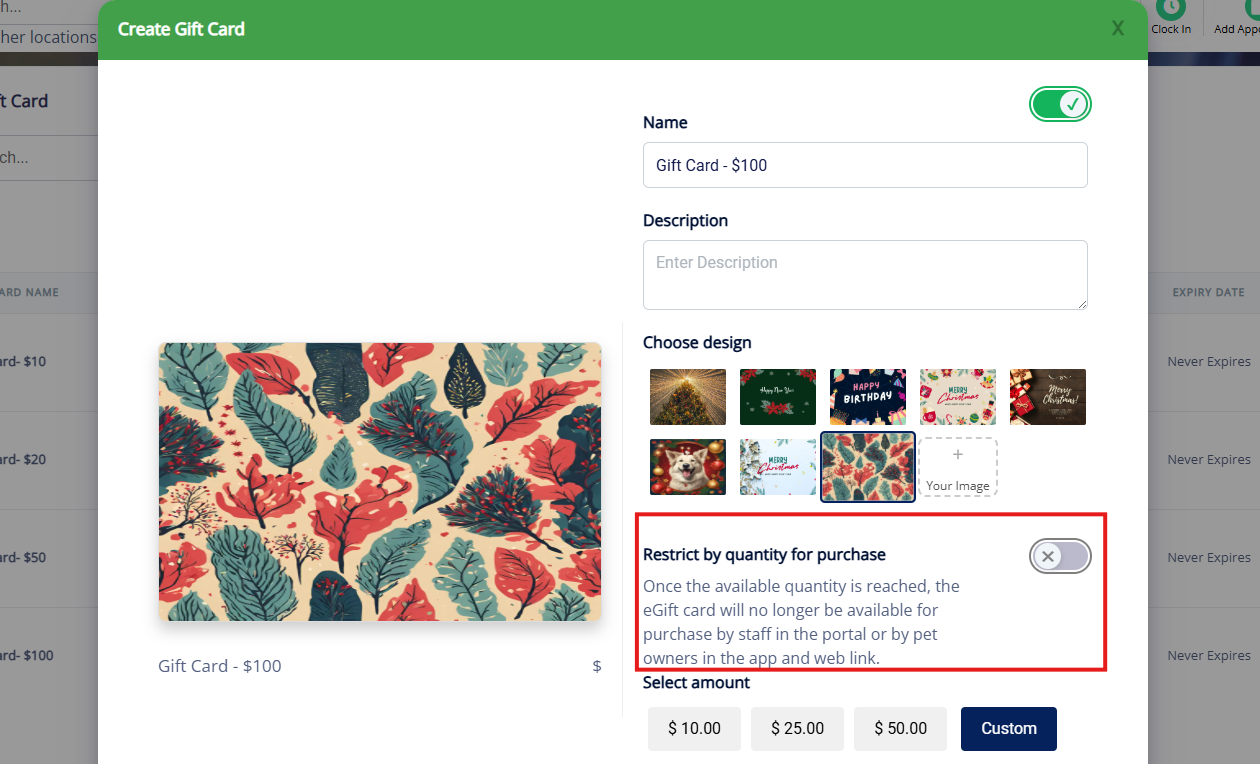
4. If you wish to restrict by quantity (such as only 10 gift cards of this type can be sold), toggle on Restrict by quantity for purchase.
5. Enter the Amount for the e-gift card. This is a set amount that will be added to the cart when purchasing the e-gift card. You can select the options 10, 20, 50, or select Custom and enter a custom amount.
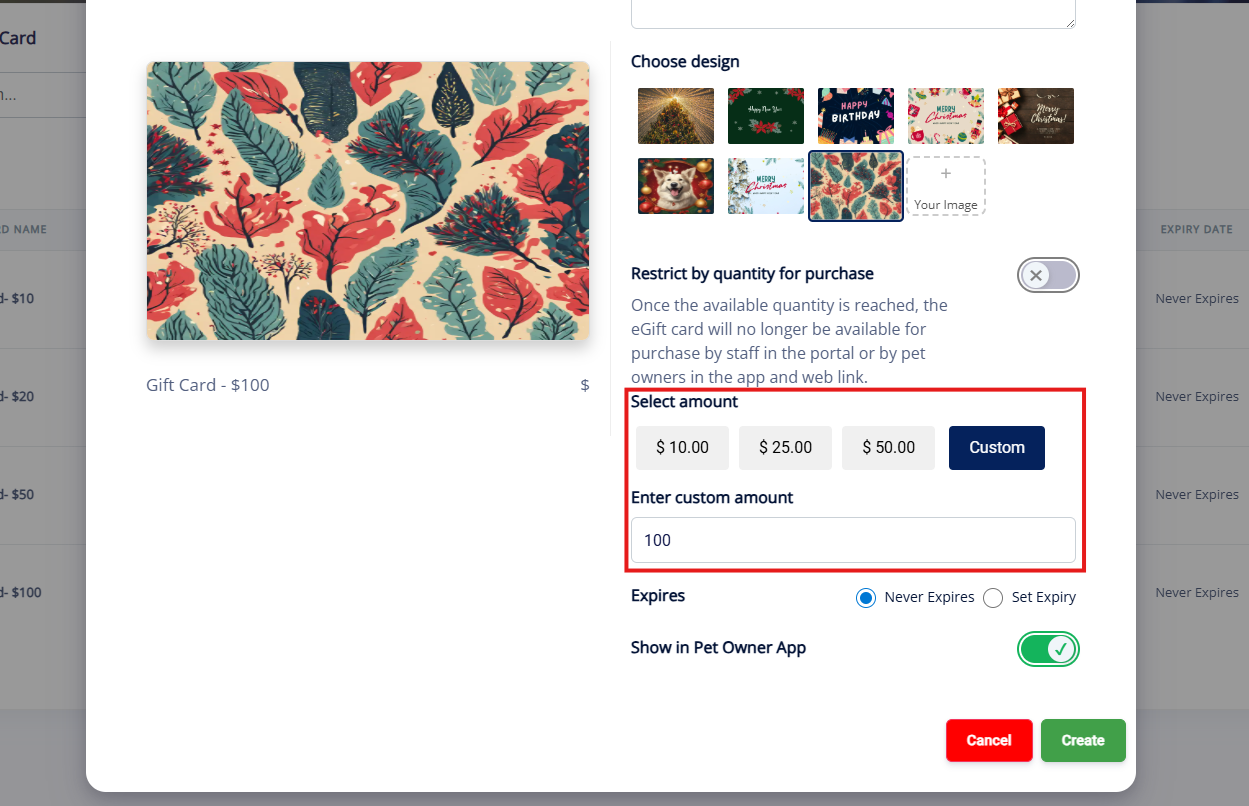
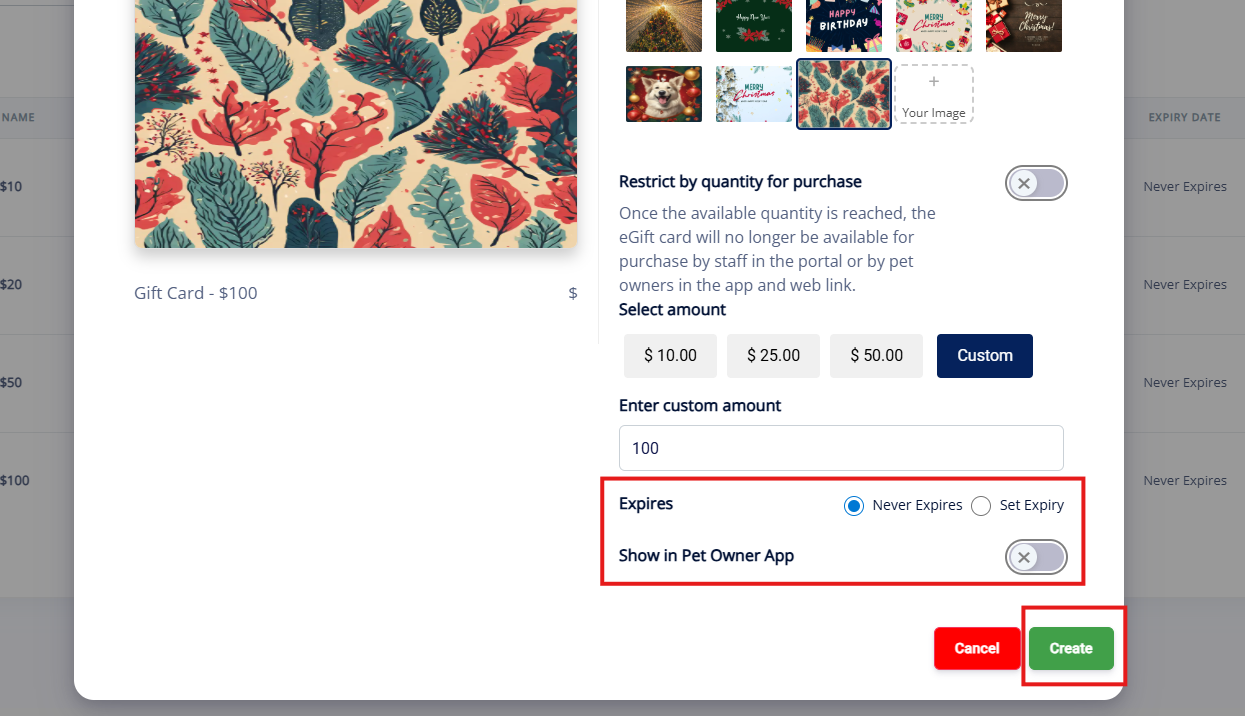
6. If the e-gift card should never expire, select Never Expire, but if the e-gift card should expire on a specific date, select Set Expiry and choose the date. If customers should be able to purchase the e-gift card in the mobile app, toggle on Show in Pet Owner App. Once you have confirmed all your settings, click Create.
More Information
For more information on selling e-Gift Cards to a pet owner or applying them on an invoice, please refer to this article:
For more information on viewing gift cards on a pet owner profile, please refer to this article: How to Locate an eGift Card Code on a Pet Owner Profile
Was this article helpful?
That’s Great!
Thank you for your feedback
Sorry! We couldn't be helpful
Thank you for your feedback
Feedback sent
We appreciate your effort and will try to fix the article