Overview
For Staff-Based Services, the Primary Staff member may work with one or more Assistants to complete the service. This article explains how to configure assistant requirements at service level, their tasks and Commissions and Tips for the services they perform.
TABLE OF CONTENTS
- Overview
- Configure Assistant Requirements
- Configure Assistant Services, Tips & Commissions
- Various alternative ways to Add Assistants from Business Portal
- More Information
Assistants Commission and Tips (For Staff-Based Services)
Assistants can be added to services that require more than one specialist, each with their own commission and tip configuration.
Configure Assistant Requirements
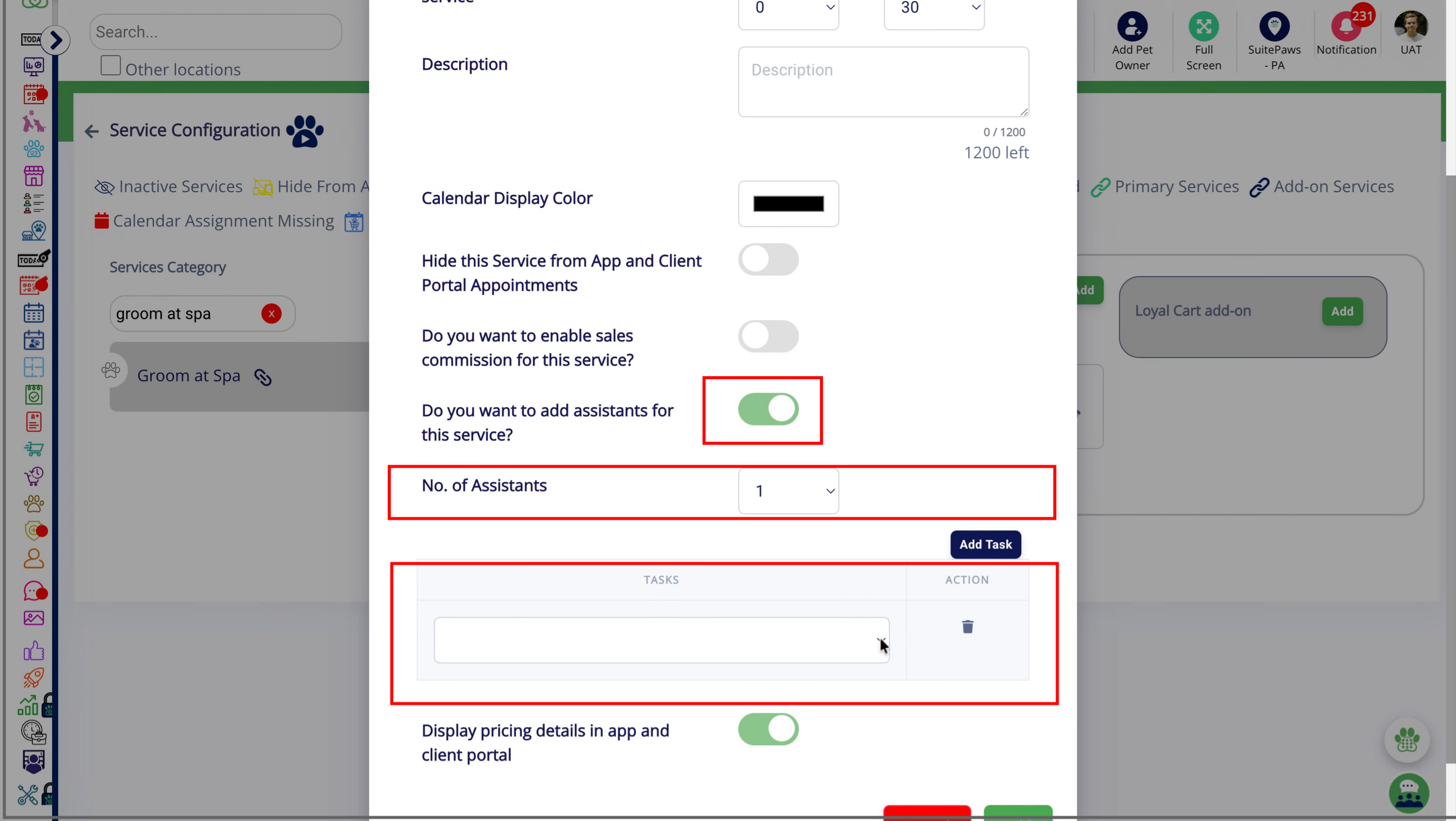
When adding a Staff-Based Service, you can specify whether Assistants may be required to help complete the service. You can also define the number of Assistants needed and the tasks they may perform.
- While adding or editing the Staff-Based Service, locate the Assistant configuration.
- Specify whether an Assistant is required for the service.
- Enter the number of Assistants that may be needed.
- Select or configure the tasks that can be assigned to the Assistants.
- Save the service configuration.
Note: Assistant requirements can be configured based on the operational needs of each service. The configured Assistant count and task list help determine how Assistants can be assigned when the service is scheduled or performed.
Configure Assistant Services, Tips & Commissions
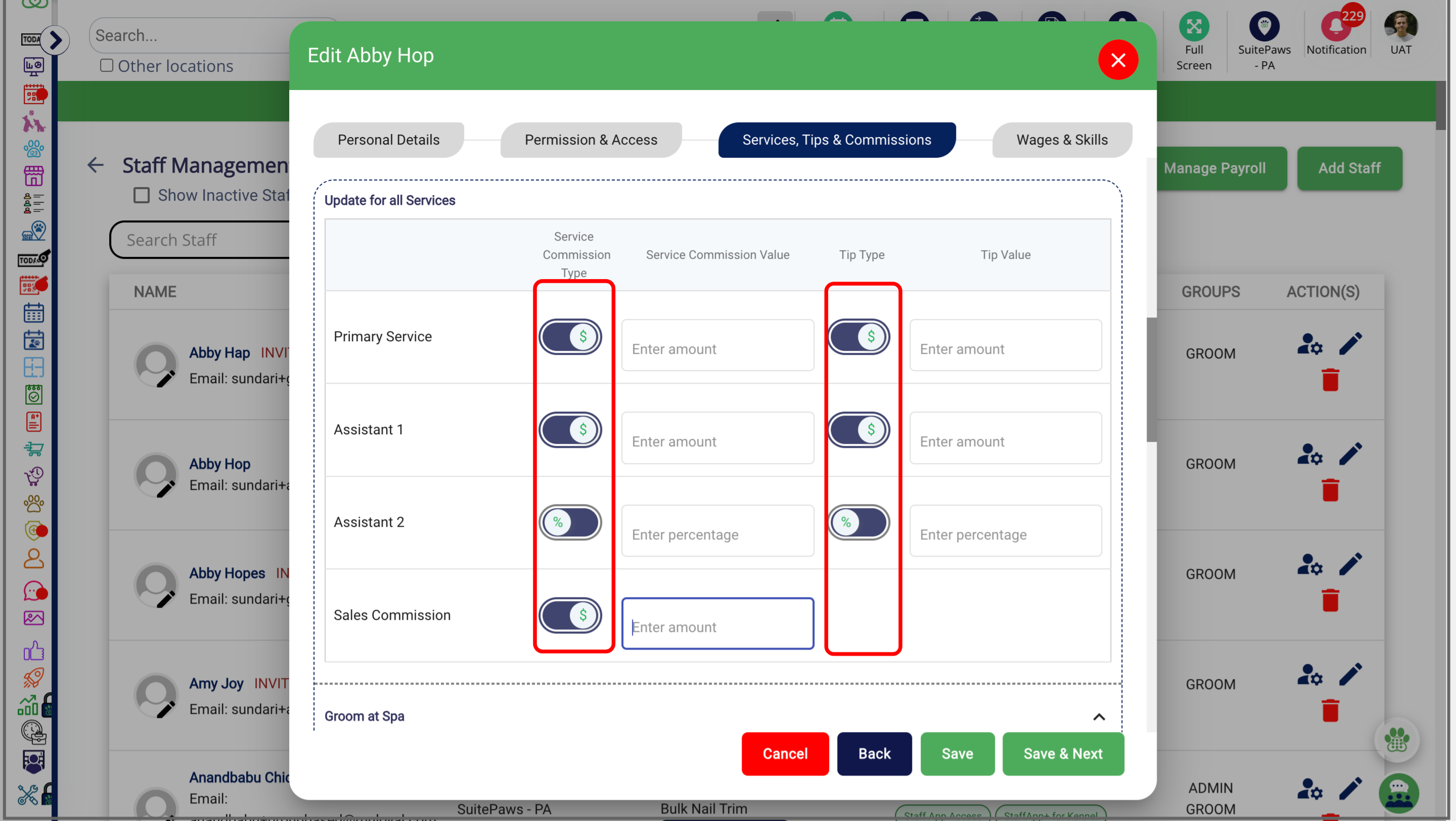
Configure Assistant Services, Tips & Commission in Staff Management as a percentage or fixed amount, either globally or per service.
Various alternative ways to Add Assistants from Business Portal
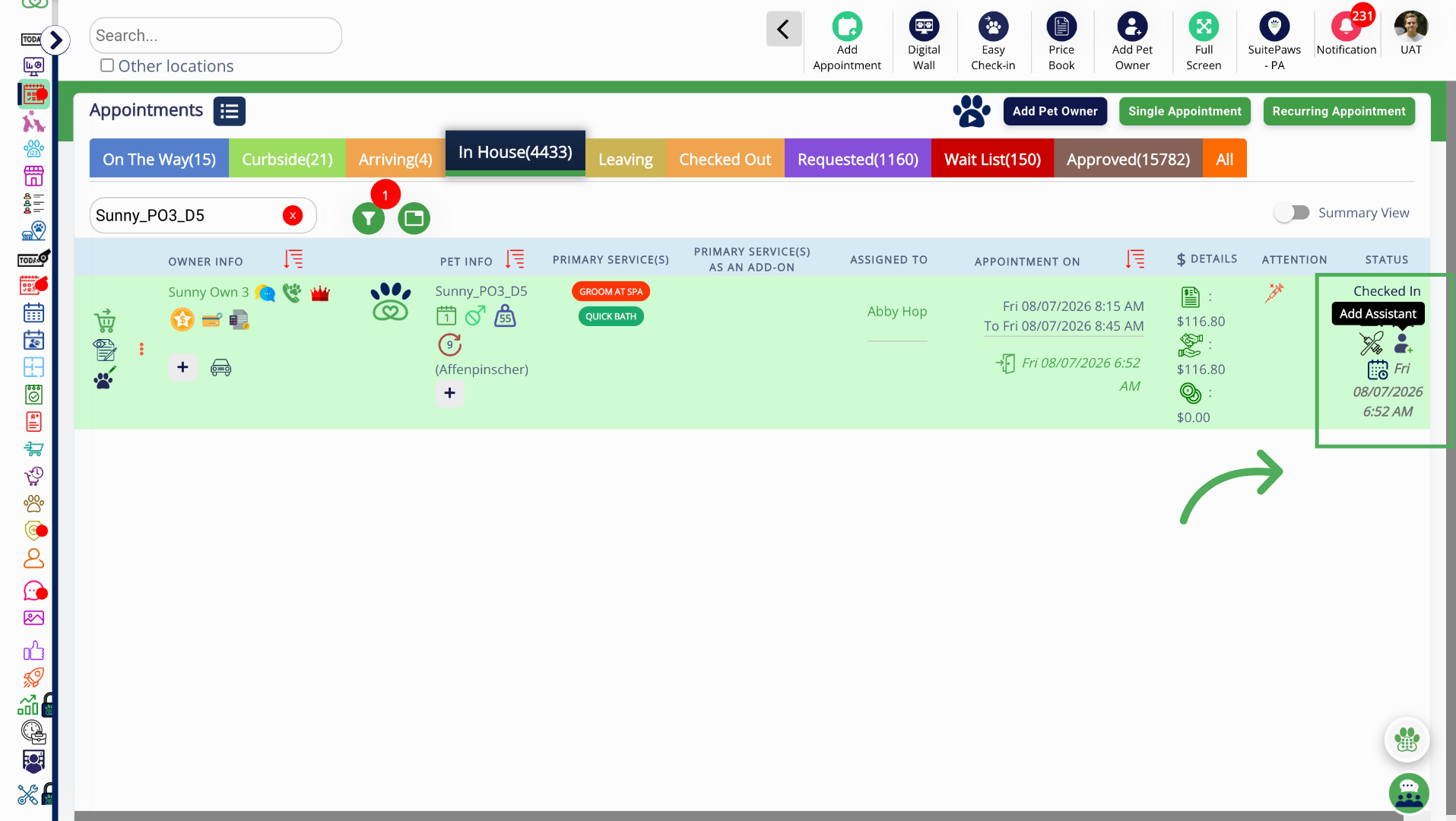
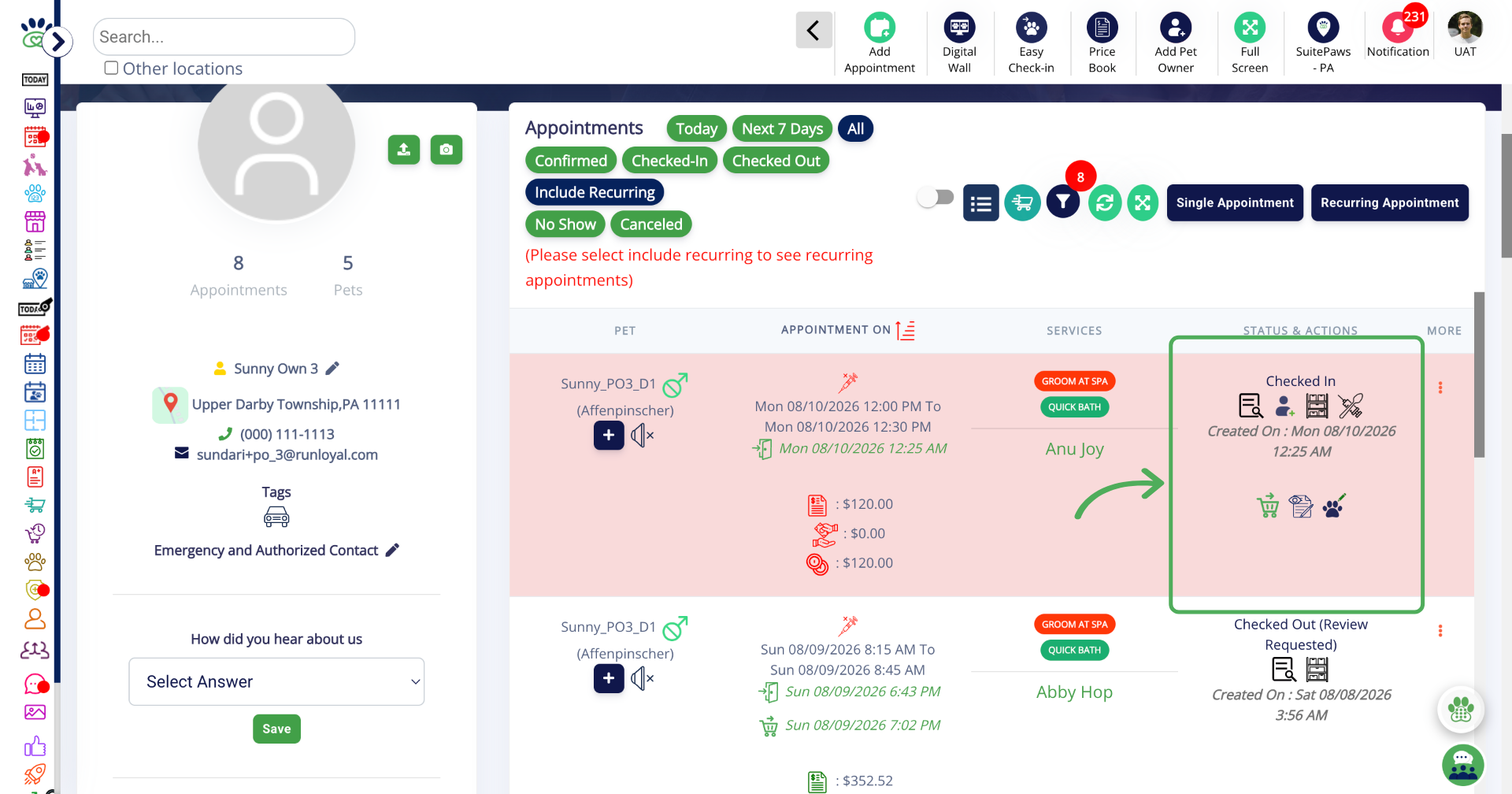
Assistants can be added to an appointment from any of the following areas of the Business Portal:
- Appointment menu
- Pet Owner Profile
- Pet Profile
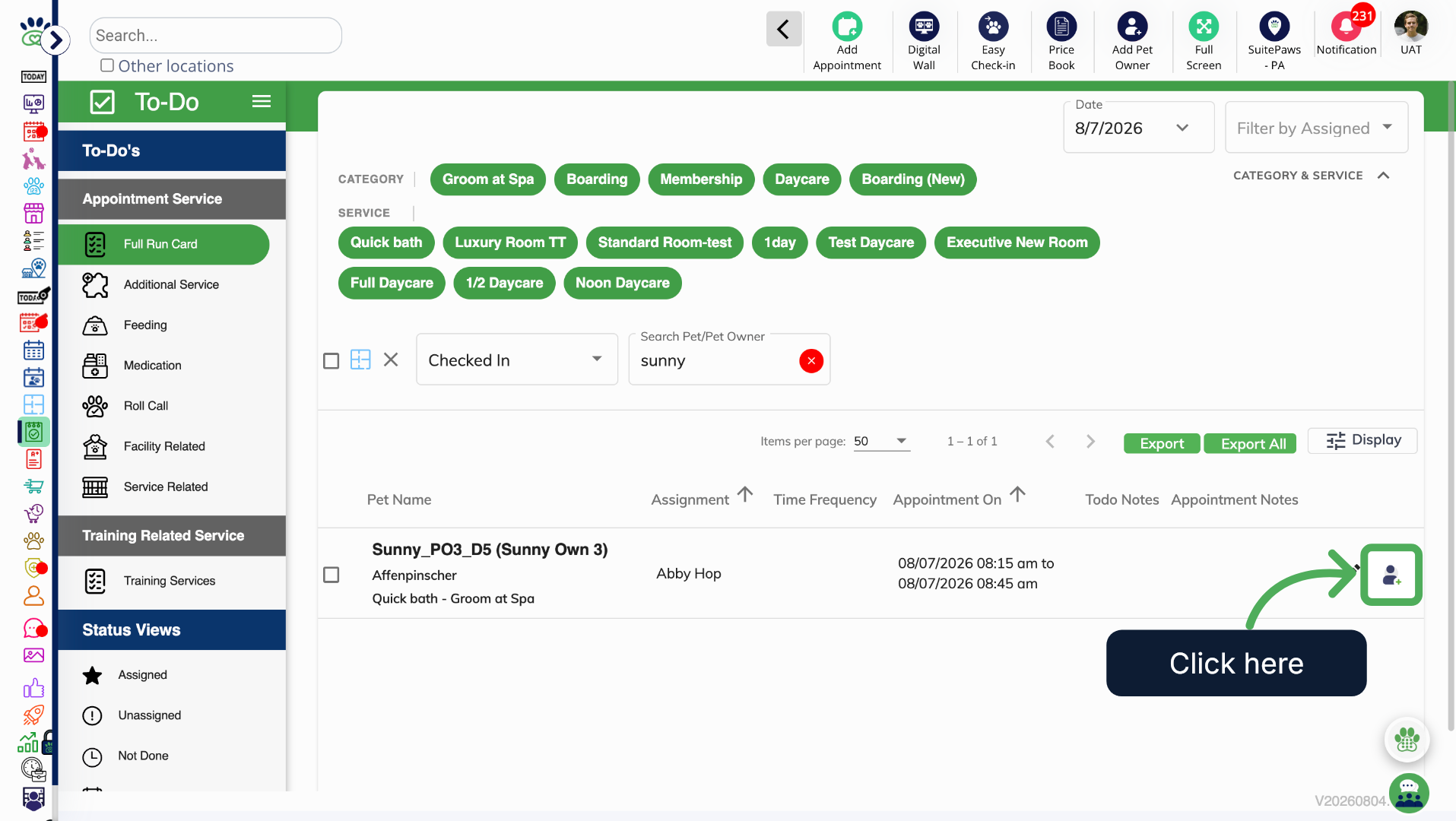
- To-Do's > Full Run Card
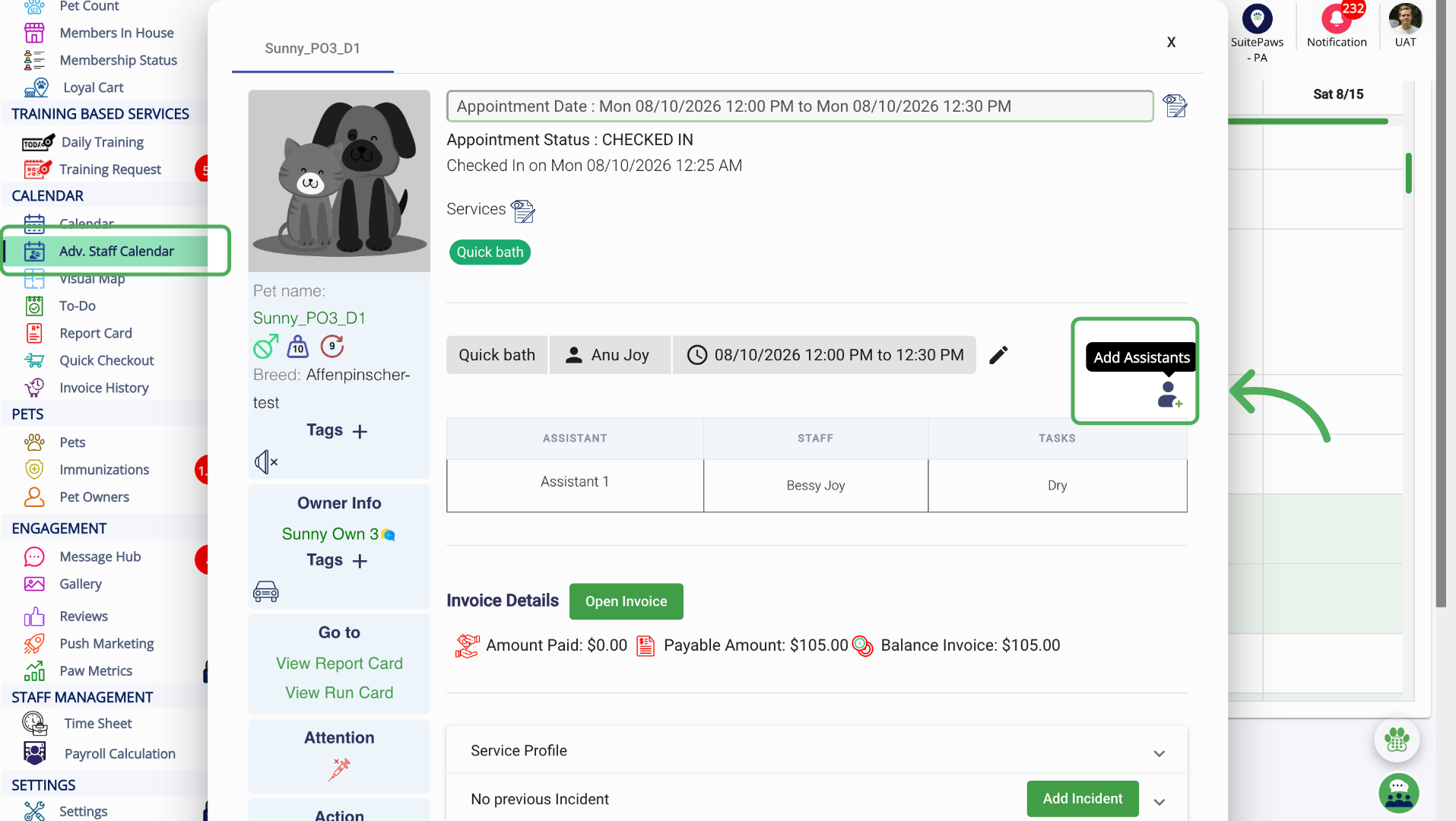
- Adv Staff Calendar
1. Appointment Menu
2. Pet Owner Profile
3. Pet Profile
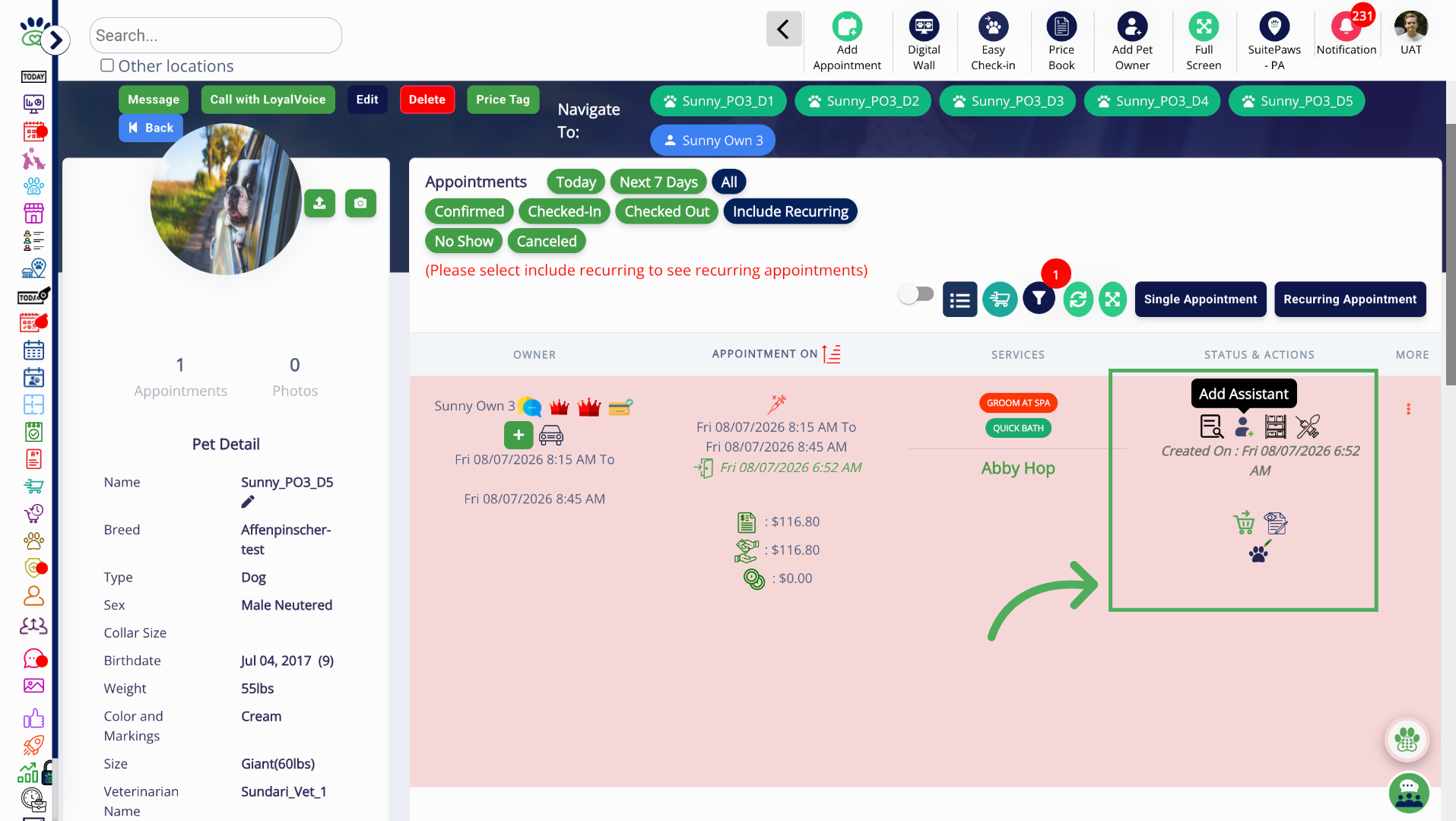
4. To-Do's > Full Run Card
5. Advance Staff Calendar
More Information
For more information please refer to this article on Advanced Staff Feature.
Was this article helpful?
That’s Great!
Thank you for your feedback
Sorry! We couldn't be helpful
Thank you for your feedback
Feedback sent
We appreciate your effort and will try to fix the article