Overview
Selling your business involves a few important steps to help ensure a smooth transition for both you and the new owner. This article outlines what needs to be completed for payment processing, subscription billing, and system access when transferring ownership. Completing these steps in advance can help avoid delays and keep business operations running without interruption. Our team is available to assist throughout the process.
We advise starting this process 2-4 weeks before the new ownership effective date to ensure the credit card processing application can be completed.
TABLE OF CONTENTS
Selling Your Business: Updating RunLoyal & Fiserv
1. Please send us the new owner’s full name, phone number, and email address, as well as the new ownership effective date to puppylove@runloyal.com. We will use this information to update our records and begin the payment processing setup with the new owner.
2. The new owner will sign a RunLoyal contract to continue using the platform after sale of business. Our Sales Team will send the contract to the new owner shortly after we receive notification of the sale of business.
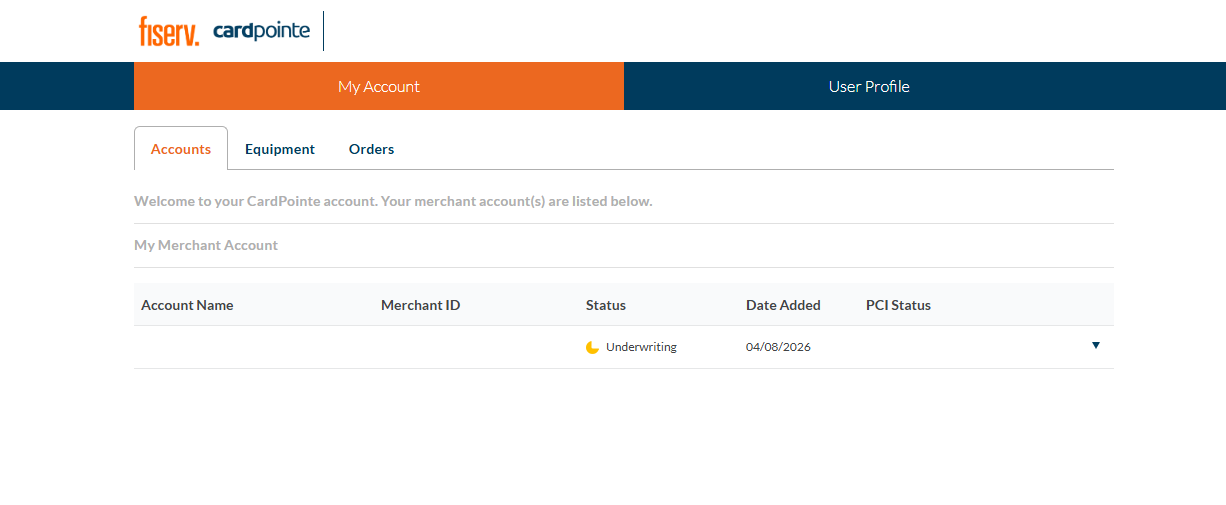
3. The new owner will need to complete a new merchant account application through Fiserv. A representative will contact them directly to begin the process.
Please note this process can take anywhere from two to three weeks and will include:
- Underwriting for a new Merchant ID (MID)
- Ordering a payment terminal (if desired)
- Migrating any cards on file
During this transition period, any funds processed through Fiserv will continue to deposit into your bank account until the new owner's merchant account is active. You will be responsible for transferring those funds directly to the new owner.
Once the new MID is provided from Fiserv, we will update your business portal and pet owner mobile app with the new MID on the new ownership effective date.
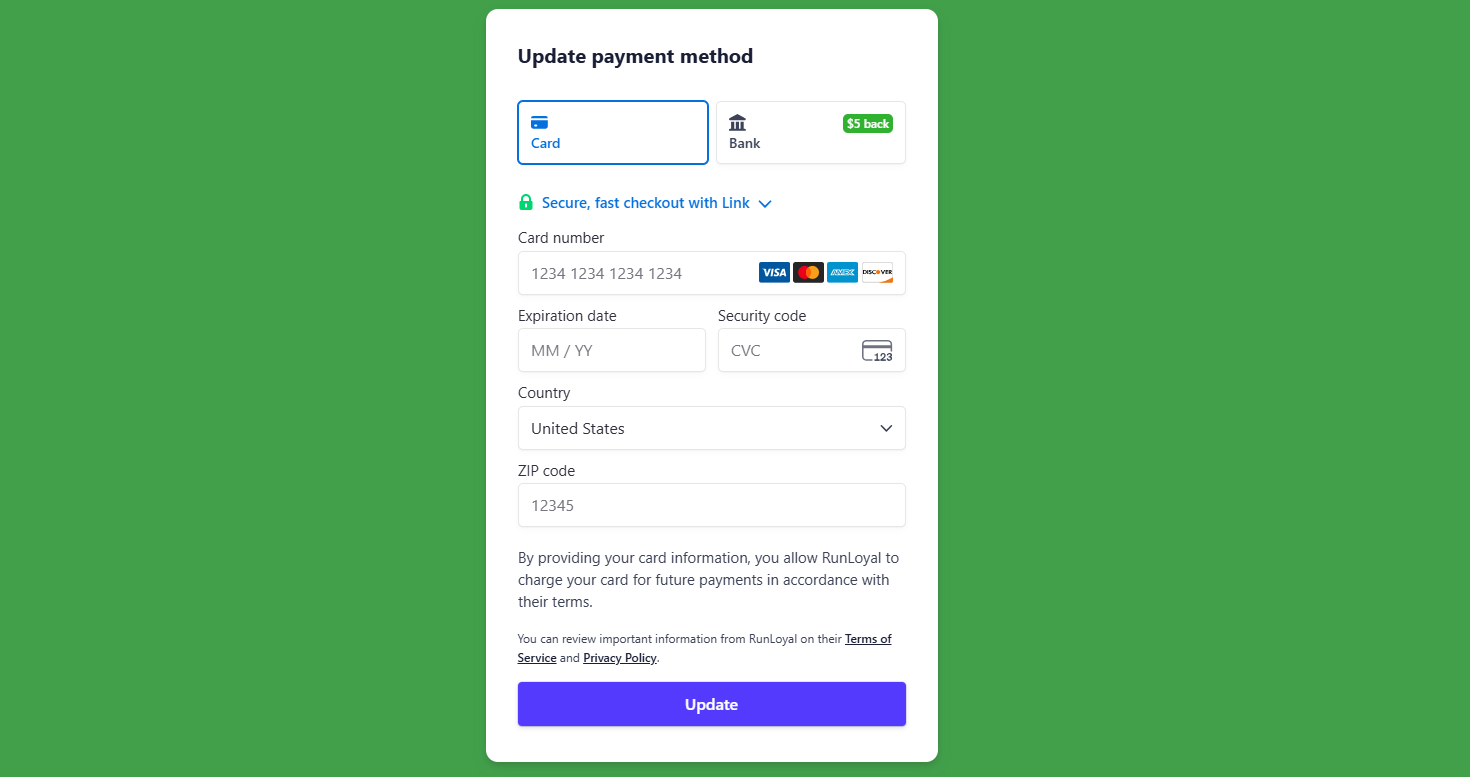
4. Once we receive the new owner’s email address, we will send a secure link for updating the payment method on file for the software subscription. Until the payment method is updated, your current card on file will continue to be charged.
You will be responsible for receiving reimbursement from the new owner for any subscription fees charged to your card after the sale of business.
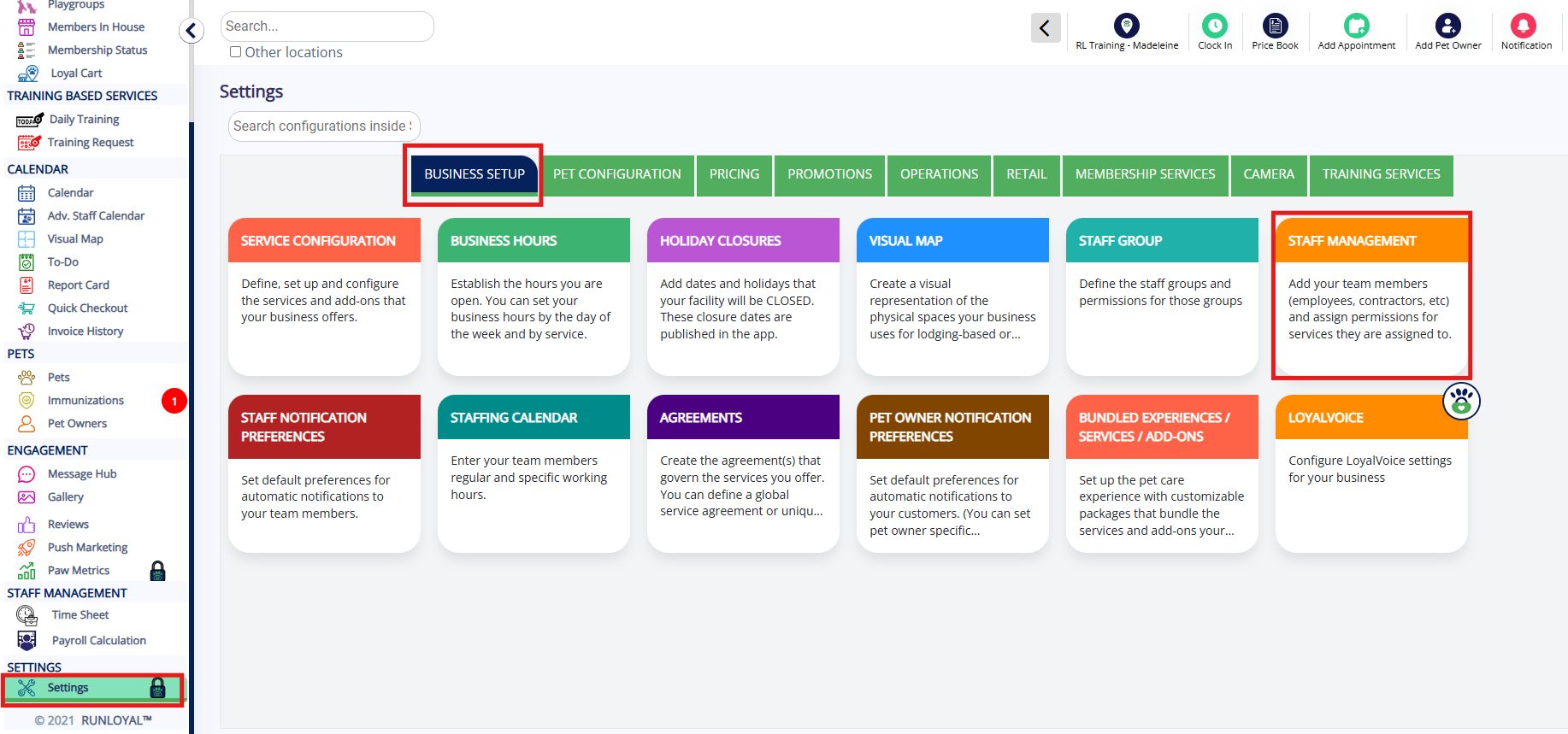
5. To provide access to the Business Portal, create a new user account for the new owner on Settings > Business Setup > Staff Management. This account will allow them to manage settings and business information after the transition.
If you have any questions, please reach out to the RunLoyal Support Team at puppylove@runloyal.com!
More Information
For more information on RunLoyal Support, please refer to this article: RunLoyal Support
For more information on updating your rates, please refer to this article: Updating Your Prices (Future Rates)
Was this article helpful?
That’s Great!
Thank you for your feedback
Sorry! We couldn't be helpful
Thank you for your feedback
Feedback sent
We appreciate your effort and will try to fix the article