Overview
RunLoyal allows you to create and activate new pricelists with a future effective date. This ensures that pricing changes can be planned in advance without impacting existing or past reservations. When a new pricelist is activated, the system automatically applies updated pricing to eligible appointments based on their start date, while preserving historical pricing accuracy. This feature is ideal for seasonal price changes, annual price updates, or planned rate increases.
- Confirmed or approved appointments with a start date on or after the activation date will automatically use the new pricing.
- To apply the new pricing for checked in appointments if you are not seeing it, simply edit and re-save the appointment for the prices to take effect.
- Appointments with a start date before the activation date will continue to follow the previously active pricelist.
Price Lists can be viewed in the following areas:
- Settings > Pricing > Price List
- Invoices
TABLE OF CONTENTS
How to Create a New Price List
1. Navigate to Settings > Pricing > Price List.
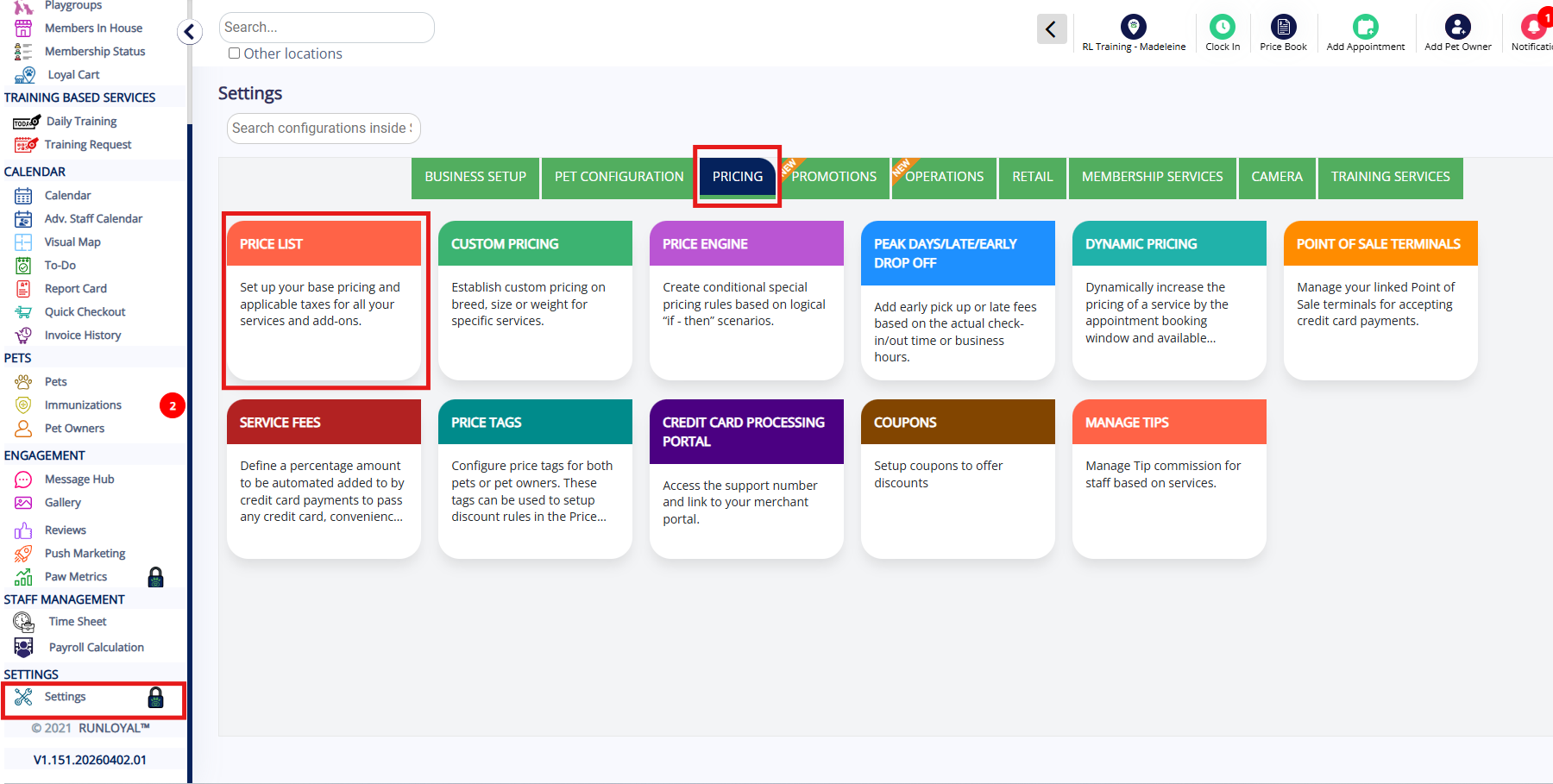
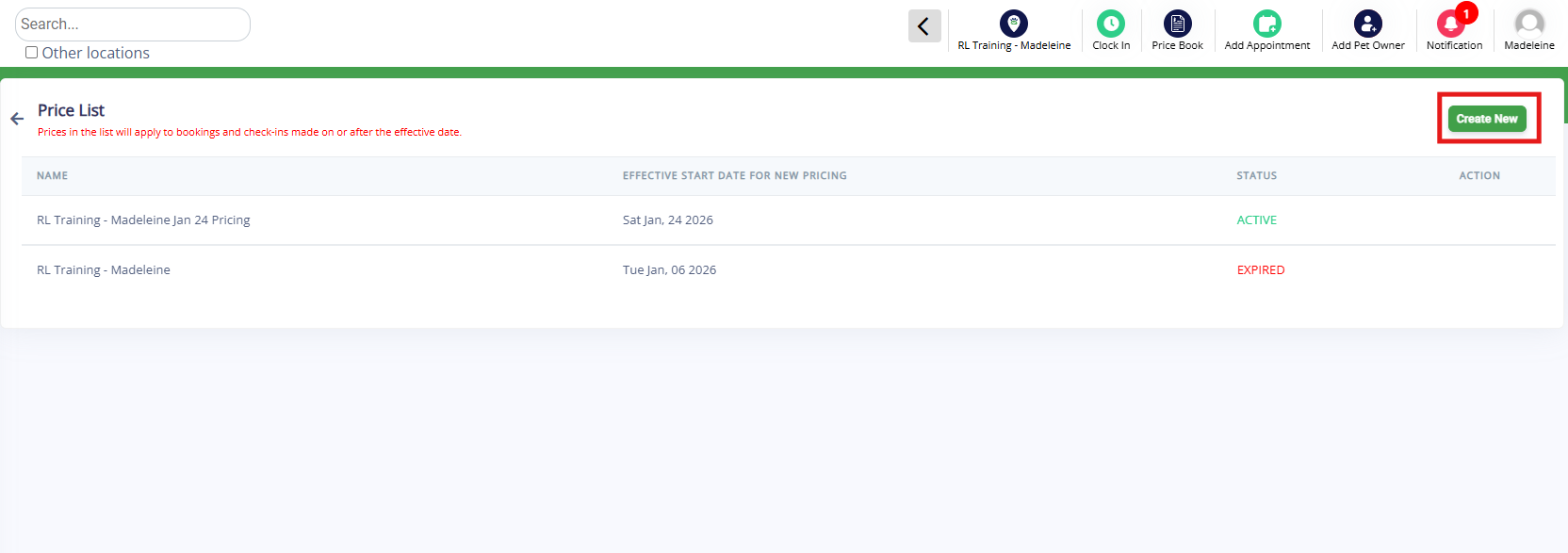
2. Click the Create New button to generate a new price list.
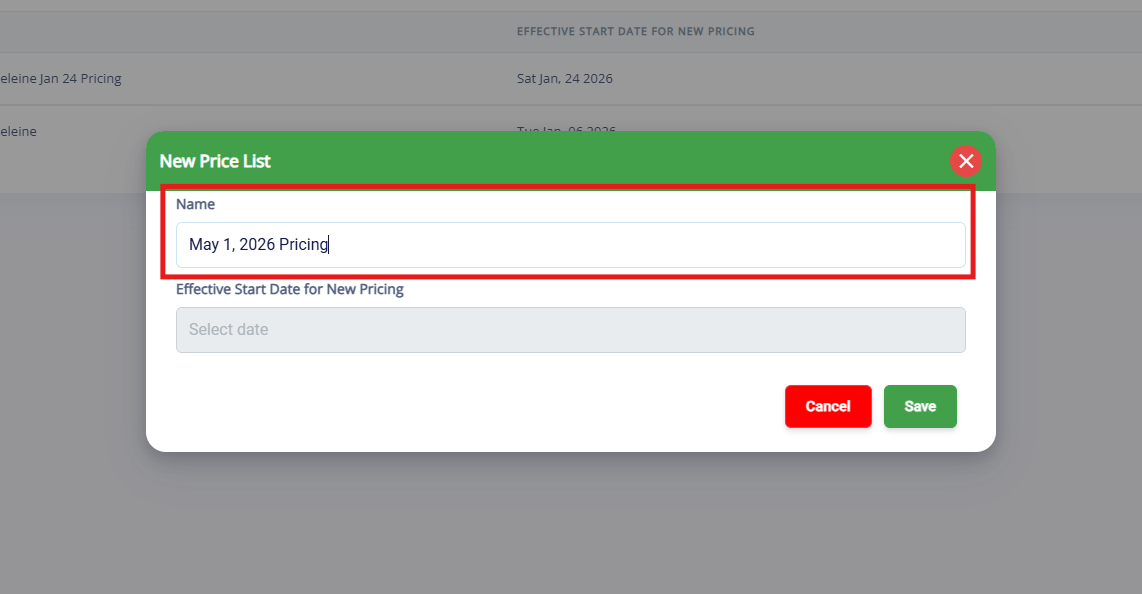
3. Enter the name of the new price list.
4. Select the date when the new pricing should become active, then click Save.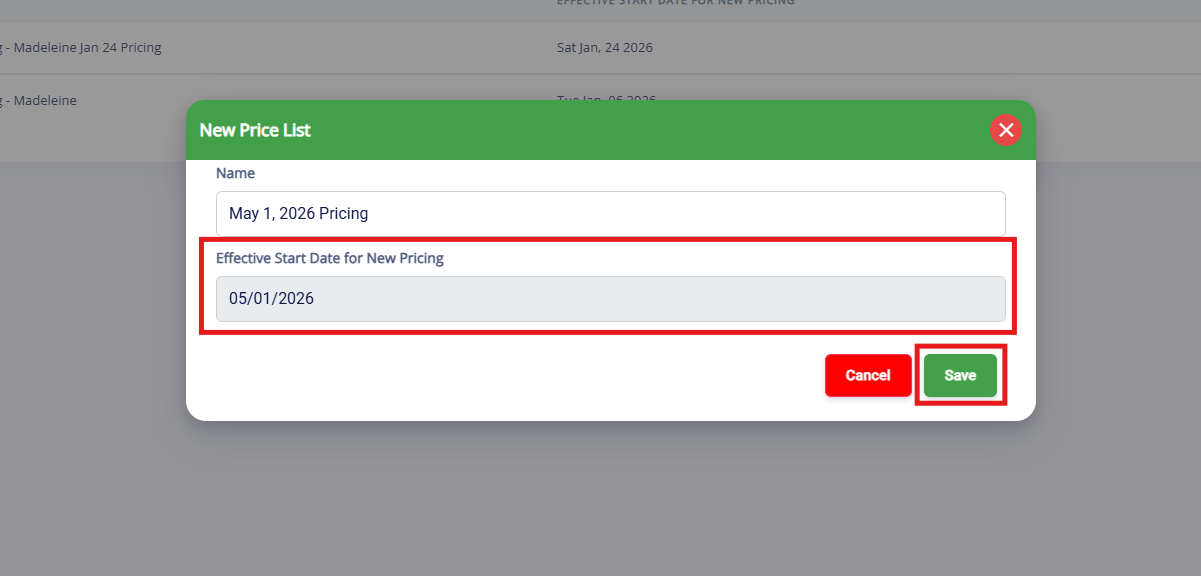
4. Click the newly create price list to edit the rates.
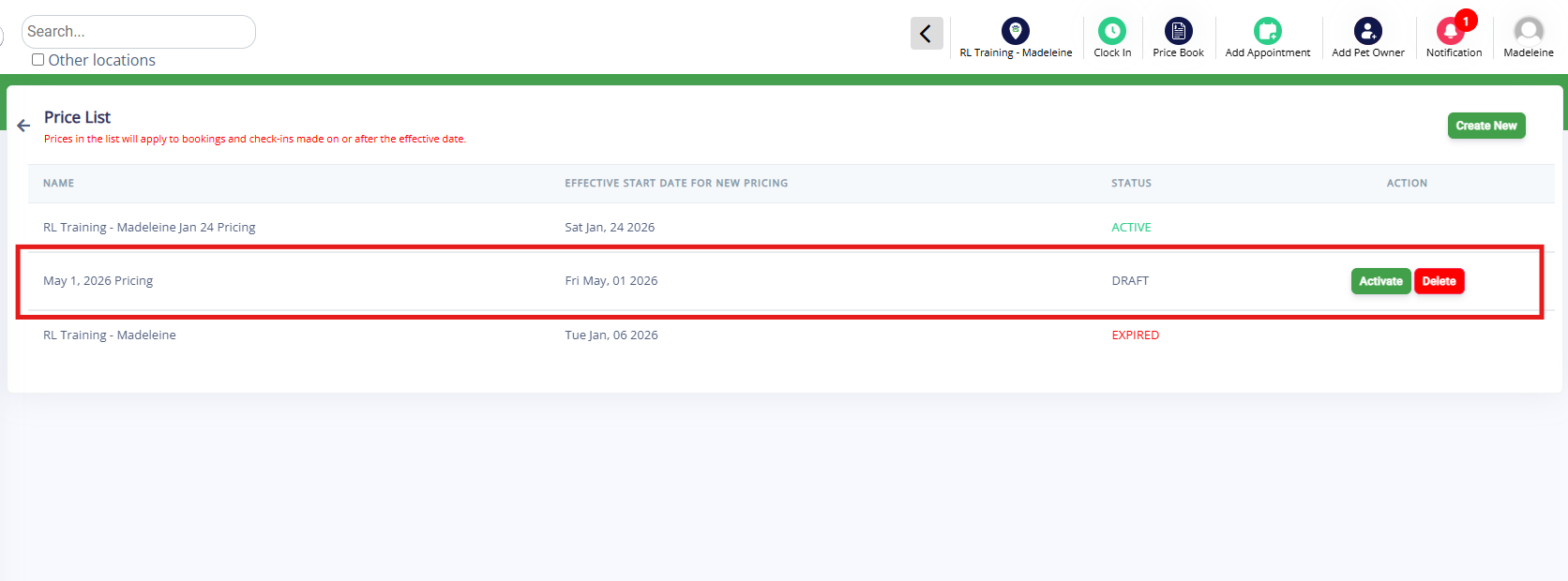
5. The system will automatically copy the current pricing into the new pricelist. Click the service categories to expand, and the pencil icon to edit.
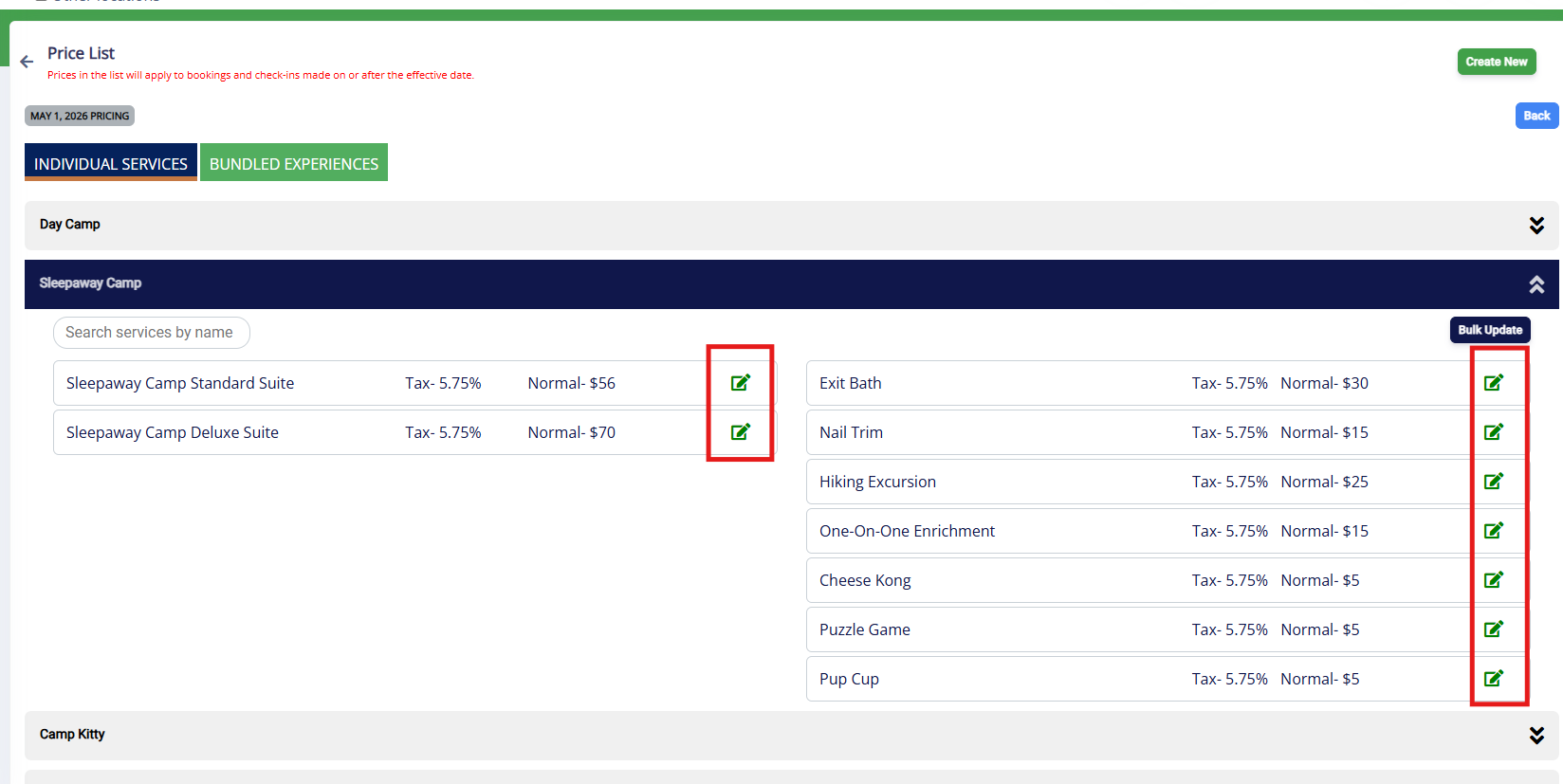
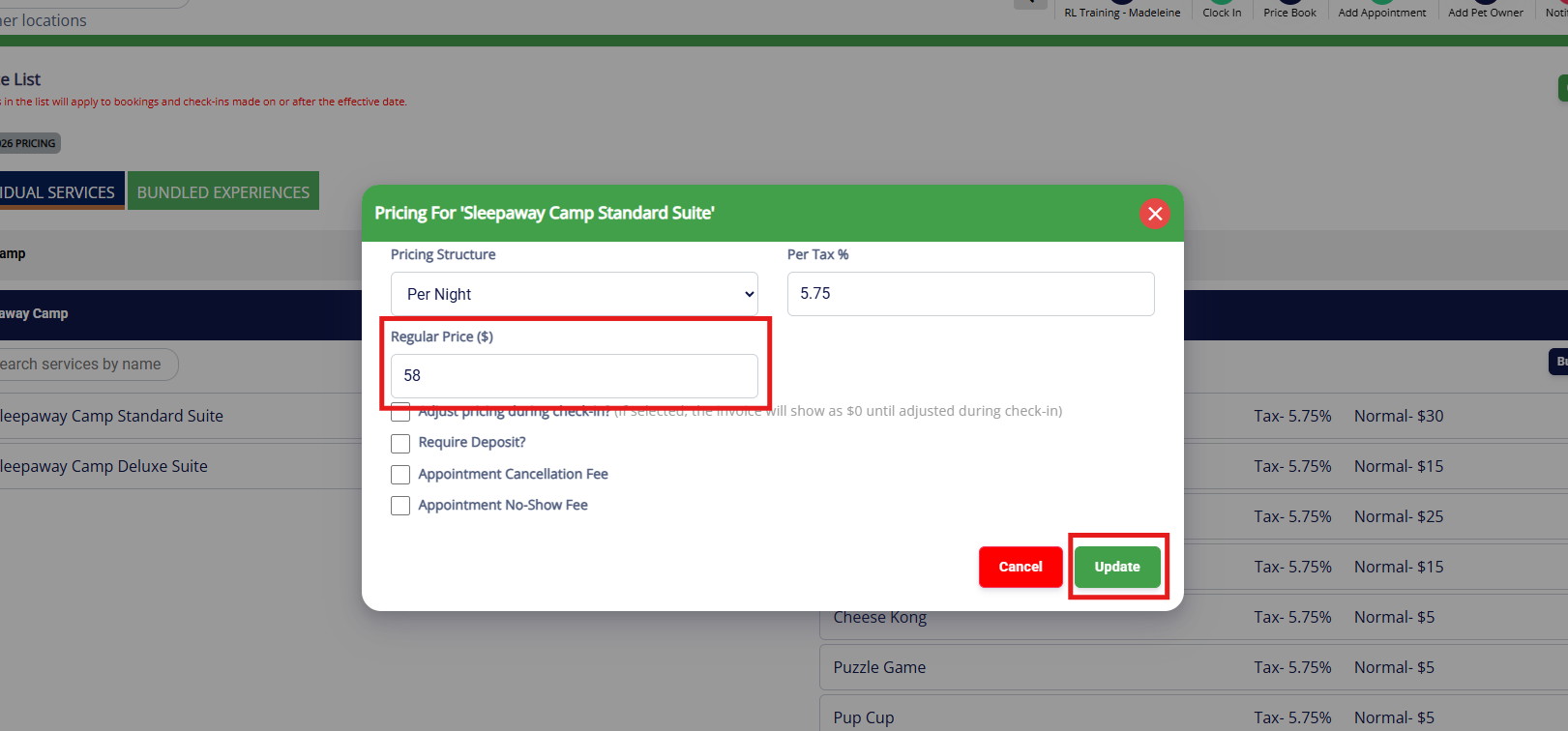
6. Then adjust the prices as needed for the services and/or add-ons, and click Update.
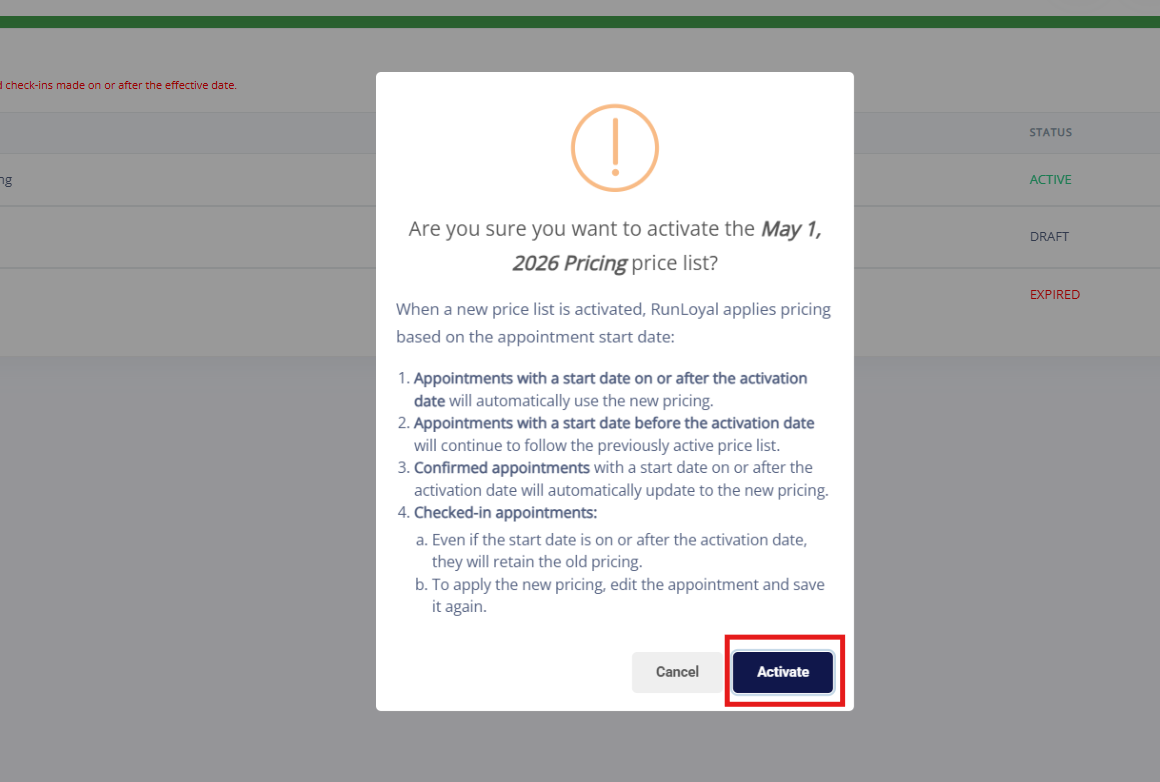
7. Once all changes are completed, go back to the Main Price List page. Then Click Activate to activate the new pricelist. If it is set for a future date, then the pricing will not go into effect until that date.

8. On the confirmation popup, click Activate.
9. If set for a future date, confirm the effective date displays as expected. If for a current or past date, it will display Active.
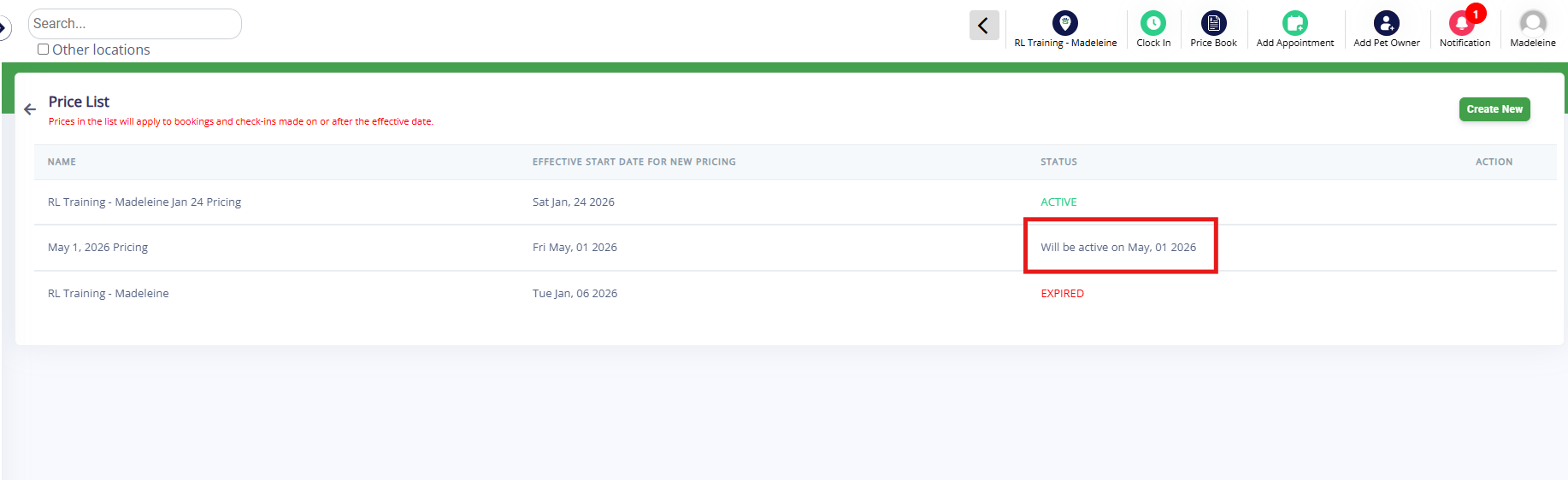
Example Price Update
The Price List updates appointments' pricing based on the appointment start date and the price list's activation date.
- Appointments with a start date on or after the activation date (includes confirmed and/or checked in appointments) will automatically use the new pricing. To apply the new pricing for checked in appointments if you are not seeing it, simply edit the appointment and save it again.
- Appointments with a start date before the activation date will continue to follow the previously active pricelist.
For example, let's say the current boarding price is $56/night.
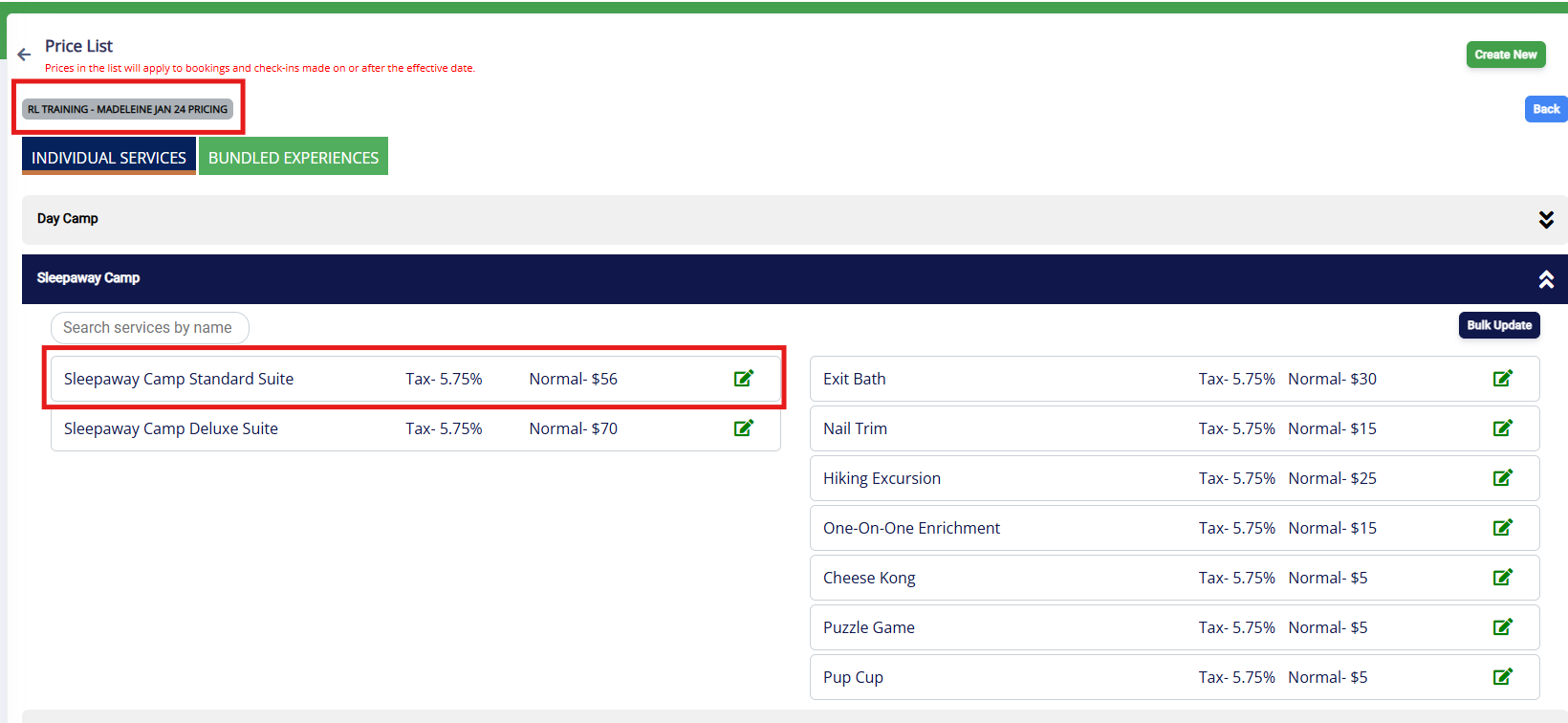
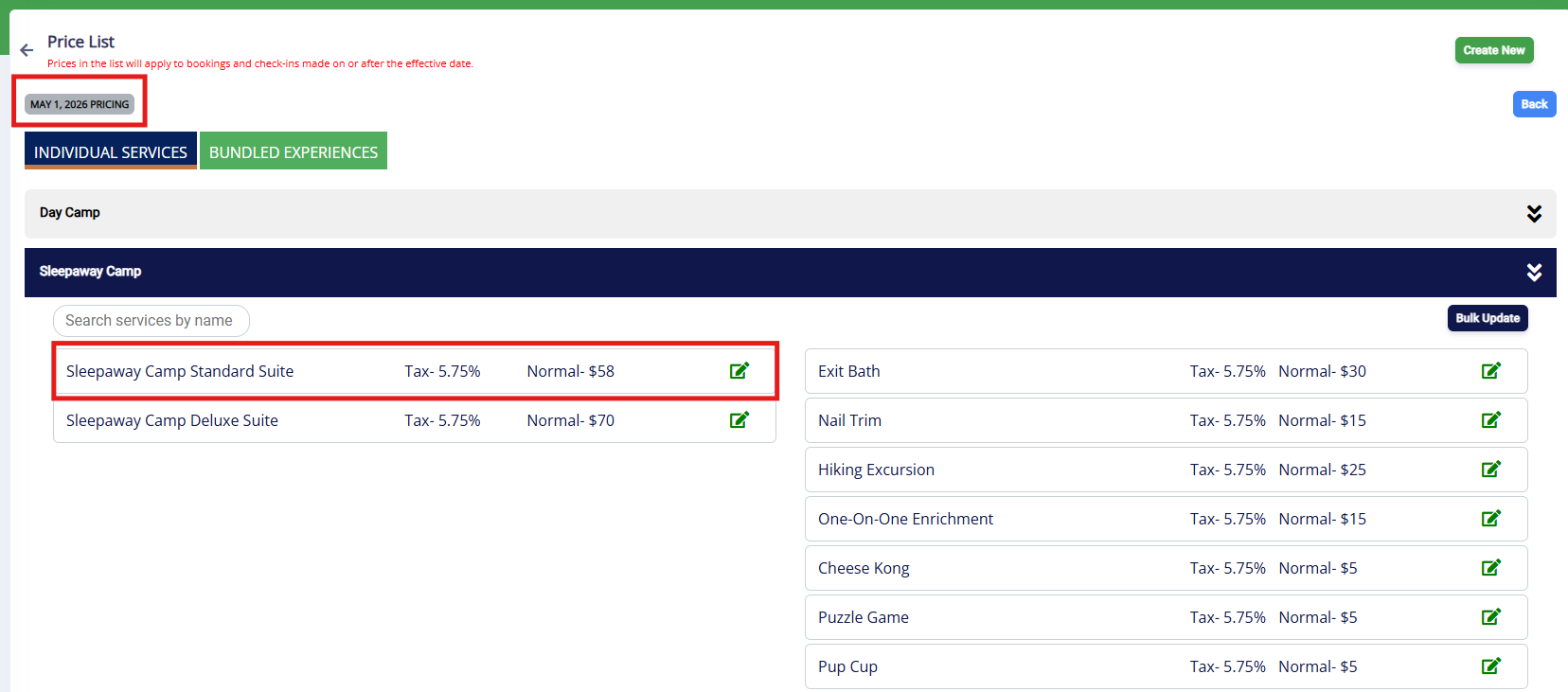
You create a new price list starting May 1, 2026 where the boarding price is $58/night.
There are multiple reservations:
- a reservation from April 25 to April 30
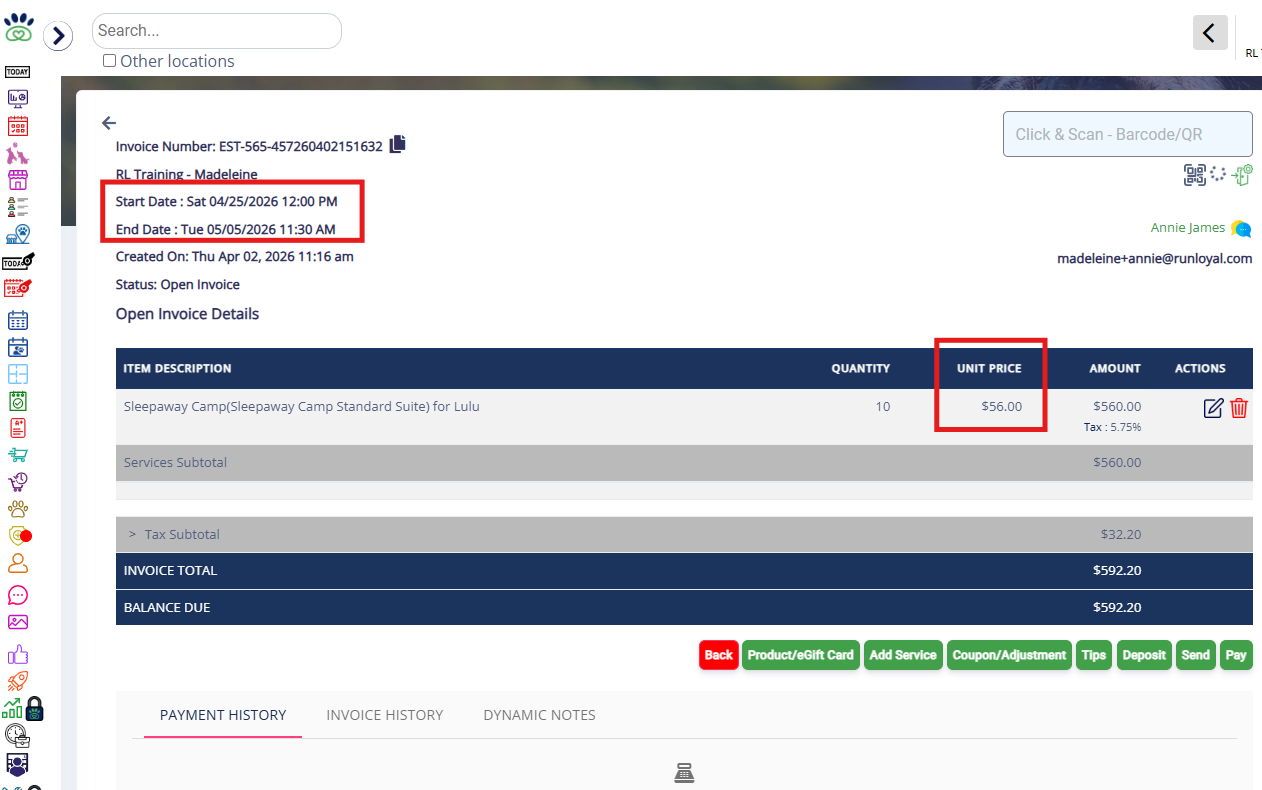
- a reservation from April 25 to May 5
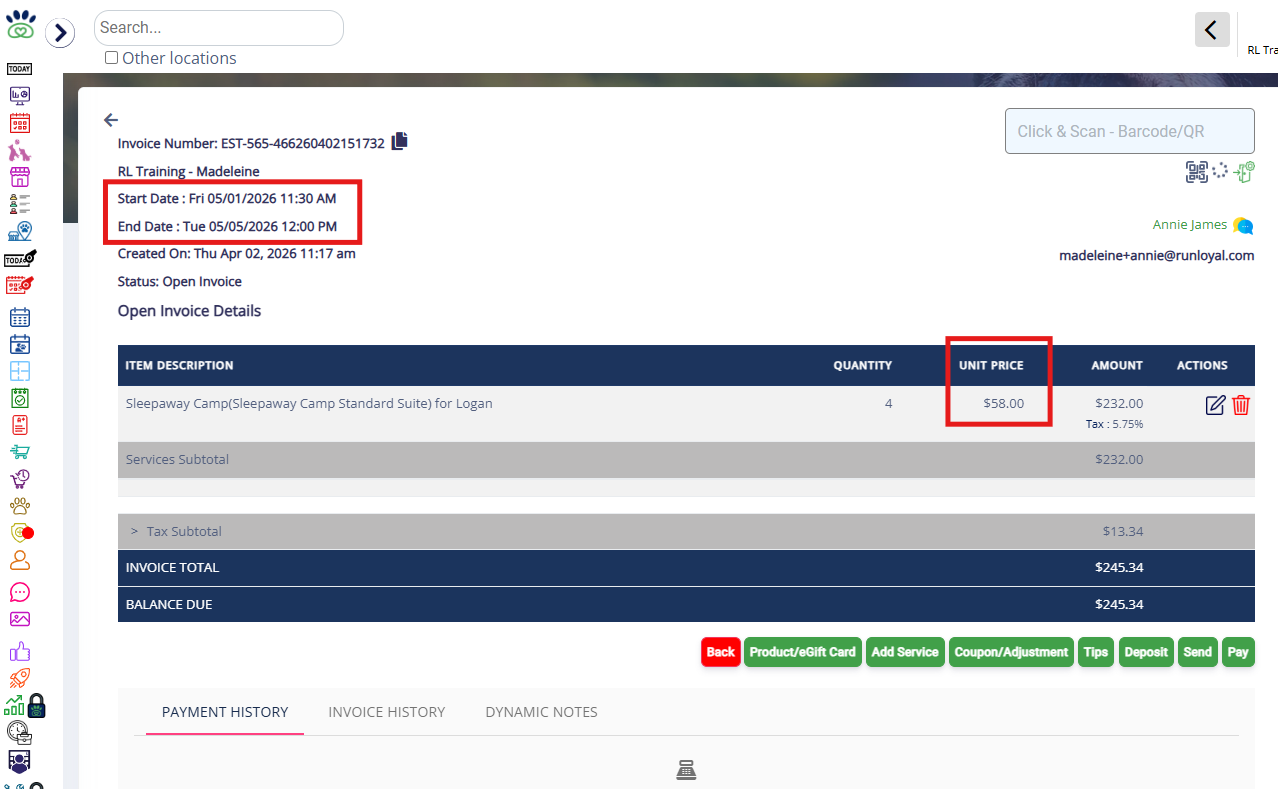
- a reservation from May 1 to May 5
The reservation from April 25 to April 30 will have the existing price of $56/night because the start date is before May 1, regardless of when the booking was created.
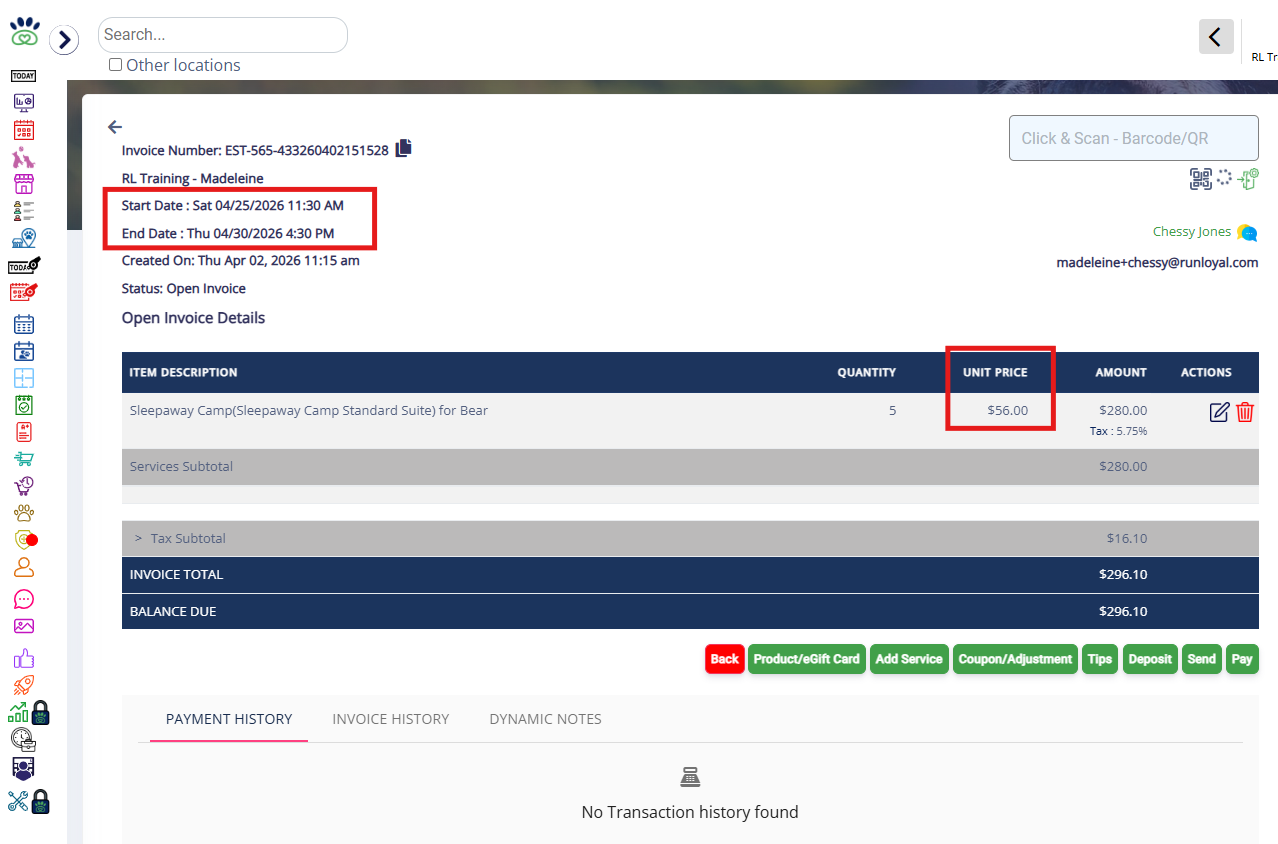
The reservation from April 25 to May 5 will have the existing price of $56/night because the start date is before May 1, regardless of when the booking was created or that the dates overlap May 1.
The reservation from May 1 to May 5 will have the new price of $58/night because the start date is on or after May 1, regardless of when the booking was created.
More Information
For more information on setting up your Price List, please refer to this article: Set Up Pricing & Deposits
For more information on Price Tags (custom pricing for specific owners), please refer to this article: Pet Owner/Pet Price Tags
Was this article helpful?
That’s Great!
Thank you for your feedback
Sorry! We couldn't be helpful
Thank you for your feedback
Feedback sent
We appreciate your effort and will try to fix the article