Overview
Route Optimizer is a new paid add-on that helps staff navigate efficiently for pet transport-related services in the To-Do section. Once enabled, the Route Optimizer calculates and displays the optimized route between the kennel address and the pet owner's address. If there are multiple transport services at different addresses, the route optimizer will map the most efficient route.
This new feature is a paid add-on. Please contact puppylove@runloyal.com to enable the Route Optimizer.
Route Optimizer can be viewed in the following areas:
- Settings > Business Setup > Service Configuration
- Left-hand navigation > To Do > Additional Service > Pet Transport
TABLE OF CONTENTS
- Overview
- Setting Up Pet Transport Services
- Using the Route Optimizer for Pet Transport
- More Information
Setting Up Pet Transport Services
1. Navigate to Settings > Business Setup > Service Configuration.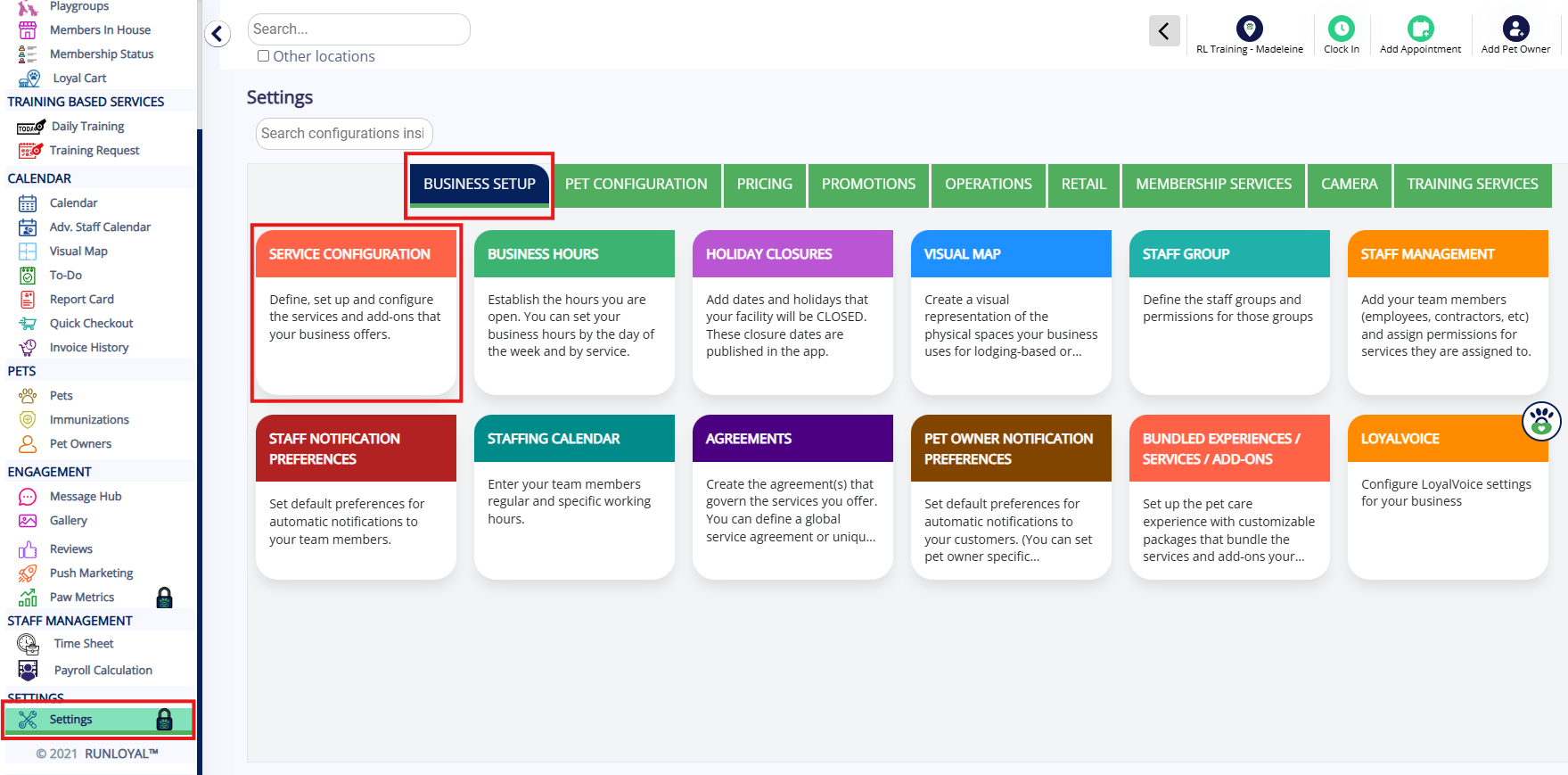
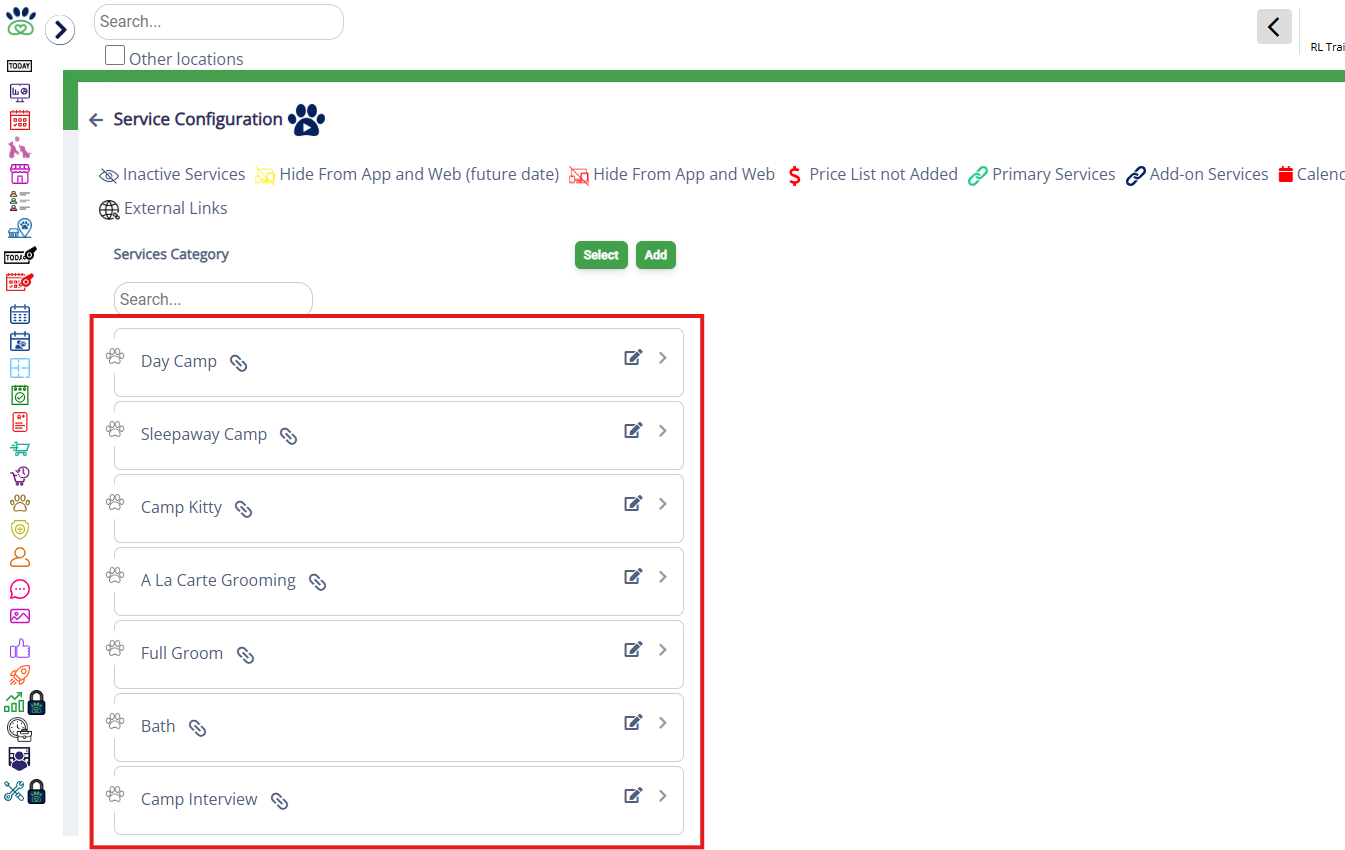
2. To add a new service add-on, click the category name in question to expand it.
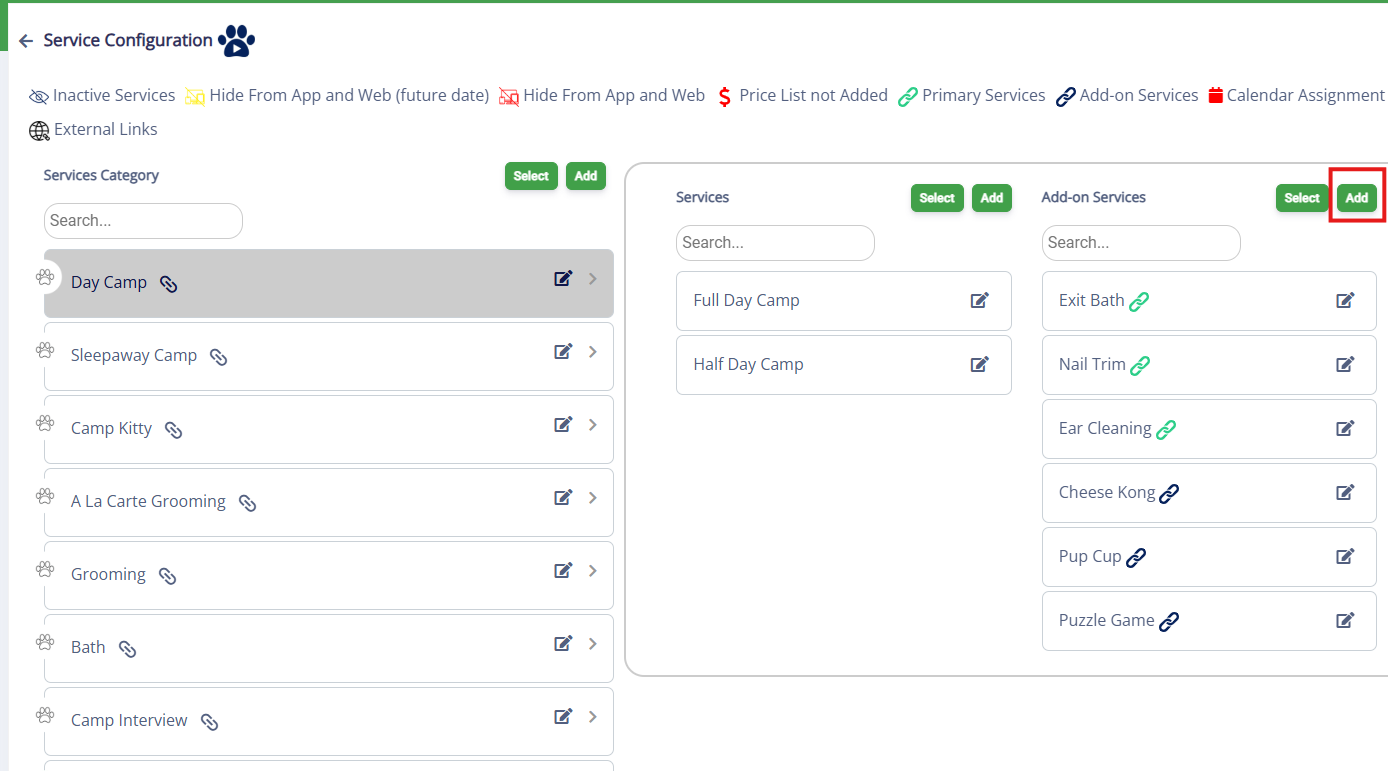
3. If this is a brand new service, in the Add-On Services column, click Add to add a new service.
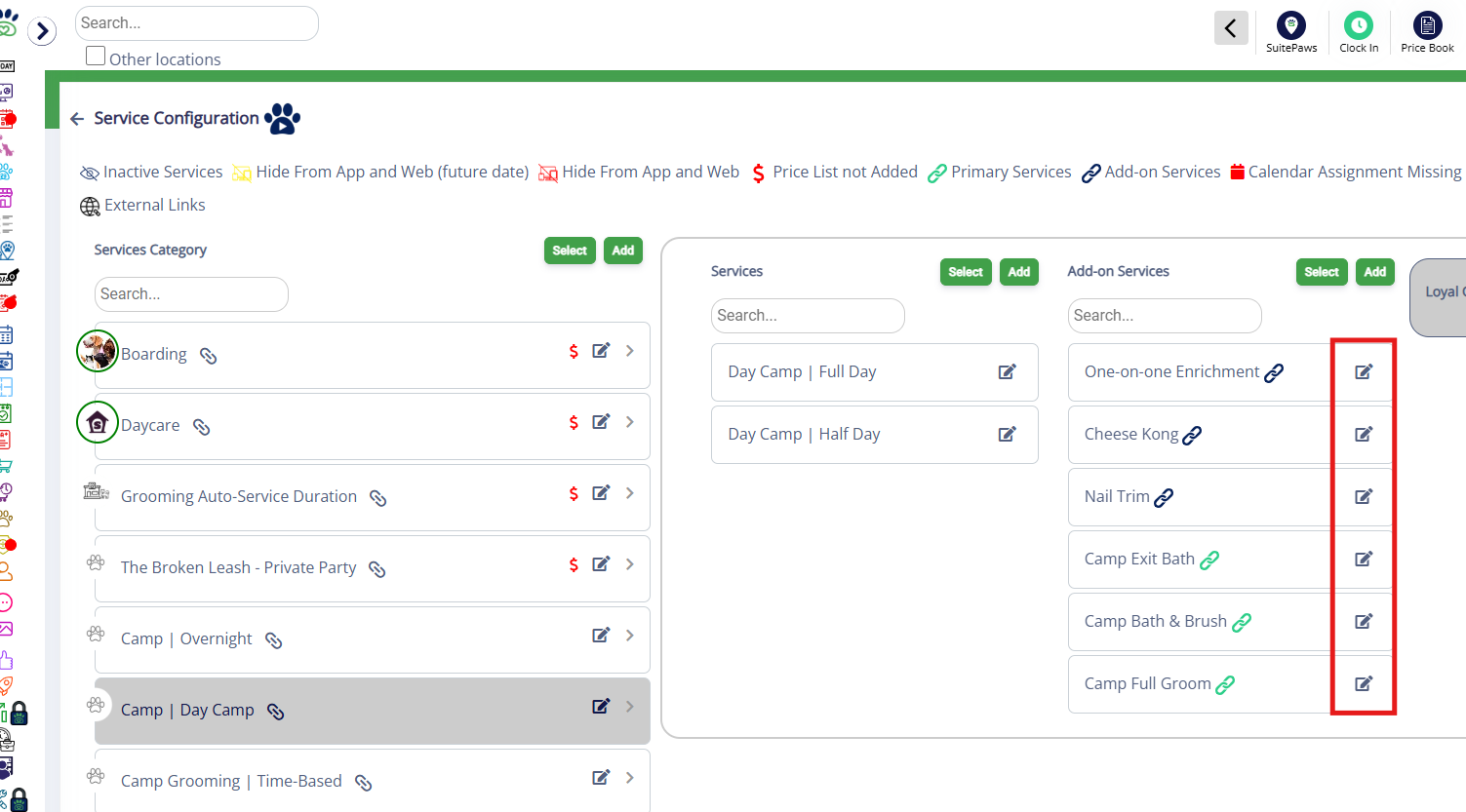
4. If you wish to edit an existing service click the edit (pencil) icon next to the service in question.
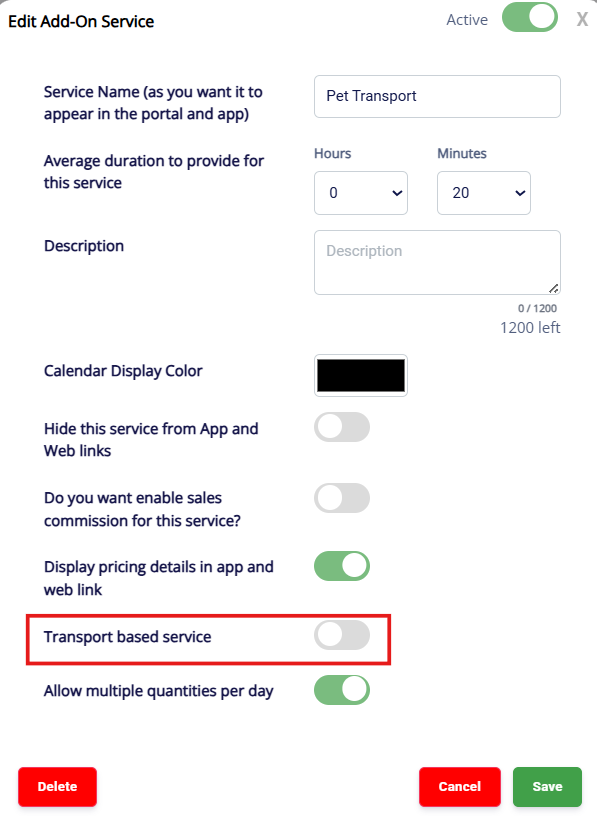
5. If this is a transport-based service (i.e. pet pickup/dropoff), toggle on Transport Based service, then save.
Using the Route Optimizer for Pet Transport
1. Once pets are booked for your transport service, to utilize the Route Optimizer, navigate to Left-hand navigation > To Do.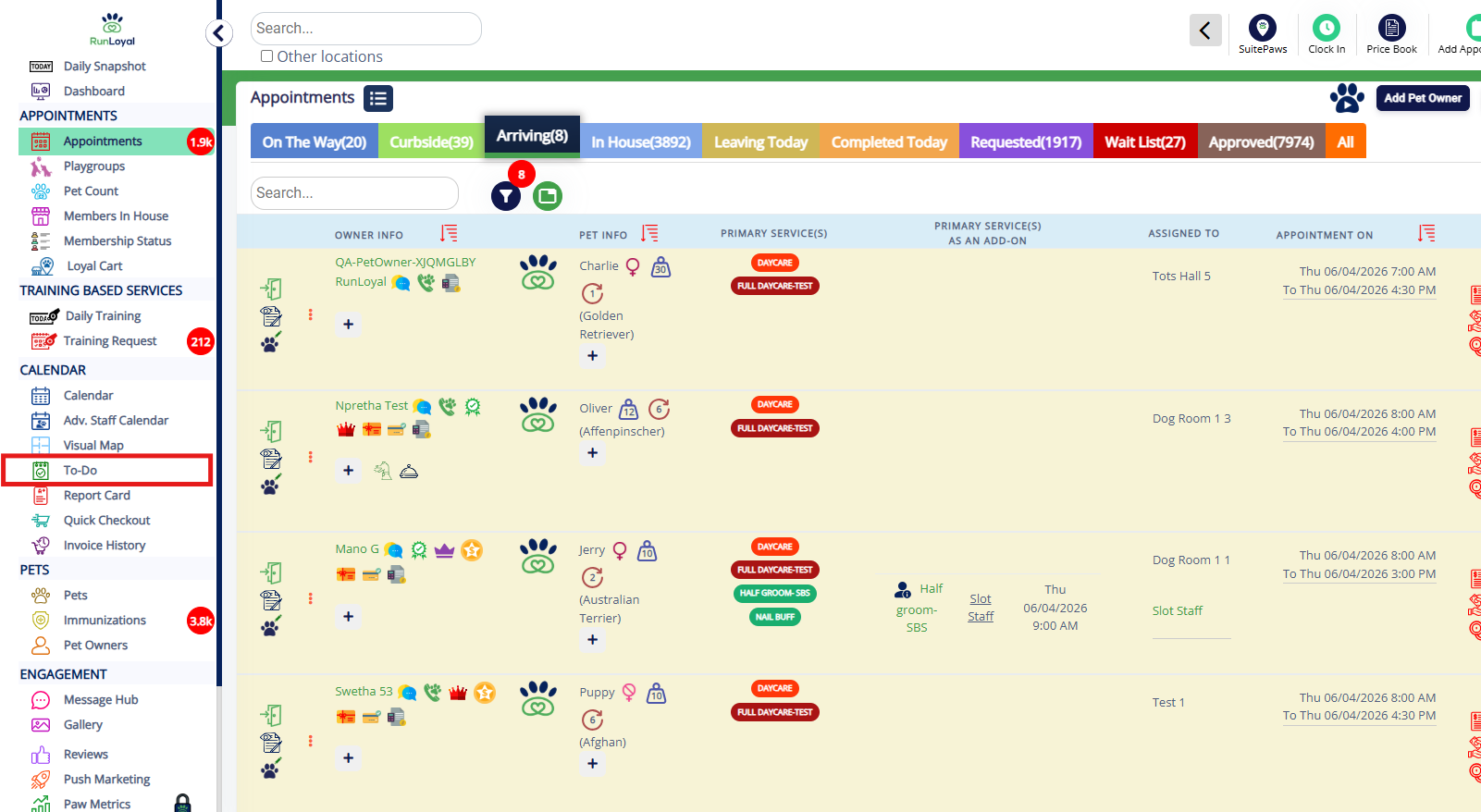
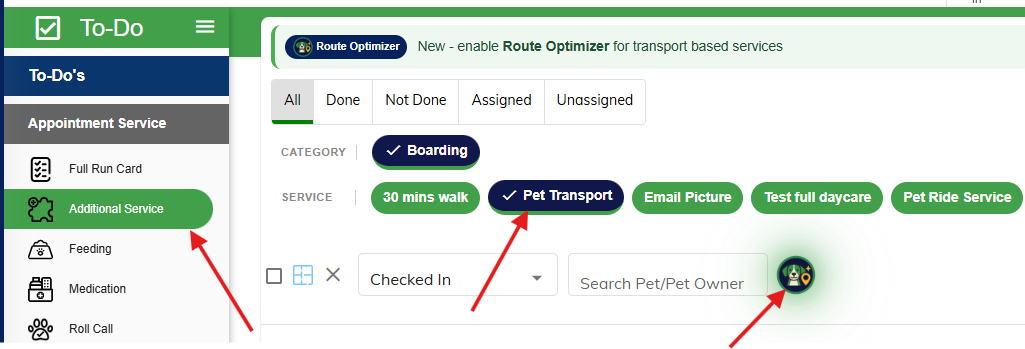
2. Click Additional Service, then select Pet Transport. Then click the Scout AI dog icon.
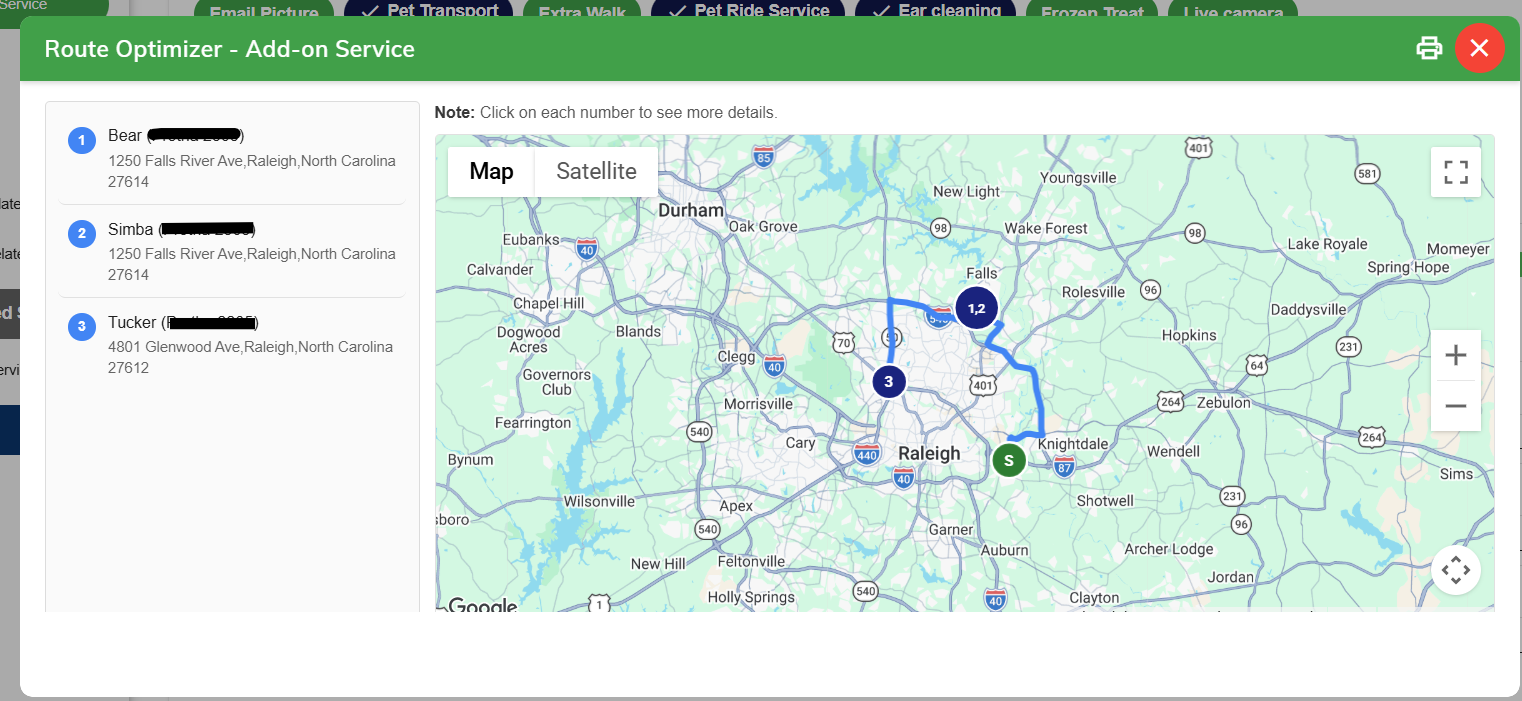
3. Clicking the Scout AI icon will open an interactive map displaying the optimized route from the kennel to the pet owner's address.
More Information
For more information on the Route Optimizer for feeding/medication (in facility route), please refer to this article: Route Optimizer for Feeding/Medication (In Facility)
For more information on creating service add-ons, please refer to this article: Service Add-Ons
Was this article helpful?
That’s Great!
Thank you for your feedback
Sorry! We couldn't be helpful
Thank you for your feedback
Feedback sent
We appreciate your effort and will try to fix the article