Overview
Route Optimizer is a new paid add-on that helps staff complete feeding and medication rounds more efficiently by providing an optimized route through the facility Once enabled, the Route Optimizer leverages your facility's Visual Map configuration to generate the most efficient path for completing feeding and medication tasks. Staff are visually guided from one unit to the next, helping streamline daily operations and reduce time spent walking throughout the facility.
This new feature is a paid add-on. Please contact puppylove@runloyal.com to enable the Route Optimizer.
Route Optimizer can be viewed in the following areas:
- Left-hand navigation > To Do > Additional Service > Pet Transport
TABLE OF CONTENTS
- Overview
- Setting Up "Starting Point" in Facility (Internal Unit)
- Using the Route Optimizer for Feeding/Medication (In Facility)
- More Information
Setting Up "Starting Point" in Facility (Internal Unit)
1. To use the Route Optimizer, you must first configure at least one room as an Internal Room in the Visual Map and designate it as the Start Point. This lets the system know where your route should start. To do this, navigate to Settings > Business Setup > Visual Map.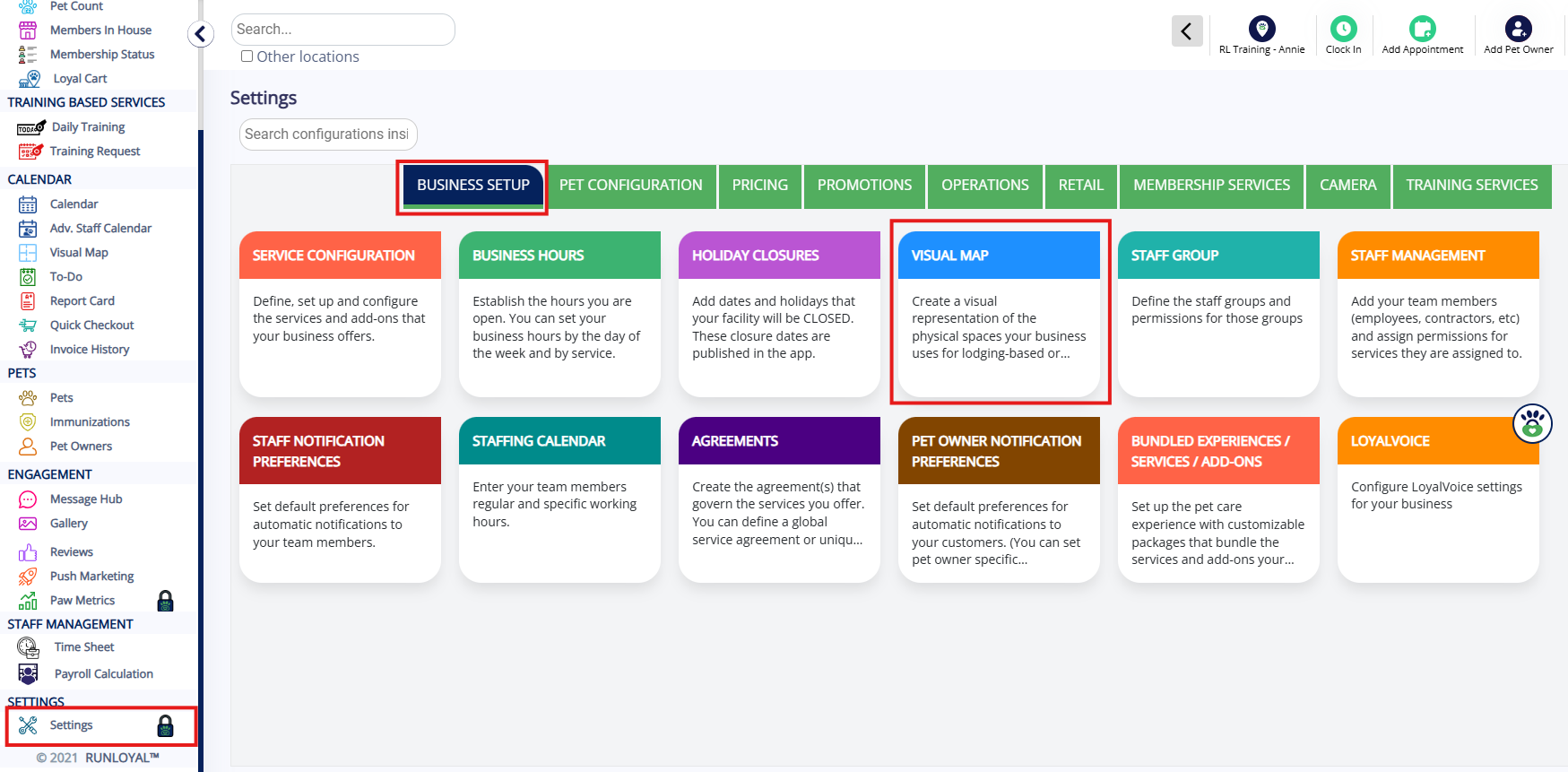
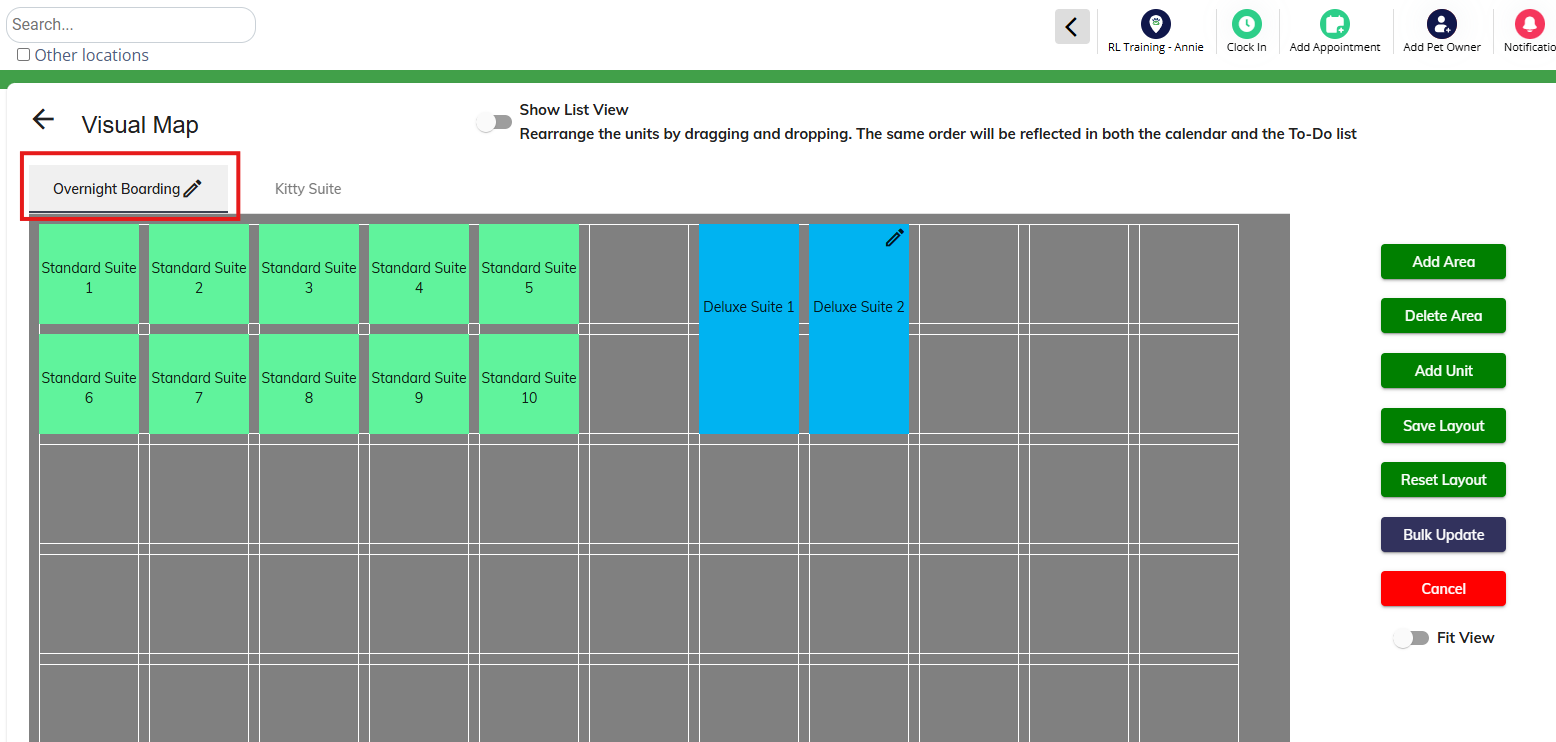
2. Click the area in question where you will be starting your daily route.
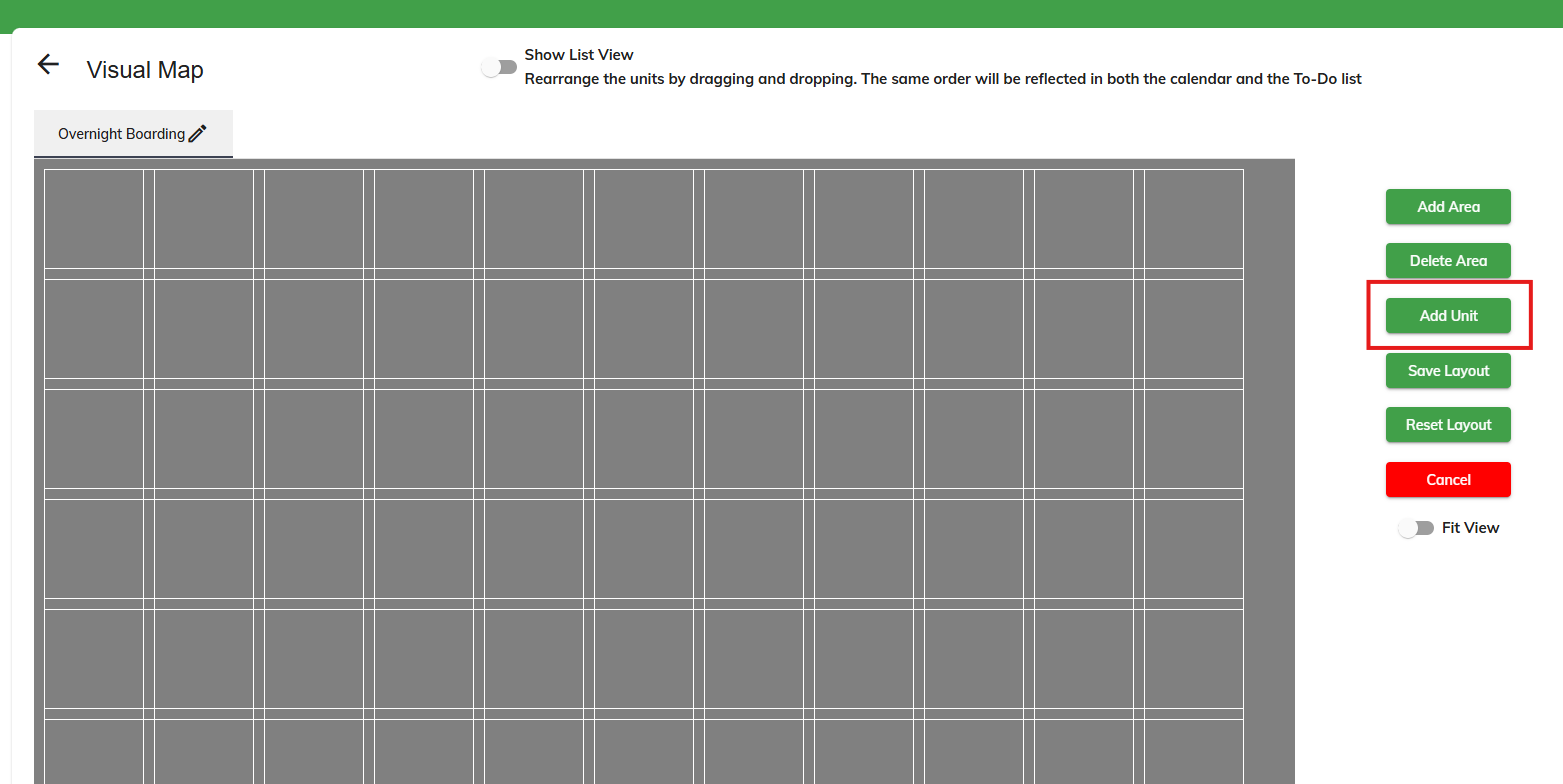
3. Click to add a new unit.
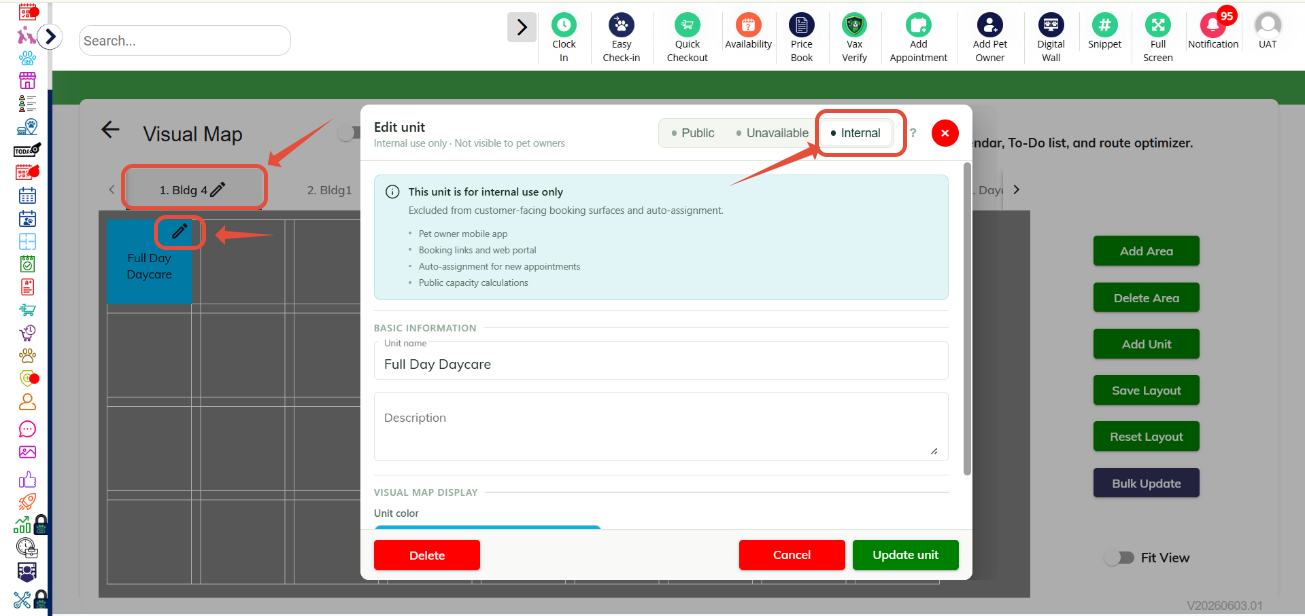
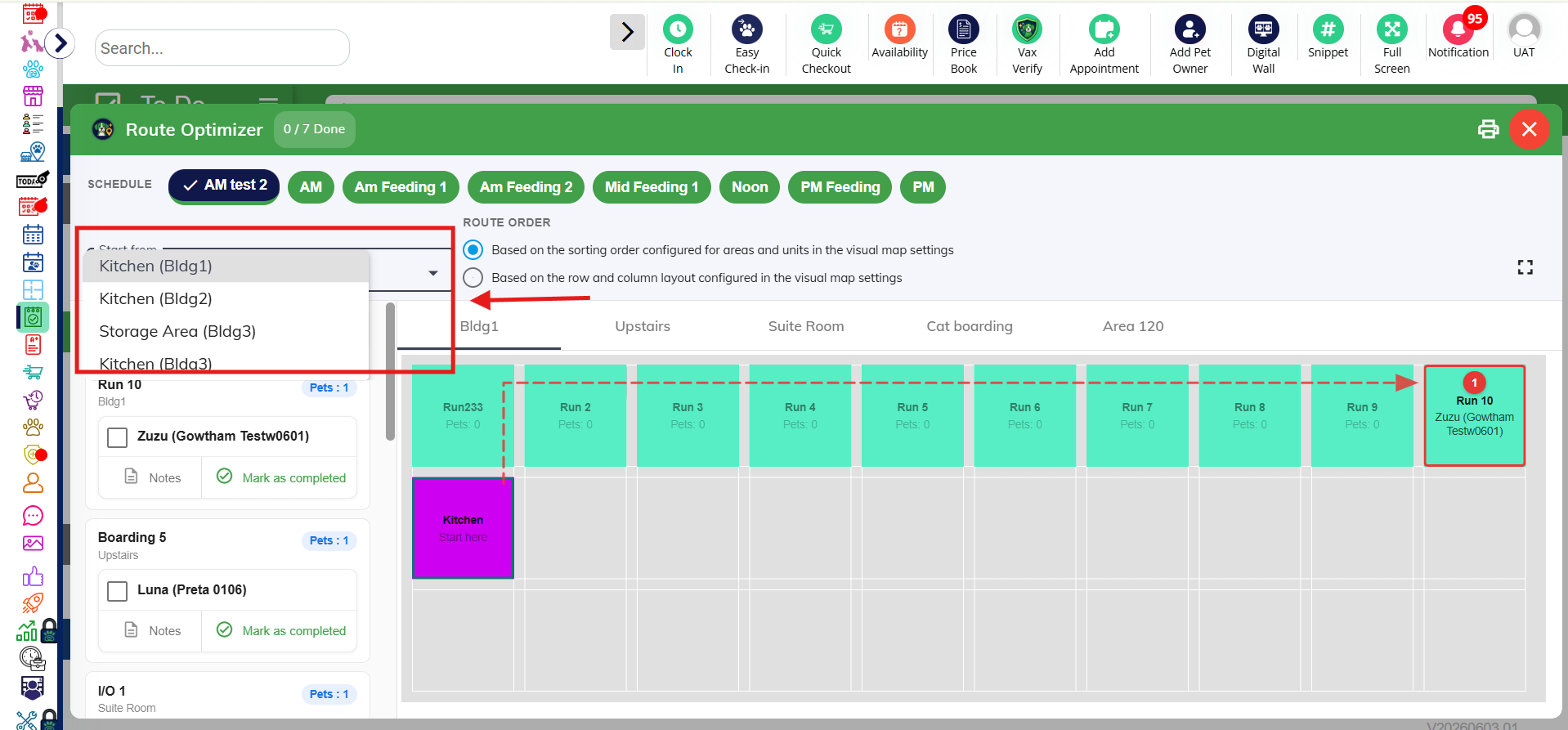
4. Name your unit and select Internal Room. Once configured, you can mark that room as the Start Point for the Route Optimizer from the dropdown.
Using the Route Optimizer for Feeding/Medication (In Facility)
1. To utilize the Route Optimizer for feeding/medication, navigate to Left-hand navigation > To Do.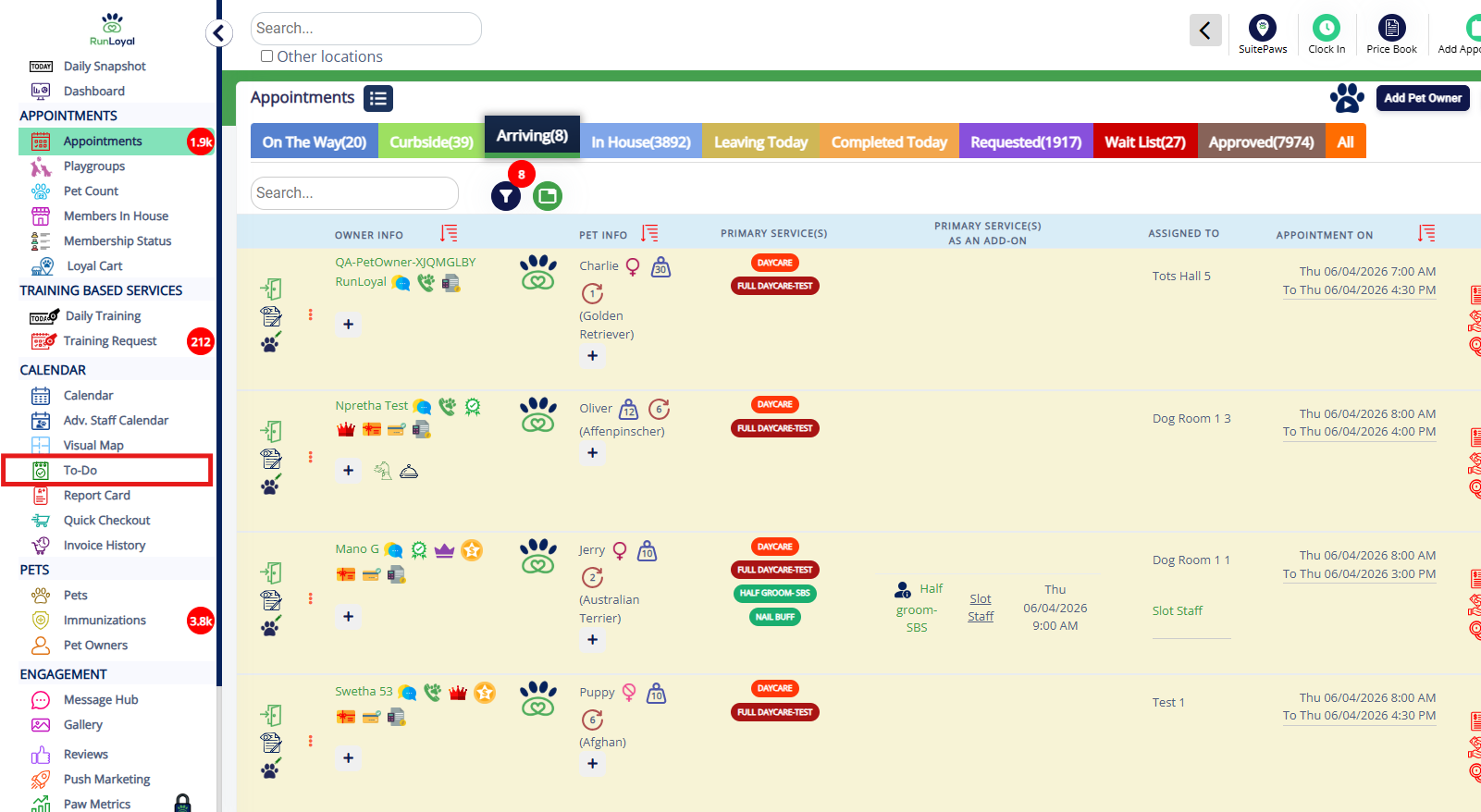
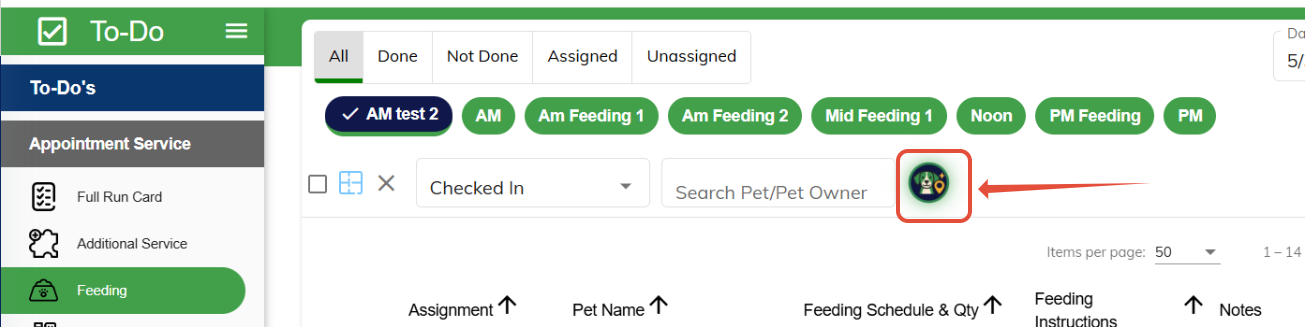
2. Click Feeding or Medication. Then click the Scout AI dog icon.
3. Clicking the Scout AI icon will open an interactive map displaying the optimized route from kennel to kennel to distribute feeding and/or medication.
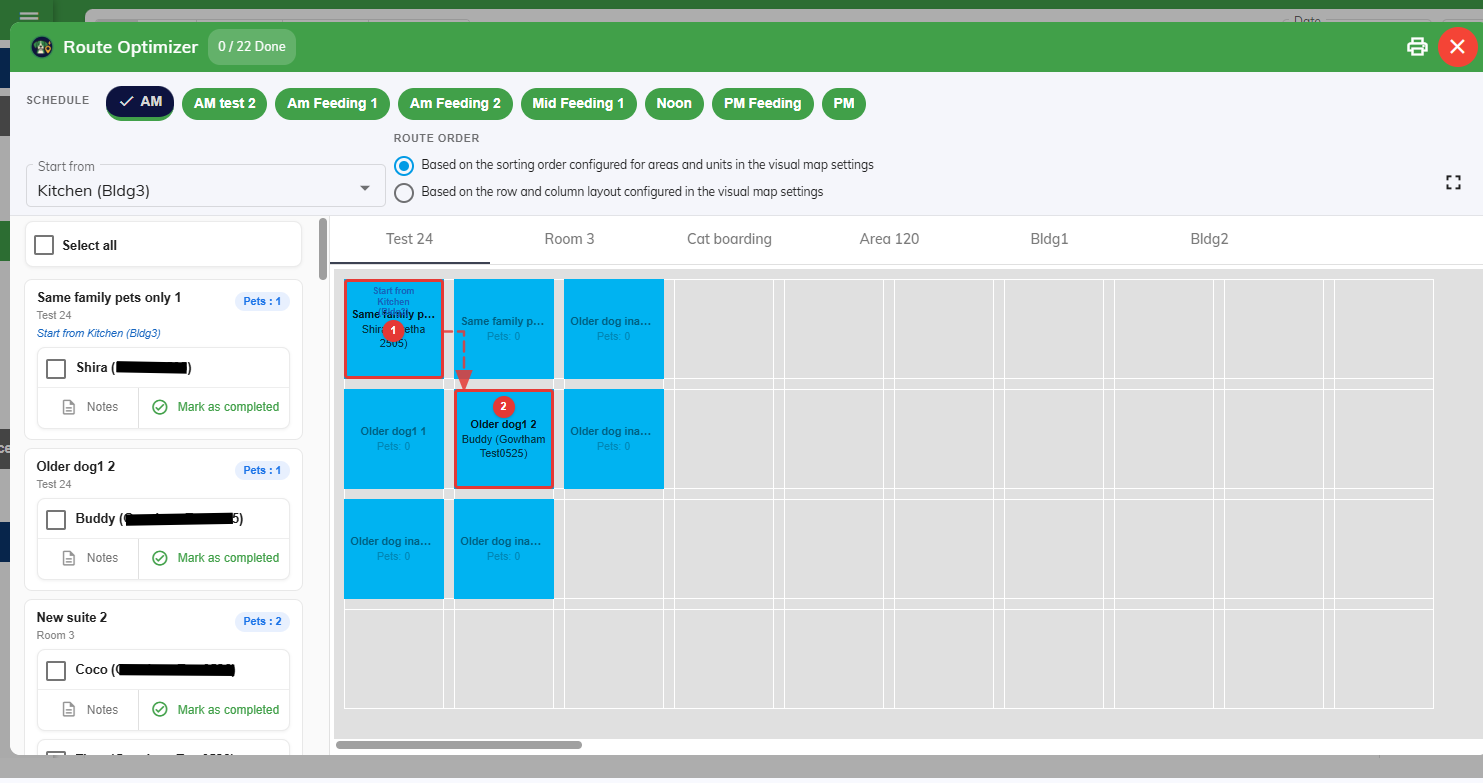
4. Businesses can customize how the route is generated by choosing from two route sequencing methods: Based on Settings List – Follows the order defined within your facility settings, or Based on Columns and Rows – Creates a route based on the physical arrangement of units on the Visual Map.
More Information
For more information on the Route Optimizer for pet transport services (outside facility route), please refer to this article: Route Optimizer for Pet Transport
For more information on the Visual Map, please refer to this article: Visual Map
Was this article helpful?
That’s Great!
Thank you for your feedback
Sorry! We couldn't be helpful
Thank you for your feedback
Feedback sent
We appreciate your effort and will try to fix the article