Overview
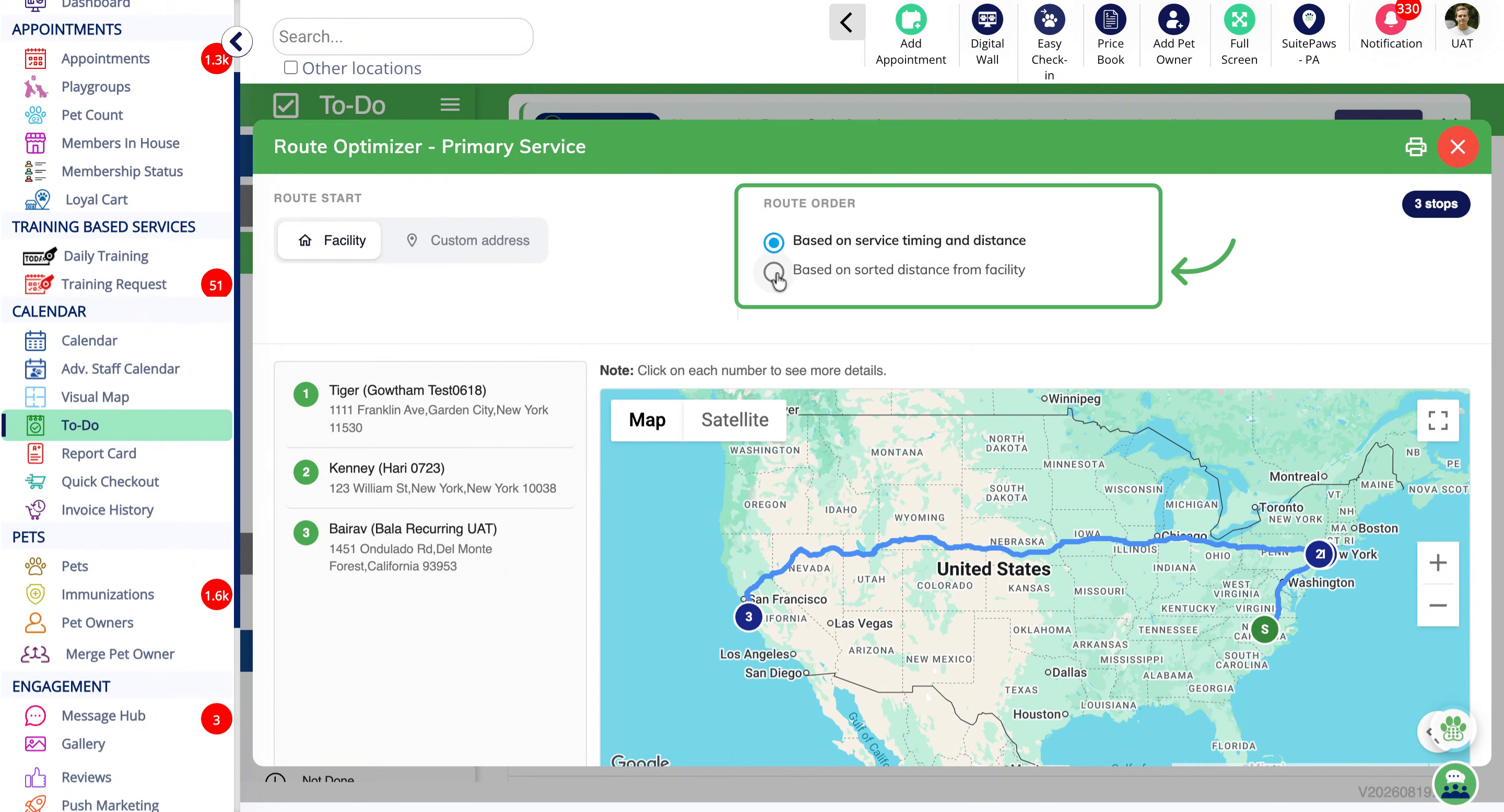
Route Optimizer is a new paid add-on that helps staff navigate efficiently for pet transport-related services in the To-Do section. It is now available for both Primary services and Add-on services as well. Once enabled, the Route Optimizer calculates and displays the optimized route between the kennel address and the pet owner's address. If there are multiple transport services at different addresses, the route optimizer will map the most efficient route.
Note: This new feature is a paid add-on. Please contact puppylove@runloyal.com to enable the Route Optimizer.
Setting Up Pet Transport Services and utilizing Route Optimizer
1. Navigate to Settings > Business Setup > Service Configuration.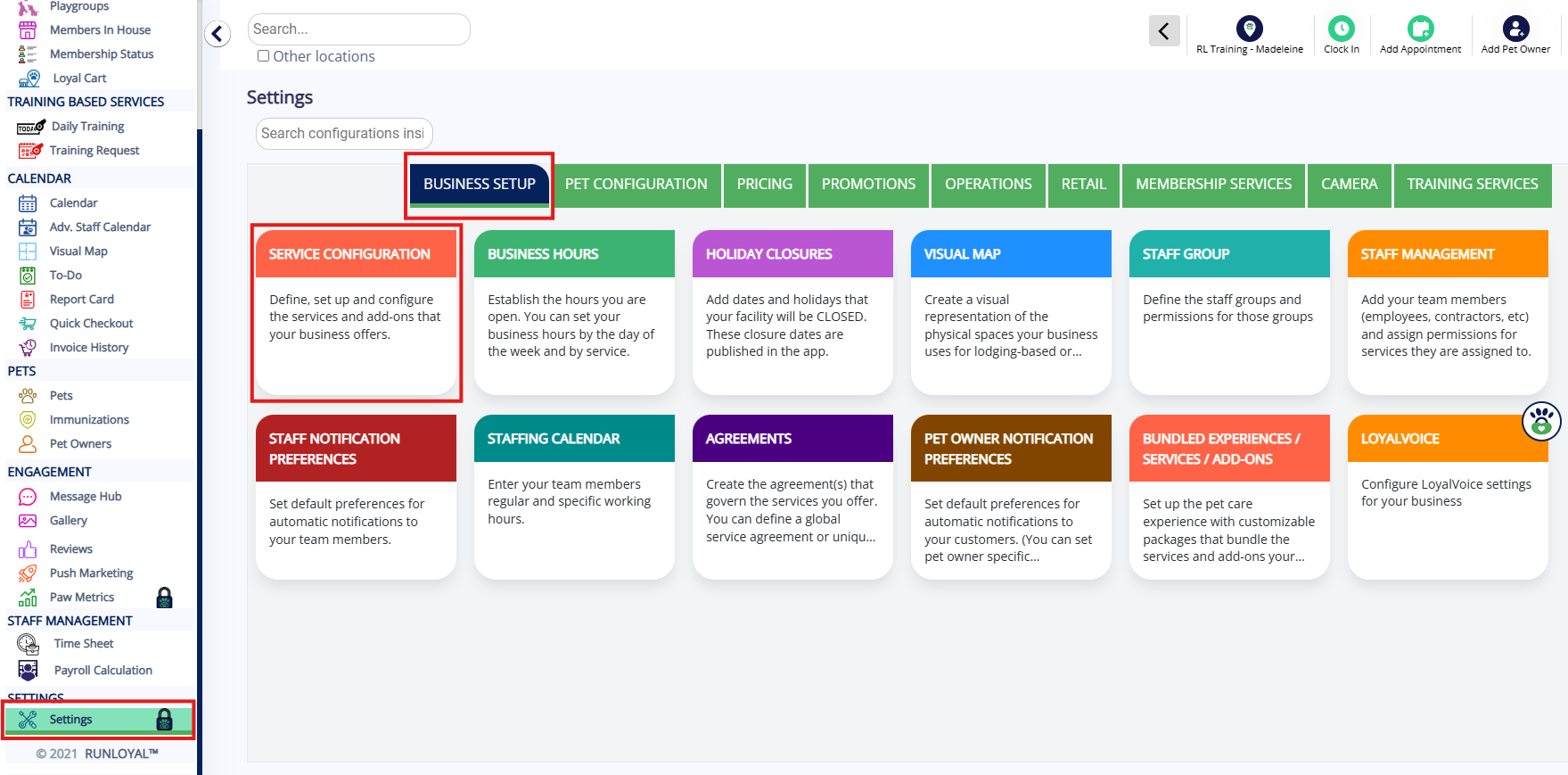
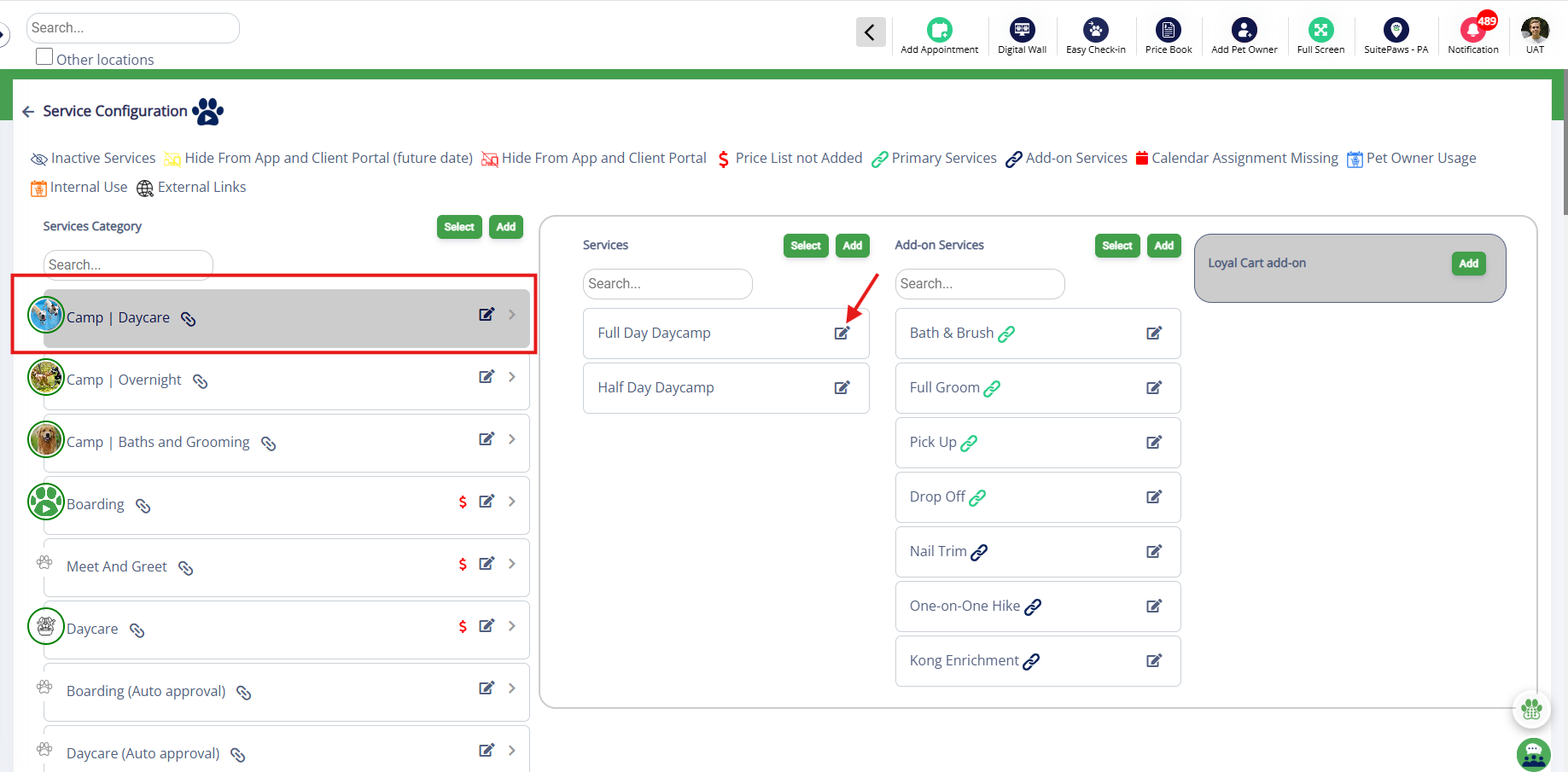
2. Select a Service Category and edit the Services
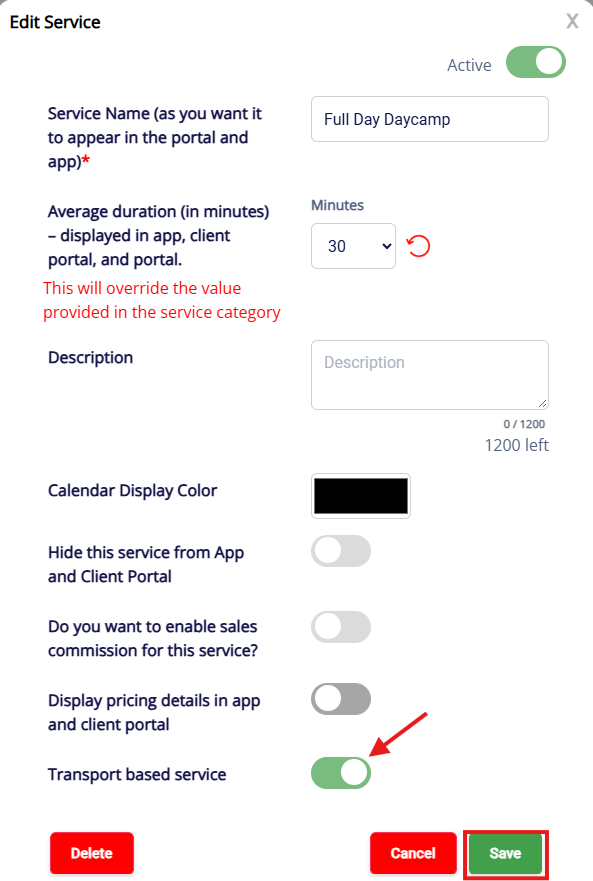
3. Toggle ON the Transport based service and click Save
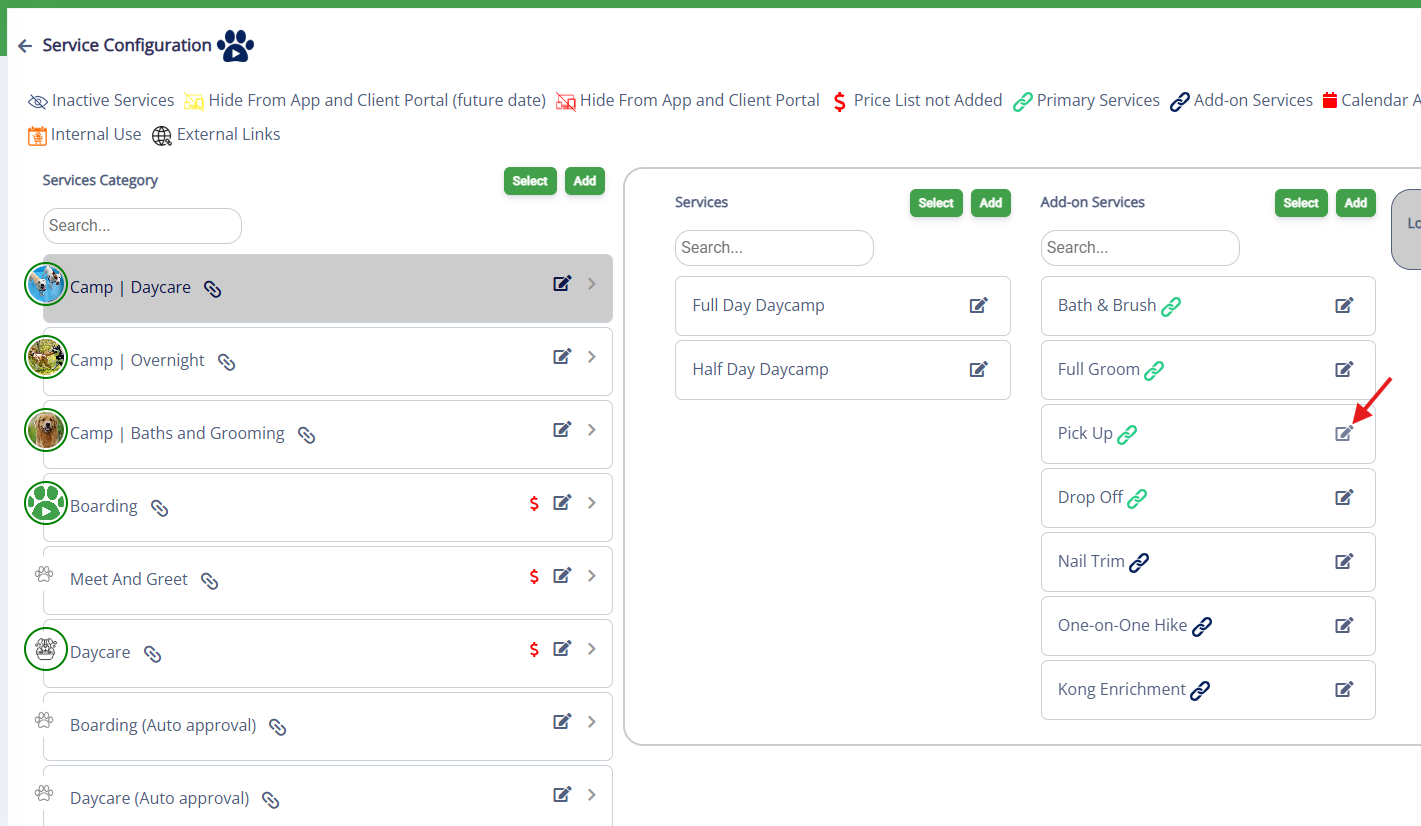
4. Repeat the steps for Add on Service
Using the Route Optimizer for Pet Transport
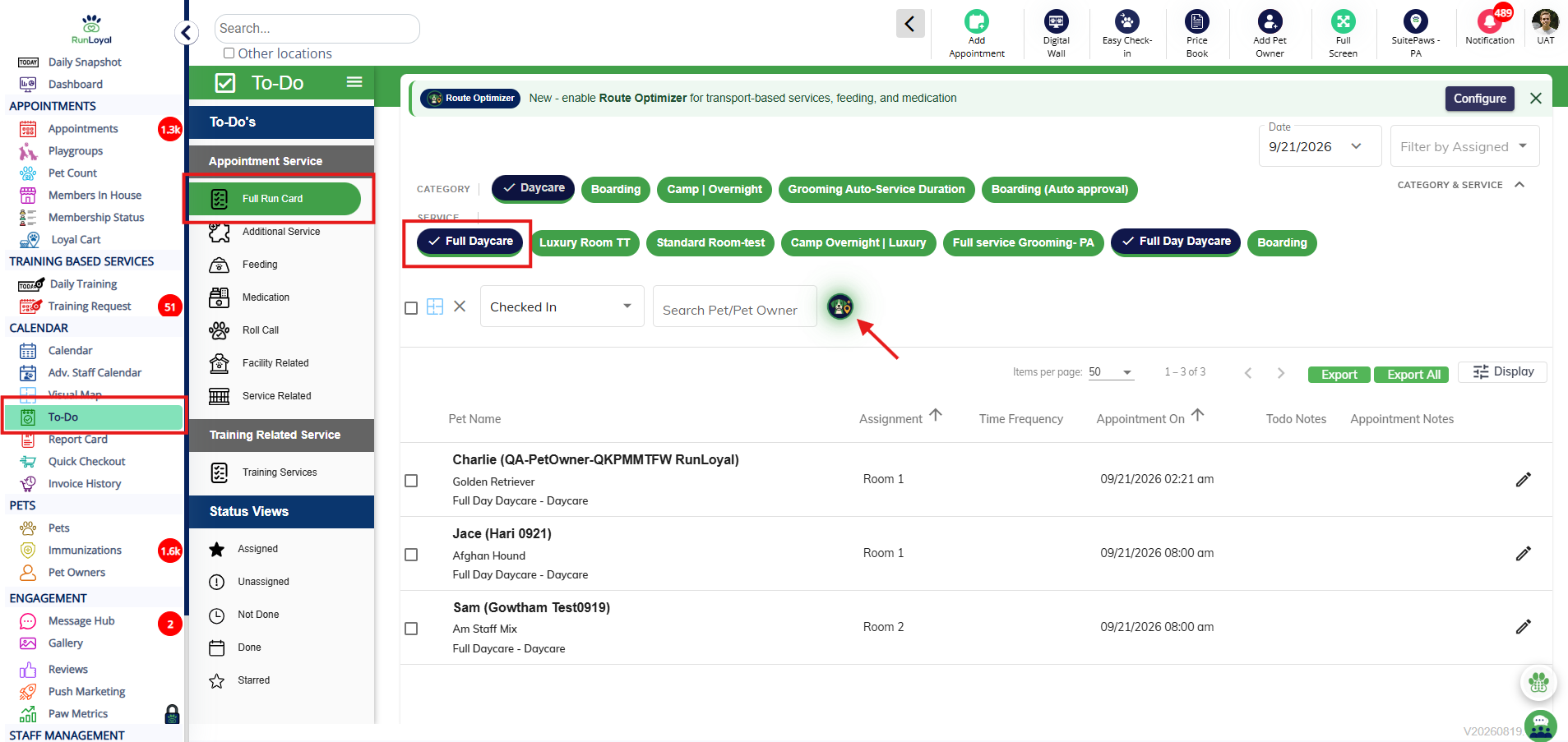
1. Once pets are booked for your transport service, navigate to To-Do > Full Run Card > select the Service > click on Route Optimizer icon
2. Choose the route order to your preferences.
3. Repeat the steps for Add on Service under Additional Service
More Information
For more information on Facility Route Optimzer please refer to this article: Route Optimizer for Feeding/Medication (In Facility)
For more information on Service Add-Ons, please refer to this article: Service Add-Ons
Was this article helpful?
That’s Great!
Thank you for your feedback
Sorry! We couldn't be helpful
Thank you for your feedback
Feedback sent
We appreciate your effort and will try to fix the article