Overview
Businesses can control from business portal whether pet owners can cancel:
- Packages
- Memberships
- Both packages and memberships
Businesses can also configure a custom cancellation confirmation message that pet owners see before completing the cancellation request.
This setting is disabled by default and must be enabled by the business before pet owners can access the self-service cancellation option.
TABLE OF CONTENTS
- Overview
- Applicable Users
- Requirements
- Portal Path
- How to enable Packages or Memberships Subscription Cancellation?
- More Information
- Business Owner / Kennel Owner
- General Manager / Location Manager
Requirements
Before enabling Subscription Compliance settings, ensure the following:
- You have access to the Business Portal.
- You have permission to access Subscription Compliance settings.
- Auto-renewing packages and/or memberships are configured for the business.
- You have decided whether pet owners can cancel:
- Packages only
- Memberships only
- Both packages and memberships
- A cancellation confirmation message is configured for pet owners.
- Pet Owner App and/or Client Portal cancellation support is enabled for your business.
Portal Path
Subscription cancellation settings in Business Portal:
Settings → Operations → Subscription Compliance
How to enable Packages or Memberships Subscription Cancellation?
1. Settings > Operations
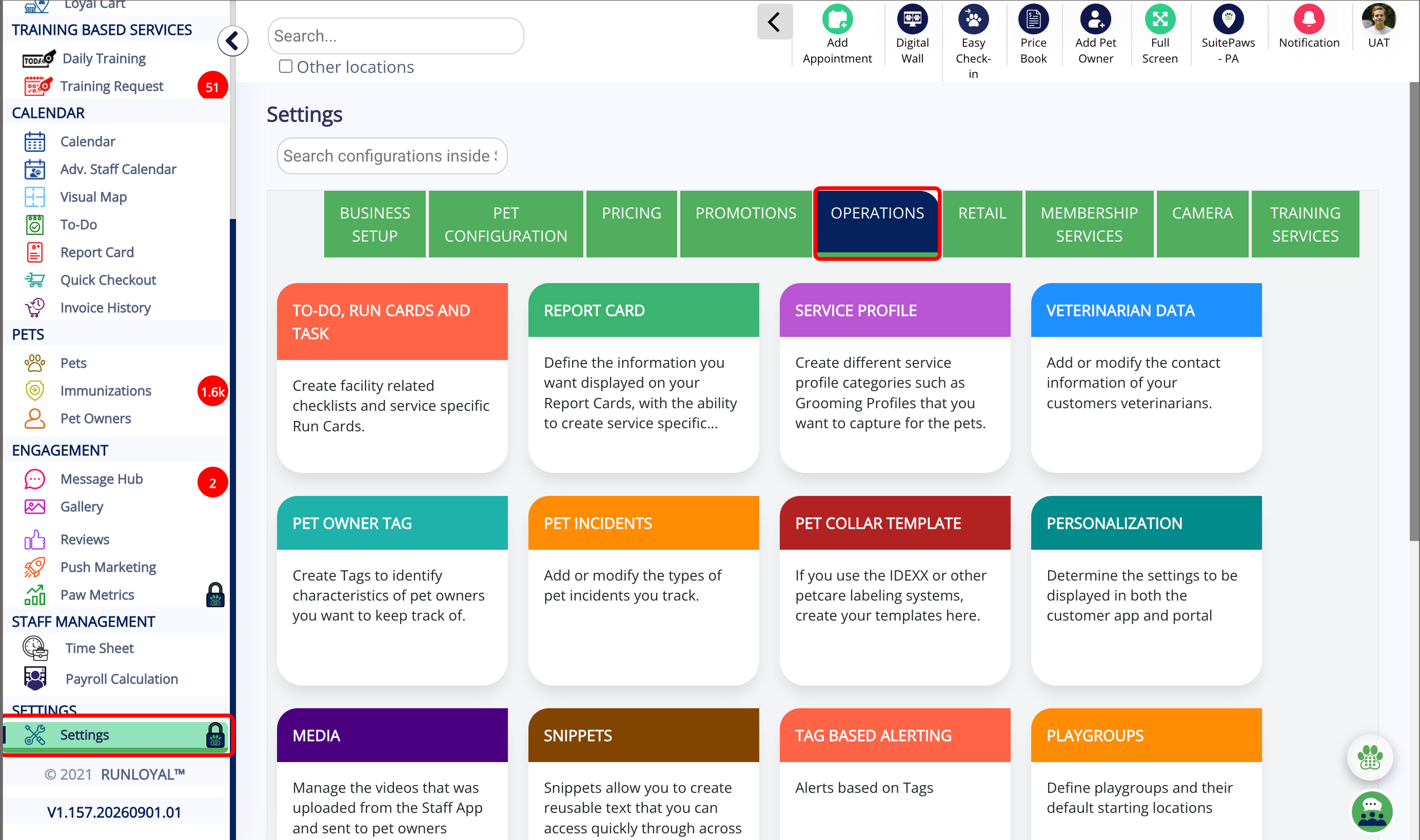
2. Operations > Subscription Compliance
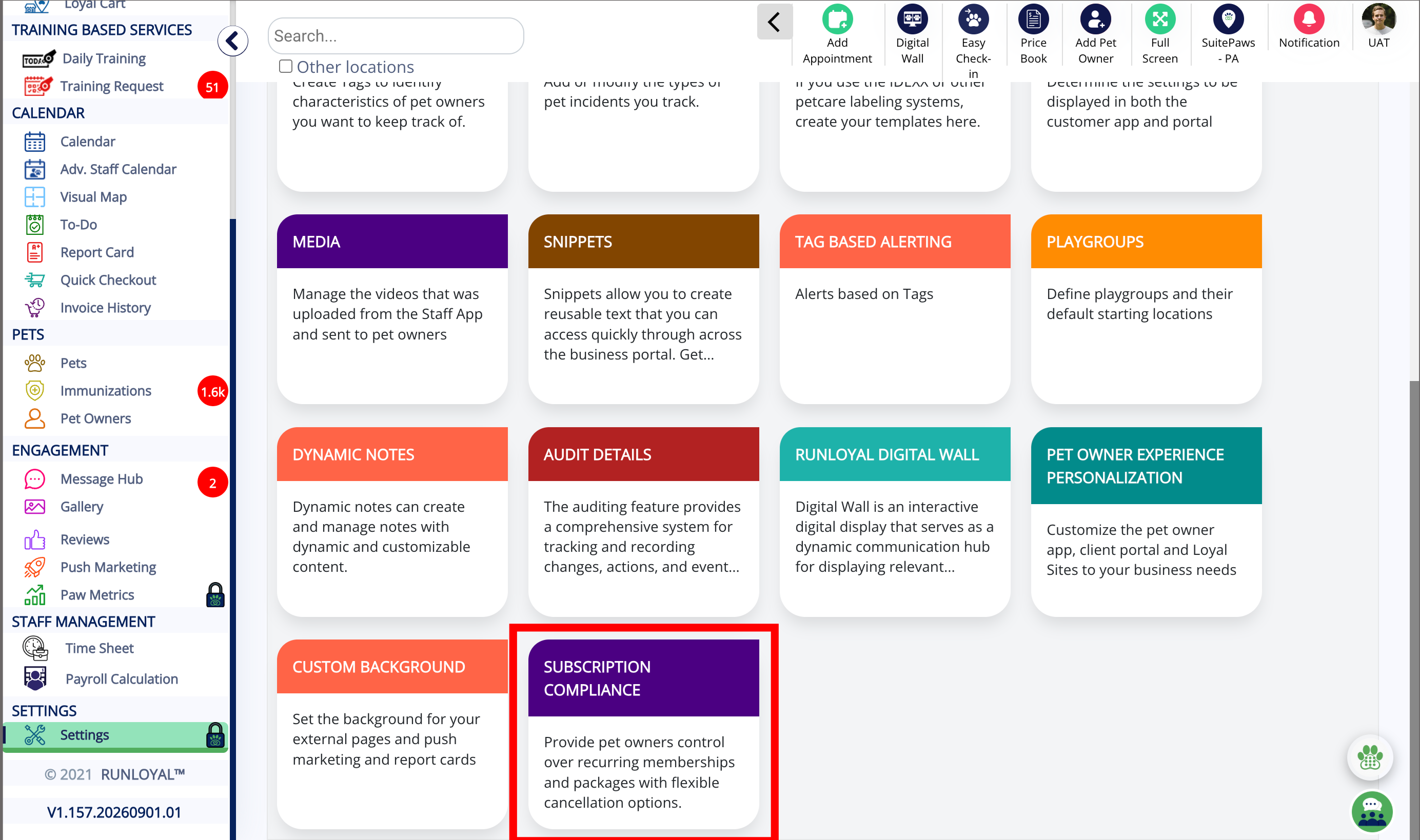
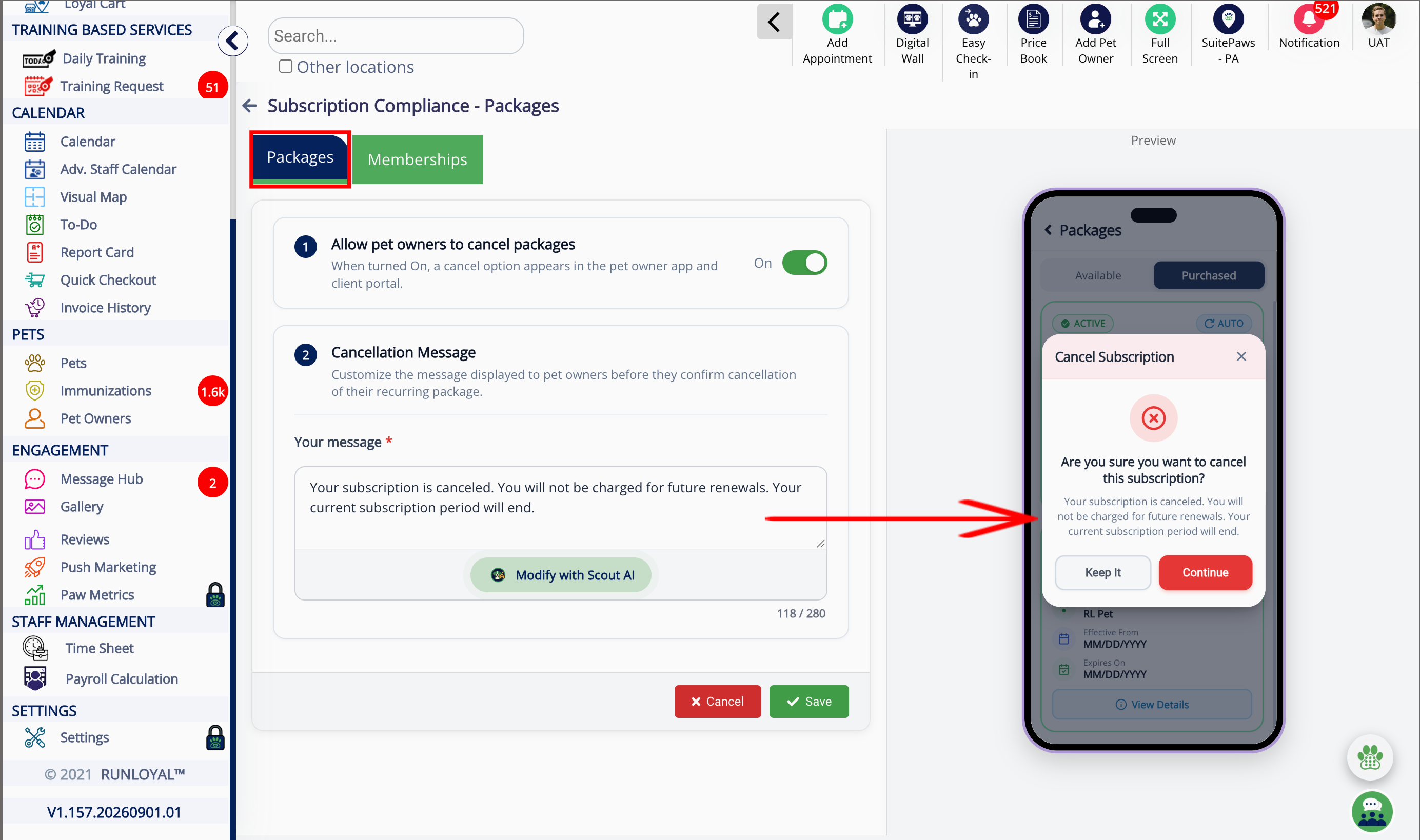
3. Packages Subscription
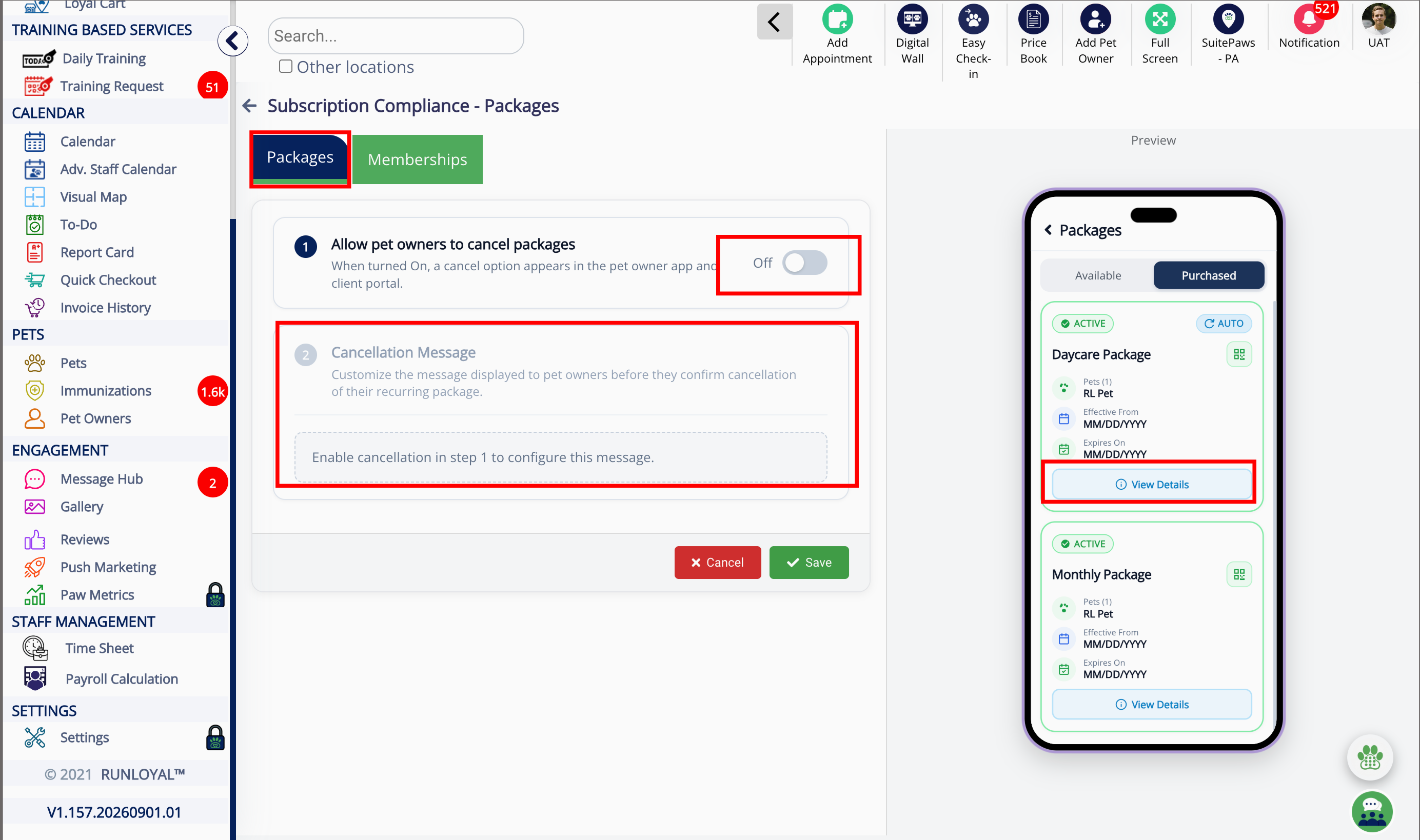
4. Enable cancel packages
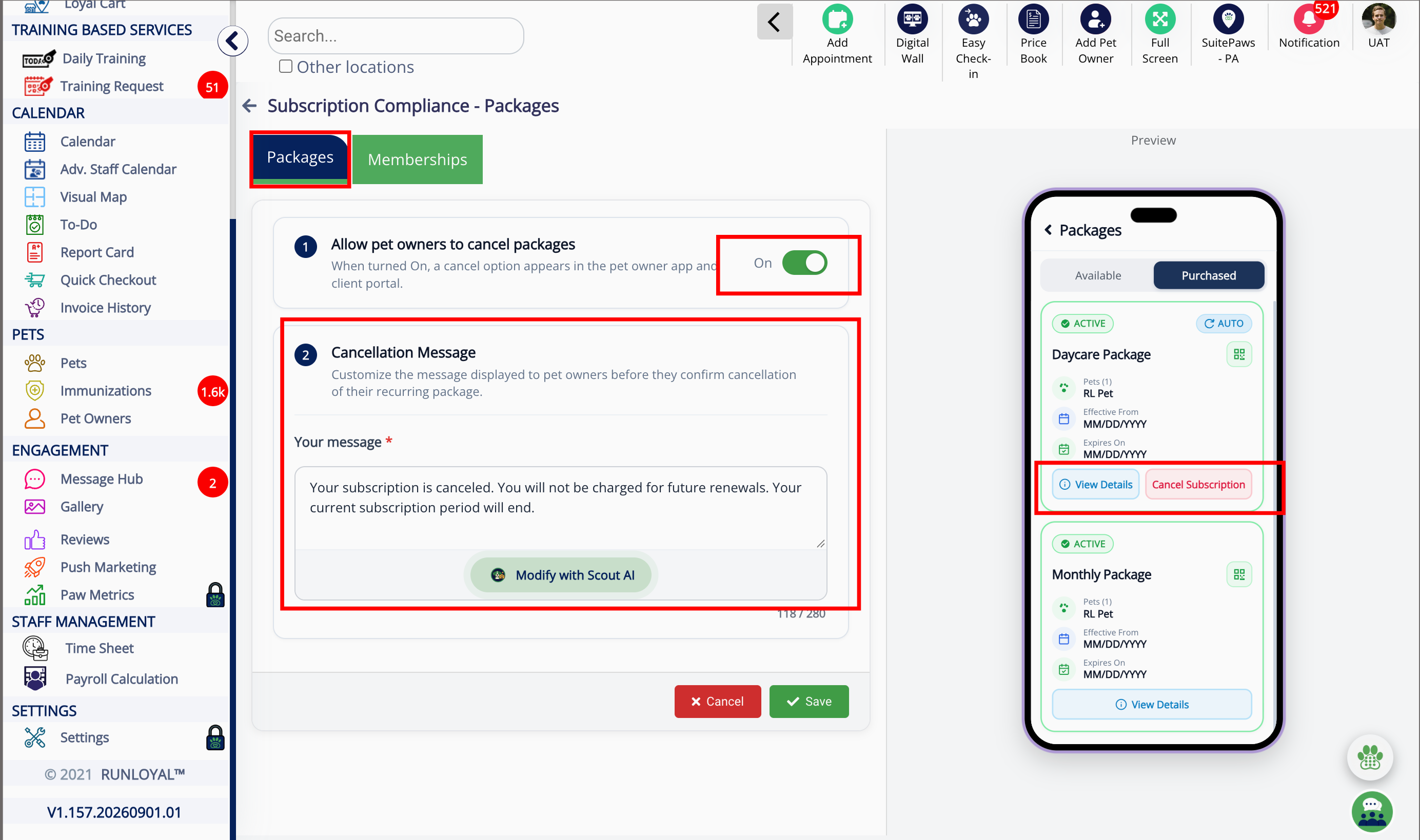
5. Cancel Subscription
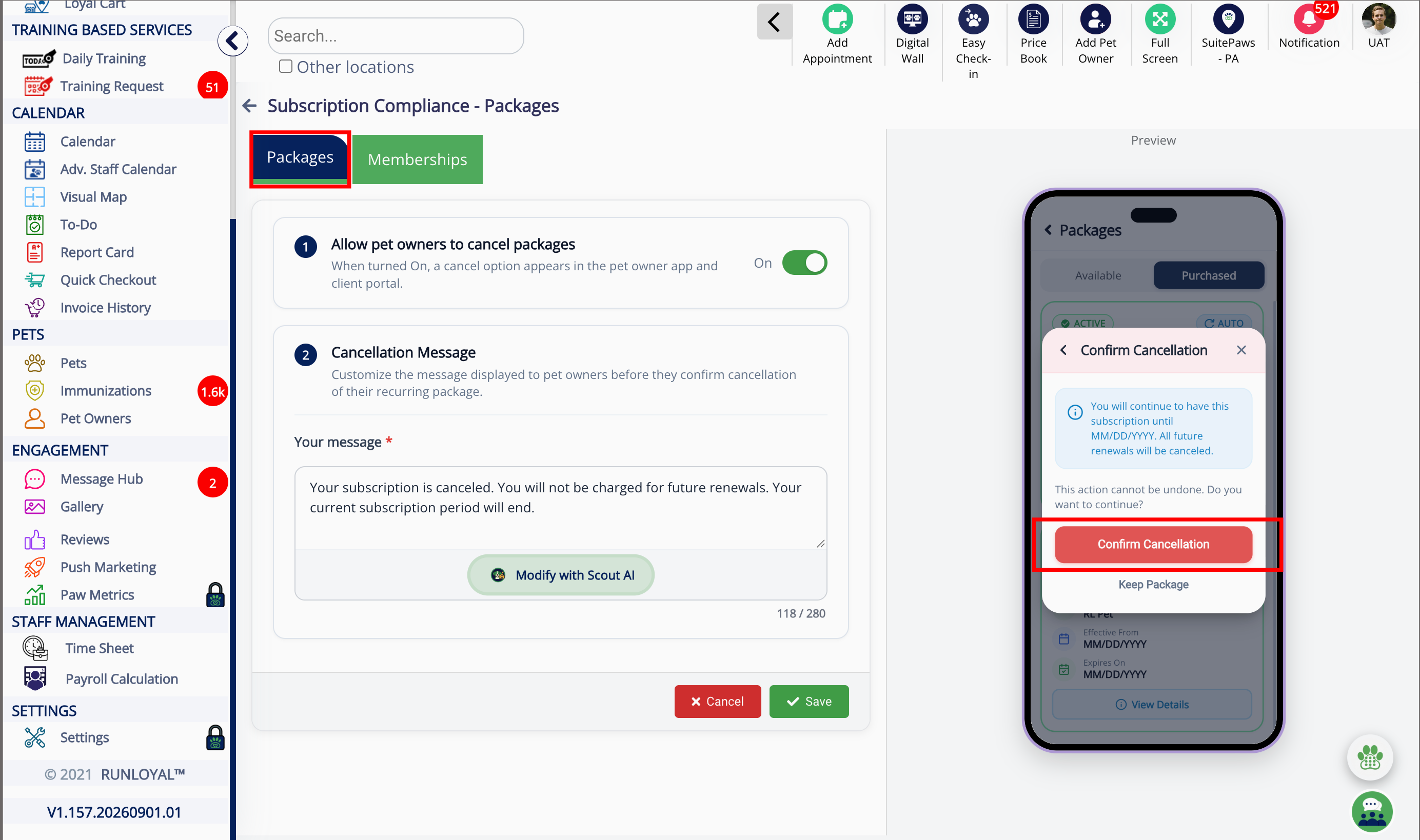
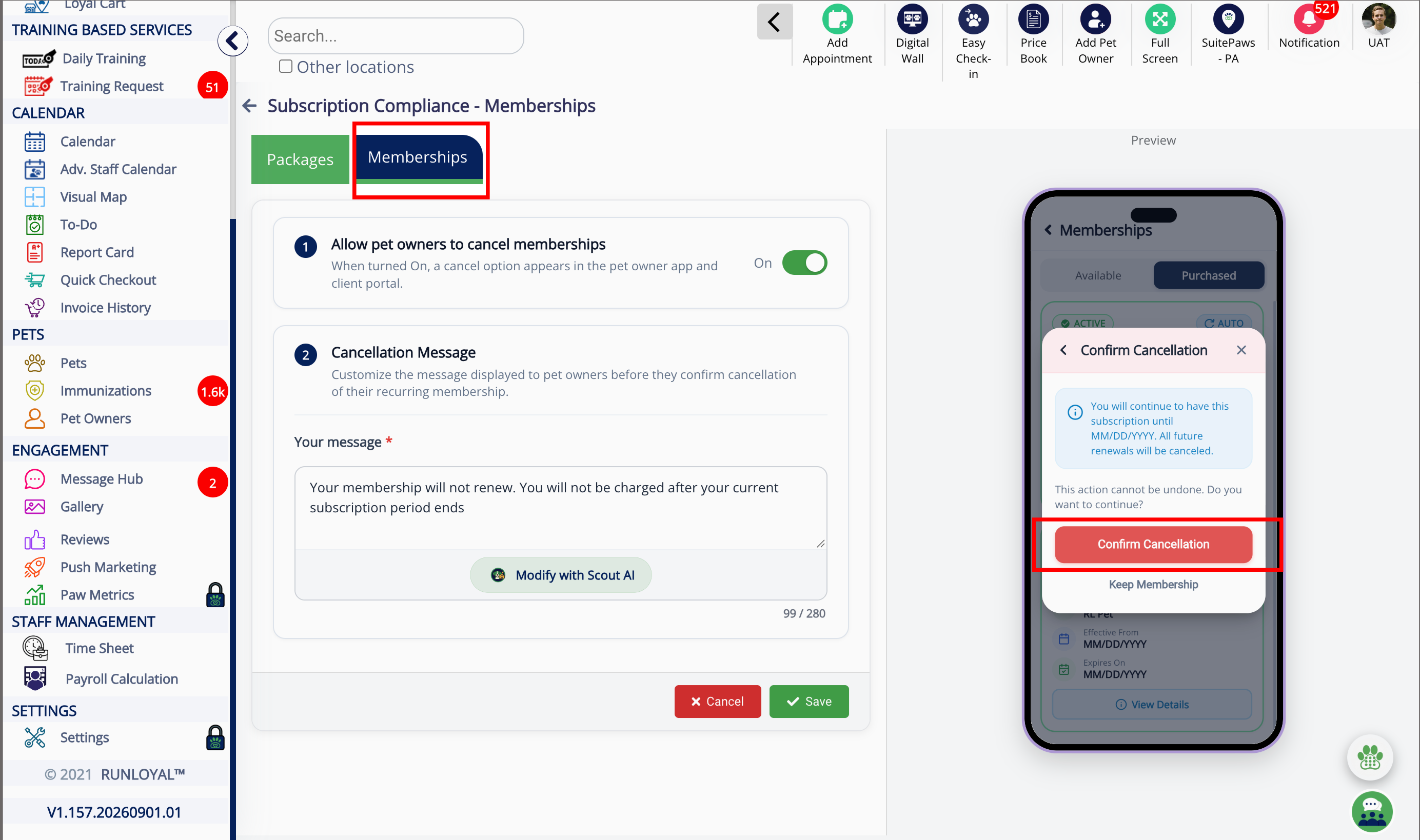
6. Confirm Cancellation
7. Memberships Subscription
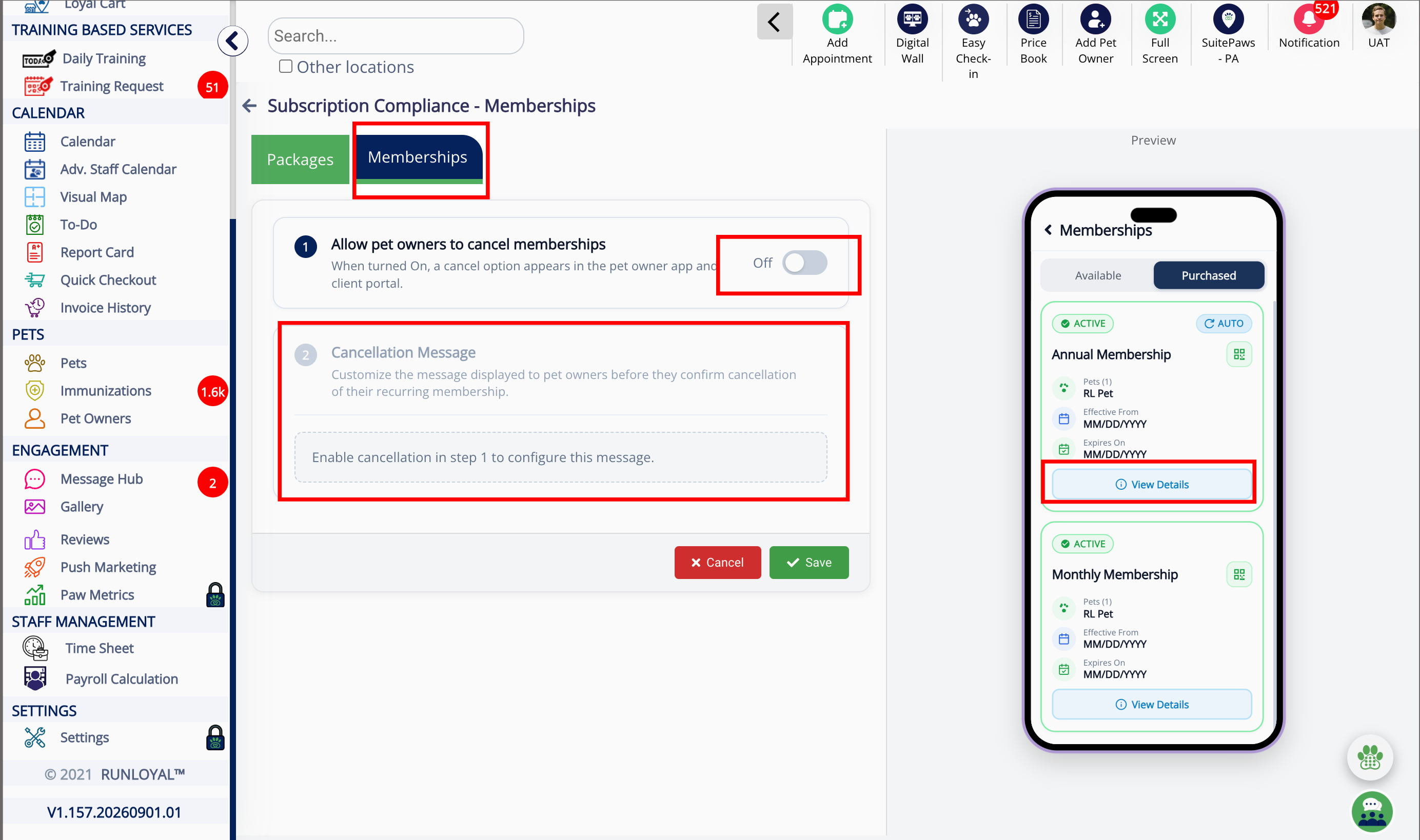
8. Enable cancel memberships
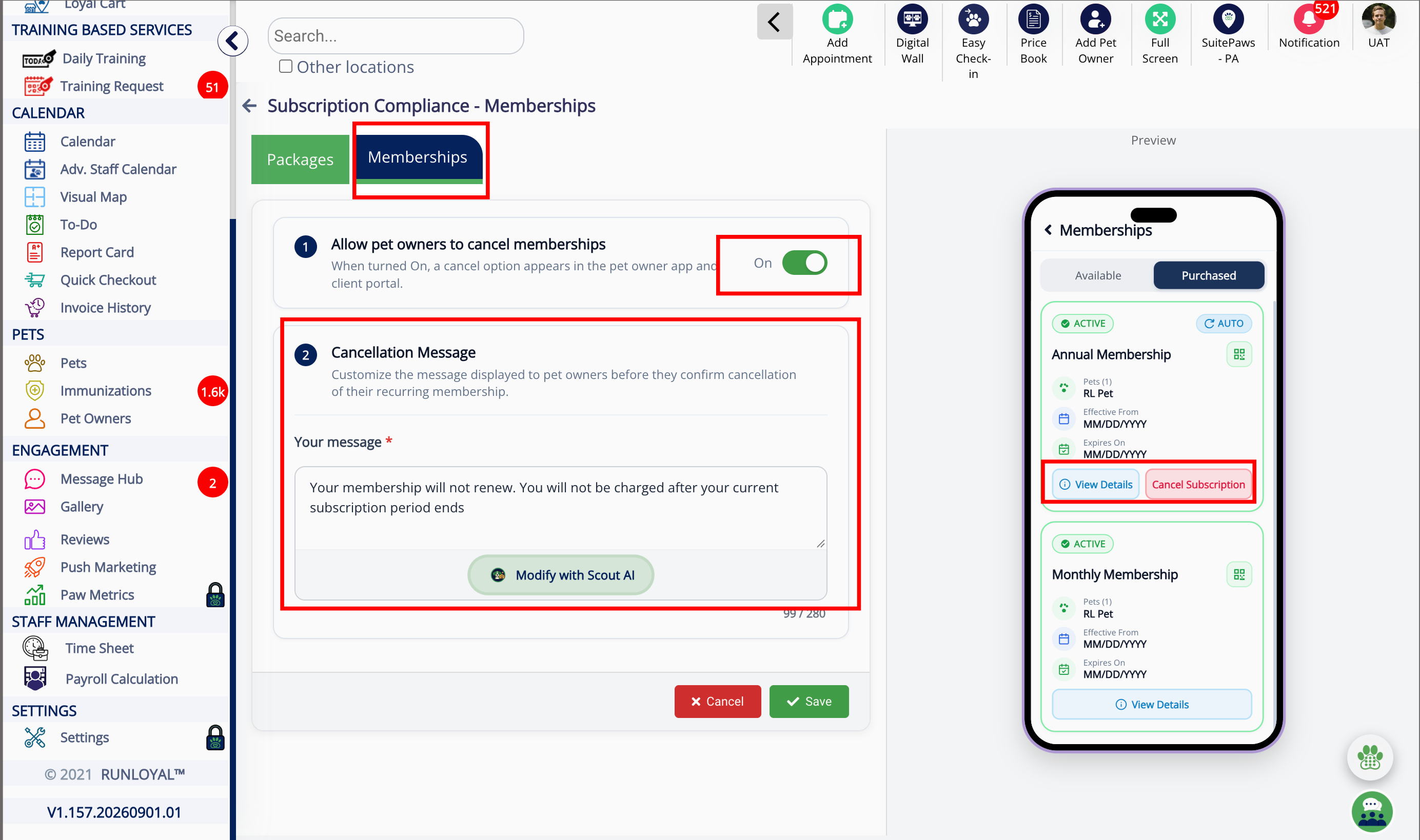
9. Cancel Subscription
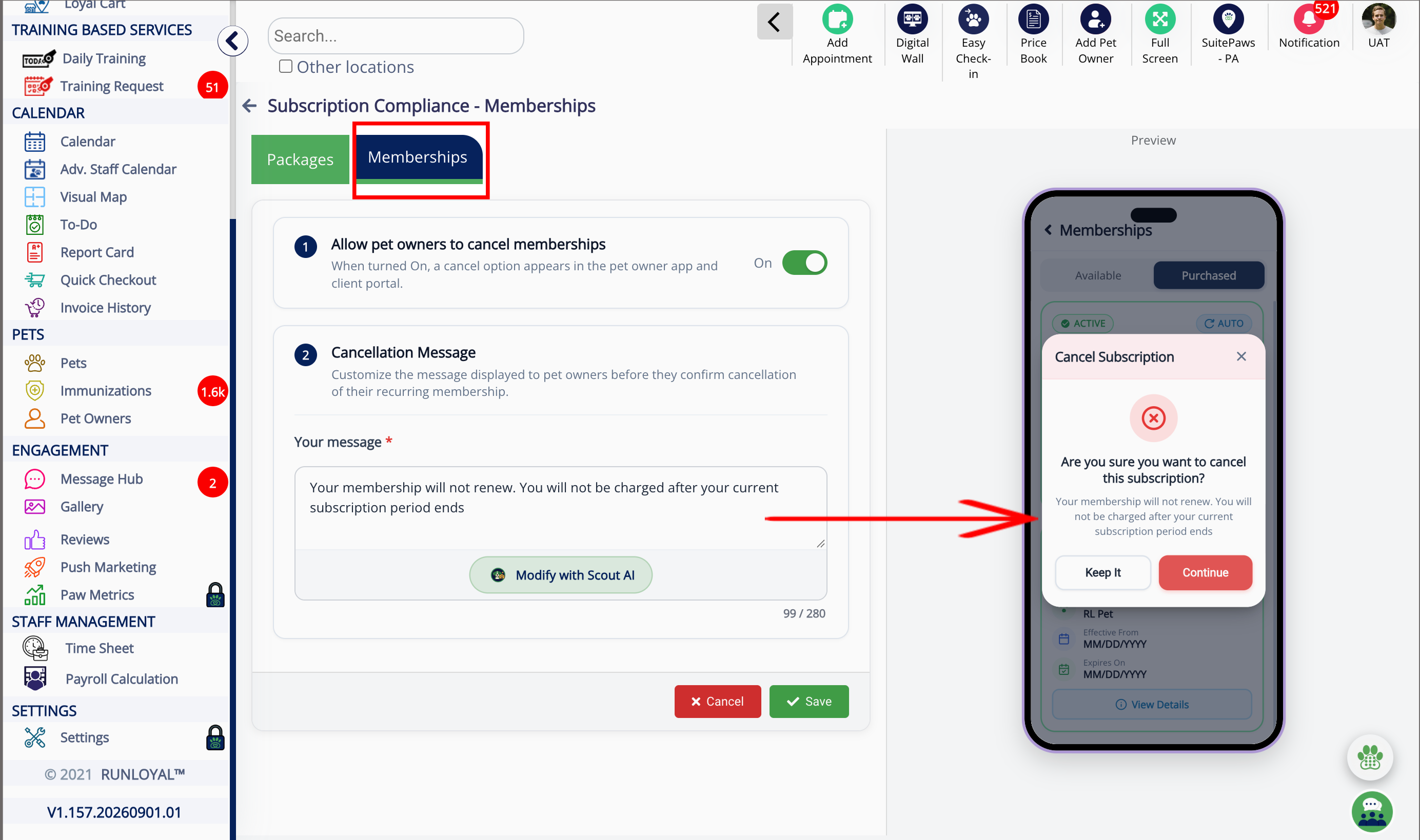
10. Confirm Cancellation
More Information
For more information on enrolling a Pet Owner in a membership, please refer to this article: Enrolling a Pet Owner in a Membership
Was this article helpful?
That’s Great!
Thank you for your feedback
Sorry! We couldn't be helpful
Thank you for your feedback
Feedback sent
We appreciate your effort and will try to fix the article