Overview
RunLoyal now supports Zapier integration, enabling seamless automation between RunLoyal and third-party applications. This is especially useful for CRM integrations such as HubSpot, GoHighLevel, Keap, and similar tools as well as QuickBooks for automating invoice and payment data synchronization.
What's Included
The following Zapier triggers:
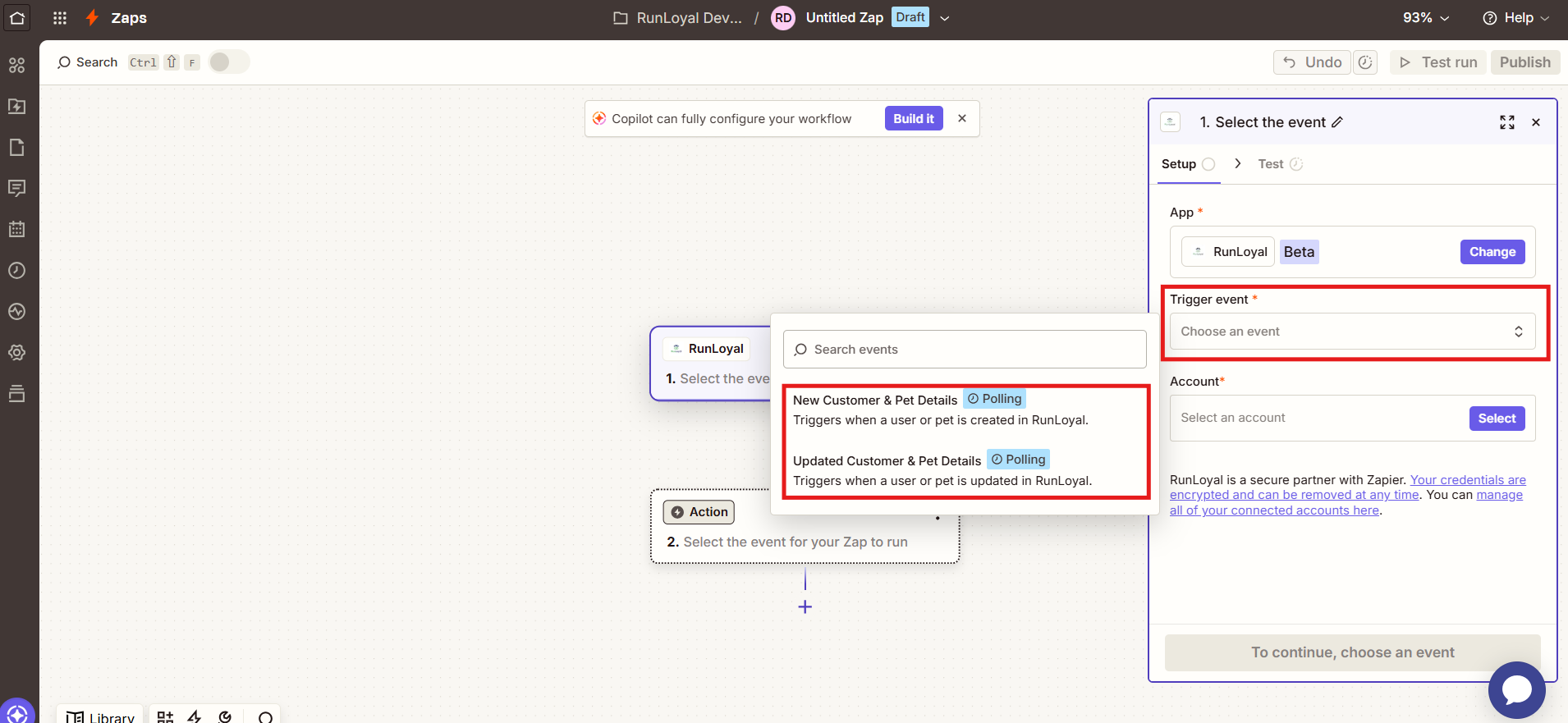
- New Customer & Pet Details
- Updated Customer & Pet Details
- Invoice Paid
Data that can be pushed from RunLoyal to Zapier
New / Updated Customer & Pet Details
- Pet Owner: Email, Phone, First Name, Last Name, Address, Home Location, Multi Pet
- Pet: Name, Date of Birth
- Appointment: Appointment Count, Last Visit Date
- Membership: Membership Status, Current Membership, Last Membership Check-in Date, Frequency, Membership Expiration Date
Invoice Paid
- Customer: First Name, Last Name, Email, Mobile Number, Customer Reference, Address Line 1, City, State, Zip Code
- Invoice: Invoice Number, Status, Invoice Date, Due Date, Start Date, End Date, Item Total, Tax Amount, Total Amount
- Payment: Paid On, Payment Mode, Payment Type, Payment Reference
- Line Items: Name, Item Code, Type, Quantity, Unit Amount, Total, Tax Amount
TABLE OF CONTENTS
RunLoyal and Zapier Subcription
- Kennel owners must have an active RunLoyal add-on subscription to use the Zapier integration. Please contact PuppyLove at puppylove@runloyal.com to enable the add-on.
- Kennel owners must also have an active Zapier subscription. RunLoyal will assist with setting up and managing the Zapier account. Zapier subscription fees are billed directly by Zapier based on the customer's selected plan and usage.
How to configure RunLoyal in Zapier
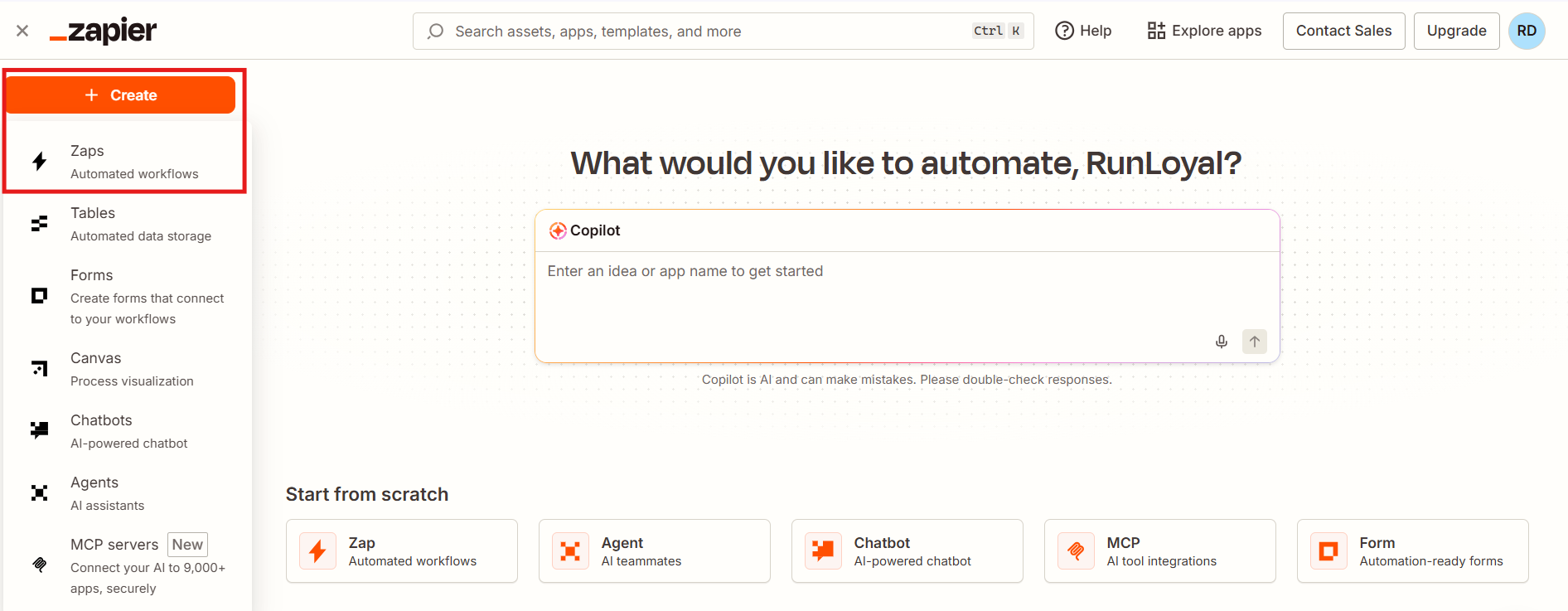
1. Log in to your Zapier account and click Create Zap.
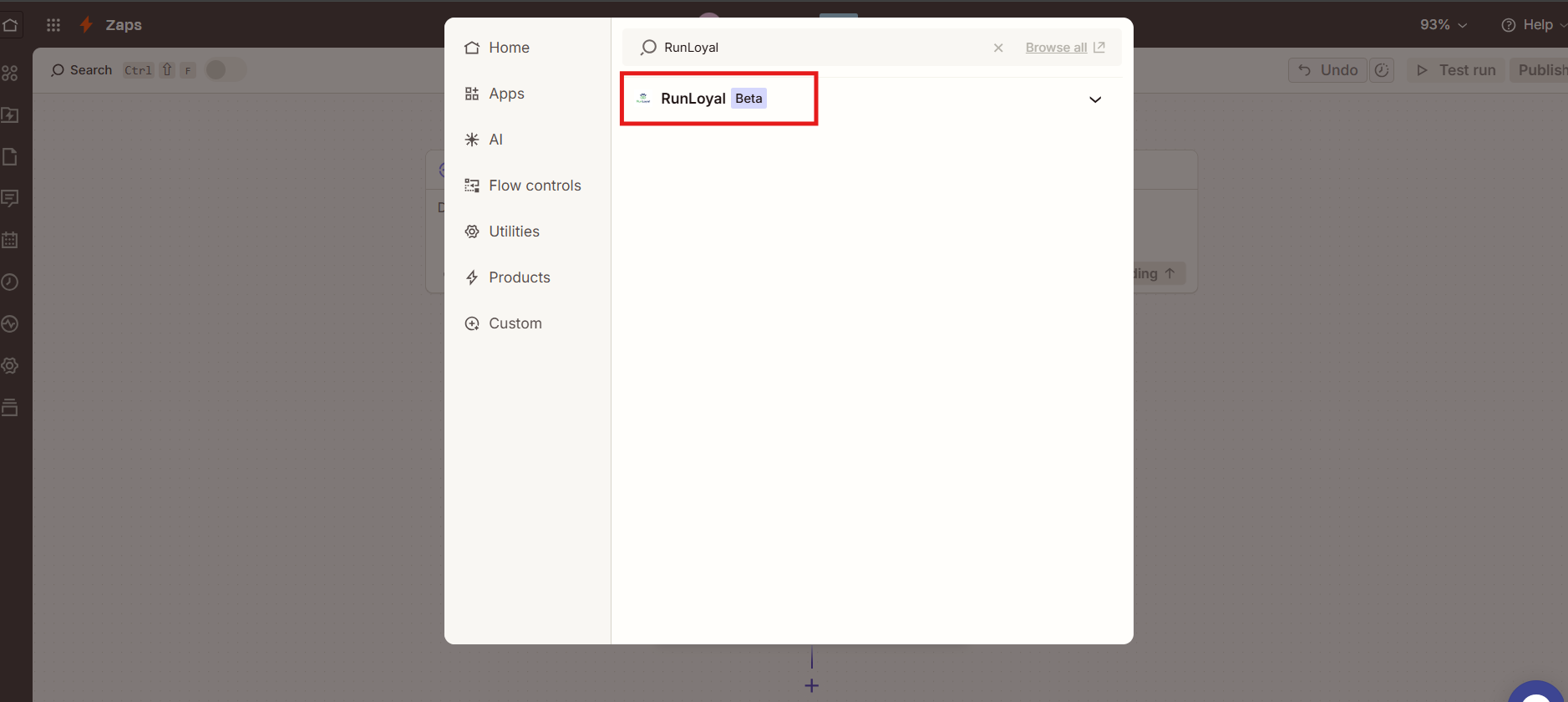
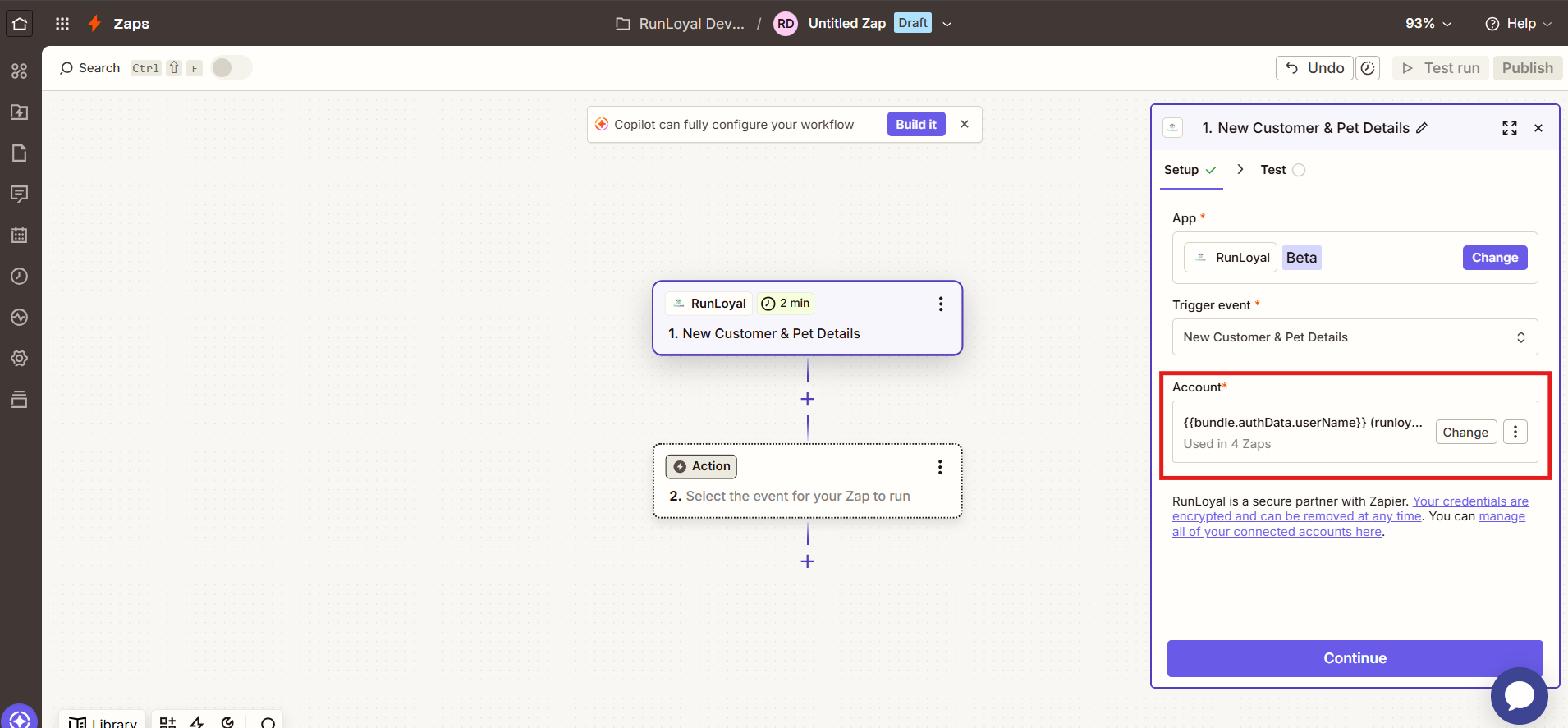
2. In the Trigger section, search for and select RunLoyal.
3. Under Trigger Event, select the trigger you want to use.
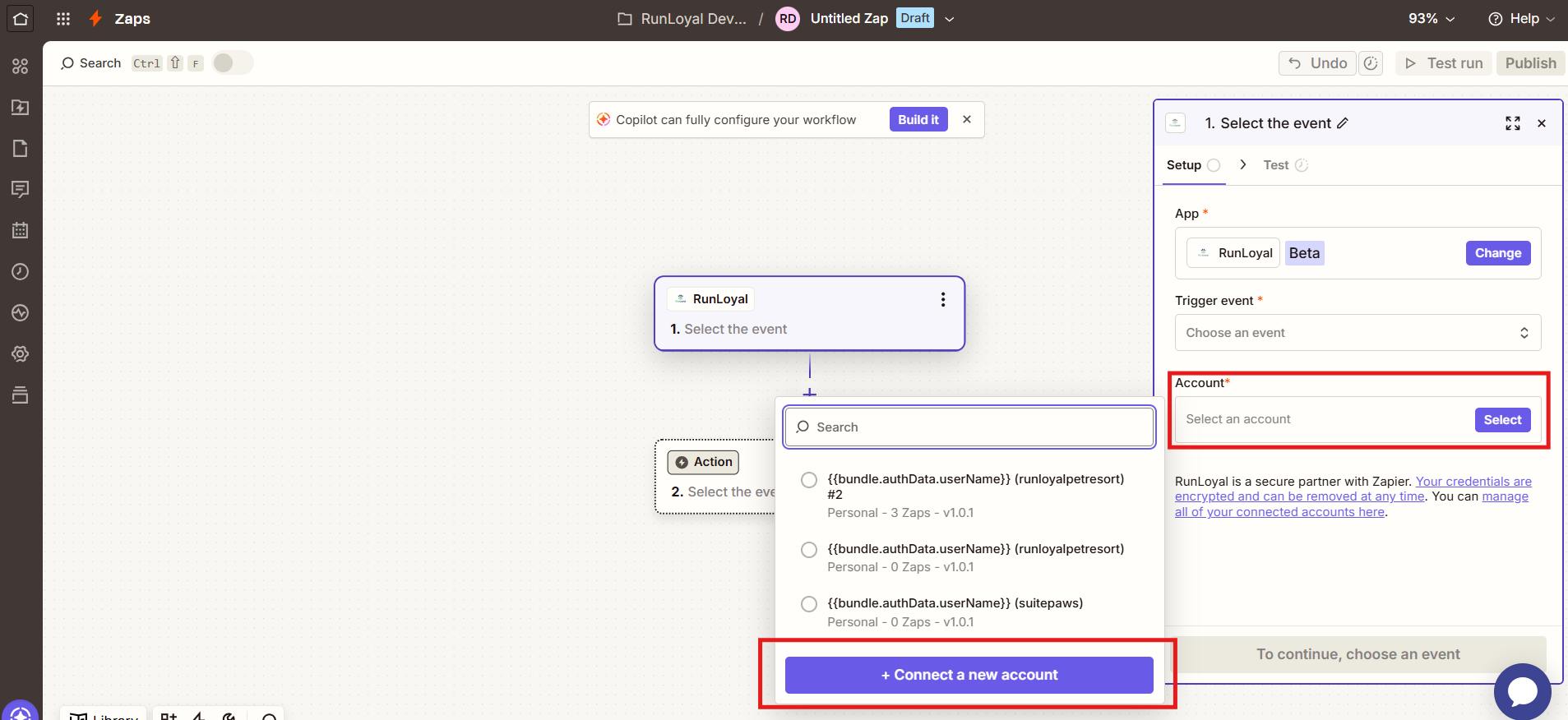
4. In the Account section, click Sign in and add your account by selecting Connect a new account.
5. In the login window that pops up, enter the email address and password you use to log into your RunLoyal Business Portal, then enter your RunLoyal Key.
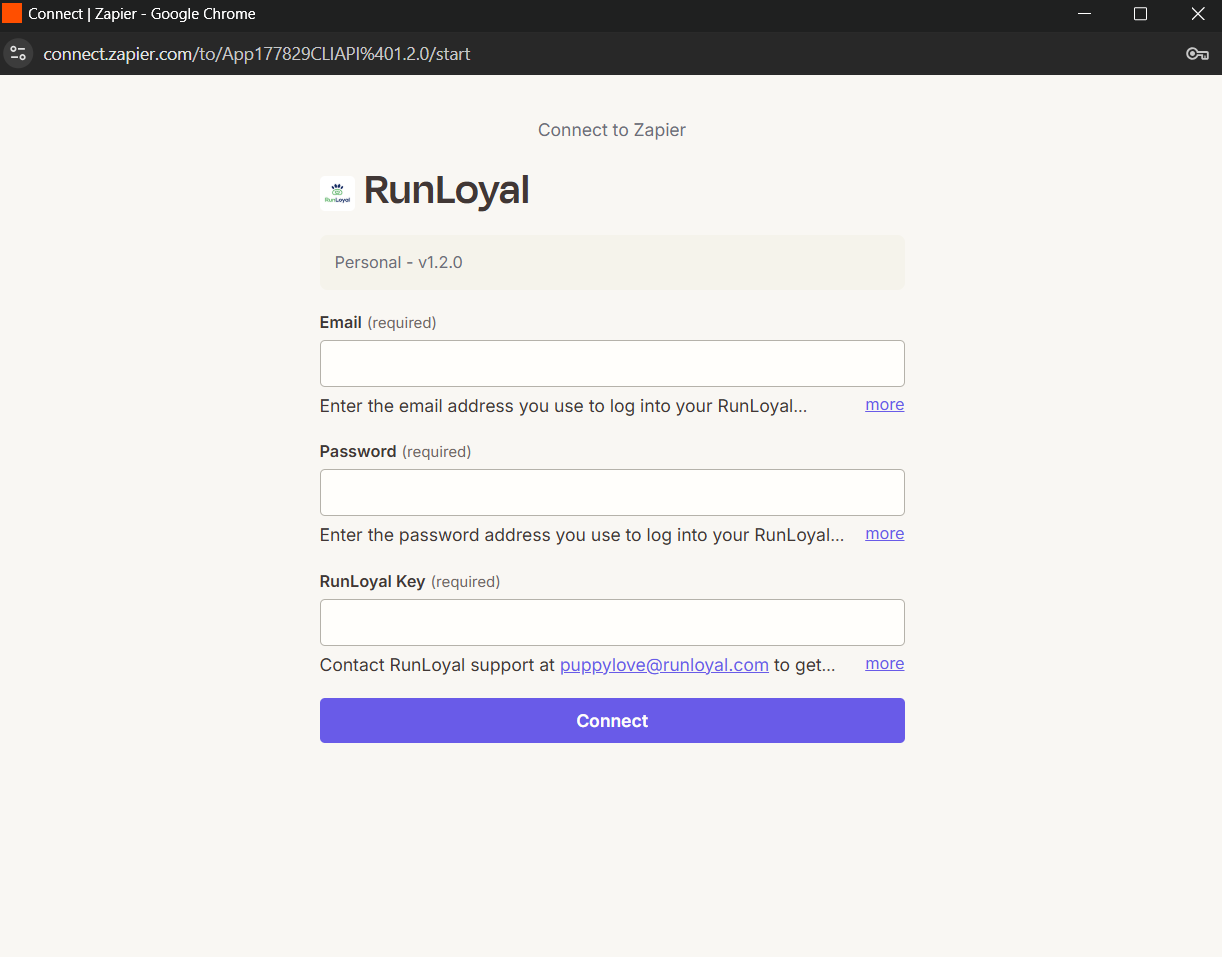
6. Your RunLoyal account is now configured successfully.
Was this article helpful?
That’s Great!
Thank you for your feedback
Sorry! We couldn't be helpful
Thank you for your feedback
Feedback sent
We appreciate your effort and will try to fix the article