Overview:
This section explains how to assign a Service Profile directly from a pet’s profile. By completing a Service Profile, staff can capture and store important, service-specific information that will be visible for future reference.
Assigning a Service Profile to a Pet (From the Pet Profile):
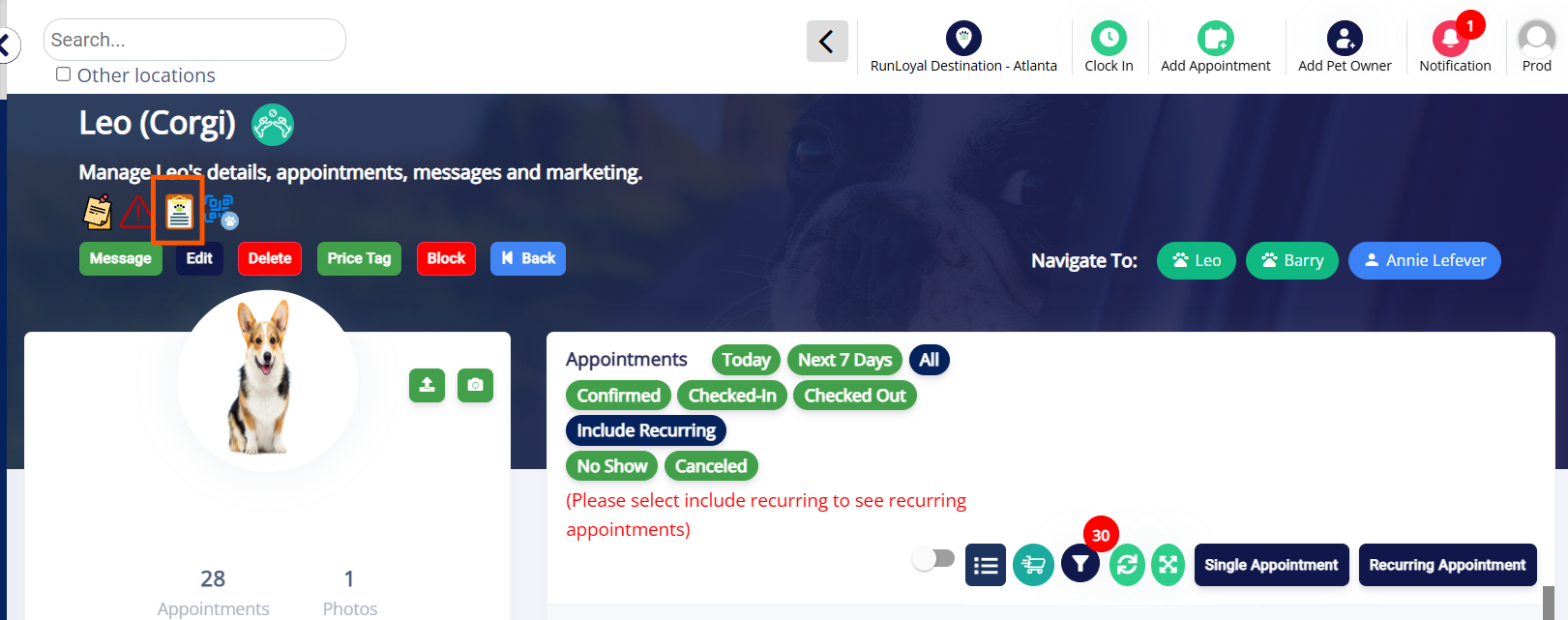
1. Navigate to a Pet Profile and click on the icon for Service Profile as shown below
2. Select Service Profile and click Add.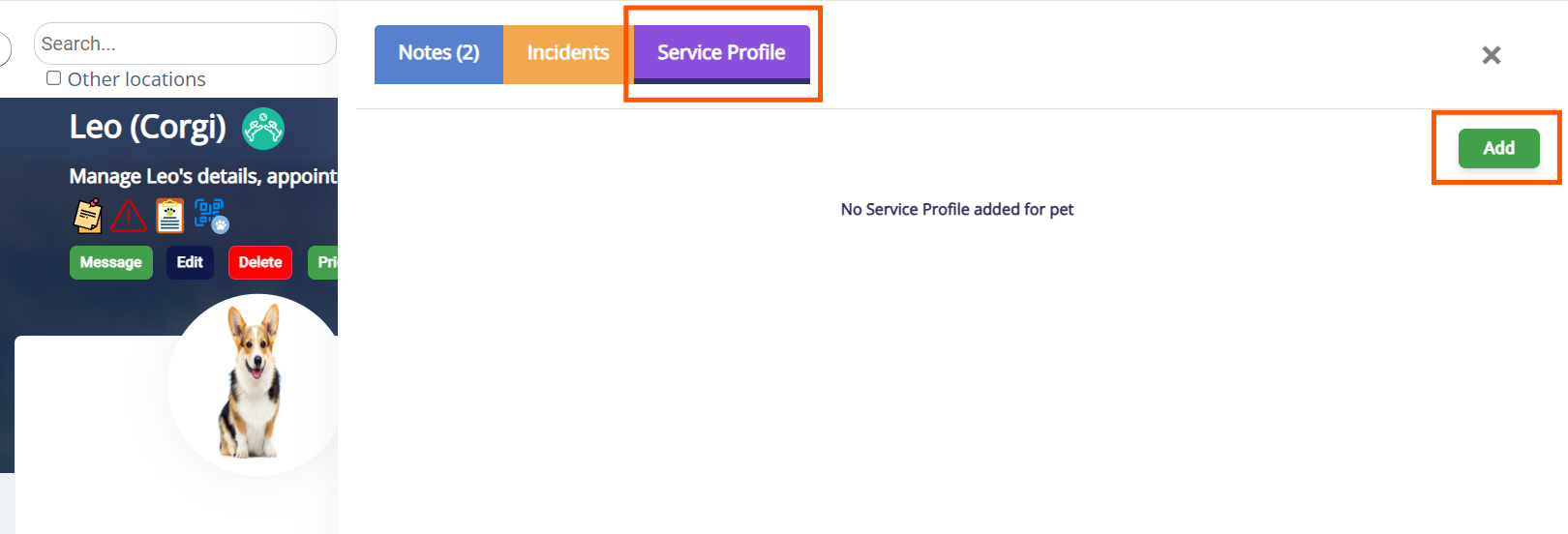
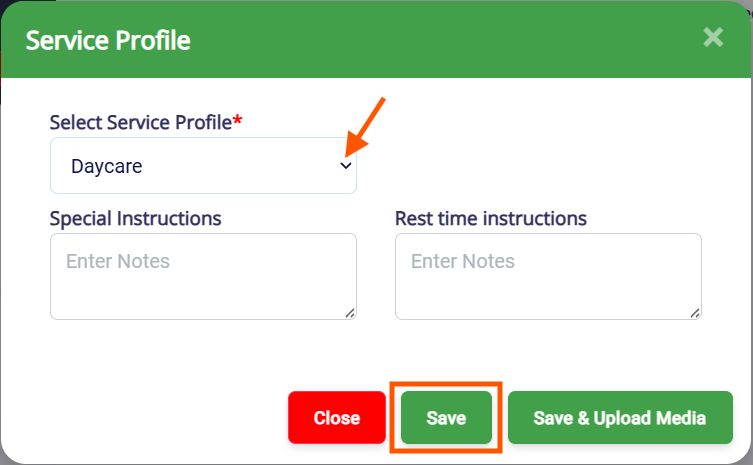
3. Choose the desired Service Profile, fill in the required fields and upload media if necessary. Click Save to update the Service Profile notes.
Was this article helpful?
That’s Great!
Thank you for your feedback
Sorry! We couldn't be helpful
Thank you for your feedback
Feedback sent
We appreciate your effort and will try to fix the article