Overview:
This section outlines how to assign a Service Profile to a pet directly from the Advanced Staff Calendar. Adding a Service Profile from an appointment allows staff to quickly document and access service-specific details tied to that scheduled visit.
Assigning a Service Profile to a Pet (From the Calendar):
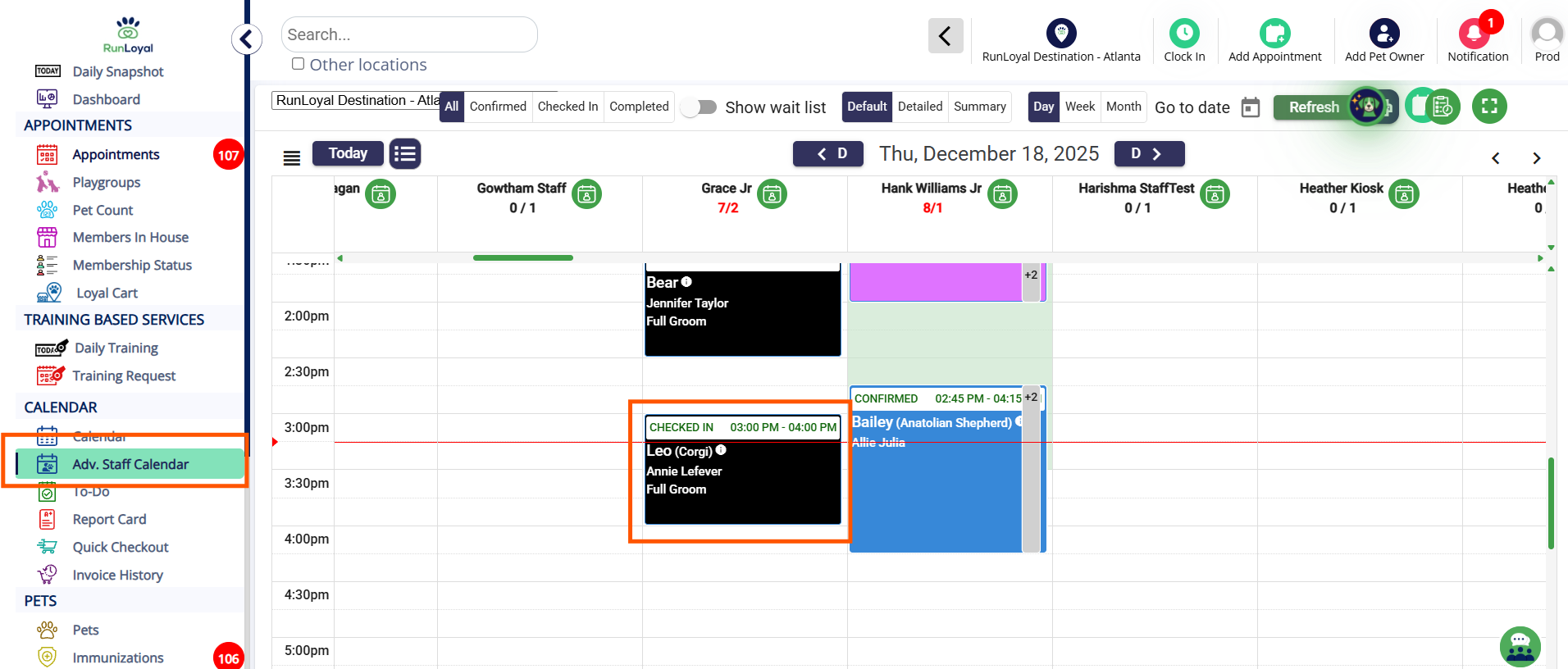
1. Navigate to the Advanced Staff Calendar module and select the pet’s appointment.
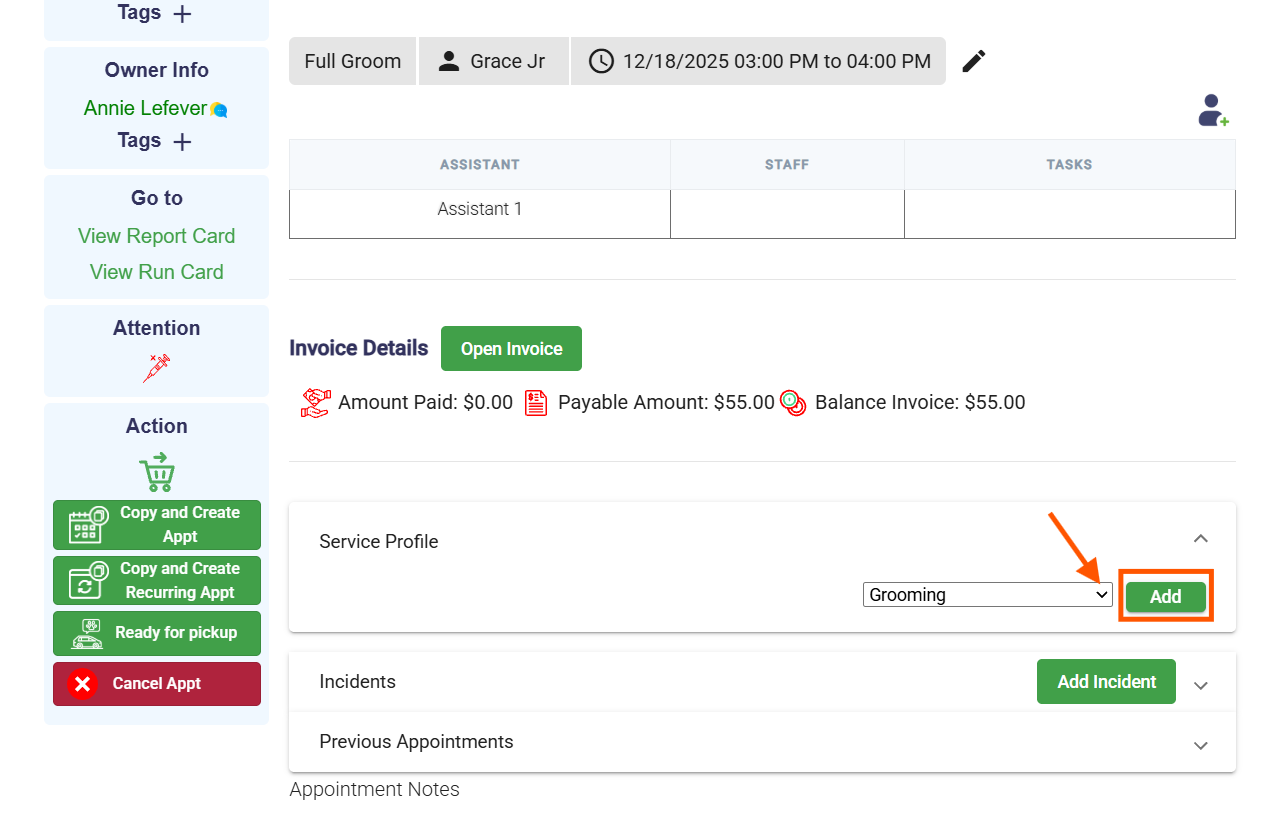
2. Click on Service Profile, choose the profile, and click Add.
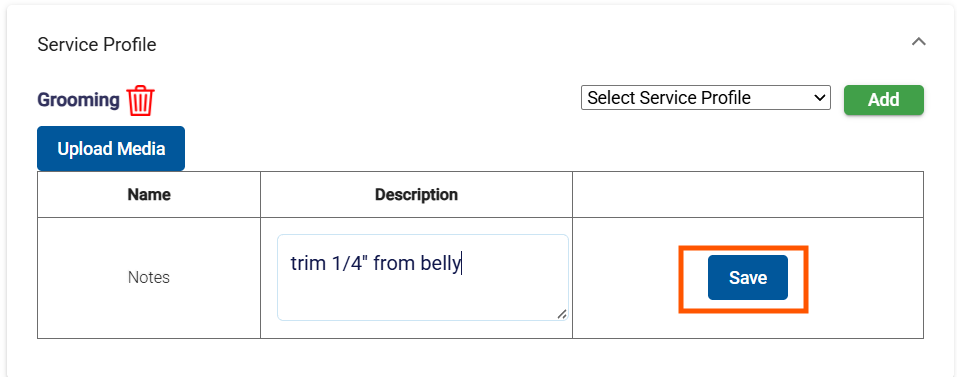
3. Enter the field details for the profile. Click Save.
Was this article helpful?
That’s Great!
Thank you for your feedback
Sorry! We couldn't be helpful
Thank you for your feedback
Feedback sent
We appreciate your effort and will try to fix the article