Overview
The Client Portal is a non-mobile, web-based customer interface designed to deliver a seamless booking and account management experience without requiring users to download an app.
It combines the functionality of the Pet Owner App and the traditional Weblink, offering an enhanced user interface and improved overall experience. The portal mirrors the clean, intuitive layout of the RunLoyal mobile app while being optimized for web access.
Through the Client Portal, customers can:
- Make bookings
- Edit personal and pet information
- Purchase packages, memberships and training services
- View past and upcoming appointments
Client Portal can be viewed in the following areas:
- The Client Portal link can be accessed and configured from:
Settings → Promotions → WebLink → ClientPortal Link
Additionally, the portal can be accessed via:
Login Link (Existing Users):
https://tenantName.runloyal.com/booking/#/login
- Booking Link (New or Guest Users):
https://tenantName.runloyal.com/booking
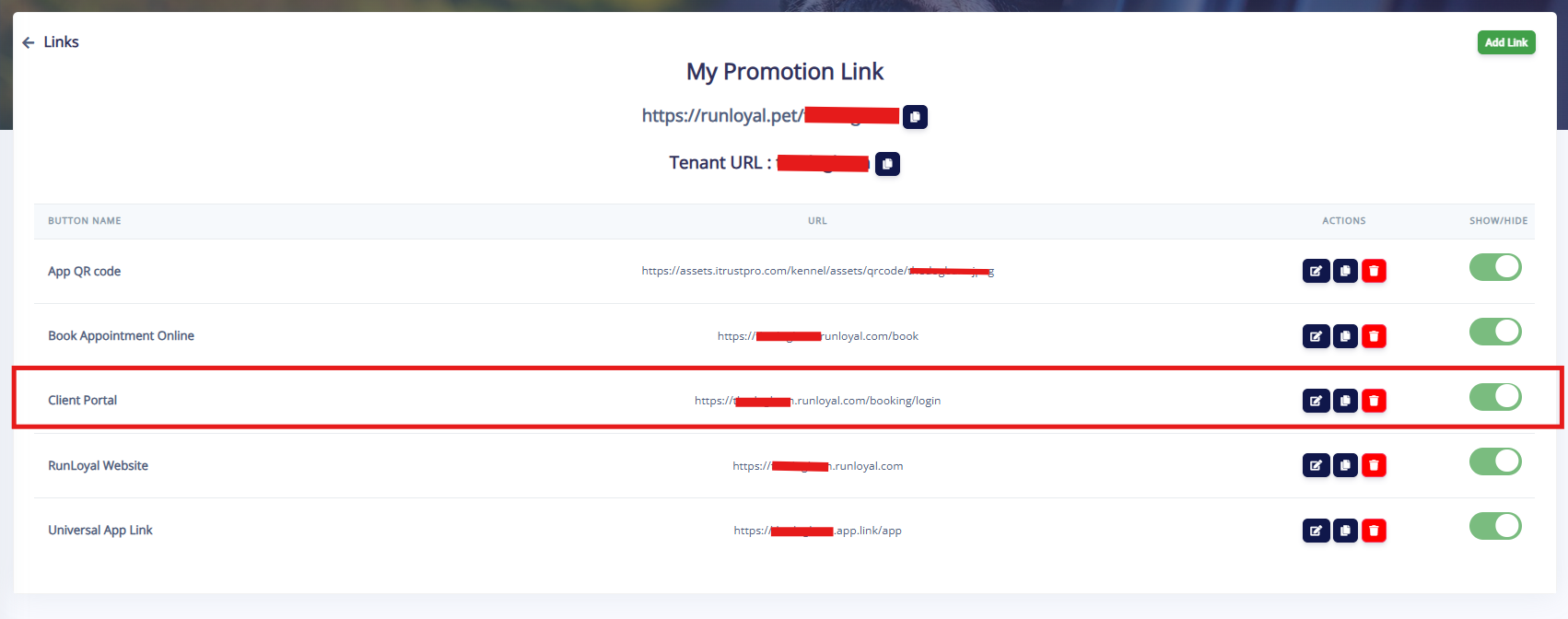
TABLE OF CONTENTS
Usage / Actions
1. Accessing the Client Portal
Website Booking Link
The website booking link enables customers to access the Client Portal via a browser.
It is intended for web-based bookings on both mobile and web browsers.
Customers can:
Browse services
Select dates
Proceed through a guided booking workflow
After selecting services, users are prompted to:
Sign in (existing users)
Sign up (new users)
If your business does not have a website, a customized booking link can be created and shared directly with customers.
Universal App Link
The universal app link adapts based on the customer’s device:
On Desktop / Laptop:
Redirects to the Client Portal (web experience)On Mobile Devices:
Redirects to the Apple App Store for downloading the mobile app
This ensures a consistent and optimized experience across devices.
2. Key Functional Capabilities
Within the Client Portal, customers can:
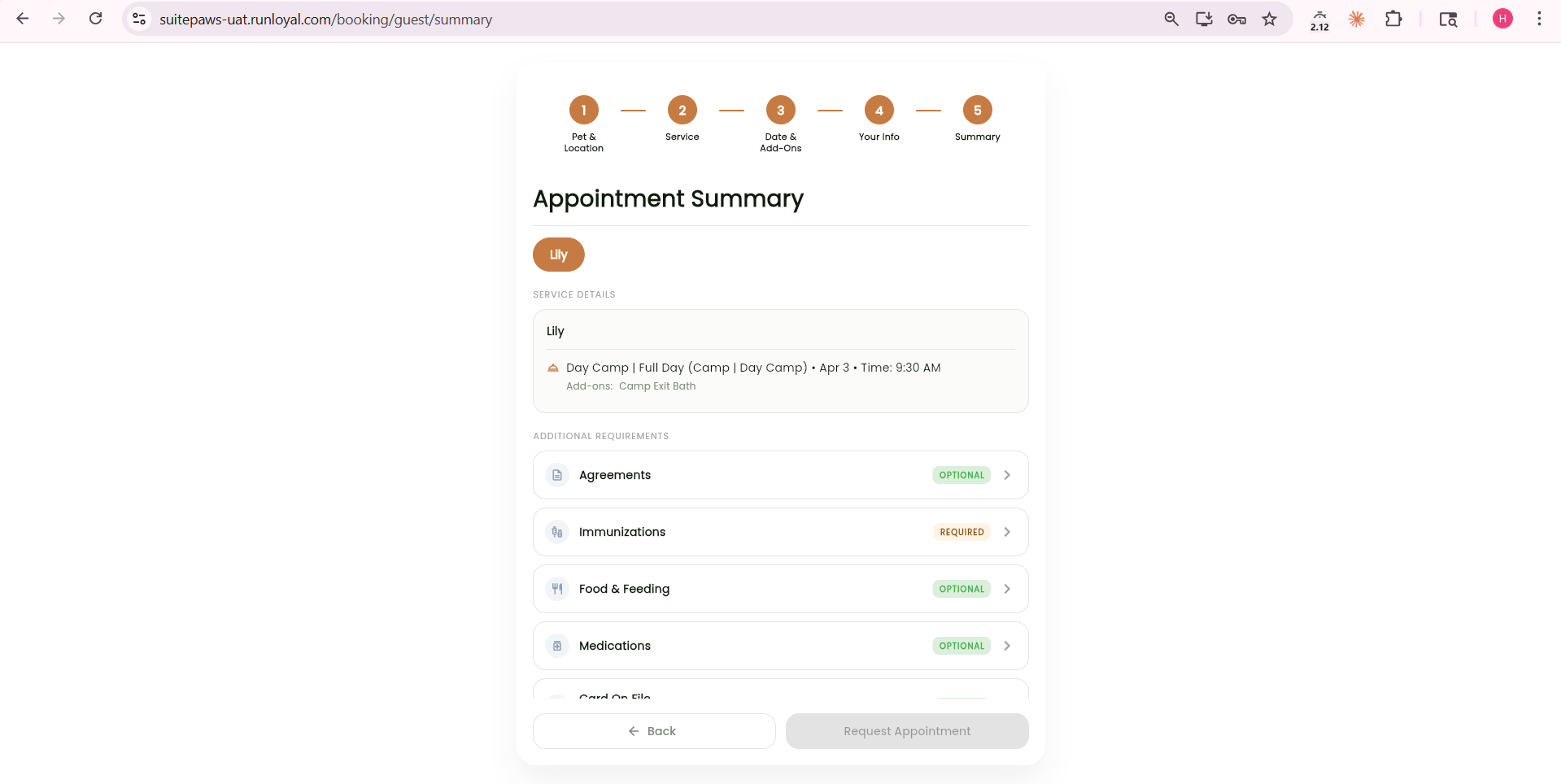
Book Services
Select services, dates, and complete bookings through a guided workflow
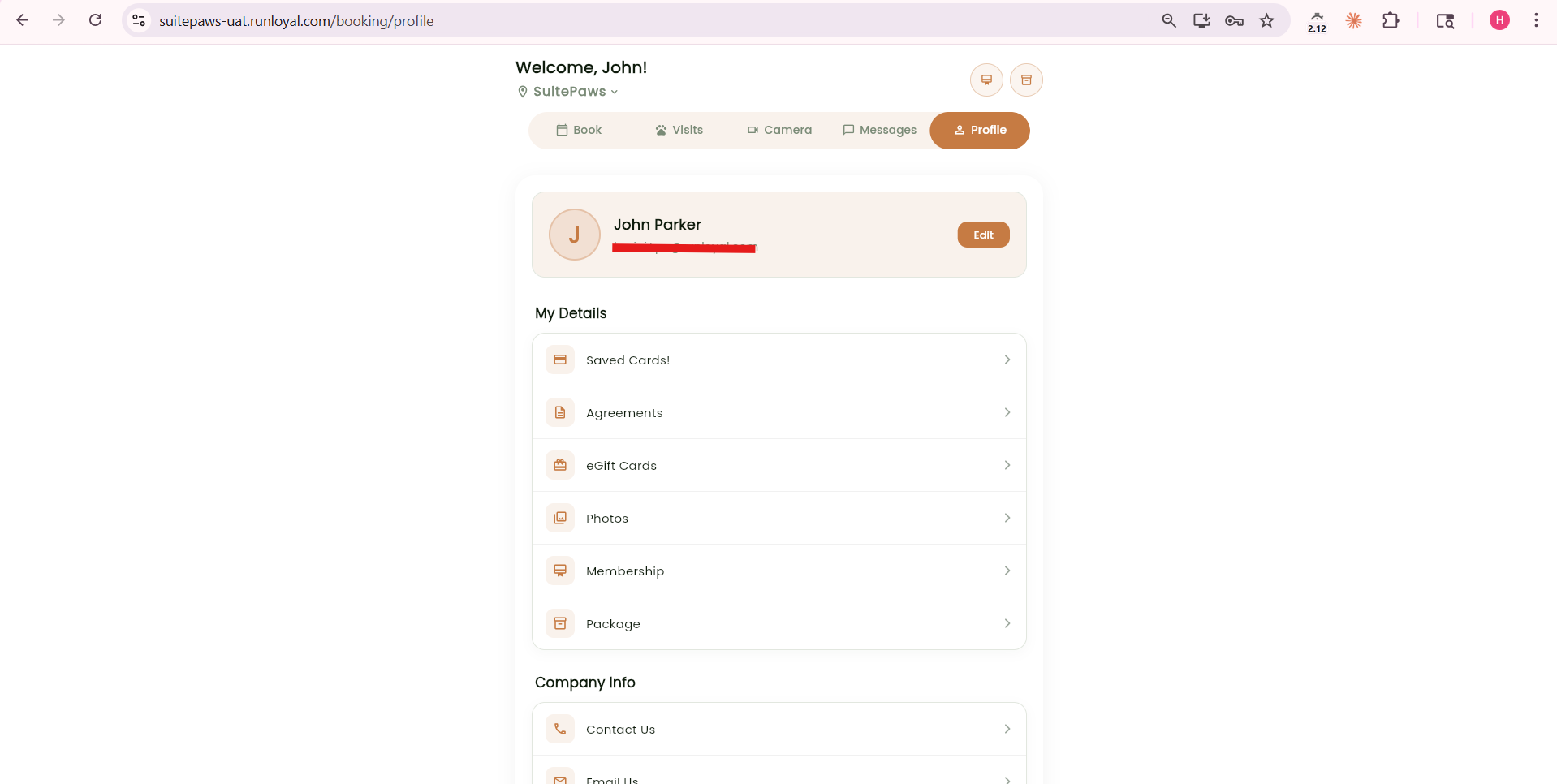
Manage Profile Information
Update personal details, pet information, and preferences
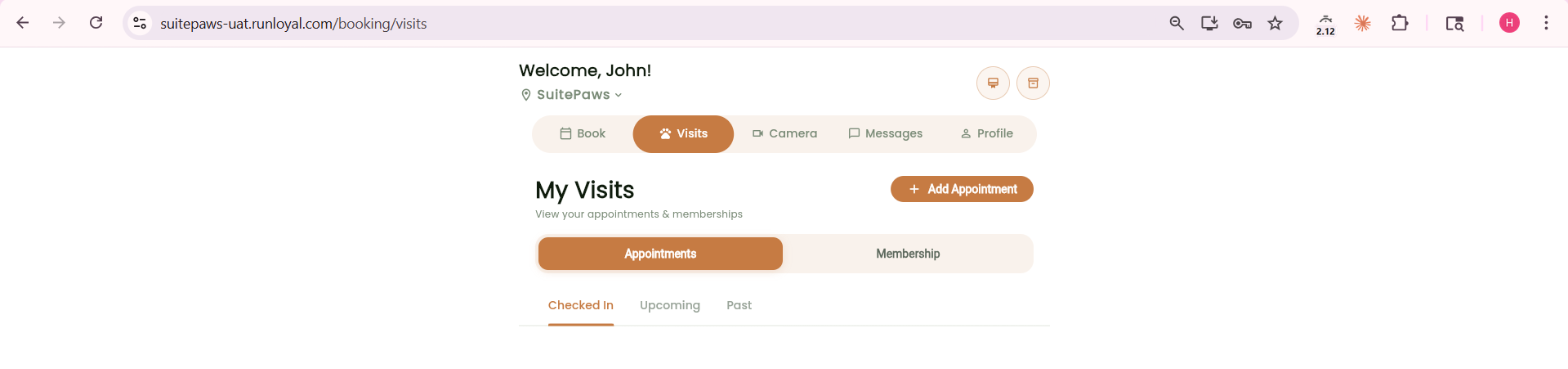
View Appointments
Access past and upcoming bookings
Purchase Packages & Memberships
Browse and buy available plans

Self-Service Experience
Complete actions independently without staff assistance
3. Guest to User Conversion Flow
Customers can begin booking as guests
Before completing the booking, they are prompted to:
Log in (existing account)
Register (new account)
This ensures proper account linkage for all bookings.
Direct URL Configurations
The Client Portal supports direct URL customization for specific use cases.
Reservation Service
URL format:
https://tenantName.runloyal.com/booking/reservation/reservationIdReplace:
tenantName with your tenant name
reservationId with the service ID
Membership Purchase
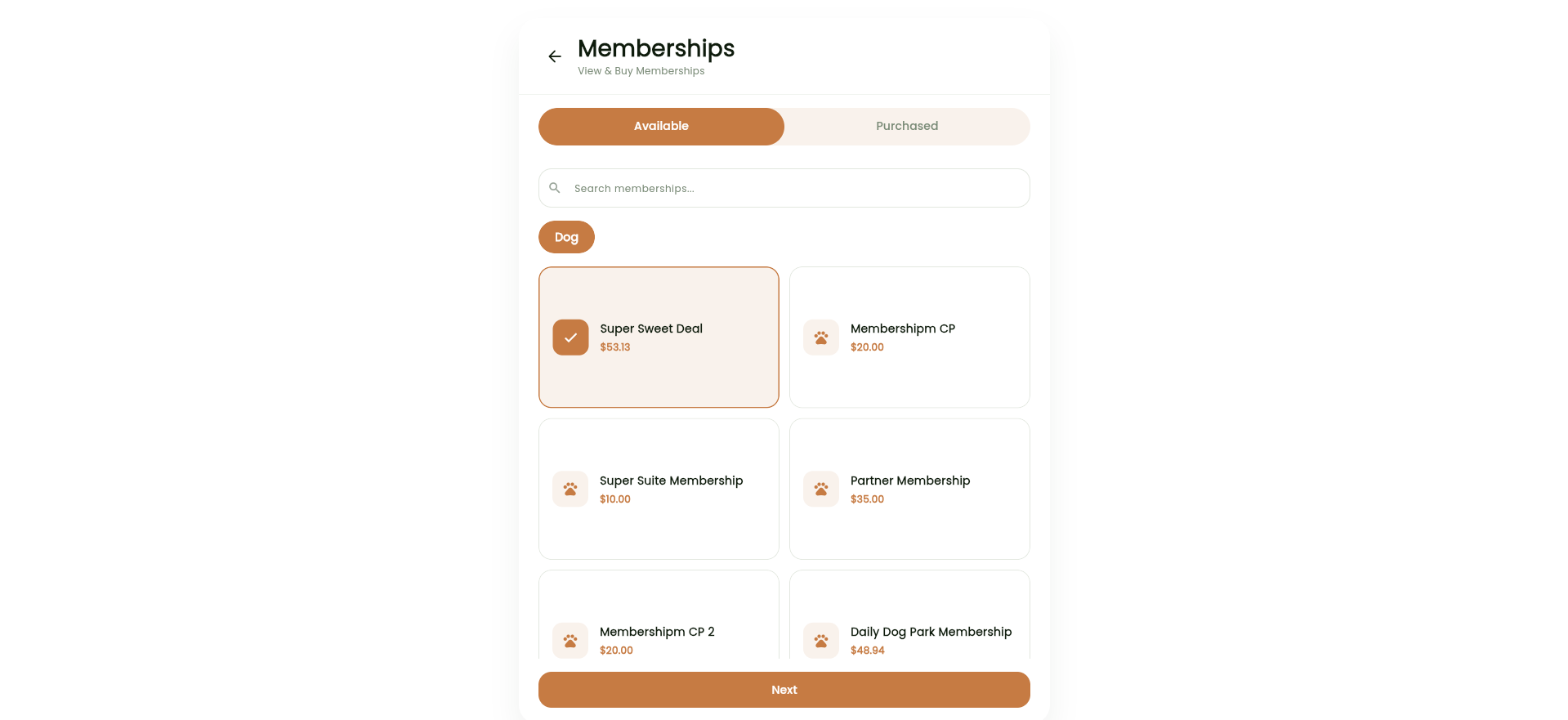
Default URL:
https://tenantName.runloyal.com/booking/membershipSpecific membership:
https://tenantName.runloyal.com/booking/membership/membershipId
Package Purchase
Default URL:
https://tenantName.runloyal.com/booking/packageSpecific package:
https://tenantName.runloyal.com/booking/package/packageId
Multi-Location Access
URL format:
https://tenantName.runloyal.com/booking/login/location/locationId
Signup link
URL format:
https://tenantName.runloyal.com/booking/signup
Invite link
URL format:
https://tenantName.runloyal.com/booking/invite
Invite code auto check link
URL format:
https://tenantName.runloyal.com/booking/invite/InviteCode
Group basedTraining
URL format:
https://tenantName.runloyal.com/booking/training
Group based training link for specific training classes
URL format:
https://tenantName.runloyal.com/booking/training/trainingId
More Information
The Client Portal is an enhanced version of the traditional weblink, offering a modern and intuitive interface.
It provides a consistent experience aligned with the RunLoyal mobile app, ensuring familiarity across platforms.
Ideal for customers who:
Prefer browser-based access
Do not want to install a mobile app
Was this article helpful?
That’s Great!
Thank you for your feedback
Sorry! We couldn't be helpful
Thank you for your feedback
Feedback sent
We appreciate your effort and will try to fix the article