Overview
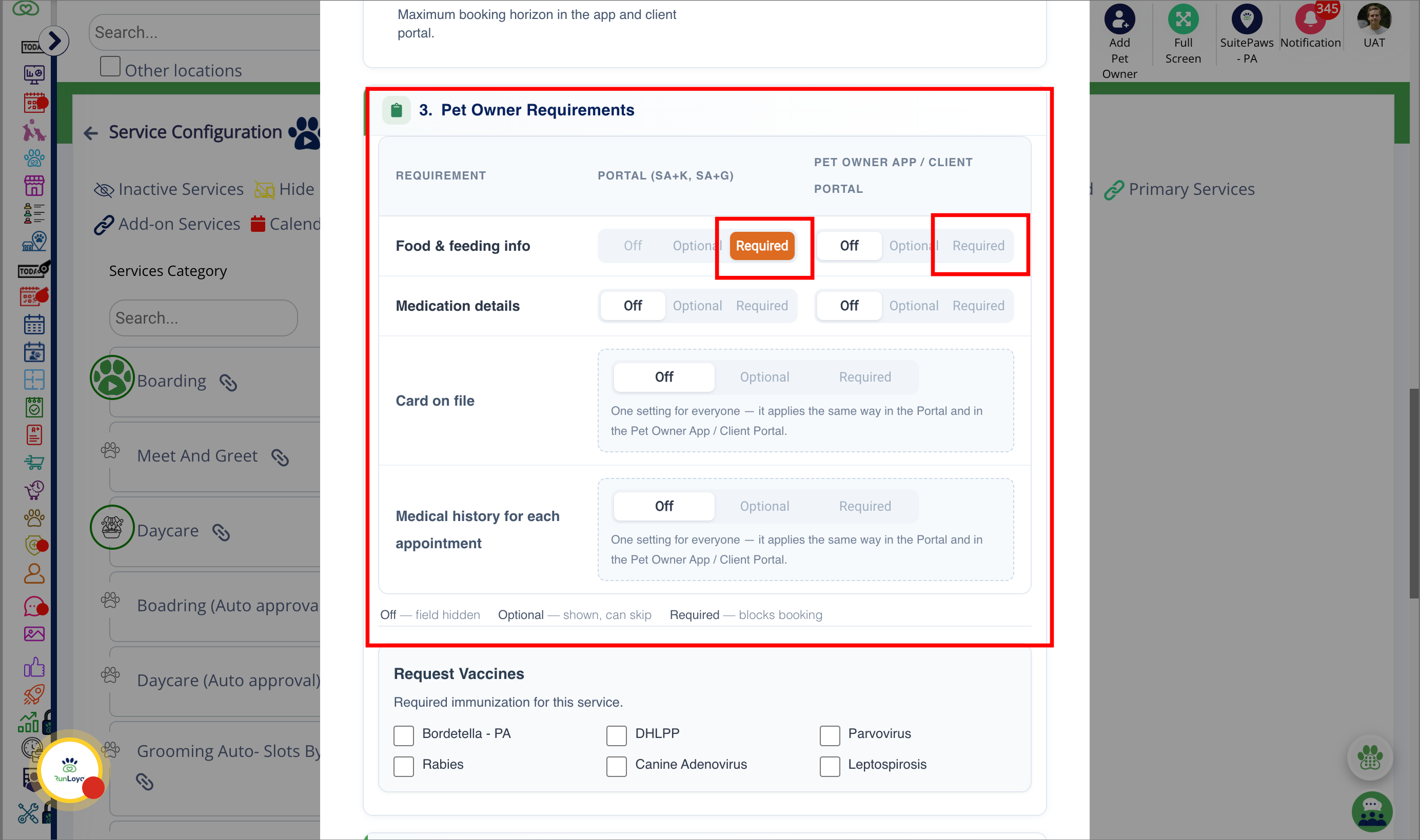
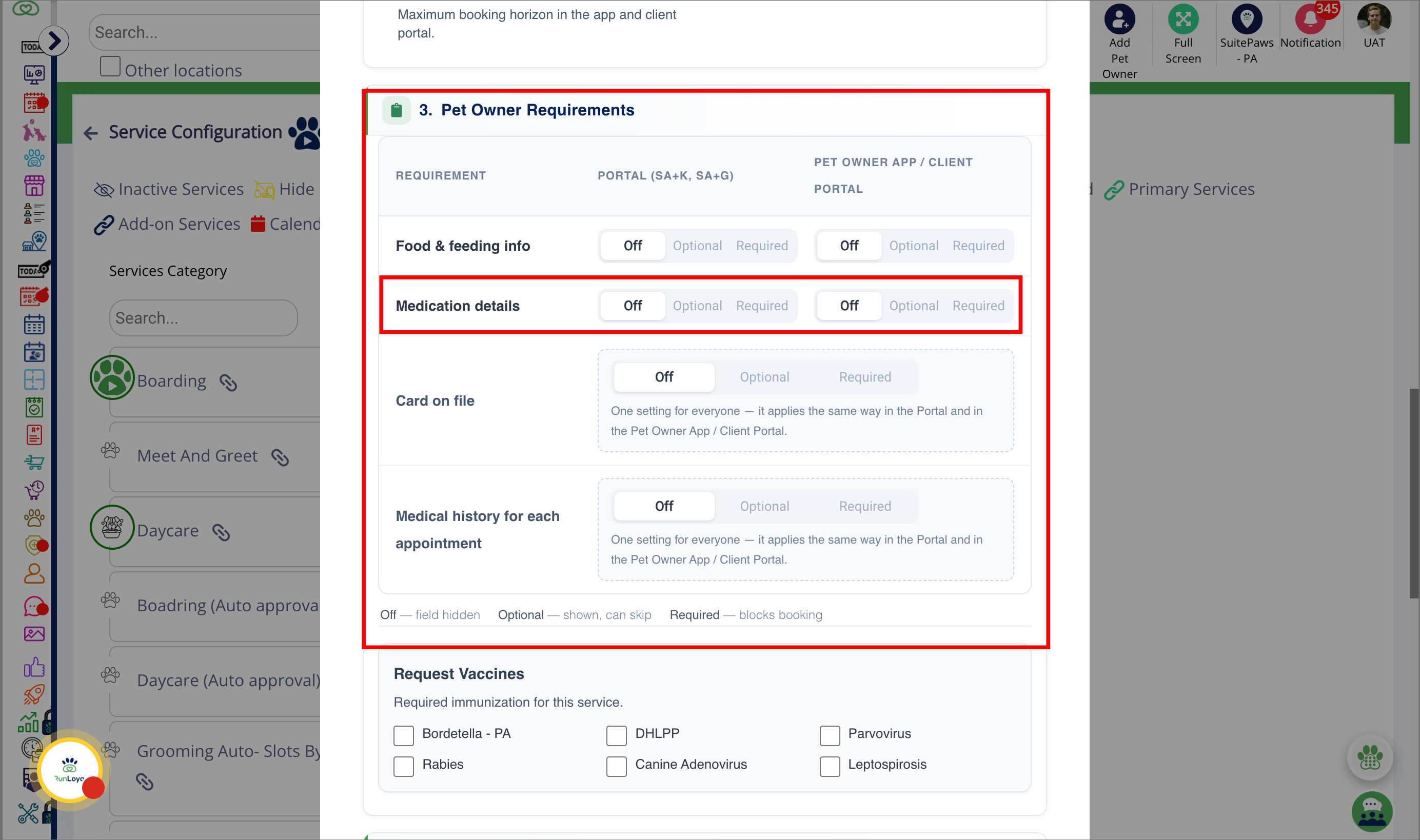
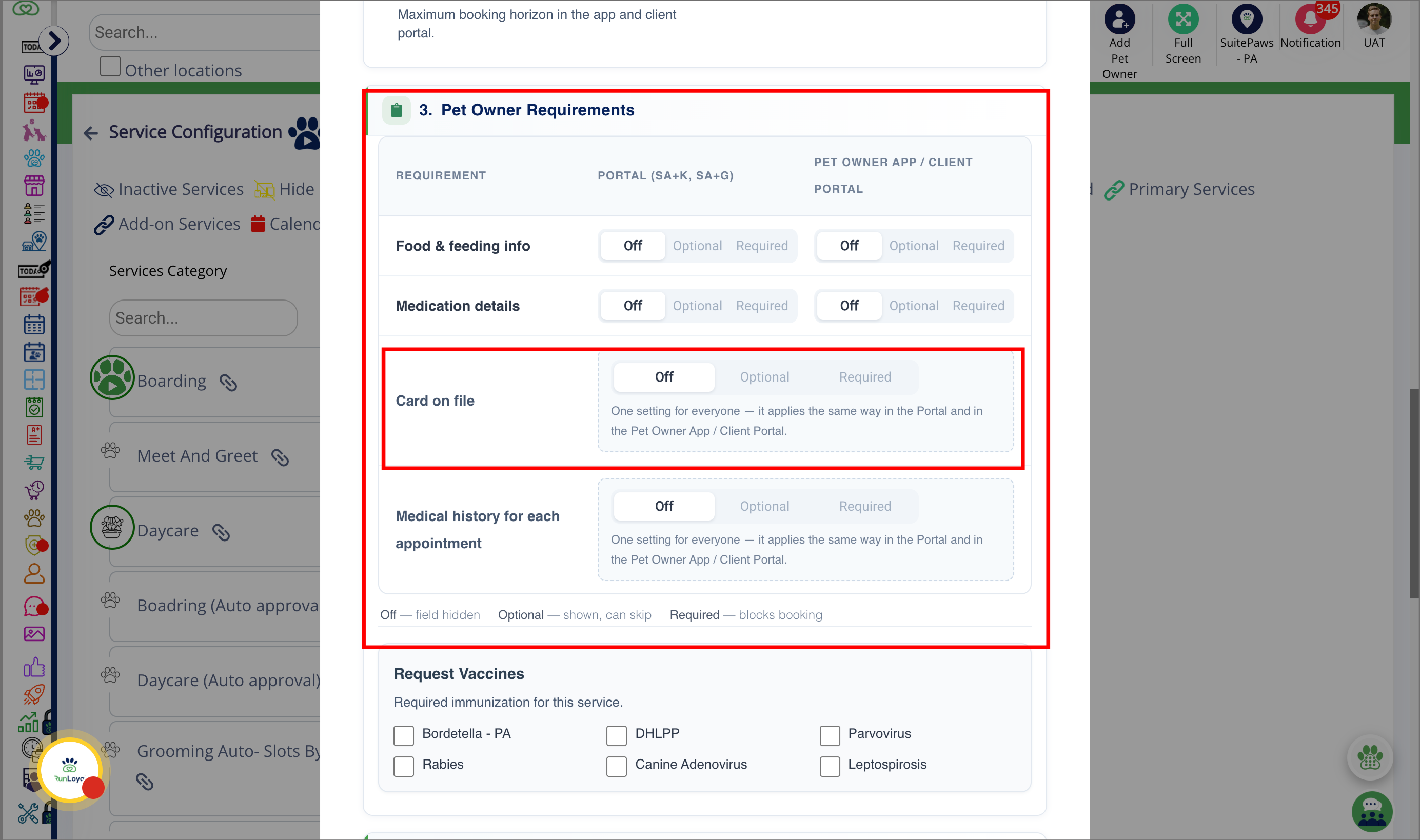
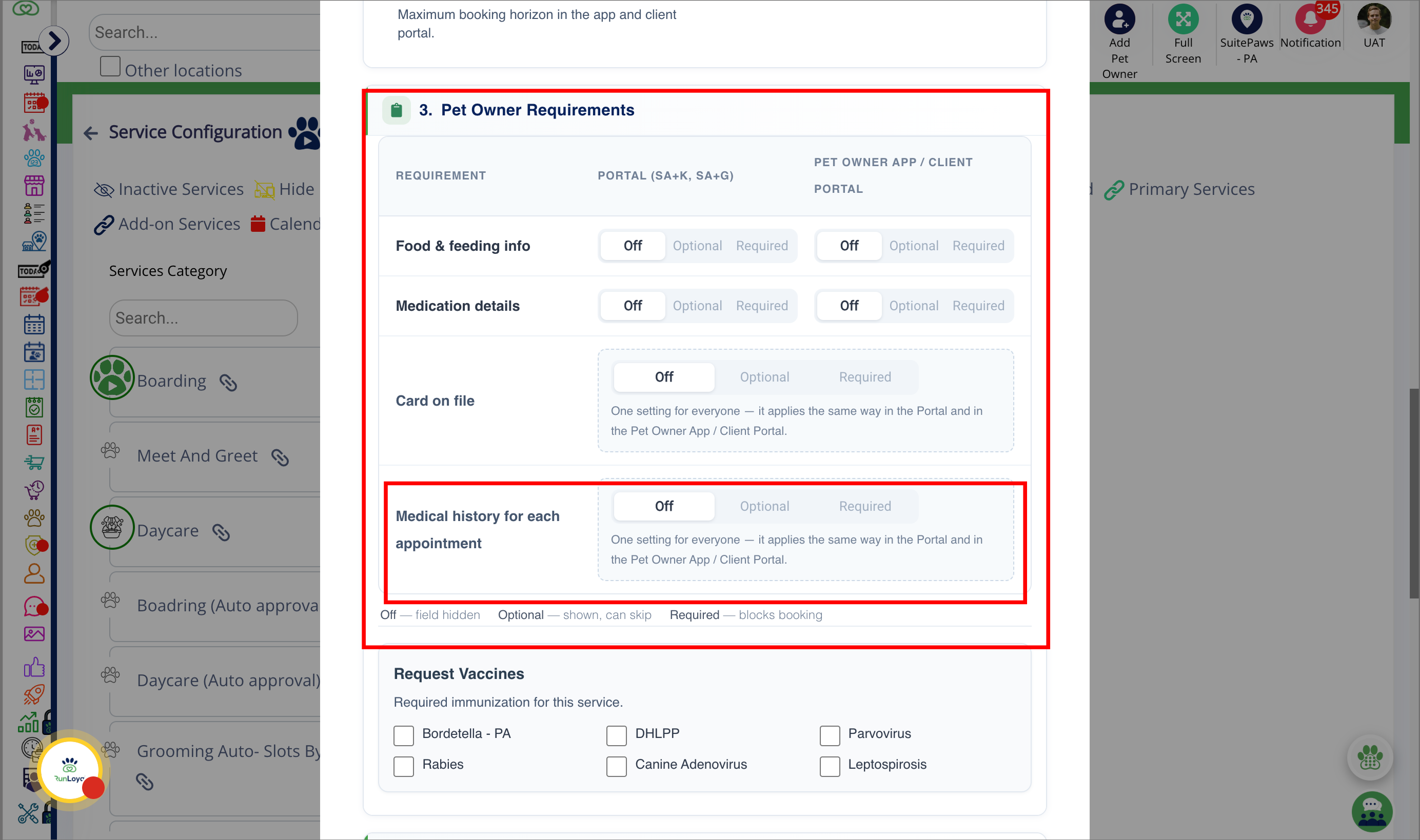
Pet Owner Requirements settings now allow businesses to control Food & Feeding, Medication Details, Card on File and Medical History independently for the Business Portal and the Pet Owner App/Client Portal. Businesses can choose whether each requirement is Off, Optional or Required separately for each portal.
TABLE OF CONTENTS
Applicable Users
- Business Owner / Kennel Owner
- General Manager / Location Manager
- Operations Manager
- Front Desk / Receptionist
- Service Manager
Requirements
Open your portal using Google Chrome. All settings-related updates must be done on a desktop or laptop.
Portal Path
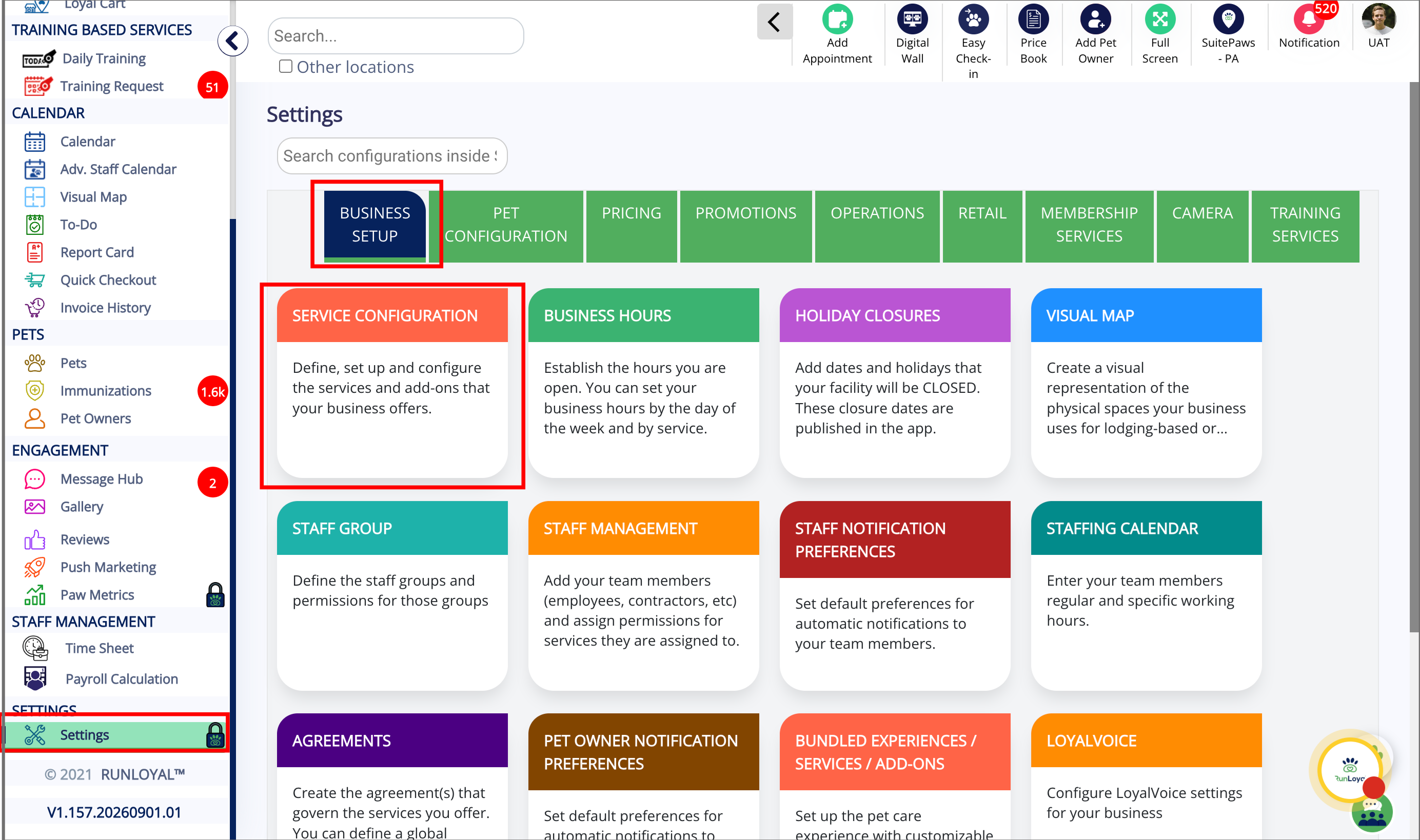
- Settings > Business Setup > Service Configuration > Services Category
Pet Owner Requirements
1. Open Service Configuration
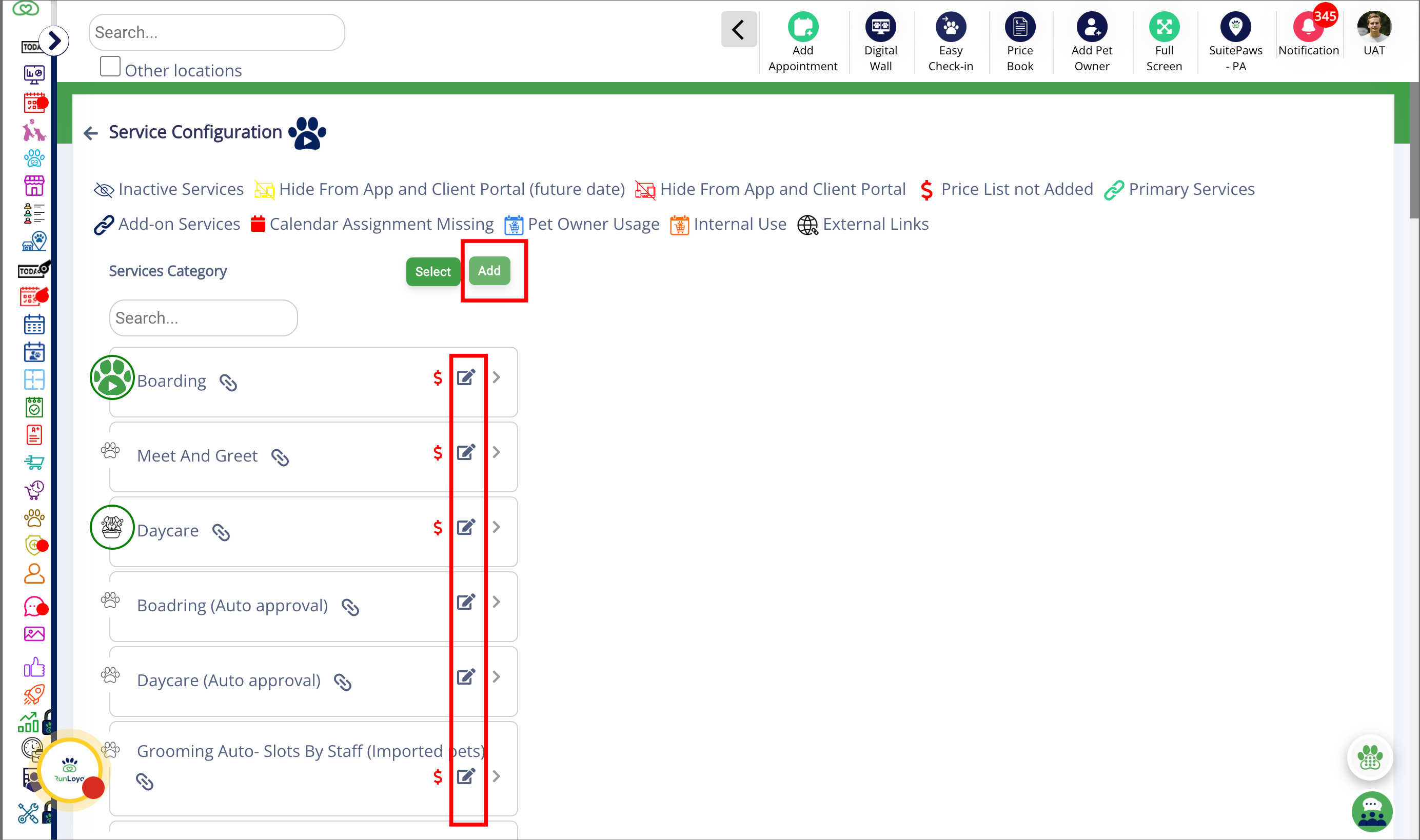
2. Add or Edit Services Category
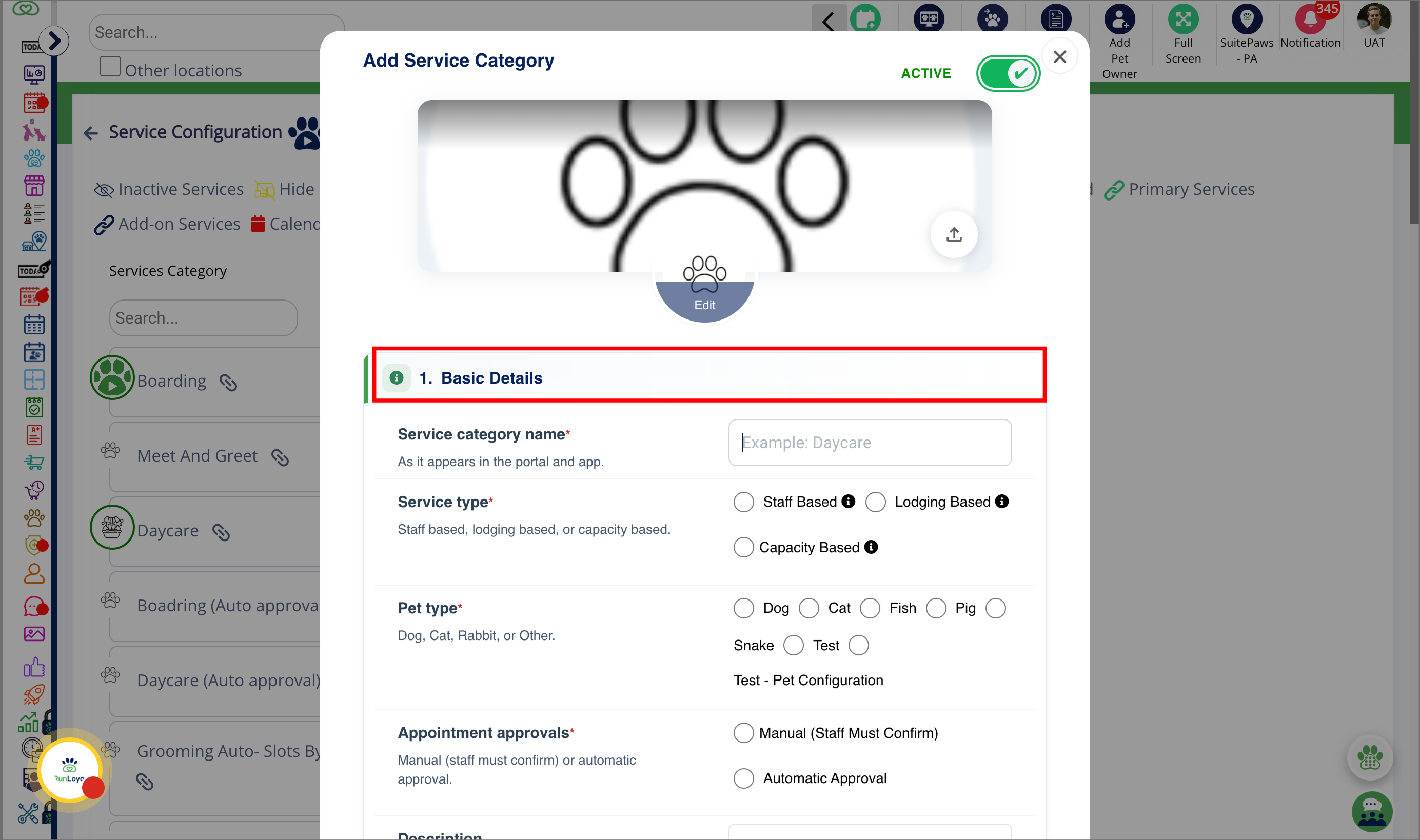
3. Basic Details
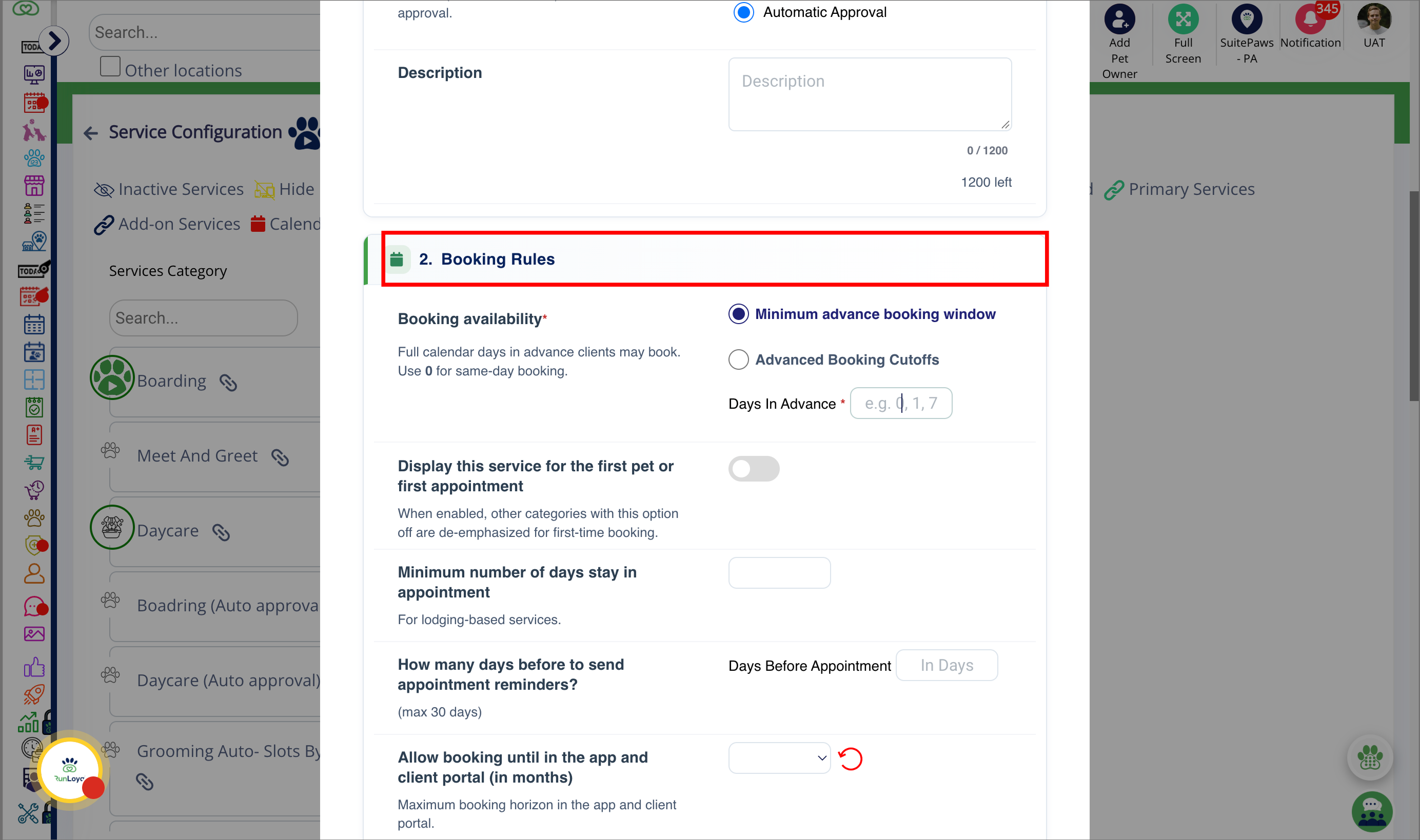
4. Booking Rules
5. Pet Owner Requirements
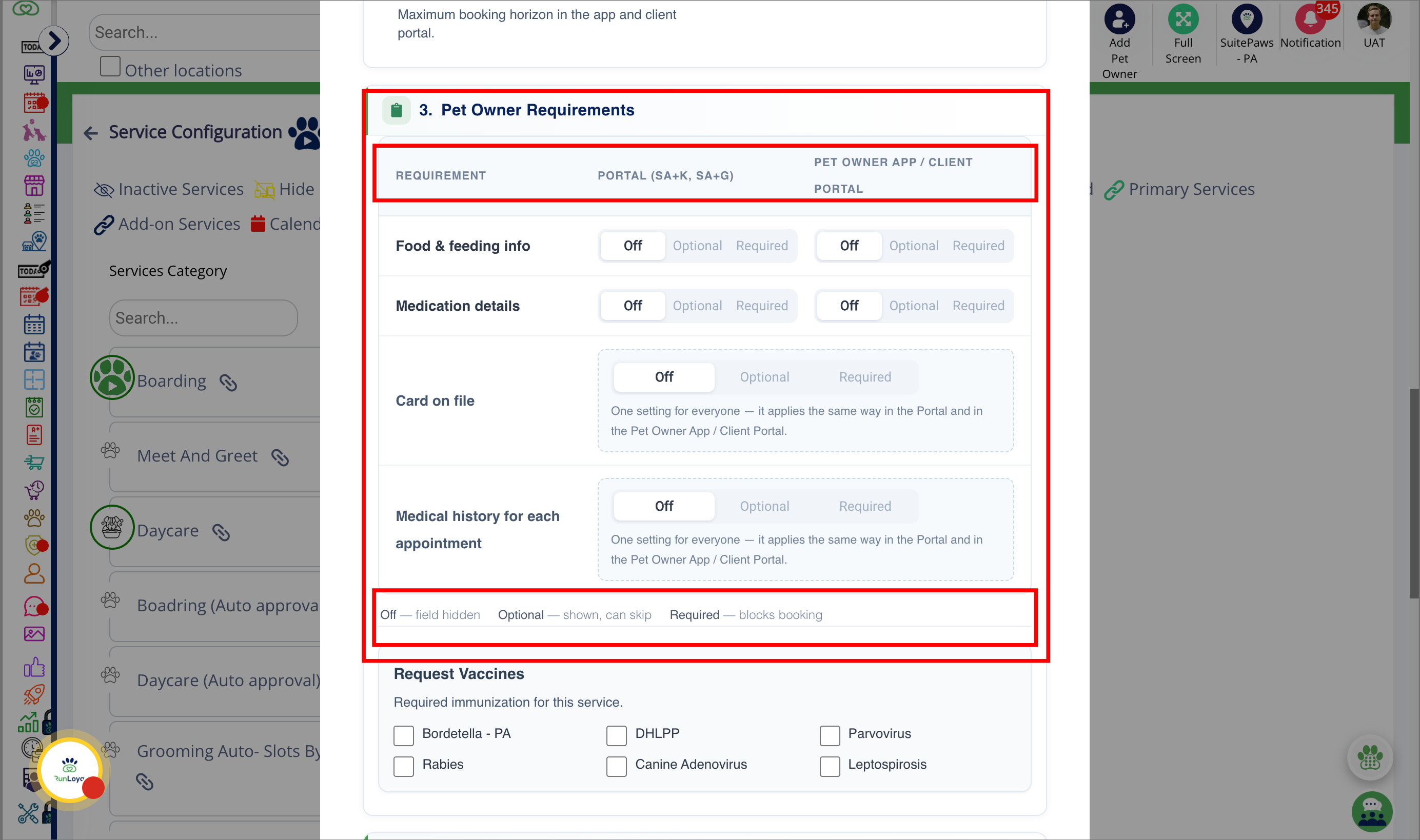
6. Food & feeding info
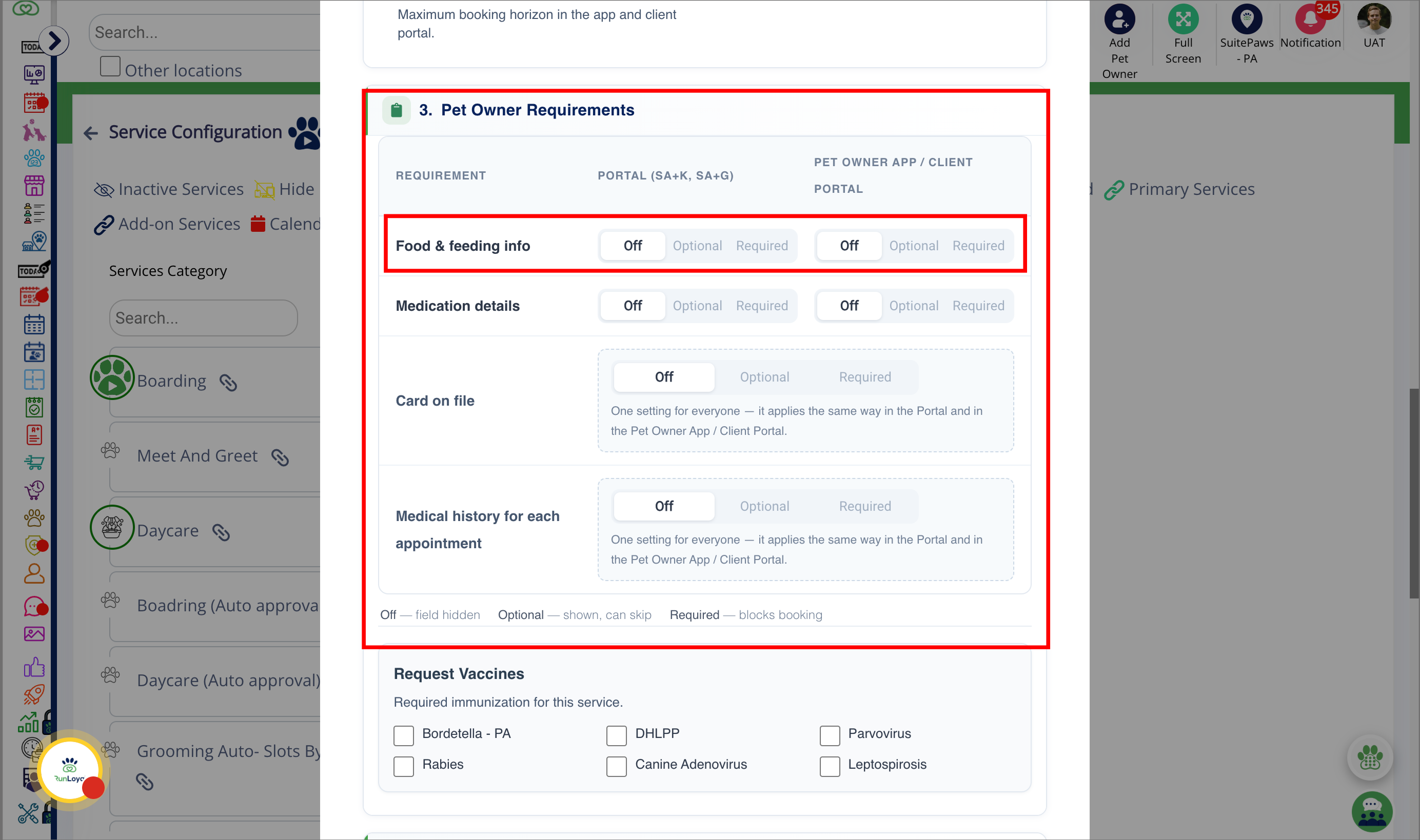
7. Food & feeding info
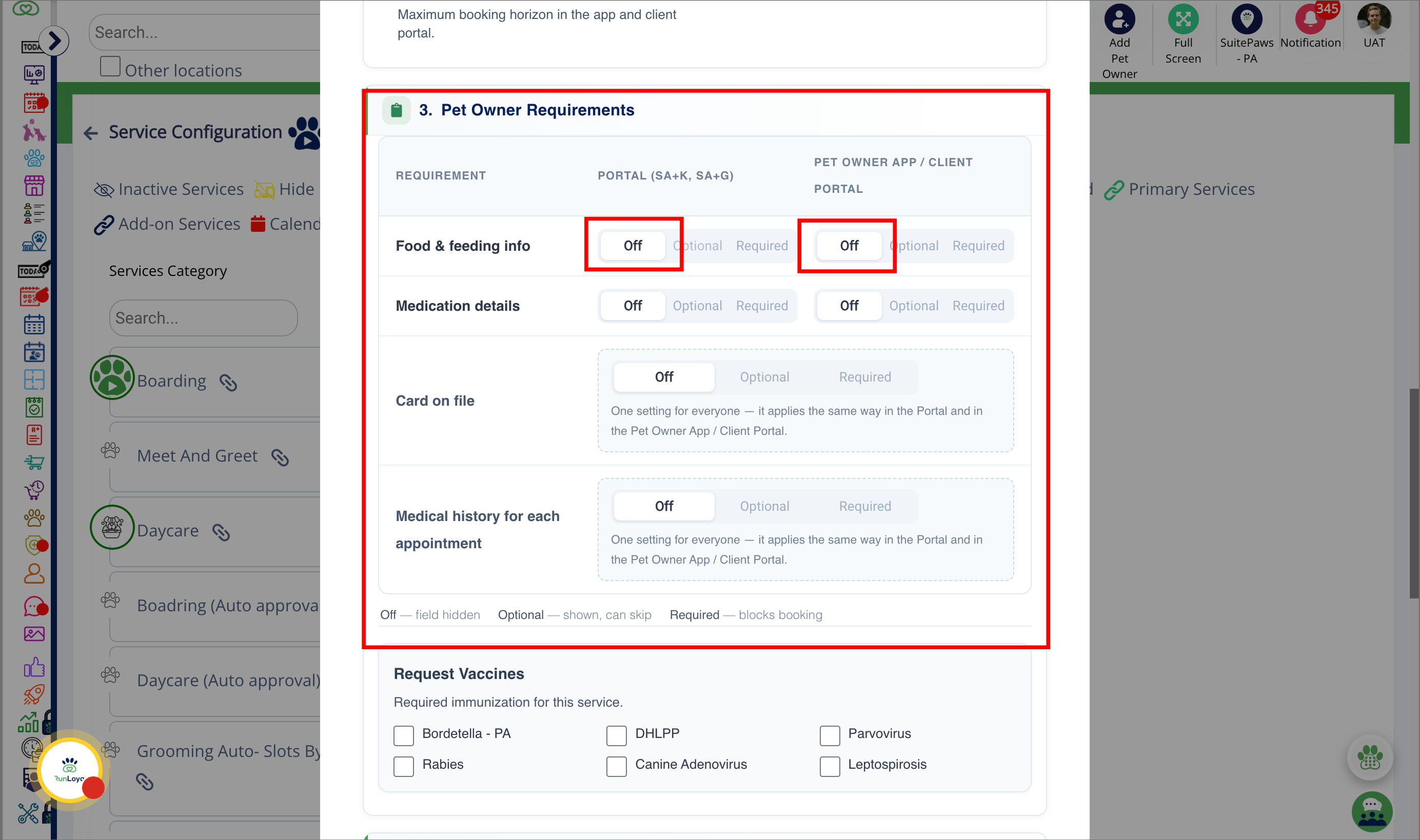
8. Food & feeding info
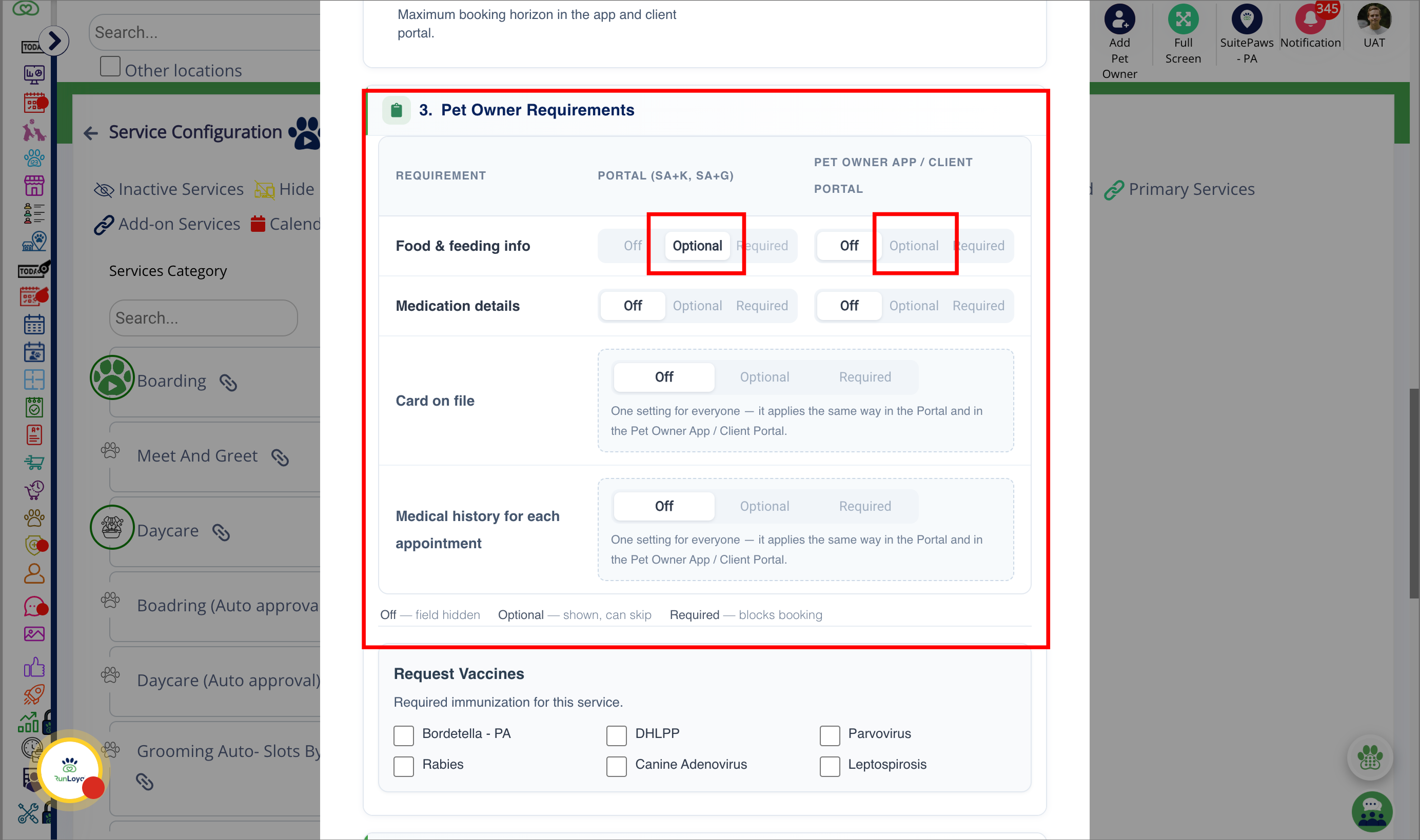
9. Food & feeding info
10. Medication details
11. Card on file
12. Medical history for each appointment
More Information
For more information on setting up a Lodging-Based Service Category, please refer to this article: Set Up Lodging-Based Service Category (Boarding).
For more information on setting up a Capacity-Based Service Category, please refer to this article: Set Up Capacity-Based Service Category (Daycare).
For more information on setting up a Staff-Based Service Category, please refer to this article: Set Up Staff-Based Service Category (Grooming, Training)
Was this article helpful?
That’s Great!
Thank you for your feedback
Sorry! We couldn't be helpful
Thank you for your feedback
Feedback sent
We appreciate your effort and will try to fix the article