Overview:
You can customize reminder messages for specific services in RunLoyal. This allows you to send tailored notifications to pet owners based on the service they have booked.
Configuration Instructions:
1. Navigate to Settings > Business Setup > Pet Owner Notification Preferences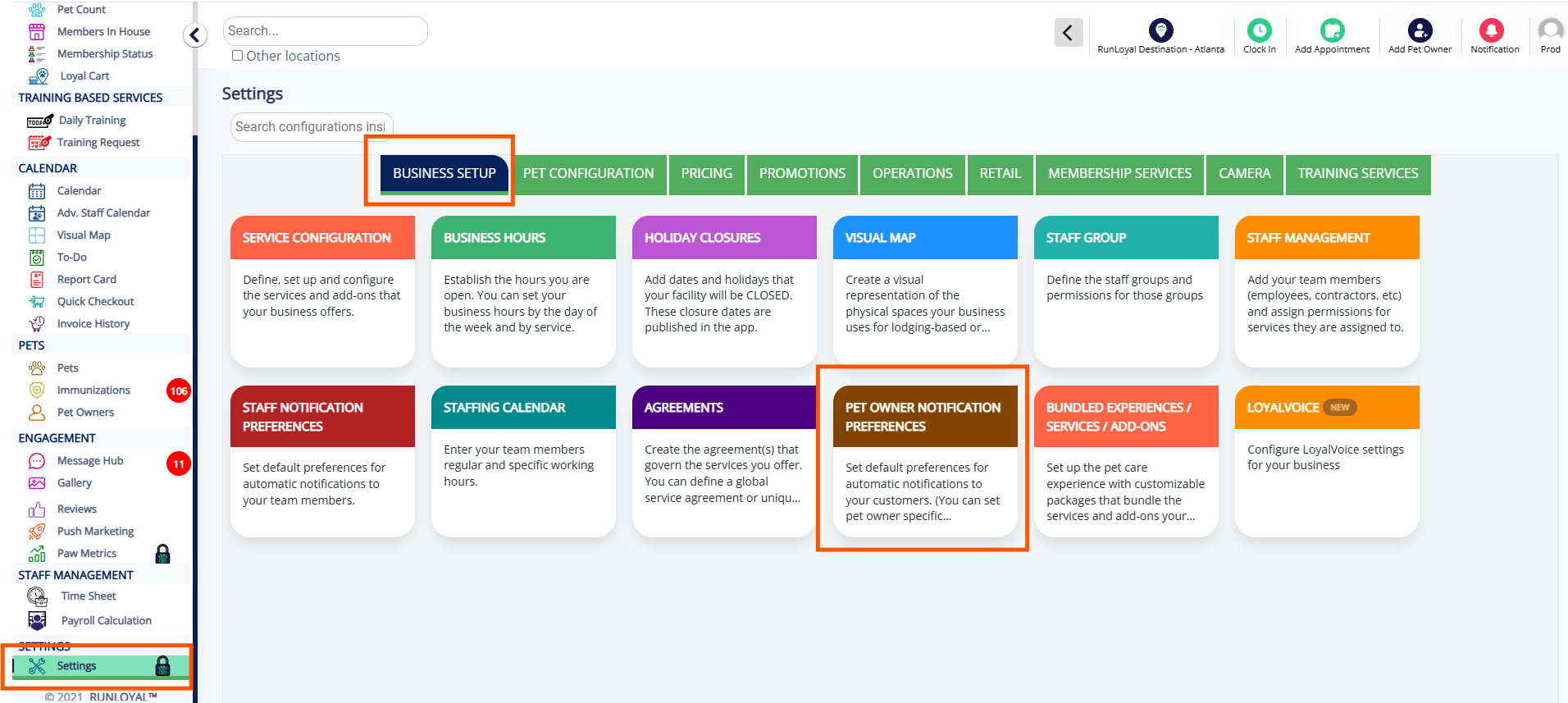
2. Click on the "+" icon next to the Custom Service-based Reminders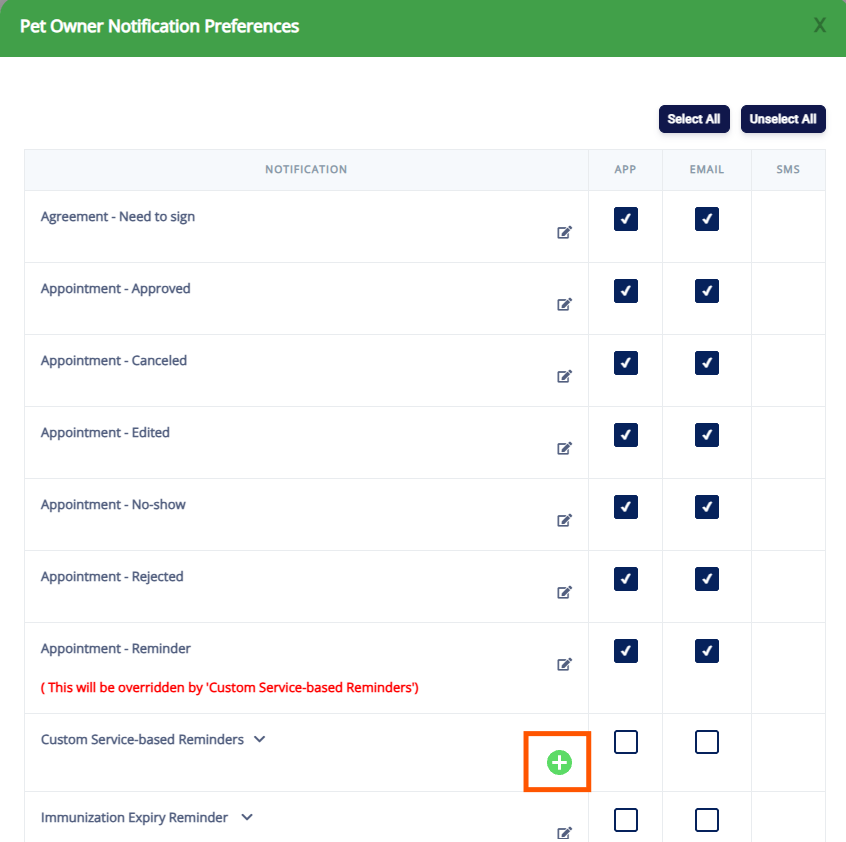
3. Select the desired Service Category and Services. Click Next when done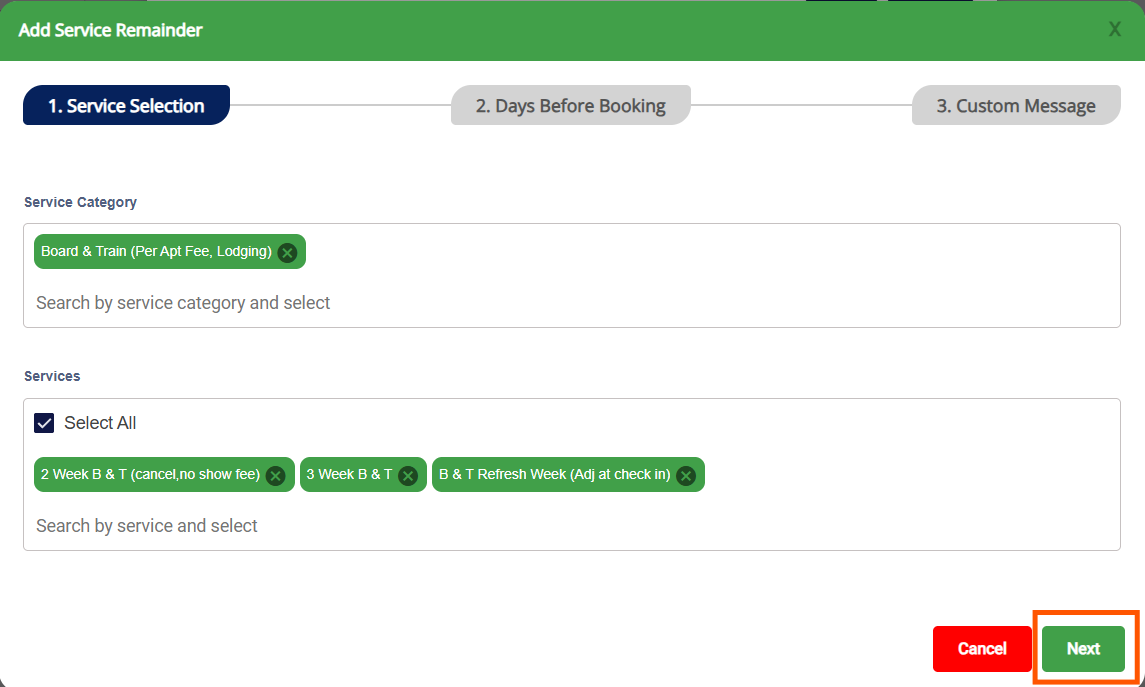
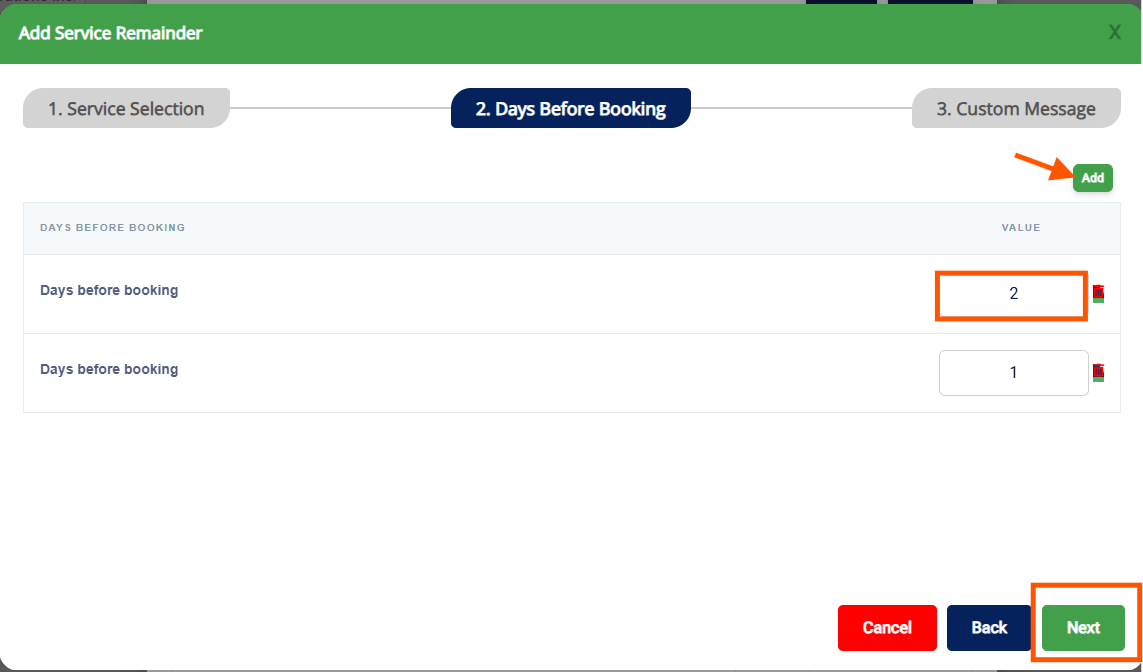
4. You can configure the number of days prior to the booking date when the reminder(s) should be sent. To include additional reminder intervals, click Add, then click Next when finished.
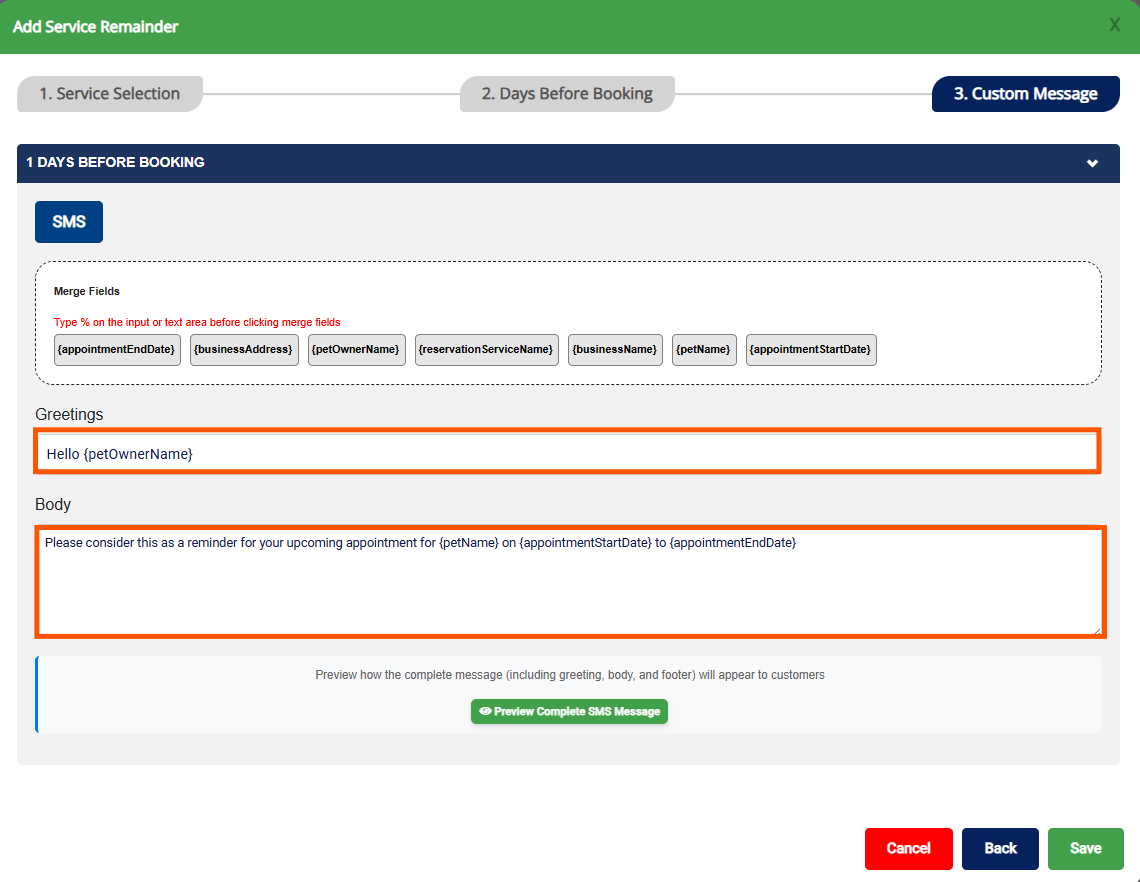
5. Enter the Greeting and the Body to personalize the reminder message as shown below
6. Click on Preview Complete SMS Message to preview the message. Click Save once completed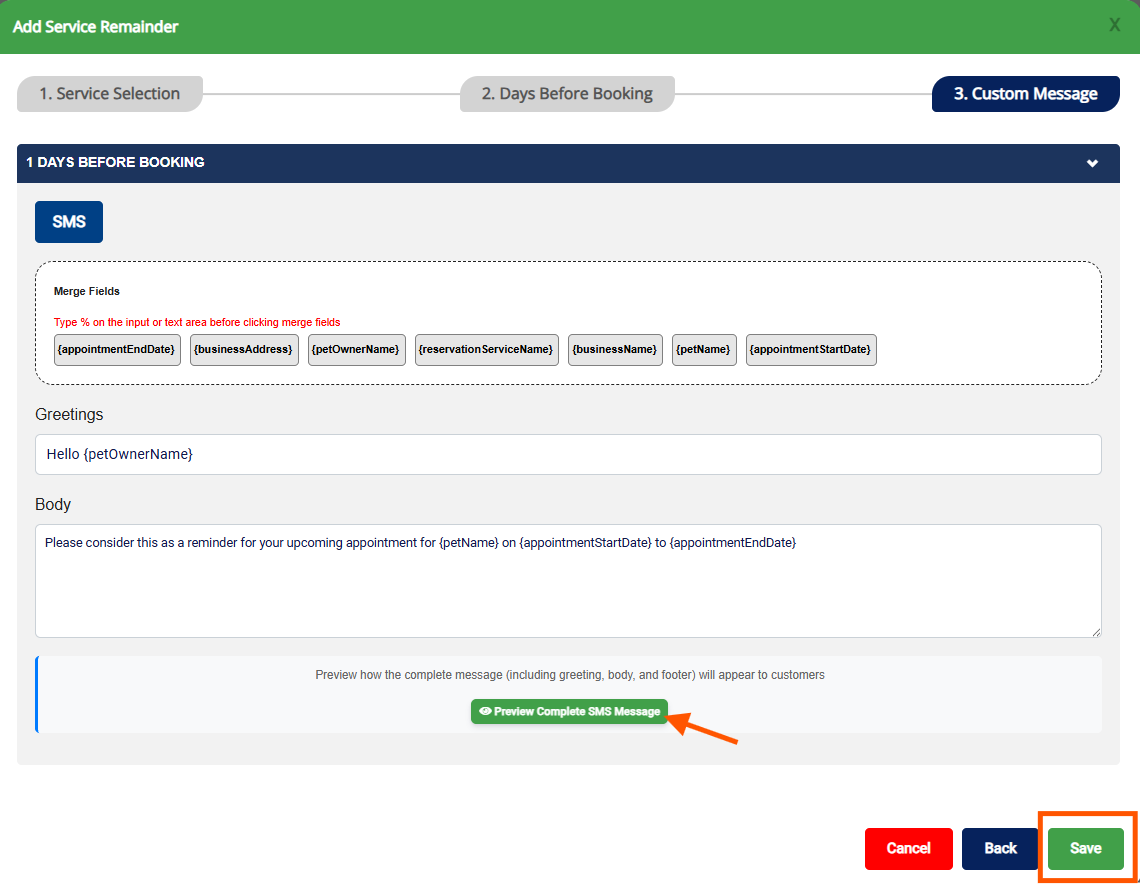
7. Repeat steps 2–6 to configure additional custom service-based reminders, as needed.
Please note: To ensure Custom Service-Based Reminders are delivered to pet owners, the App, Email, and/or SMS notification options must be enabled.
Was this article helpful?
That’s Great!
Thank you for your feedback
Sorry! We couldn't be helpful
Thank you for your feedback
Feedback sent
We appreciate your effort and will try to fix the article