Overview:
This article provides step-by-step instructions on how to update the PIN for a staff member within the platform.
Steps to Update Staff PIN:
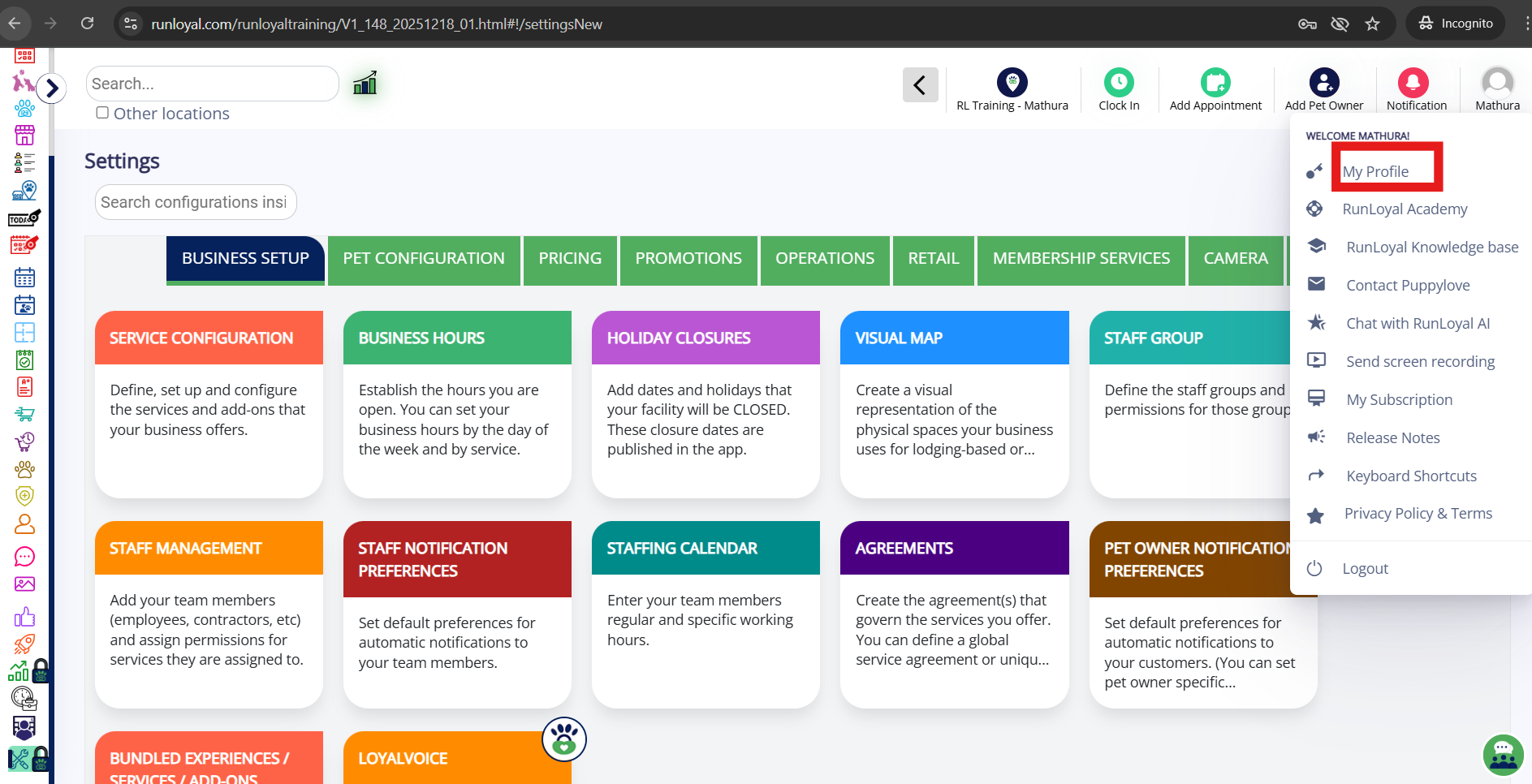
1. Access "My Profile":
- To begin, click on "My Profile" from the main menu.
2. Update Your PIN:
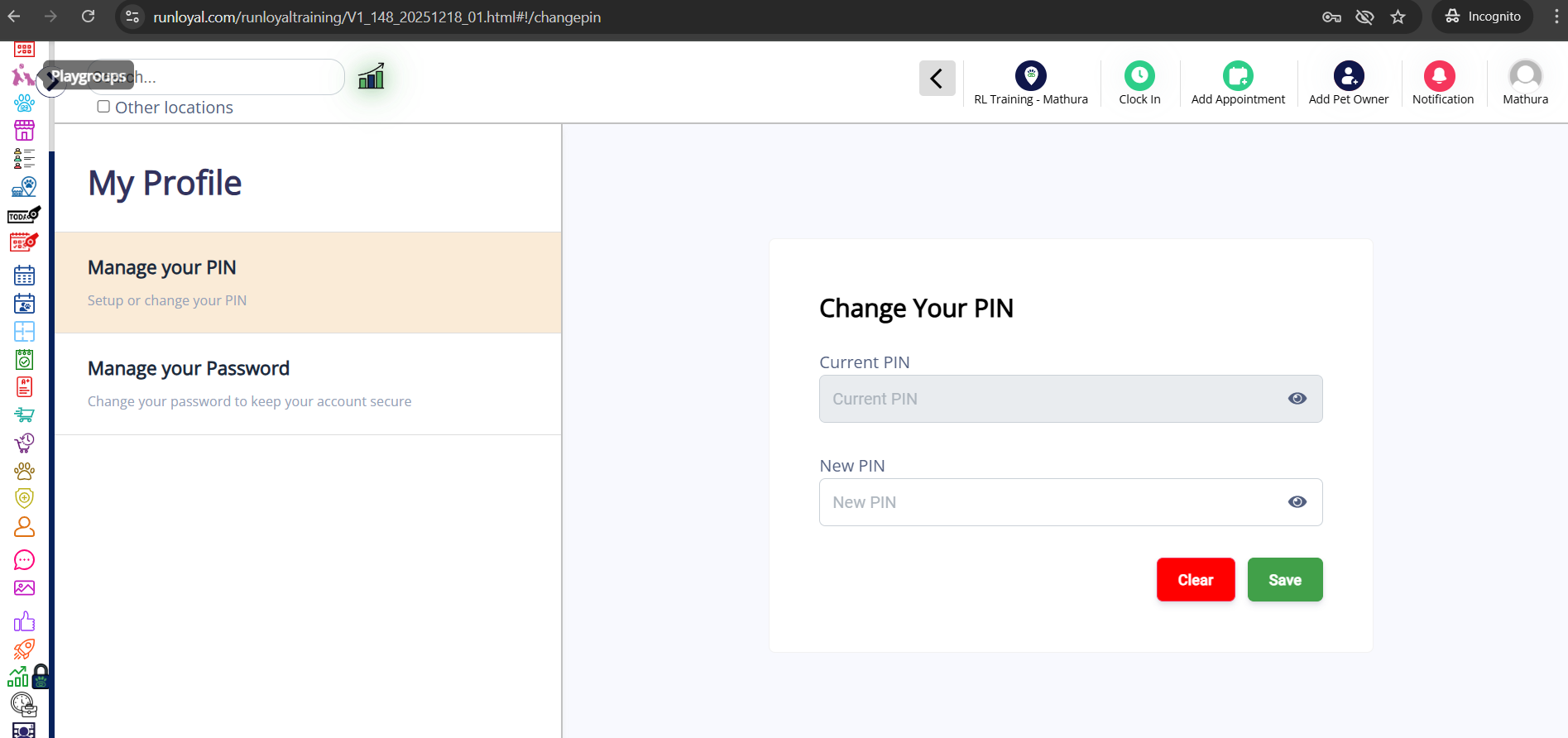
After clicking on "My Profile", the profile screen will appear.
Locate the PIN management section where you can update your current PIN.
Enter the new PIN and then click on "Save" to confirm the change.
Was this article helpful?
That’s Great!
Thank you for your feedback
Sorry! We couldn't be helpful
Thank you for your feedback
Feedback sent
We appreciate your effort and will try to fix the article