Overview:
This article provides step-by-step instructions on how to create a Pet Owner tag within the platform. There are two methods available: one through the Settings menu and the other directly through the Pet Owner interface.
Flow 1: Creating a Pet Owner Tag through Settings:
1. Navigate to Pet Owner Tag Settings:
- Go to the Settings section.
- Click on Operations.
- Select Pet Owner Tag from the menu.
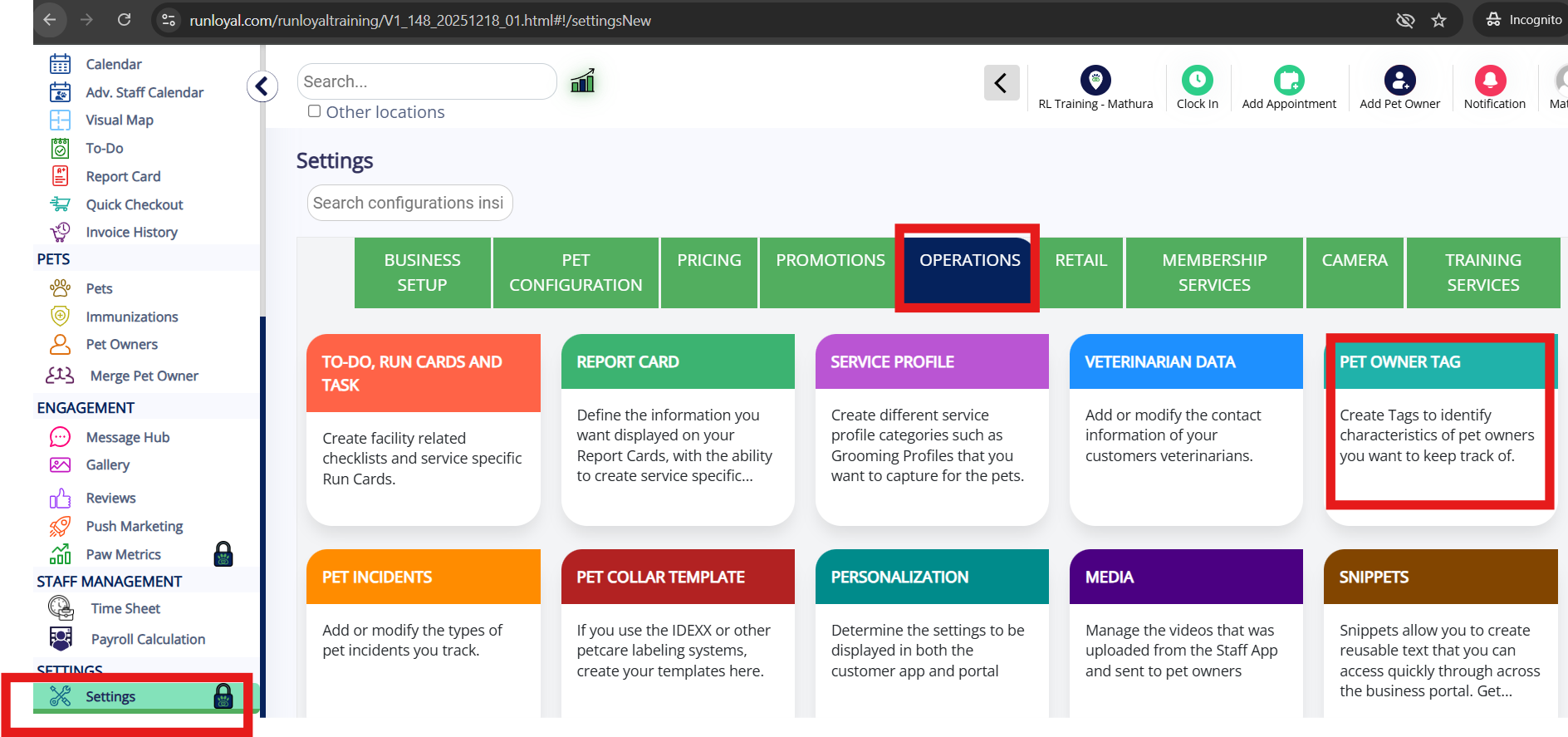
2. Add a New Tag:
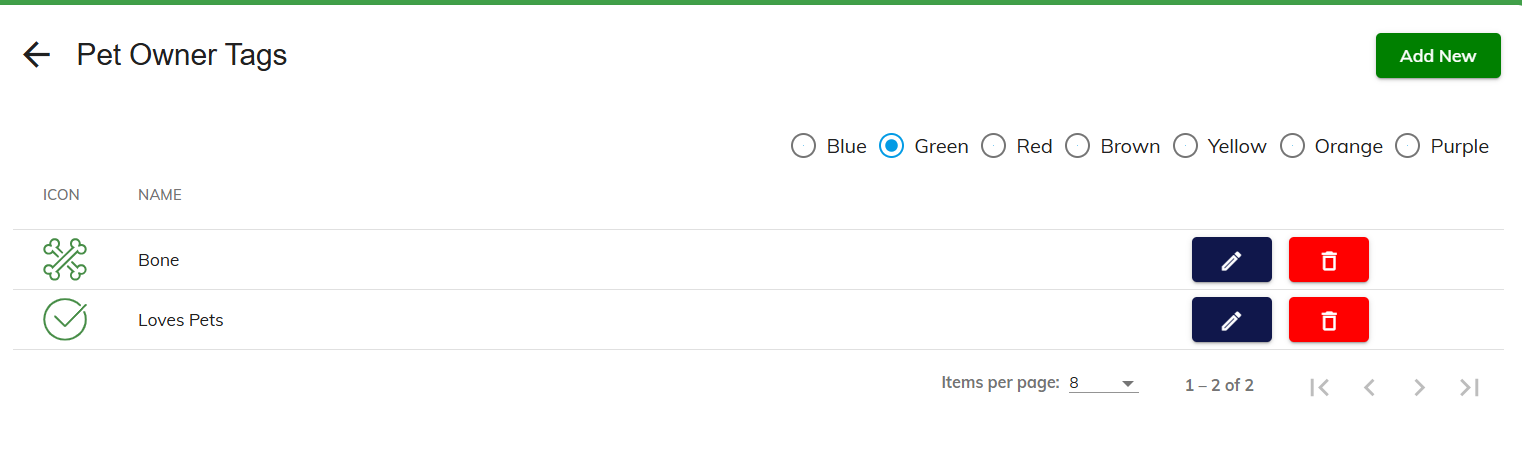
After selecting Pet Owner Tag, you will be directed to a screen displaying the existing tags.
To create a new tag, click on the Add New button.
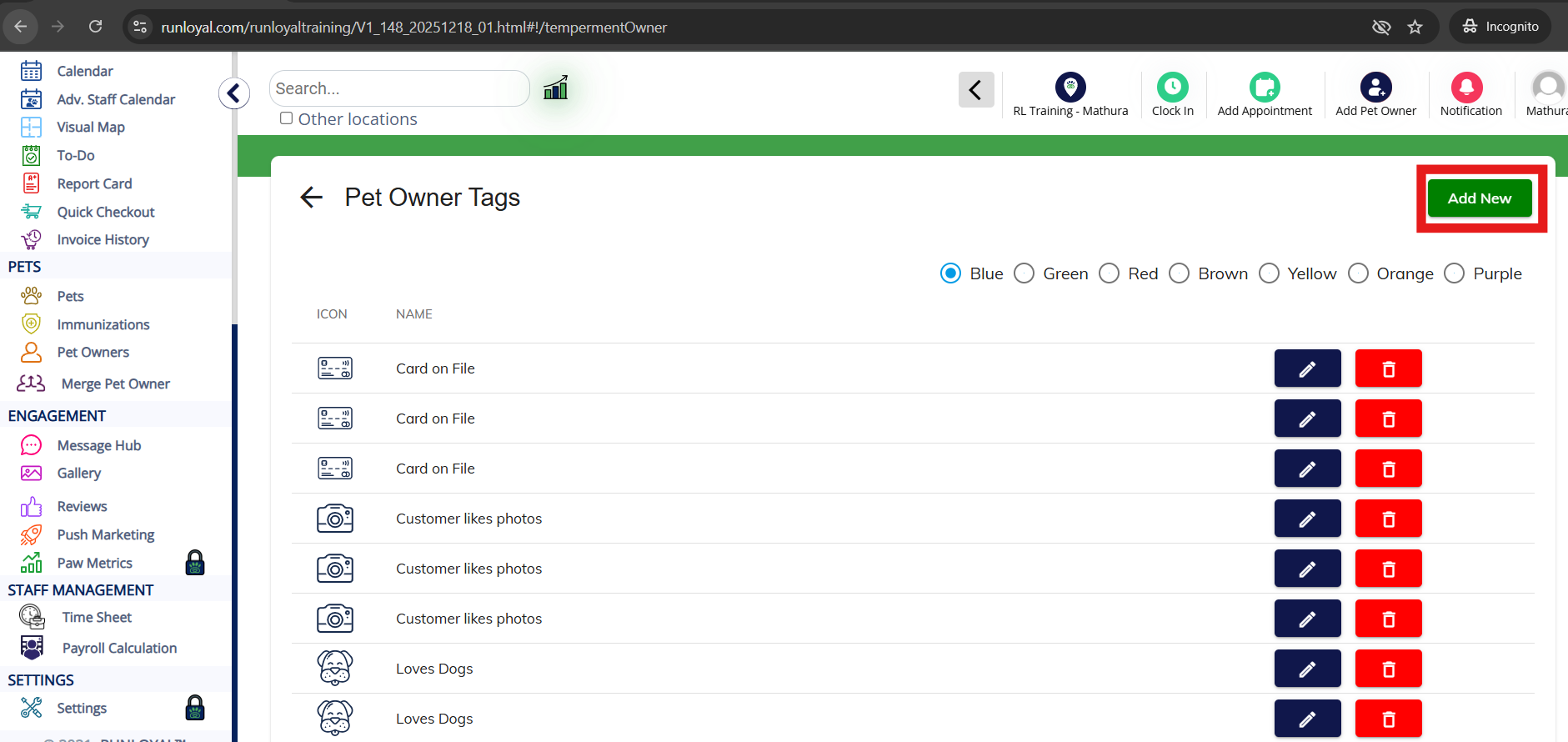
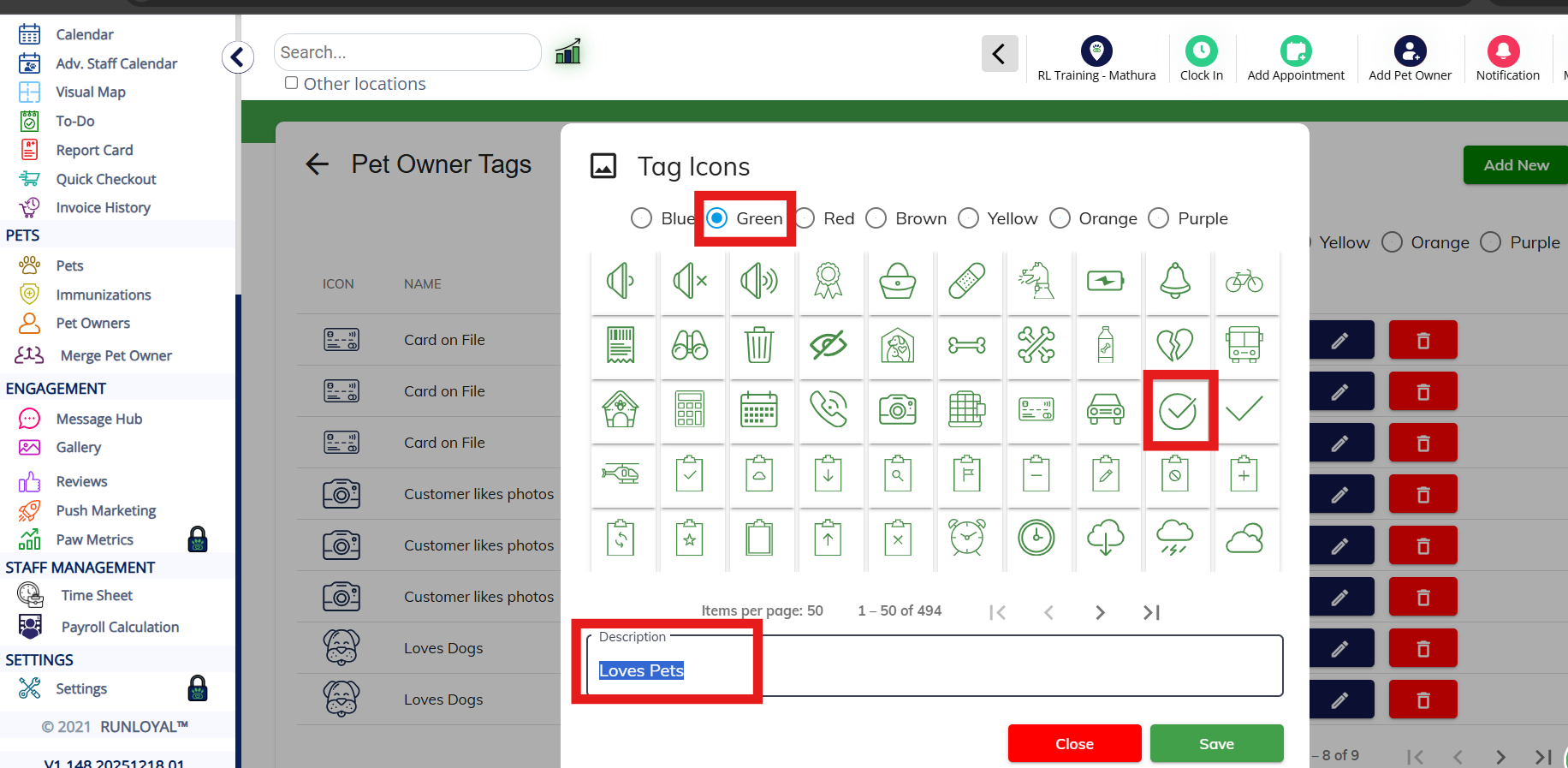
3. Configure Tag Details:
You will be taken to a screen where you can customize the tag:
Choose an Icon: Select an icon of your choice from the available options.
Add a Description: Provide a description for the tag according to your preference.
After configuring, click on Save to save the new tag.
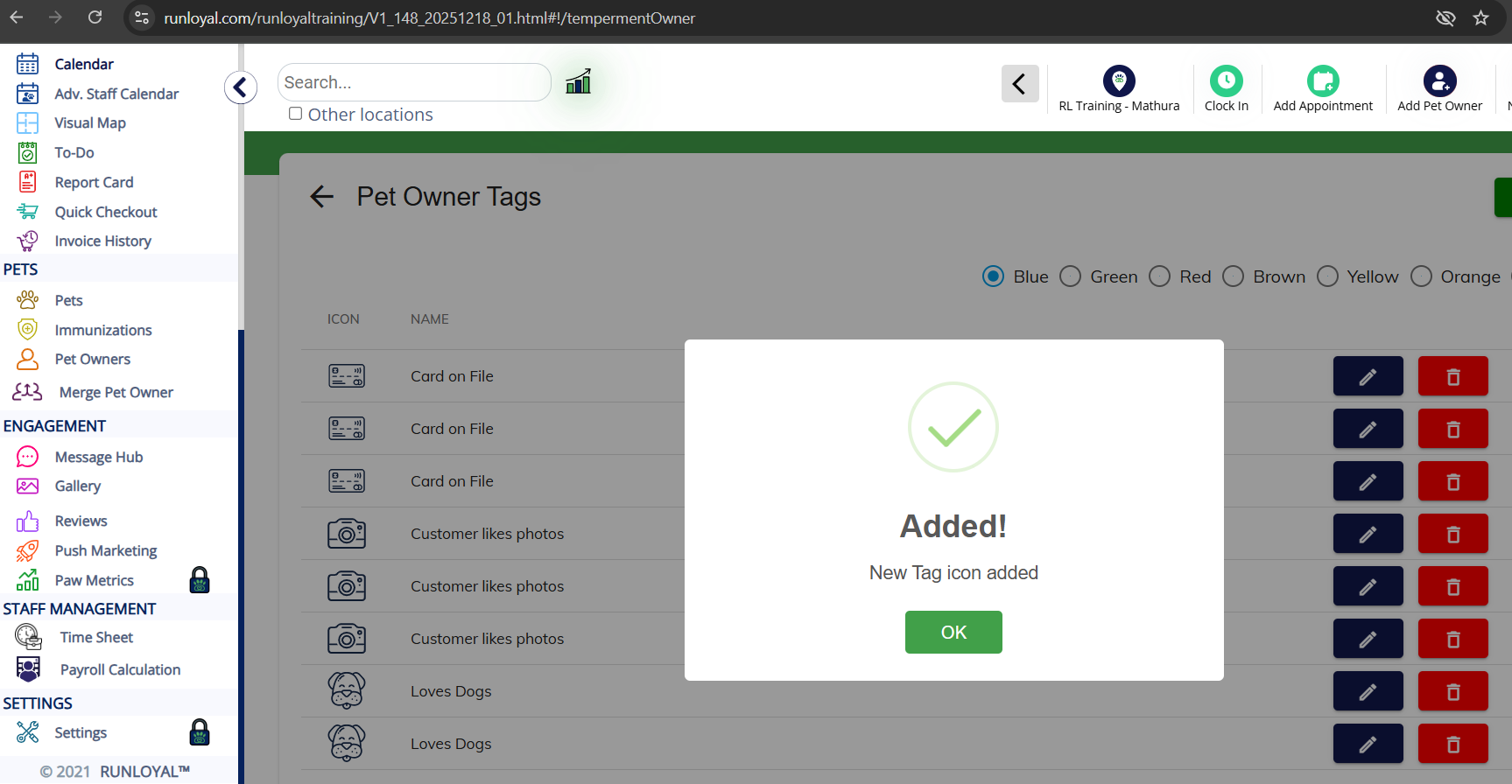
4. Confirmation of Tag Creation:
Upon saving, you will see a confirmation screen.
Click on OK to finalize the creation of the tag.
5. Tag Availability in Color Code Selection:
The newly created tag will now be listed and available when selecting a specific color code.
You can select this tag for further use, and it will appear in the relevant sections.
Flow 2: Creating a Pet Owner Tag via the Pet Owner Interface
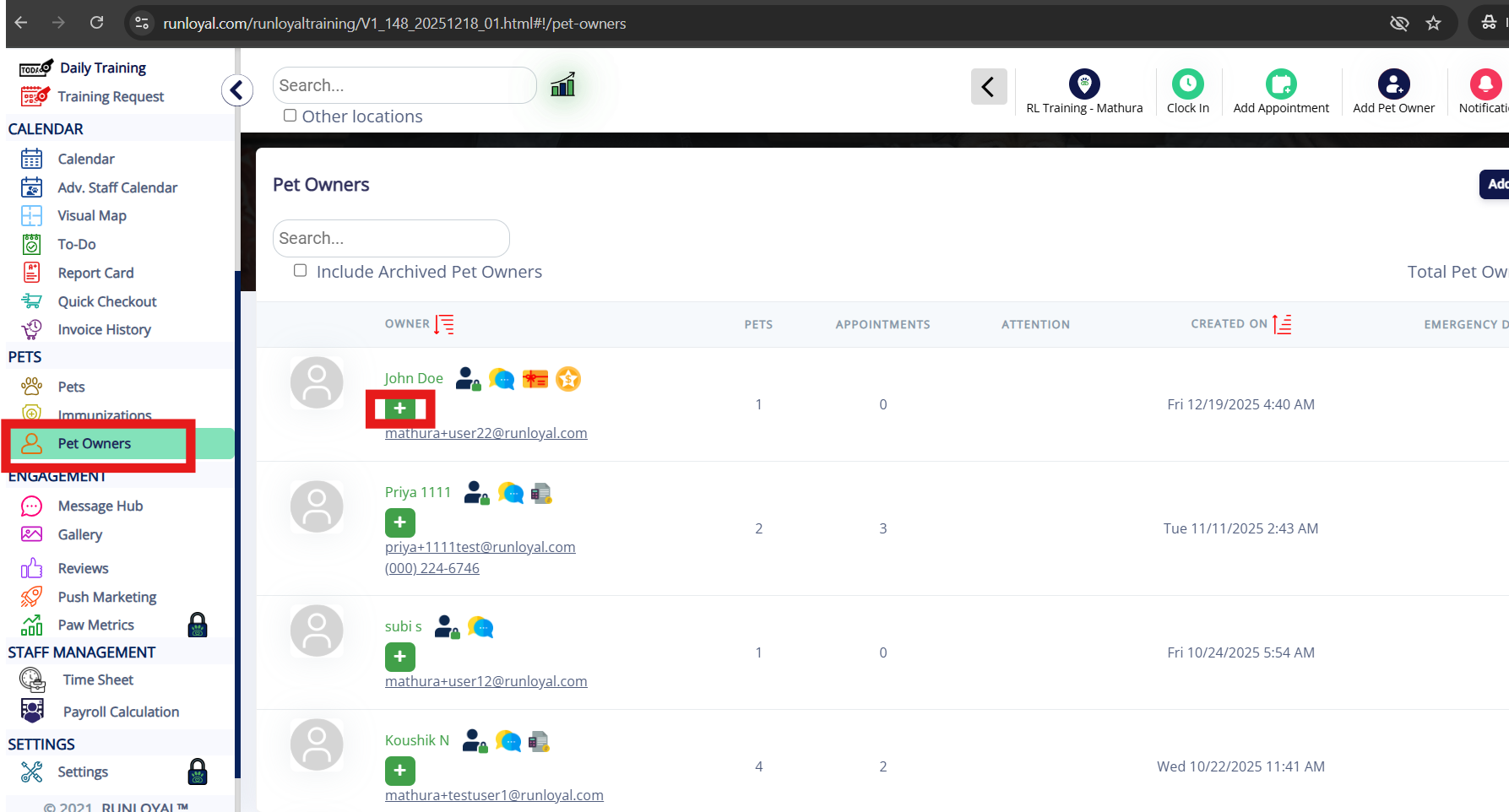
Access the Pet Owner Interface:
Navigate to the Pet Owner section by clicking on the Pet Owner icon in the platform.
Click on the "+" icon to add a new tag.
2. Select or Add a New Tag:
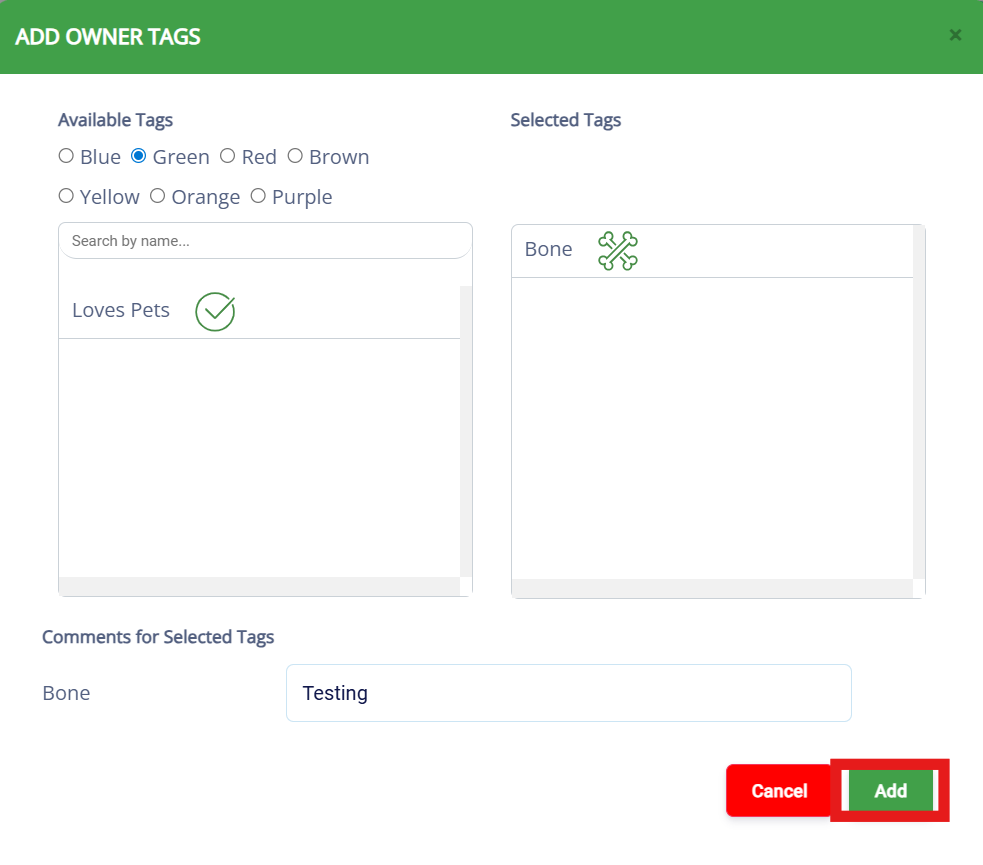
You will be prompted to either:
Choose from the available tags in the list, or
Enter a description for a new tag.
After entering a description (if applicable), click on Add to save the new tag.
3. Tag Visibility:
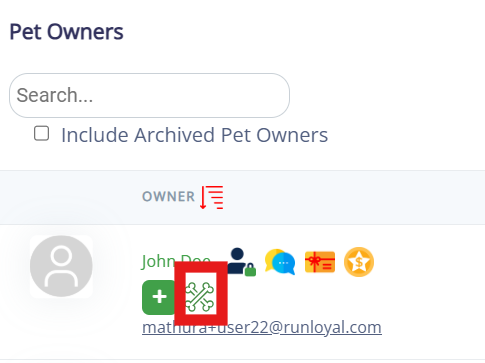
Once the tag is added, it will be visible against the relevant Pet Owner profile.
You can now use this tag to label or categorize pet owners as needed.
You can now create and manage Pet Owner tags either via the Settings menu or directly from the Pet Owner interface, providing flexibility in organizing and categorizing pet owners according to your preferences.
Was this article helpful?
That’s Great!
Thank you for your feedback
Sorry! We couldn't be helpful
Thank you for your feedback
Feedback sent
We appreciate your effort and will try to fix the article